Inicio de sesión requerido
Inicia sesión con tu cuenta de iOSGods para continuar.
Inicia sesión con tu cuenta de iOSGods para continuar.
Experimenta el fútbol de próxima generación con eFootball, la evolución de PES, ahora disponible como un Mod IPA modificado que te da control total sobre el comportamiento del oponente. Este hack gratuito desactiva los pases de la IA, permitiéndote dominar los partidos con patrones defensivos predecibles y convertir cada juego en una demostración de tu habilidad.
- La IA No Pasará → los oponentes no pueden ejecutar jugadas de pase
Descarga eFootball™ iOS Mod IPA desde los enlaces de arriba. Toca el botón de instalación y sigue las instrucciones para instalar este hack iOS en tu iPhone, iPad o Mac con Apple Silicon.
¿Necesitas más ayuda? Consulta nuestras Preguntas frecuentes de la app iOSGods para respuestas detalladas y consejos de solución de problemas.
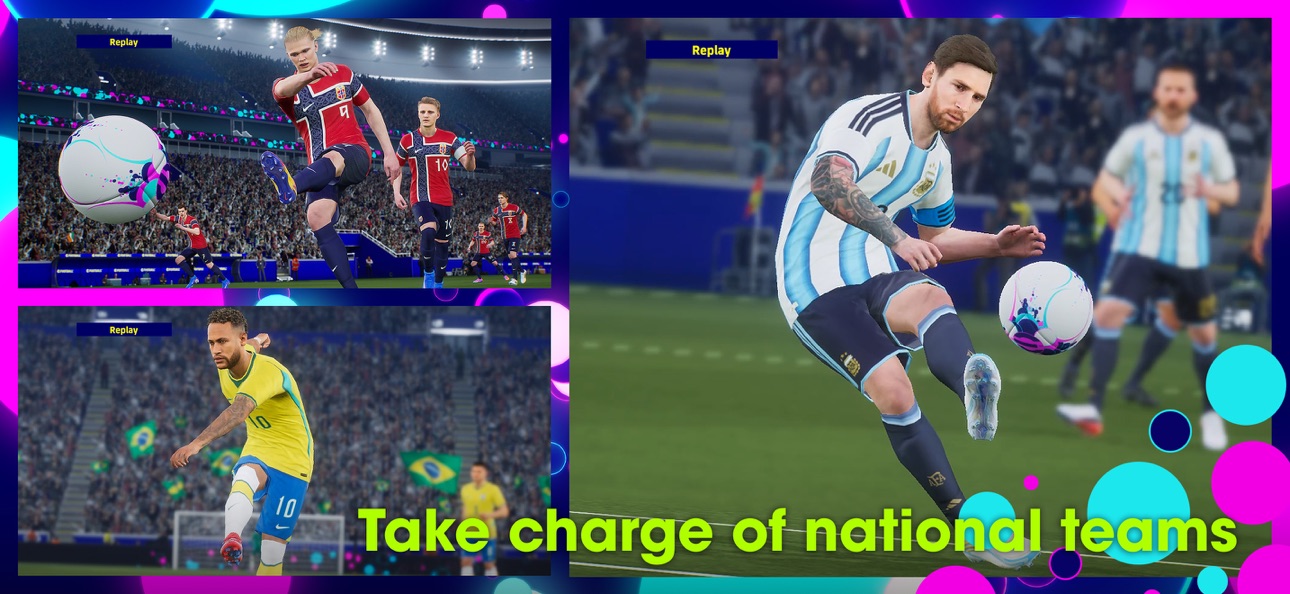
■ "eFootball™" - An Evolution from "PES"
It's an all-new era of digital football: "PES" has now evolved into "eFootball™"! And now you can experience the next generation of football gaming with "eFootball™"!
■ Welcoming Newcomers
After downloading, you can learn the basic controls of the game via a step-by-step tutorial that includes practical demonstrations! Complete them all and receive Lionel Messi!
We have also added the Smart Assist setting to help users enjoy the fun and excitement of playing matches, even if they are new to the game.
Without entering complex commands, get past the opposing defence with a brilliant dribble or pass, then score a goal with a powerful shot.
[Ways of Playing]
Friend Matches and Co-op Matches with up to three a side are also in store. So get together with some mates and have a blast.
■ Player Development
Develop players through matches and special items, and strengthen their abilities.
Improve players the way you like, or use the "Auto Select" setting to develop them automatically.
[For More Fun]
■ Enjoy Each Phase of the Football Season
Download weekly data that reflects player transfers and match achievements from real life.
Build up your team and play thrilling matches based on the latest happenings in the world of football.
■ Customise a Stadium
Get Stadium Elements, such as Choreos and Giant Props, and customise your own stadium.
Add colour to the game by arranging your stadium however you like!
*Users with one of the following nations as their Country/Region of Residence will not have access to loot boxes that require eFootball™ Coins as payment.
Belgium, Brazil (users under 18 years of age)
*Users that have set the following as their Country/Region of Residence will require consent from a parent or legal guardian in order to access loot boxes that utilise eFootball™ Coins.
Germany (users under 12 years of age), Denmark (users under 15 years of age), United States (users under 16 years of age)
[For the Latest News]
New features, modes, events and gameplay improvements will be continuously implemented.
For more details, see the official eFootball™ website.
[Downloading the Game]
Approximately 3.5 GB of free storage space is required to download and install eFootball™.
Please make sure you have enough free space before beginning the download.
We also recommend that you use a wi-fi connection to download the base game and any of its updates.
[Online Connectivity]
An internet connection is required in order to play eFootball™. We also strongly recommend playing with a stable connection to ensure you get the most out of the game.
Capturas © sus respectivos dueños · App Store


iOSGods no está afiliado, avalado ni patrocinado por Apple Inc., Google LLC ni por los desarrolladores de las apps que aparecen aquí. Apple, iOS y App Store son marcas comerciales de Apple Inc. Android y Google Play son marcas comerciales de Google LLC. Todos los demás nombres de apps, iconos, imágenes y marcas pertenecen a sus respectivos dueños.

- iPhone o iPad con o sin Jailbreak.
- Sideloadly u otras alternativas.
- Ordenador con Windows/macOS/Linux e iTunes instalado.
PASO 1: Descargue el archivo .IPA pre-modificado desde el enlace de arriba a su ordenador. Para descargarlo desde la iOSGods App, consulte nuestro Tutorial de descarga del IPA desde la iOSGods App, que incluye un ejemplo en vídeo.
PASO 2: Descargue Sideloadly e instálelo en su Windows o Mac.
PASO 3: Abra Sideloadly en su ordenador, conecte su dispositivo iOS y espere hasta que el nombre del dispositivo aparezca en Sideloadly.
PASO 4: Una vez que su iDevice sea reconocido, arrastre el archivo .IPA modificado que descargó y suéltelo en la aplicación Sideloadly.
PASO 5: Introduzca el correo electrónico de su Apple Account y, a continuación, pulse «Start». Le pedirá que introduzca su contraseña. Proporcione la información solicitada.
PASO 6: Espere a que Sideloadly termine de hacer sideload/instalar el IPA modificado. Si surgen problemas durante la instalación, por favor lea la nota a continuación.
PASO 7: Una vez completada la instalación y al ver la app en la pantalla de inicio, deberá ir a Ajustes → General → Perfiles / VPN y Gestión de Dispositivos. Una vez allí, toque el correo electrónico que introdujo en el paso 6 y, después, toque en «Confiar en [email protected]».
PASO 8: Ahora vaya a la pantalla de inicio y abra la app recién instalada; todo debería funcionar correctamente. Es posible que tenga que seguir instrucciones adicionales específicas de cada app dentro del popup del hack en el juego.
NOTA: En iOS/iPadOS 16 y posteriores, debe activar el Modo Desarrollador. Para cuentas gratuitas de Apple Developer, deberá repetir este proceso cada 7 días. Si tiene alguna pregunta o problema, lea nuestra sección de Preguntas Frecuentes de Sideloadly del tema.
Game Name iOS Mod IPA is an action adventure game enhanced with powerful gameplay boosts and quality-of-life improvements. Win battles faster, earn rewards quicker, and enjoy uninterrupted play without ads.
- Unlimited Gold - spend freely to unlock premium content
- Damage Multiplier - deal significantly more damage in combat
- Defense Multiplier - take less damage and survive longer
- Reward Multiplier - earn more loot from every battle
- Max Level - instantly reach the highest player rank
- No Ads - play without interruptions or advertisements
This app also comes with iGameGod, giving you access to Auto Touch to automate repetitive tasks, App Speed Manager for adjustable gameplay speed, Memory Engine value editing, and more powerful iOS game tools.
Descarga Game Name Mod IPA desde los enlaces de arriba. Toca el botón de instalación y sigue las instrucciones para instalar este hack iOS en tu iPhone, iPad o Mac con Apple Silicon.
¿Necesitas más ayuda Consulta nuestras Preguntas frecuentes de la app iOSGods para respuestas detalladas y consejos de solución de problemas.
----------------------------------------------------------
--------------------------------------------------