Inloggen vereist
Log in met je iOSGods-account om door te gaan.
Log in met je iOSGods-account om door te gaan.
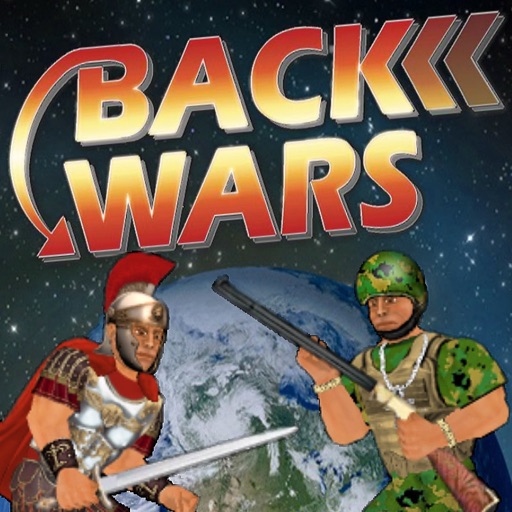
Ontgrendel premium in-app aankopen gratis met deze Back Wars HD Mod IPA, waardoor je direct toegang hebt tot alle upgrades zonder echt geld uit te geven. Commandeer je leger door de tijd heen met volledige controle over je strategiestrategie en geniet van het volledige spel zonder betaalmuren.
- PREMIUM (Gratis iAP) → alle in-app aankopen ontgrendeld zonder kosten
Deze app bevat ook iGameGod, waarmee je toegang krijgt tot Auto Touch om repetitieve taken te automatiseren, App Speed Manager voor een aanpasbare spelsnelheid, het bewerken van waarden met Memory Engine en andere krachtige iOS-gametools.
Download Back Wars HD iOS Mod IPA via de bovenstaande links. Tik op de installatieknop en volg de instructies om deze iOS-app-hack op je iPhone, iPad of Apple Silicon te installeren.
Meer hulp nodig? Bekijk onze Veelgestelde vragen over de iOSGods-app voor uitgebreide antwoorden en probleemoplossingstips.
When an army travels back in time to rule the world 1,000 years in advance, they get more than they bargained for from their primitive counterparts! Lead the resistance with hundreds of warriors from different cultures all over the world. Focus on one individual or step back to command an entire army at your fingertips. Combining world-dominating strategy with fully interactive battles, this game offers the best of both worlds! And just when you think it's over, history might just repeat itself...
UPGRADES
The game is mostly free to play, but you can upgrade to take control of your experience - choosing which side and how much territory to start with. You can also blow off steam with fantasy battles between any 2 cultures - and as many warriors as your device can handle! For what it's worth, you can also edit every character in the world - but please note that this game uses up to 1,000 of them that are regularly replaced.
CONTROLS
When controlling a specific character, this game offers either the "Classic" 1-handed control system or "Dual Wield" where each hand is controlled separately. If you are not already familiar with these from previous games in the series, you can pause the action at any time by hitting the dateline and then study the "Controls" guide. Also look out for in-game hints from scrolls or books that you can read.
In this game, you can change which member of the team you are controlling at any time by either tapping the health meter or literally pointing to them on the battlefield. By tapping the arrows at the bottom of the screen, you can also activate "Commander" mode where you step back and direct any active member of your team by simply swiping from their location to another. Whether you intend them to relocate, fight an enemy, or pick up an object, they will try to make sense of your instructions. But please bear in mind that they can only do so at their convenience and may have other priorities!
Whatever device or control method you are using, you can always zoom in or out by pinching at the centre of the screen.
MAP
The main "Campaign" game mode requires you to increase your territory by moving units from one area to any connected one. You can either "fortify" an existing territory or attempt to seize a rival territory. Note that only 50% of the units in a territory will be available to travel - which necessarily makes it harder to invade than it is to defend.
The population of any inhabited territory may grow after each round, so it is important to control as many as possible. Notice that units will also gradually heal over time, so it is a good idea to work with different locations each turn.
PERFORMANCE
Please note that this is the largest scale game I have made yet, and may require a high-end device to run at 100%. Consider keeping the "Population" low to reduce the number of characters on screen, or tone down other features in the "Display" options.
I regret there is more to this game than I could ever explain here, so I hope you enjoy figuring some things out for yourself!
Screenshots © respectieve eigenaren · App Store


iOSGods is niet verbonden aan, onderschreven door of gesponsord door Apple Inc., Google LLC of de ontwikkelaars van de hier vermelde apps. Apple, iOS en App Store zijn handelsmerken van Apple Inc. Android en Google Play zijn handelsmerken van Google LLC. Alle overige app-namen, iconen, afbeeldingen en handelsmerken behoren toe aan hun respectieve eigenaren.
- Niet-jailbroken/jailed of jailbroken iPhone of iPad.
- Sideloadly of alternatieven.
- Computer met Windows/macOS/Linux en iTunes geïnstalleerd.
STAP 1: Download het vooraf gehackte .IPA-bestand via de link hierboven naar uw computer. Om het te downloaden vanuit de iOSGods App, bekijk onze iOSGods App IPA-downloadhandleiding met een videovoorbeeld.
STAP 2: Download Sideloadly en installeer het op uw Windows of Mac.
STAP 3: Open Sideloadly op uw computer, sluit uw iOS-apparaat aan en wacht tot de naam van uw apparaat in Sideloadly verschijnt.
STAP 4: Zodra uw iDevice is herkend, sleept u het gedownloade gemodde .IPA-bestand naar de Sideloadly-applicatie.
STAP 5: Voer het e-mailadres van uw Apple Account in en druk op “Start”. U wordt vervolgens gevraagd om uw wachtwoord in te voeren. Geef de gevraagde informatie op.
STAP 6: Wacht tot Sideloadly het sideloaden/installeren van de gehackte IPA heeft voltooid. Als er problemen zijn tijdens de installatie, lees dan onderstaande opmerking.
STAP 7: Zodra de installatie is voltooid en u de app op uw beginscherm ziet, gaat u naar Instellingen → Algemeen → Profielen / VPN- en apparaatbeheer. Tik daar op het e-mailadres dat u in stap 6 hebt ingevoerd en tik vervolgens op “Vertrouw [email protected]”.
STAP 8: Ga nu naar uw beginscherm en open de zojuist geïnstalleerde app; alles zou correct moeten werken. Mogelijk moet u verdere app-specifieke instructies volgen in de hack-popup in het spel.
OPMERKING: Op iOS/iPadOS 16 en later moet u Ontwikkelaarsmodus inschakelen. Voor gratis Apple Developer-accounts moet u dit proces elke 7 dagen herhalen. Als u vragen of problemen hebt, lees dan onze Sideloadly FAQ-sectie van het onderwerp.
Hack Features:
- Inf Coins (Spend)
App Installation Instructions:
---------------------------------------------------------
----------------------------------------------------------
If you require more information or help, please read our Frequently Asked Questions topic on iOSGods.com.
----------------------------------------------------------
--------------------------------------------------




![[The Battle Cats JP] にゃんこ大戦争 iOS Mod IPA](https://is1-ssl.mzstatic.com/image/thumb/Purple221/v4/21/75/38/21753822-1174-a5eb-254a-6812ffbe4e95/AppIcon-0-0-1x_U007epad-0-1-85-220.png/100x100bb.jpg)