تسجيل الدخول مطلوب
سجّل الدخول بحساب iOSGods للمتابعة.
Hack Features:
- Free iAP (Turn on inside iOSGods Mod Menu first)
قم بتنزيل Drift Max Pro Drift Racing Hack modded IPA من الروابط أعلاه. اضغط على زر التثبيت واتبع التعليمات لتثبيت هذا التعديل لـ iOS على iPhone أو iPad أو Apple Silicon.
هل تحتاج إلى مزيد من المساعدة؟ راجع الأسئلة الشائعة لتطبيق iOSGods للحصول على إجابات مفصلة ونصائح لاستكشاف الأخطاء.
Favorite drifting game of more than 50,000,000 people around the world. One of the best racing game and it’s an addiction!
From the creators of the legendary drifting game Drift Max comes an epic new drifting game.
Featured globally numerous times; Drift Max Pro offers you the best drifting experience ever.
“A Fabulous Drift Racing Game” - Steemit.com
“Two Thumbs Up!” - Appgrooves.com
THE ULTIMATE REAL RACING SIMULATOR
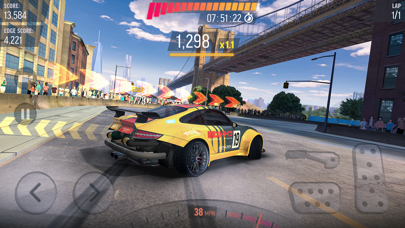
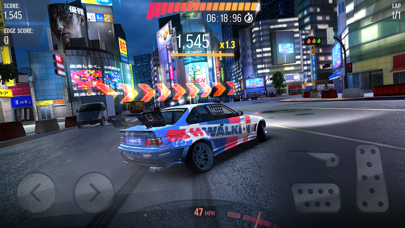
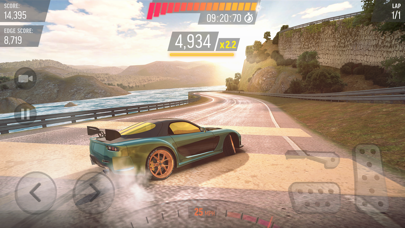
- Stunning and realistic drifting physics
- Next-Gen graphics
- Drive around breathtaking locations such as Tokyo - Japan, New York Brooklyn - United States, Red Square - Moscow during night or day time.
- You can get inside of every car and drive your racing car from the cockpit.
CAREER MODE
- Win gold & cash, collect upgrade cards to build your dream garage
- Get bundle packs
- 10 seasons in total
- 100’s of challenges
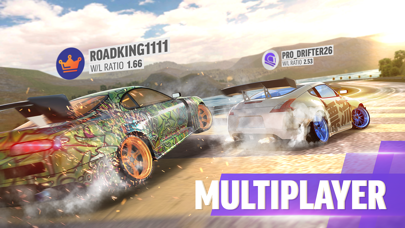
ONLINE MULTIPLAYER MODE (1v1 DUAL)
- Be the fastest one on the asphalt! Claim victory and become a real legend by racing against friends & players from all over the world
- Smash the leaderboards!
- With two different modes, best your opponent by drifting or racing
THE CONTENDER EVENTS
- Unique experience with limited time events
- Amazing drifting races for legendary cars
- Huge amount of gold and cash
BURN THE ASPHALT WITH DIFFERENT GAME MODES
- Daily Objectives to complete and claim stunning rewards
- Slalom Drifting for action lovers
- Cone Toppling for crash lovers
- Perfect Drift Racing
- Free Ride for recording your own best drifts and sharing with friends
CUSTOMIZE & CONFIGURE
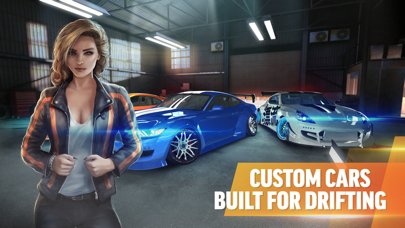
- Design your dream drift car
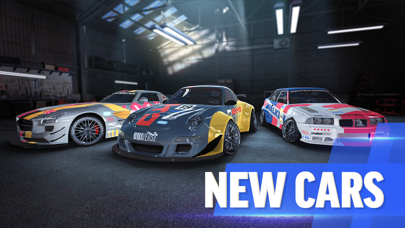
- Two-tone and matte paint colors, exquisite & crazy graphical decals
- Door and hood decals
- Rim model and color
- Window tint
- Caliper color
- Wheel (Camber) angle
- Suspension height
- Racing spoiler models
- Cool neon underglow options
UPGRADE & TUNE & BOOSTER
- Build your racing car with extreme upgrades
- Turbocharger
- Tire Type
- Gearbox
- Sensors
- Choose different tuning modes such as “control, racing or pro”
NOTE: Drift Max Pro is a free to play game and doesn’t require an internet connection after installation! Long live offline games!
CRATE DROP RATES:
Silver Crate: %98 Modification Card / %2 Car Card
Gold Crate: %78 Modification Card / %22 Car Card
WARNING: Drift Max Pro does not have a cloud save feature at this time. All game progress and in-app purchases may be lost upon deletion of the game.
JOIN OUR RACING COMMUNITY
https://www.youtube.com/channel/UCZWFEsHp9hgvmeX106PTdfg
https://www.facebook.com/driftmaxpro/
https://www.instagram.com/driftmaxproofficial/
https://www.tiramisu.game/drift-max-pro
- iPhone أو iPad بجيلبريك أو بدون جيلبريك.
- Sideloadly أو بدائلها.
- كمبيوتر يعمل بنظام Windows/macOS/Linux مع تثبيت iTunes.
الخطوة 1: قم بتنزيل ملف .IPA المعدّل مسبقًا من الرابط أعلاه إلى الكمبيوتر الخاص بك. للتنزيل من تطبيق iOSGods App، اطلع على دليل تنزيل IPA من تطبيق iOSGods App الذي يتضمن مثالًا بالفيديو.
الخطوة 2: قم بتنزيل Sideloadly وتثبيته على جهاز Windows أو Mac.
الخطوة 3: افتح Sideloadly على الكمبيوتر، ووصّل جهاز iOS الخاص بك، وانتظر حتى يظهر اسم جهازك داخل Sideloadly.
الخطوة 4: بمجرد التعرّف على جهاز iDevice الخاص بك، اسحب ملف .IPA المعدّل الذي قمت بتنزيله وأفلِته داخل تطبيق Sideloadly.
الخطوة 5: أدخل البريد الإلكتروني لحساب Apple Account الخاص بك، ثم اضغط على «Start». سيُطلب منك بعد ذلك إدخال كلمة المرور. تابع وأدخل المعلومات المطلوبة.
الخطوة 6: انتظر حتى ينتهي Sideloadly من تحميل/تثبيت ملف IPA المعدّل. في حال واجهت أي مشاكل أثناء التثبيت، يرجى قراءة الملاحظة أدناه.
الخطوة 7: بعد اكتمال التثبيت ورؤية التطبيق على الشاشة الرئيسية، انتقل إلى Settings → General → Profiles / VPN & Device Management. ثم اضغط على البريد الإلكتروني الذي أدخلته في الخطوة 6، ثم اضغط على «الوثوق بـ [email protected]».
الخطوة 8: الآن انتقل إلى الشاشة الرئيسية وافتح التطبيق الذي تم تثبيته للتو وسيعمل كل شيء بشكل صحيح. قد تحتاج إلى اتباع تعليمات إضافية خاصة بكل تطبيق داخل النافذة المنبثقة للتعديل أثناء اللعب.
ملاحظة: بدءًا من iOS/iPadOS 16 وما بعده، يجب تفعيل وضع المطور (Developer Mode). بالنسبة لحسابات Apple Developer المجانية، ستحتاج إلى تكرار هذه العملية كل 7 أيام. إذا كانت لديك أي أسئلة أو مشاكل، يرجى قراءة قسم الأسئلة الشائعة حول Sideloadly في الموضوع.