ต้องเข้าสู่ระบบ
เข้าสู่ระบบด้วยบัญชี iOSGods เพื่อดำเนินการต่อ
เข้าสู่ระบบด้วยบัญชี iOSGods เพื่อดำเนินการต่อ

- Free iAP (Turn on inside iOSGods Mod Menu first)
แอปนี้ยังมาพร้อมกับ iGameGod ซึ่งช่วยให้คุณเข้าถึง Auto Touch สำหรับการทำงานซ้ำ ๆ โดยอัตโนมัติ, App Speed Manager สำหรับปรับความเร็วของเกม, การแก้ไขค่าด้วย Memory Engine และเครื่องมือสำหรับเกม iOS ที่ทรงพลังอื่น ๆ อีกมากมาย
ดาวน์โหลด Drift Max Pro Drift Racing Hack modded IPA จากลิงก์ด้านบน แตะปุ่มติดตั้งและทำตามคำแนะนำบนหน้าจอเพื่อติดตั้งแฮ็กแอป iOS นี้บน iPhone, iPad หรือ Apple Silicon
ต้องการความช่วยเหลือเพิ่มเติม? ดู คำถามที่พบบ่อยของแอป iOSGods สำหรับคำตอบโดยละเอียดและเคล็ดลับการแก้ไขปัญหา
Favorite drifting game of more than 50,000,000 people around the world. One of the best racing game and it’s an addiction!
From the creators of the legendary drifting game Drift Max comes an epic new drifting game.
Featured globally numerous times; Drift Max Pro offers you the best drifting experience ever.
“A Fabulous Drift Racing Game” - Steemit.com
“Two Thumbs Up!” - Appgrooves.com
THE ULTIMATE REAL RACING SIMULATOR
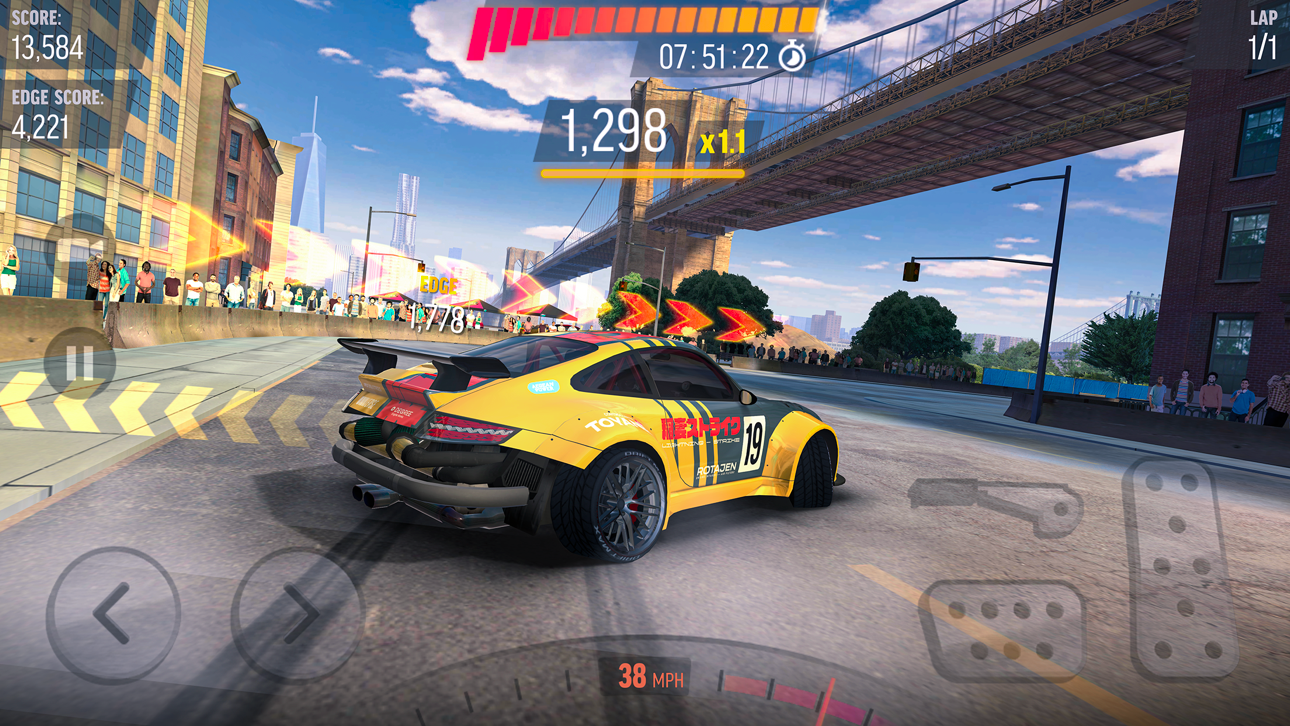
- Stunning and realistic drifting physics
- Next-Gen graphics
- Drive around breathtaking locations such as Tokyo - Japan, New York Brooklyn - United States, Red Square - Moscow during night or day time.
- You can get inside of every car and drive your racing car from the cockpit.
CAREER MODE
- Win gold & cash, collect upgrade cards to build your dream garage
- Get bundle packs
- 10 seasons in total
- 100’s of challenges
ONLINE MULTIPLAYER MODE (1v1 DUAL)
- Be the fastest one on the asphalt! Claim victory and become a real legend by racing against friends & players from all over the world
- Smash the leaderboards!
- With two different modes, best your opponent by drifting or racing
THE CONTENDER EVENTS
- Unique experience with limited time events
- Amazing drifting races for legendary cars
- Huge amount of gold and cash
BURN THE ASPHALT WITH DIFFERENT GAME MODES
- Daily Objectives to complete and claim stunning rewards
- Slalom Drifting for action lovers
- Cone Toppling for crash lovers
- Perfect Drift Racing
- Free Ride for recording your own best drifts and sharing with friends
CUSTOMIZE & CONFIGURE
- Design your dream drift car
- Two-tone and matte paint colors, exquisite & crazy graphical decals
- Door and hood decals
- Rim model and color
- Window tint
- Caliper color
- Wheel (Camber) angle
- Suspension height
- Racing spoiler models
- Cool neon underglow options
UPGRADE & TUNE & BOOSTER
- Build your racing car with extreme upgrades
- Turbocharger
- Tire Type
- Gearbox
- Sensors
- Choose different tuning modes such as “control, racing or pro”
NOTE: Drift Max Pro is a free to play game and doesn’t require an internet connection after installation! Long live offline games!
CRATE DROP RATES:
Silver Crate: %98 Modification Card / %2 Car Card
Gold Crate: %78 Modification Card / %22 Car Card
WARNING: Drift Max Pro does not have a cloud save feature at this time. All game progress and in-app purchases may be lost upon deletion of the game.
JOIN OUR RACING COMMUNITY
https://www.youtube.com/channel/UCZWFEsHp9hgvmeX106PTdfg
https://www.facebook.com/driftmaxpro/
https://www.instagram.com/driftmaxproofficial/
https://www.tiramisu.game/drift-max-pro
ภาพหน้าจอ © เจ้าของแต่ละราย · App Store


iOSGods ไม่มีความเกี่ยวข้อง ไม่ได้รับการรับรอง และไม่ได้รับการสนับสนุนจาก Apple Inc., Google LLC หรือผู้พัฒนาแอปที่แสดงไว้ที่นี่ Apple, iOS และ App Store เป็นเครื่องหมายการค้าของ Apple Inc. Android และ Google Play เป็นเครื่องหมายการค้าของ Google LLC ชื่อแอป ไอคอน ภาพ และเครื่องหมายการค้าอื่นทั้งหมดเป็นทรัพย์สินของเจ้าของแต่ละราย
- iPhone หรือ iPad ที่ไม่ได้เจลเบรก/ไม่ได้เจลเบรก หรือเจลเบรกแล้ว
- Sideloadly หรือทางเลือกอื่น
- คอมพิวเตอร์ที่ใช้ Windows/macOS/Linux และติดตั้ง iTunes ไว้
ขั้นตอนที่ 1: ดาวน์โหลดไฟล์ .IPA ที่แฮกไว้ล่วงหน้าจากลิงก์ด้านบนลงในคอมพิวเตอร์ของคุณ หากต้องการดาวน์โหลดจากแอป iOSGods โปรดดู วิธีดาวน์โหลด IPA ในแอป iOSGods ซึ่งมีตัวอย่างวิดีโอประกอบ
ขั้นตอนที่ 2: ดาวน์โหลด Sideloadly แล้วติดตั้งบน Windows หรือ Mac ของคุณ
ขั้นตอนที่ 3: เปิด Sideloadly บนคอมพิวเตอร์ เชื่อมต่ออุปกรณ์ iOS แล้วรอจนกว่าชื่ออุปกรณ์ของคุณจะปรากฏใน Sideloadly
ขั้นตอนที่ 4: เมื่อ iDevice ของคุณถูกตรวจพบแล้ว ให้ลากไฟล์ .IPA ที่ม็อดมาวางลงในโปรแกรม Sideloadly
ขั้นตอนที่ 5: กรอกอีเมล Apple Account ของคุณ จากนั้นกด "Start" ระบบจะถามรหัสผ่าน กรอกข้อมูลที่จำเป็นให้เรียบร้อย
ขั้นตอนที่ 6: รอจนกว่า Sideloadly จะ sideload/ติดตั้งไฟล์ IPA ที่แฮกเสร็จ หากเกิดปัญหาระหว่างติดตั้ง โปรดอ่านหมายเหตุด้านล่าง
ขั้นตอนที่ 7: เมื่อการติดตั้งเสร็จสิ้นและเห็นแอปบนหน้าจอหลักแล้ว ให้ไปที่ การตั้งค่า → ทั่วไป → โปรไฟล์ / VPN และการจัดการอุปกรณ์ จากนั้นแตะที่อีเมลที่คุณกรอกในขั้นตอนที่ 6 แล้วแตะ "เชื่อถือ [email protected]"
ขั้นตอนที่ 8: จากนั้นไปที่หน้าจอหลักและเปิดแอปที่ติดตั้งใหม่ ทุกอย่างควรทำงานได้ปกติ คุณอาจต้องทำตามคำแนะนำเพิ่มเติมเฉพาะแอปในป๊อปอัปของม็อดในเกม
หมายเหตุ: สำหรับ iOS/iPadOS 16 ขึ้นไป คุณต้อง เปิดโหมดนักพัฒนา (Developer Mode) สำหรับบัญชี Apple Developer แบบฟรี คุณต้องทำขั้นตอนนี้ซ้ำทุก 7 วัน หากมีคำถามหรือพบปัญหา โปรดอ่าน หัวข้อ FAQ ของ Sideloadly ในกระทู้
Game Name iOS Mod IPA is an action adventure game enhanced with powerful gameplay boosts and quality-of-life improvements. Win battles faster, earn rewards quicker, and enjoy uninterrupted play without ads.
- Unlimited Gold - spend freely to unlock premium content
- Damage Multiplier - deal significantly more damage in combat
- Defense Multiplier - take less damage and survive longer
- Reward Multiplier - earn more loot from every battle
- Max Level - instantly reach the highest player rank
- No Ads - play without interruptions or advertisements
This app also comes with iGameGod, giving you access to Auto Touch to automate repetitive tasks, App Speed Manager for adjustable gameplay speed, Memory Engine value editing, and more powerful iOS game tools.
ดาวน์โหลด Game Name Mod IPA จากลิงก์ด้านบน แตะปุ่มติดตั้งและทำตามคำแนะนำบนหน้าจอเพื่อติดตั้งแฮ็กแอป iOS นี้บน iPhone, iPad หรือ Apple Silicon
ต้องการความช่วยเหลือเพิ่มเติม ดู คำถามที่พบบ่อยของแอป iOSGods สำหรับคำตอบโดยละเอียดและเคล็ดลับการแก้ไขปัญหา
----------------------------------------------------------
--------------------------------------------------



![[The Battle Cats JP] にゃんこ大戦争 iOS Mod IPA](https://is1-ssl.mzstatic.com/image/thumb/Purple221/v4/49/1f/65/491f6564-34c3-03dc-d4e0-2d08dc00f72f/AppIcon-0-0-1x_U007epad-0-1-85-220.png/100x100bb.jpg)