Inicio de sesión requerido
Inicia sesión con tu cuenta de iOSGods para continuar.
Inicia sesión con tu cuenta de iOSGods para continuar.
- One Hit Kill (Linked)
Esta app también incluye iGameGod, que te ofrece acceso a Auto Touch para automatizar tareas repetitivas, App Speed Manager para ajustar la velocidad del juego, edición de valores con Memory Engine y más potentes herramientas para juegos de iOS.
Descarga CATS: Crash Arena Turbo Stars Hack modded IPA desde los enlaces de arriba. Toca el botón de instalación y sigue las instrucciones para instalar este hack iOS en tu iPhone, iPad o Mac con Apple Silicon.
¿Necesitas más ayuda? Consulta nuestras Preguntas frecuentes de la app iOSGods para respuestas detalladas y consejos de solución de problemas.
Build your own battle bot and unleash its power in this stylish PvP game!
Enjoyed by 200M+ players worldwide, CATS brings the ultimate battle bot constructor and hilarious PvP battles together in a fun, unforgettable experience. Design your bot, challenge players from around the globe, and rise to the top of the Arena
Build, Fight, Win
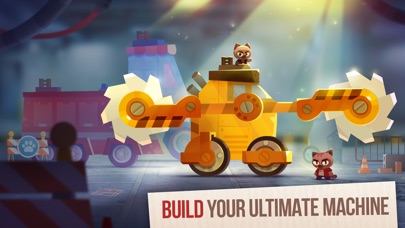
Become a master engineer. Design, craft, and upgrade your Ultimate battle bot using dozens of bodies, gadgets, and weapons. Every choice shapes your strategy
Hilarious PvP Battles
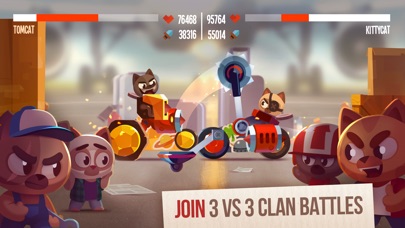
Take the role of a mean street cat and fight against other players in fast and hilarious PvP action!
Ultimate Weapons & Machines
Discover dozens of crazy weapons, gadgets and body shapes, including Ultimate Machines! Outsmart your opponents with your unique battle bot design and dive into a world full of robots!
Play With Friends
Create a powerful gang and rule the streets! Participate in gang battles to win unique parts, make new friends and share your secrets in your gang’s chat as you take part in competitive gang wars.
Conquer the City
Fight against real gangs from around the globe to conquer the city in cooperative mode with intense strategic battles
Climb the World Championship
Battle against real players and fight your way to the top of the World Championship!
Share the Fun
Bet on battles, watch exciting replays, and show off your best fights
Download now and become the next Crash Arena champion!
"
Discord: discord.gg/catsthegame
Youtube: youtube.com/@catsthegame
Facebook: facebook.com/catsthegame
Instagram: instagram.com/cats_the_game
Tiktok: tiktok.com/@cats_thegame
- iPhone o iPad con o sin Jailbreak.
- Sideloadly u otras alternativas.
- Ordenador con Windows/macOS/Linux e iTunes instalado.
PASO 1: Descargue el archivo .IPA pre-modificado desde el enlace de arriba a su ordenador. Para descargarlo desde la iOSGods App, consulte nuestro Tutorial de descarga del IPA desde la iOSGods App, que incluye un ejemplo en vídeo.
PASO 2: Descargue Sideloadly e instálelo en su Windows o Mac.
PASO 3: Abra Sideloadly en su ordenador, conecte su dispositivo iOS y espere hasta que el nombre del dispositivo aparezca en Sideloadly.
PASO 4: Una vez que su iDevice sea reconocido, arrastre el archivo .IPA modificado que descargó y suéltelo en la aplicación Sideloadly.
PASO 5: Introduzca el correo electrónico de su Apple Account y, a continuación, pulse «Start». Le pedirá que introduzca su contraseña. Proporcione la información solicitada.
PASO 6: Espere a que Sideloadly termine de hacer sideload/instalar el IPA modificado. Si surgen problemas durante la instalación, por favor lea la nota a continuación.
PASO 7: Una vez completada la instalación y al ver la app en la pantalla de inicio, deberá ir a Ajustes → General → Perfiles / VPN y Gestión de Dispositivos. Una vez allí, toque el correo electrónico que introdujo en el paso 6 y, después, toque en «Confiar en [email protected]».
PASO 8: Ahora vaya a la pantalla de inicio y abra la app recién instalada; todo debería funcionar correctamente. Es posible que tenga que seguir instrucciones adicionales específicas de cada app dentro del popup del hack en el juego.
NOTA: En iOS/iPadOS 16 y posteriores, debe activar el Modo Desarrollador. Para cuentas gratuitas de Apple Developer, deberá repetir este proceso cada 7 días. Si tiene alguna pregunta o problema, lea nuestra sección de Preguntas Frecuentes de Sideloadly del tema.