Inicio de sesión requerido
Inicia sesión con tu cuenta de iOSGods para continuar.
Inicia sesión con tu cuenta de iOSGods para continuar.

Munición Ilimitada y Sin Recarga transforman Zombie Gunship Survival en una experiencia de defensa aérea imparable, permitiéndote llover fuego sobre los no-muertos sin pausa ni penalización en este hack modificado para iOS.
Con Sin Generación de Zombis y Golpe Mortal activados, controlas el ritmo y el poder de cada enfrentamiento, convirtiendo las carreras de búsqueda táctica en pura dominación desde tu asiento de ametralladora. Este Mod IPA elimina la gestión de recursos y la tensión de supervivencia, permitiéndote enfocarte en la acción pura de destruir zombis y la defensa de la base sin la monotonía.
- Munición Ilimitada → nunca te quedarás sin munición
- Sin Recarga → dispara continuamente
- Sin Sobrecalentamiento → potencia de fuego sostenida
- Sin Generación de Zombis → controla las olas de enemigos
- Sin Velocidad de Zombis → movimiento lento de no-muertos
- Golpe Mortal [Humano y Ametralladora] → eliminación instantánea
- Zombis No Causan Daño → invulnerable a ataques
- Velocidad de Movimiento → travesía más rápida
Nota: Tu helicóptero causa daño contra tus humanos, así que si los golpeas mientras tienes Golpe Mortal activado, ellos también mueren.
Esta app también incluye iGameGod, que te ofrece acceso a Auto Touch para automatizar tareas repetitivas, App Speed Manager para ajustar la velocidad del juego, edición de valores con Memory Engine y más potentes herramientas para juegos de iOS.
Descarga Zombie Gunship Survival Hack modded IPA desde los enlaces de arriba. Toca el botón de instalación y sigue las instrucciones para instalar este hack iOS en tu iPhone, iPad o Mac con Apple Silicon.
¿Necesitas más ayuda? Consulta nuestras Preguntas frecuentes de la app iOSGods para respuestas detalladas y consejos de solución de problemas.
Survive a zombie apocalypse and protect the human race from the gunner seat of an AC-130 gunship! Engage in tactical operations and lead groups of military survivors on scavenging missions. Loot precious resources, bring them back to base and build your defenses to repel zombie assaults.
Blow up the undead in this new instalment in the #1 top-grossing Zombie Gunship franchise.
● Experience high-definition visuals and intense scenarios
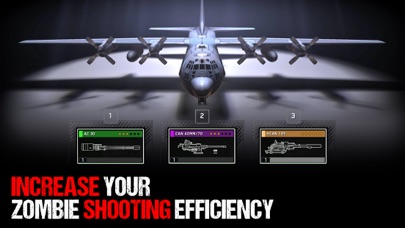
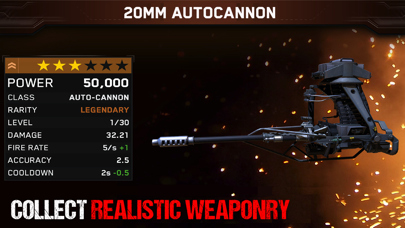
● Collect realistic weaponry and increase your zombie shooting efficiency
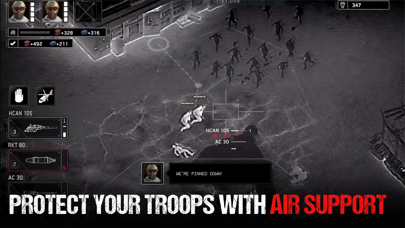
● Provide air support and lead groups of military survivors
● Build up your remote airfield as a base for operations
● Defend your base against zombie assaults
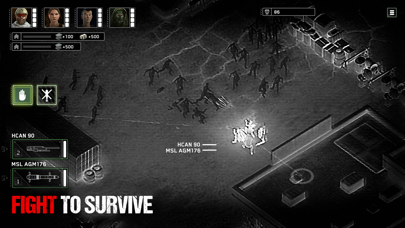
● Survive in a hostile environment and unleash hellfire from your gunner seat!
Terms of Service:
By accessing or using a flaregames product, you're agreeing to our Terms of Service (www.flaregames.com/terms-service/)."
Parental Guide:
Zombie Gunship Survival is free to download and play, however some game items can also be purchased for real money. If you don’t want to use these features, please disable in-app purchases in your device settings. According to our Terms of Service, Zombie Gunship Survival is allowed for download and play only for persons 13 years or more of age, or with explicit parental consent. You can read more here:
http://www.flaregames.com/parents-guide/
- iPhone o iPad con o sin Jailbreak.
- Sideloadly u otras alternativas.
- Ordenador con Windows/macOS/Linux e iTunes instalado.
PASO 1: Descargue el archivo .IPA pre-modificado desde el enlace de arriba a su ordenador. Para descargarlo desde la iOSGods App, consulte nuestro Tutorial de descarga del IPA desde la iOSGods App, que incluye un ejemplo en vídeo.
PASO 2: Descargue Sideloadly e instálelo en su Windows o Mac.
PASO 3: Abra Sideloadly en su ordenador, conecte su dispositivo iOS y espere hasta que el nombre del dispositivo aparezca en Sideloadly.
PASO 4: Una vez que su iDevice sea reconocido, arrastre el archivo .IPA modificado que descargó y suéltelo en la aplicación Sideloadly.
PASO 5: Introduzca el correo electrónico de su Apple Account y, a continuación, pulse «Start». Le pedirá que introduzca su contraseña. Proporcione la información solicitada.
PASO 6: Espere a que Sideloadly termine de hacer sideload/instalar el IPA modificado. Si surgen problemas durante la instalación, por favor lea la nota a continuación.
PASO 7: Una vez completada la instalación y al ver la app en la pantalla de inicio, deberá ir a Ajustes → General → Perfiles / VPN y Gestión de Dispositivos. Una vez allí, toque el correo electrónico que introdujo en el paso 6 y, después, toque en «Confiar en [email protected]».
PASO 8: Ahora vaya a la pantalla de inicio y abra la app recién instalada; todo debería funcionar correctamente. Es posible que tenga que seguir instrucciones adicionales específicas de cada app dentro del popup del hack en el juego.
NOTA: En iOS/iPadOS 16 y posteriores, debe activar el Modo Desarrollador. Para cuentas gratuitas de Apple Developer, deberá repetir este proceso cada 7 días. Si tiene alguna pregunta o problema, lea nuestra sección de Preguntas Frecuentes de Sideloadly del tema.

![Screw Jam iOS Mod IPA [ Debug Menu ]](https://is1-ssl.mzstatic.com/image/thumb/Purple211/v4/03/f0/c1/03f0c167-2d2d-f530-781c-914c8f961af7/AppIcon-0-0-1x_U007emarketing-0-8-0-85-220.png/100x100bb.jpg)


