Inicio de sesión requerido
Inicia sesión con tu cuenta de iOSGods para continuar.
Inicia sesión con tu cuenta de iOSGods para continuar.
Desbloquea compras premium y maximiza tu progreso en City Island 5 Tycoon Sim Game con este hack gratuito para iOS. Construye tu ciudad de ensueño sin gastar dinero real, y sube de nivel al instante para dominar la simulación. Descarga el Mod IPA hoy y disfruta de un juego de tycoon ilimitado.
- IAP Gratuito (Compra un IAP, luego toca el botón 'Cancelar' para recibir la compra dentro de la aplicación) → obtén artículos premium sin pagar
- Nivel Máximo → alcanza el nivel más alto al instante
Esta app también incluye iGameGod, que te ofrece acceso a Auto Touch para automatizar tareas repetitivas, App Speed Manager para ajustar la velocidad del juego, edición de valores con Memory Engine y más potentes herramientas para juegos de iOS.
Descarga City Island 5 Tycoon Sim Game - Free Hack modded IPA desde los enlaces de arriba. Toca el botón de instalación y sigue las instrucciones para instalar este hack iOS en tu iPhone, iPad o Mac con Apple Silicon.
¿Necesitas más ayuda? Consulta nuestras Preguntas frecuentes de la app iOSGods para respuestas detalladas y consejos de solución de problemas.
Build a city, your city
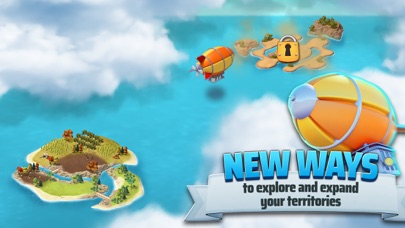
“City Island 5 - Tycoon Building Offline Sim Game”, a new city builder game from Sparkling Society, will make you the mayor of small town starting on just one island. Send your airship to explore the world and unlock beautiful new islands to build your new cities on. In most city building games you are just managing one city, but in “City Island 5 - Offline Tycoon Building Sim Game” you will be expanding your horizon and skylines to new islands, each with a different theme and surface to build a city on. This city game is also playable as an offline game, so you can build your own city without internet or when you have no wifi connection. Join millions of players with the most popular casual city building game series on mobile!
From a town, to a city, to a metropolis
Your town city will start small as a village, but your cities will grow larger by placing more buildings, and unlocking new islands. Building games in the City Island sim games series are well known for their very rewarding free to play offline games, packed with quests and loads of content, with always something to do. Visit the towns and cities of your neighbours or visit my city.
City building with a goal, with a purpose
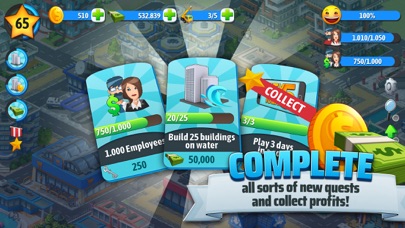
These simulation city builder games fall into the category: fun casual offline city building games for free. So this means that you’ll never get bored playing “City Island 5 - Offline Tycoon Building Sim Game”! Next to the hundreds of buildings to unlock, this island city builder games has dozens of quests to earn treasure chests packed with very cool stuff. Design and build your island city the way you want, and play with friends to help each other. These casual tycoon simulation games come with a lot of cool buildings and islands to unlock and will definitely make you stick around for long sessions to collect loads of money to make your town and cities grow and design them however you want to build a city.
“City Island 5 - Offline Tycoon Building Sim Game” City Builder Games Features:
* The newest game in the most popular city building game series on mobile!
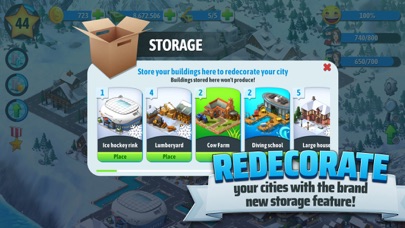
* Collect, upgrade, decorate, explore in this complete construction simulation game!
* Collect rewards and earn treasure chests!
* Play this game offline or online. No internet connection required to play
* City builder games made fun again with dozens of cool islands to build your city on!
* Build your own city and watch other players’ cities as well!
* Don’t forget to rate us or give us feedback!
Terms of Use: https://www.sparklingsociety.net/terms-of-service/
- iPhone o iPad con o sin Jailbreak.
- Sideloadly u otras alternativas.
- Ordenador con Windows/macOS/Linux e iTunes instalado.
PASO 1: Descargue el archivo .IPA pre-modificado desde el enlace de arriba a su ordenador. Para descargarlo desde la iOSGods App, consulte nuestro Tutorial de descarga del IPA desde la iOSGods App, que incluye un ejemplo en vídeo.
PASO 2: Descargue Sideloadly e instálelo en su Windows o Mac.
PASO 3: Abra Sideloadly en su ordenador, conecte su dispositivo iOS y espere hasta que el nombre del dispositivo aparezca en Sideloadly.
PASO 4: Una vez que su iDevice sea reconocido, arrastre el archivo .IPA modificado que descargó y suéltelo en la aplicación Sideloadly.
PASO 5: Introduzca el correo electrónico de su Apple Account y, a continuación, pulse «Start». Le pedirá que introduzca su contraseña. Proporcione la información solicitada.
PASO 6: Espere a que Sideloadly termine de hacer sideload/instalar el IPA modificado. Si surgen problemas durante la instalación, por favor lea la nota a continuación.
PASO 7: Una vez completada la instalación y al ver la app en la pantalla de inicio, deberá ir a Ajustes → General → Perfiles / VPN y Gestión de Dispositivos. Una vez allí, toque el correo electrónico que introdujo en el paso 6 y, después, toque en «Confiar en [email protected]».
PASO 8: Ahora vaya a la pantalla de inicio y abra la app recién instalada; todo debería funcionar correctamente. Es posible que tenga que seguir instrucciones adicionales específicas de cada app dentro del popup del hack en el juego.
NOTA: En iOS/iPadOS 16 y posteriores, debe activar el Modo Desarrollador. Para cuentas gratuitas de Apple Developer, deberá repetir este proceso cada 7 días. Si tiene alguna pregunta o problema, lea nuestra sección de Preguntas Frecuentes de Sideloadly del tema.