Cần đăng nhập
Đăng nhập bằng tài khoản iOSGods để tiếp tục.
Đăng nhập bằng tài khoản iOSGods để tiếp tục.
Mở khóa các mua hàng cao cấp và tối đa hóa tiến độ của bạn trong City Island 5 Tycoon Sim Game với hack miễn phí này cho iOS. Xây dựng thành phố mơ ước của bạn mà không cần chi tiêu tiền thật, và nâng cấp ngay lập tức để thống trị trò chơi mô phỏng. Tải xuống Mod IPA ngay hôm nay và trải nghiệm gameplay tycoon không giới hạn.
- Free IAP (Mua một IAP, sau đó nhấn nút 'Cancel' để nhận mua hàng trong ứng dụng) → nhận các mục cao cấp mà không cần thanh toán
- Max Level → đạt ngay cấp độ cao nhất
Ứng dụng này cũng đi kèm với iGameGod, cho phép bạn truy cập Auto Touch để tự động hóa các thao tác lặp lại, App Speed Manager để điều chỉnh tốc độ chơi game, chỉnh sửa giá trị bằng Memory Engine, và nhiều công cụ mạnh mẽ khác cho game iOS.
Tải City Island 5 Tycoon Sim Game - Free Hack modded IPA từ các liên kết ở trên. Nhấn nút cài đặt và làm theo hướng dẫn để cài bản hack iOS lên iPhone, iPad hoặc Apple Silicon.
Cần thêm trợ giúp? Hãy xem Câu hỏi thường gặp ứng dụng iOSGods để có câu trả lời chi tiết và mẹo khắc phục sự cố.
Baue eine Stadt, baue deine Stadt
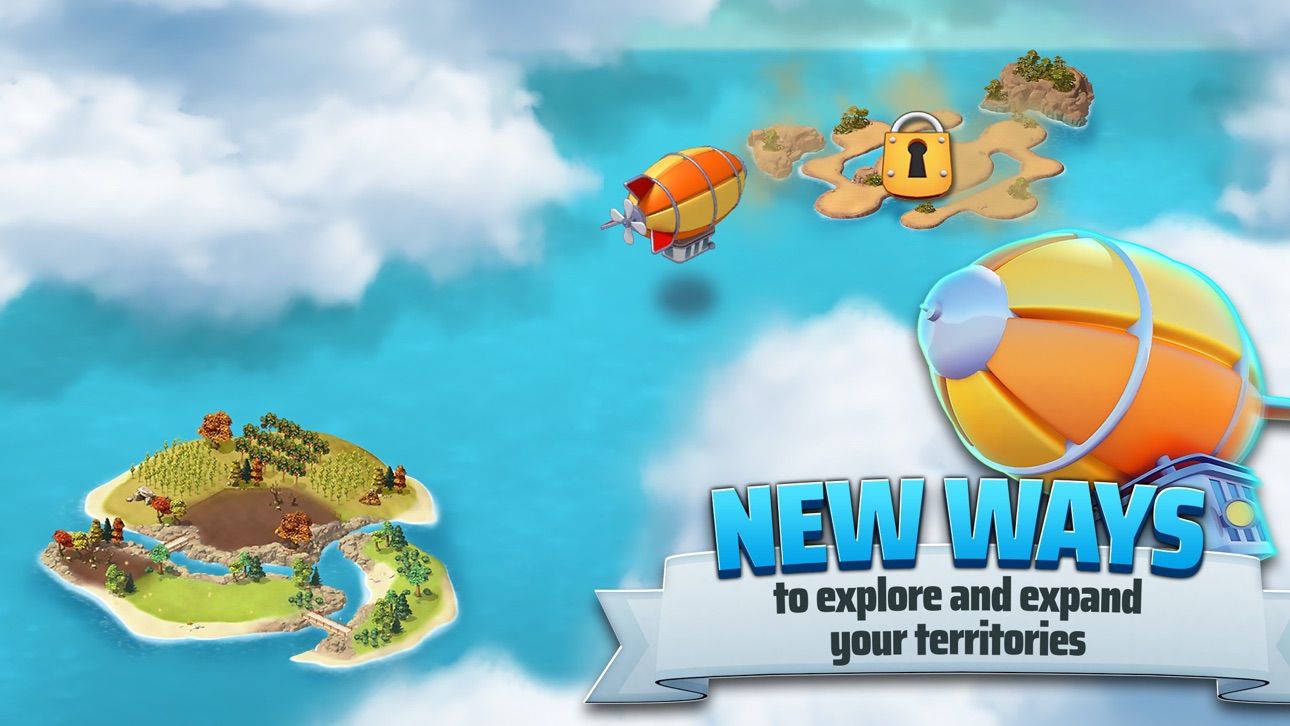
""City Island 5 - Tycoon Building Offline Sim Game"", ein neues Städtebauspiel von Sparkling Society, macht dich zum Bürgermeister einer kleinen Stadt, die auf einer einzigen Insel beginnt. Schicke dein Luftschiff zur Erkundung der Welt und schalte neue Inseln frei, auf denen du deine neuen Städte bauen kannst. In den meisten Städtebauspielen verwaltet man nur eine Stadt, aber in ""City Island 5 - Offline Tycoon Building Sim Game""erweiterst du deinen Horizont und deine Skylines auf neue Inseln, die jeweils ein anderes Thema und eine andere Oberflächengestaltung haben. Dieses Städtebauspiel kann auch offline gespielt werden, sodass du deine eigene Stadt ohne Internet oder ohne WLAN-Verbindung aufbauen kannst. Beteilige dich mit Millionen von Spielern an der beliebtesten Städtebauspielreihe auf dem Handy!
Von einem Ort zu einer Stadt zu einer Metropole
Deine Stadt fängt ganz klein an als Dorf, aber deine Städte werden schnell größer, indem du mehr Gebäude errichtest und neue Inseln erschließt. Die Städtebauspiele in der City Island-Simulationsreihe sind für ihre lohnenswerten, kostenlosen Offline-Spiele mit zahlreichen Quests und vielen Inhalten bekannt, in denen immer etwas zu tun ist. Besuche die Städte deiner Nachbarn oder besichtige meine Stadt.
Städtebau mit einem Ziel, mit einem Zweck
Diese Simulationsstädtebauspiele fallen in die Kategorie ""kostenlose, unterhaltsame Offline-Städtebauspiele"". Das bedeutet, dass dir nie langweilig wird, wenn du ""City Island 5 - Offline Tycoon Building Sim Game"" spielst! Neben den Hunderten von Gebäuden, die freigeschaltet werden sollen, bietet dieses Inselstädtebauspiel Dutzende von Quests, bei denen man Schatztruhen sammeln kann, die mit sehr coolen Sachen gefüllt sind. Entwirf und baue deine Inselstadt nach deinen Wünschen und spiele mit Freunden, um euch gegenseitig zu helfen. Diese Tycoon-Simulationsspiele verfügen über viele coole Gebäude und Inseln, die man freischalten kann, und werden dich definitiv zu langen Sessions verführen, um jede Menge Geld zu sammeln, damit deine Stadt und deine Metropolen wachsen und du sie so entwerfen kannst, wie du sie dir vorstellst.
""City Island 5 - Offline Tycoon Building Sim Game""Funktionen der Städtebauspiele:
▶ Das neueste Spiel der beliebtesten Städtebauspielserie für Handys!
▶ Sammle, verbessere, dekoriere und erforsche in diesem umfassenden Simulationsspiel!
▶ Sammle Belohnungen und verdiene Schatztruhen!
▶ Spiele dieses Spiel offline oder online. Zum Spielen ist keine Internetverbindung erforderlich
▶ Mit Dutzenden cooler Inseln, auf denen du deine Stadt errichten kannst, machen Städtebauspiele wieder Spaß
▶ Errichte deine eigene Stadt und beobachte auch die Städte anderer Spieler!
▶ Vergiss nicht, uns zu bewerten oder uns Feedback zu geben!
Ảnh chụp © chủ sở hữu tương ứng · App Store



iOSGods không liên kết, không được chứng thực hay tài trợ bởi Apple Inc., Google LLC hoặc các nhà phát triển của những ứng dụng được liệt kê ở đây. Apple, iOS và App Store là thương hiệu của Apple Inc. Android và Google Play là thương hiệu của Google LLC. Mọi tên ứng dụng, biểu tượng, hình ảnh và thương hiệu khác đều thuộc về chủ sở hữu tương ứng.

- iPhone hoặc iPad chưa jailbreak/đã đóng hoặc đã jailbreak.
- Sideloadly hoặc các lựa chọn thay thế.
- Máy tính chạy Windows/macOS/Linux đã cài iTunes.
BƯỚC 1: Tải tệp .IPA đã được hack sẵn từ liên kết phía trên về máy tính của bạn. Để tải từ iOSGods App, hãy xem Hướng dẫn tải IPA bằng iOSGods App của chúng tôi, có kèm ví dụ bằng video.
BƯỚC 2: Tải Sideloadly và cài đặt trên Windows hoặc Mac của bạn.
BƯỚC 3: Mở Sideloadly trên máy tính, kết nối thiết bị iOS của bạn và chờ cho đến khi tên thiết bị hiển thị trong Sideloadly.
BƯỚC 4: Khi thiết bị iOS của bạn đã được nhận diện, hãy kéo tệp .IPA đã chỉnh sửa mà bạn tải về và thả vào ứng dụng Sideloadly.
BƯỚC 5: Nhập email Apple Account của bạn, sau đó nhấn "Start." Bạn sẽ được yêu cầu nhập mật khẩu. Hãy cung cấp các thông tin cần thiết.
BƯỚC 6: Chờ Sideloadly hoàn tất quá trình sideload/cài đặt tệp IPA đã hack. Nếu gặp sự cố trong quá trình cài đặt, vui lòng đọc lưu ý bên dưới.
BƯỚC 7: Khi cài đặt hoàn tất và bạn thấy ứng dụng trên Màn hình chính, bạn cần truy cập Cài đặt → Cài đặt chung → Hồ sơ / VPN & Quản lý thiết bị. Tại đó, nhấn vào email bạn đã nhập ở bước 6, rồi nhấn "Tin cậy [email protected]".
BƯỚC 8: Bây giờ hãy về Màn hình chính và mở ứng dụng vừa cài đặt, mọi thứ sẽ hoạt động bình thường. Bạn có thể cần làm theo hướng dẫn riêng của từng ứng dụng trong cửa sổ popup của bản hack trong game.
LƯU Ý: Trên iOS/iPadOS 16 trở lên, bạn phải bật Chế độ nhà phát triển. Với tài khoản Apple Developer miễn phí, bạn sẽ cần lặp lại quy trình này mỗi 7 ngày. Nếu bạn có thắc mắc hoặc gặp sự cố, hãy đọc mục FAQ về Sideloadly trong chủ đề của chúng tôi.
Game Name iOS Mod IPA is an action adventure game enhanced with powerful gameplay boosts and quality-of-life improvements. Win battles faster, earn rewards quicker, and enjoy uninterrupted play without ads.
- Unlimited Gold - spend freely to unlock premium content
- Damage Multiplier - deal significantly more damage in combat
- Defense Multiplier - take less damage and survive longer
- Reward Multiplier - earn more loot from every battle
- Max Level - instantly reach the highest player rank
- No Ads - play without interruptions or advertisements
This app also comes with iGameGod, giving you access to Auto Touch to automate repetitive tasks, App Speed Manager for adjustable gameplay speed, Memory Engine value editing, and more powerful iOS game tools.
Tải Game Name Mod IPA từ các liên kết ở trên. Nhấn nút cài đặt và làm theo hướng dẫn để cài bản hack iOS lên iPhone, iPad hoặc Apple Silicon.
Cần thêm trợ giúp Hãy xem Câu hỏi thường gặp ứng dụng iOSGods để có câu trả lời chi tiết và mẹo khắc phục sự cố.
----------------------------------------------------------
--------------------------------------------------