ต้องเข้าสู่ระบบ
เข้าสู่ระบบด้วยบัญชี iOSGods เพื่อดำเนินการต่อ
เข้าสู่ระบบด้วยบัญชี iOSGods เพื่อดำเนินการต่อ
เปลี่ยนแปลงมানสิกของคุณในแต่ละวันด้วยการยืนยันเชิงบวกในแอปพลิเคชัน iOS ที่ปรับแต่งแล้วนี้ซึ่งปลดล็อกฟีเจอร์พรีเมียม I am - Positive Affirmations Modded ลบการชำระเงินเพื่อให้คุณสามารถเข้าถึงเจตนา การเตือนความจำ และเครื่องมือการยืนยันทั้งหมดโดยไม่มีข้อจำกัด ช่วยให้คุณปรับเปลี่ยนรูปแบบความคิดเชิงลบและสร้างความมั่นใจในตนเองที่ยั่งยืนผ่านการฝึกฝนในแต่ละวัน
- ปลดล็อกพรีเมียม → เข้าถึงฟีเจอร์และเนื้อหาทั้งหมดได้
แอปนี้ยังมาพร้อมกับ iGameGod ซึ่งช่วยให้คุณเข้าถึง Auto Touch สำหรับการทำงานซ้ำ ๆ โดยอัตโนมัติ, App Speed Manager สำหรับปรับความเร็วของเกม, การแก้ไขค่าด้วย Memory Engine และเครื่องมือสำหรับเกม iOS ที่ทรงพลังอื่น ๆ อีกมากมาย
ดาวน์โหลด I am - Positive Affirmations Modded modded IPA จากลิงก์ด้านบน แตะปุ่มติดตั้งและทำตามคำแนะนำบนหน้าจอเพื่อติดตั้งแฮ็กแอป iOS นี้บน iPhone, iPad หรือ Apple Silicon
ต้องการความช่วยเหลือเพิ่มเติม? ดู คำถามที่พบบ่อยของแอป iOSGods สำหรับคำตอบโดยละเอียดและเคล็ดลับการแก้ไขปัญหา
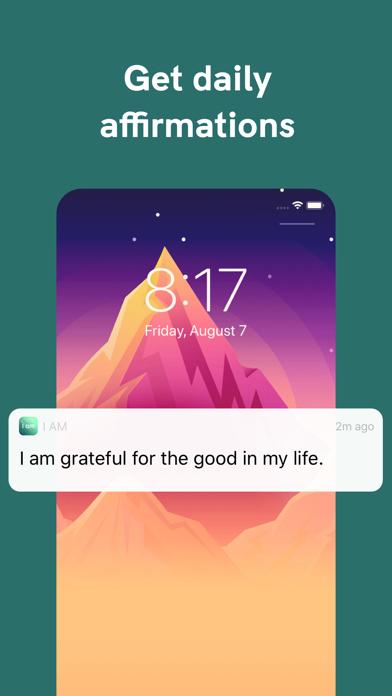
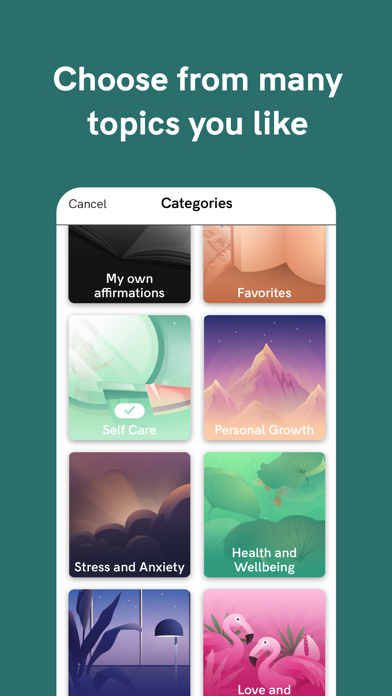
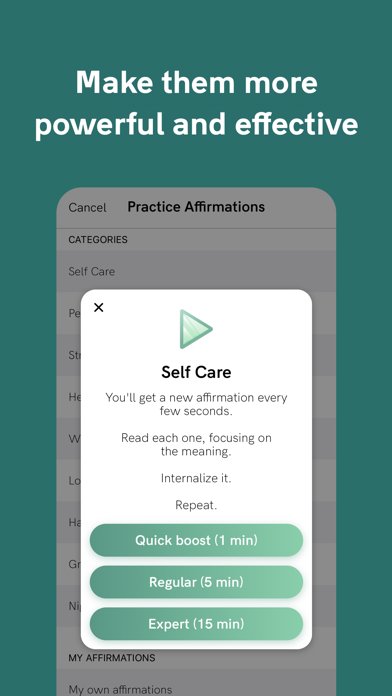
How many negative thoughts have been endlessly repeating in your mind? Daily affirmations help rewire our brains, build self-esteem, and change negative thought patterns. Empower yourself by verbally affirming your dreams and ambitions. Choose from many daily intentions and set reminders to be delivered throughout the day.
Positive affirmations help make major shifts in your mindset, and they also serve as prompts and daily reminders about what you’re truly capable of, ensuring every day is an amazing day.
An affirmation is a simple but powerful statement that helps to strengthen the connection between your conscious and unconscious mind. The more you strengthen this connection, the more resilient you’ll be when you experience difficult or challenging circumstances.
As Buddha wisely said: you become what you believe. And the best way to strengthen your resilience is to practice affirmations every single day.
There are many benefits to using affirmations as part of your daily morning routine:
- They help increase your awareness of your thoughts and words, making it easier to recognize the negative and self-doubting thought patterns holding you back.
- Affirmations define your focus. When you focus your energy on the things you want, like achieving your goals, the positive, uplifting, and good, you’re creating an abundance mindset and strengthening your resolve to make it happen.
- They open you up to possibility. Too often we get stuck in the ‘impossible’ mindset, but affirmations flip this on its head. When you begin to positively affirm what is actually possible, a whole world of opportunity opens up to you.
To get access to the I am Premium content and functionality, you can choose between a lifetime, monthly, and yearly auto-renewable subscription. This is a recurring transaction that will be charged to your iTunes Account at confirmation of purchase and will automatically renew unless you cancel it at least 24 hours before the end of your subscription. Renewals will be charged at the same cost within 24 hours prior to the end of the current period. You can manage your subscriptions and auto-renewal can be turned off by going to your iTunes Account Settings after purchase.
Find tons of inspiring content on our blog: https://blog.theiam.app/
Privacy Policy: https://monkeytaps.net/privacy
Terms of Use: https://monkeytaps.net/terms
- iPhone หรือ iPad ที่ไม่ได้เจลเบรก/ไม่ได้เจลเบรก หรือเจลเบรกแล้ว
- Sideloadly หรือทางเลือกอื่น
- คอมพิวเตอร์ที่ใช้ Windows/macOS/Linux และติดตั้ง iTunes ไว้
ขั้นตอนที่ 1: ดาวน์โหลดไฟล์ .IPA ที่แฮกไว้ล่วงหน้าจากลิงก์ด้านบนลงในคอมพิวเตอร์ของคุณ หากต้องการดาวน์โหลดจากแอป iOSGods โปรดดู วิธีดาวน์โหลด IPA ในแอป iOSGods ซึ่งมีตัวอย่างวิดีโอประกอบ
ขั้นตอนที่ 2: ดาวน์โหลด Sideloadly แล้วติดตั้งบน Windows หรือ Mac ของคุณ
ขั้นตอนที่ 3: เปิด Sideloadly บนคอมพิวเตอร์ เชื่อมต่ออุปกรณ์ iOS แล้วรอจนกว่าชื่ออุปกรณ์ของคุณจะปรากฏใน Sideloadly
ขั้นตอนที่ 4: เมื่อ iDevice ของคุณถูกตรวจพบแล้ว ให้ลากไฟล์ .IPA ที่ม็อดมาวางลงในโปรแกรม Sideloadly
ขั้นตอนที่ 5: กรอกอีเมล Apple Account ของคุณ จากนั้นกด "Start" ระบบจะถามรหัสผ่าน กรอกข้อมูลที่จำเป็นให้เรียบร้อย
ขั้นตอนที่ 6: รอจนกว่า Sideloadly จะ sideload/ติดตั้งไฟล์ IPA ที่แฮกเสร็จ หากเกิดปัญหาระหว่างติดตั้ง โปรดอ่านหมายเหตุด้านล่าง
ขั้นตอนที่ 7: เมื่อการติดตั้งเสร็จสิ้นและเห็นแอปบนหน้าจอหลักแล้ว ให้ไปที่ การตั้งค่า → ทั่วไป → โปรไฟล์ / VPN และการจัดการอุปกรณ์ จากนั้นแตะที่อีเมลที่คุณกรอกในขั้นตอนที่ 6 แล้วแตะ "เชื่อถือ [email protected]"
ขั้นตอนที่ 8: จากนั้นไปที่หน้าจอหลักและเปิดแอปที่ติดตั้งใหม่ ทุกอย่างควรทำงานได้ปกติ คุณอาจต้องทำตามคำแนะนำเพิ่มเติมเฉพาะแอปในป๊อปอัปของม็อดในเกม
หมายเหตุ: สำหรับ iOS/iPadOS 16 ขึ้นไป คุณต้อง เปิดโหมดนักพัฒนา (Developer Mode) สำหรับบัญชี Apple Developer แบบฟรี คุณต้องทำขั้นตอนนี้ซ้ำทุก 7 วัน หากมีคำถามหรือพบปัญหา โปรดอ่าน หัวข้อ FAQ ของ Sideloadly ในกระทู้