Login Required
Sign in with your iOSGods account to continue.
Sign in with your iOSGods account to continue.
Unlock premium meditation and sleep content instantly with Calm Modded, a free hack IPA that removes paywalls from the award-winning mindfulness app. Access guided meditations, Sleep Stories, breathing programs, and relaxing music without subscription limits, so you can experience better sleep and lower stress on your own schedule.
- Premium → all content unlocked
This app also comes with iGameGod, giving you access to Auto Touch to automate repetitive tasks, App Speed Manager for adjustable gameplay speed, Memory Engine value editing, and more powerful iOS game tools.
Download Calm Modded modded IPA from the links above. Tap the install button and follow the on-screen instructions to install this iOS app hack on your iPhone, iPad, or Apple Silicon.
Need more help? Check out our iOSGods App Frequently Asked Questions for detailed answers and troubleshooting tips.
** Best of 2018 Award Winner ** — Apple
** 2017 App of the Year ** — Apple
** Happiest App in the World ** — Center for Humane Technology
Calm is the #1 app for Sleep, Meditation and Relaxation. Join the millions experiencing better sleep, lower stress, and less anxiety with our guided meditations, Sleep Stories, breathing programs, stretching exercises, and relaxing music. Calm is recommended by top psychologists, therapists, and mental health experts.
Calm is the perfect mindfulness app for beginners, but also includes hundreds of programs for intermediate and advanced users. Guided meditation sessions are available in lengths of 3, 5, 10, 15, 20 or 25 minutes so you can choose the perfect length to fit with your schedule.
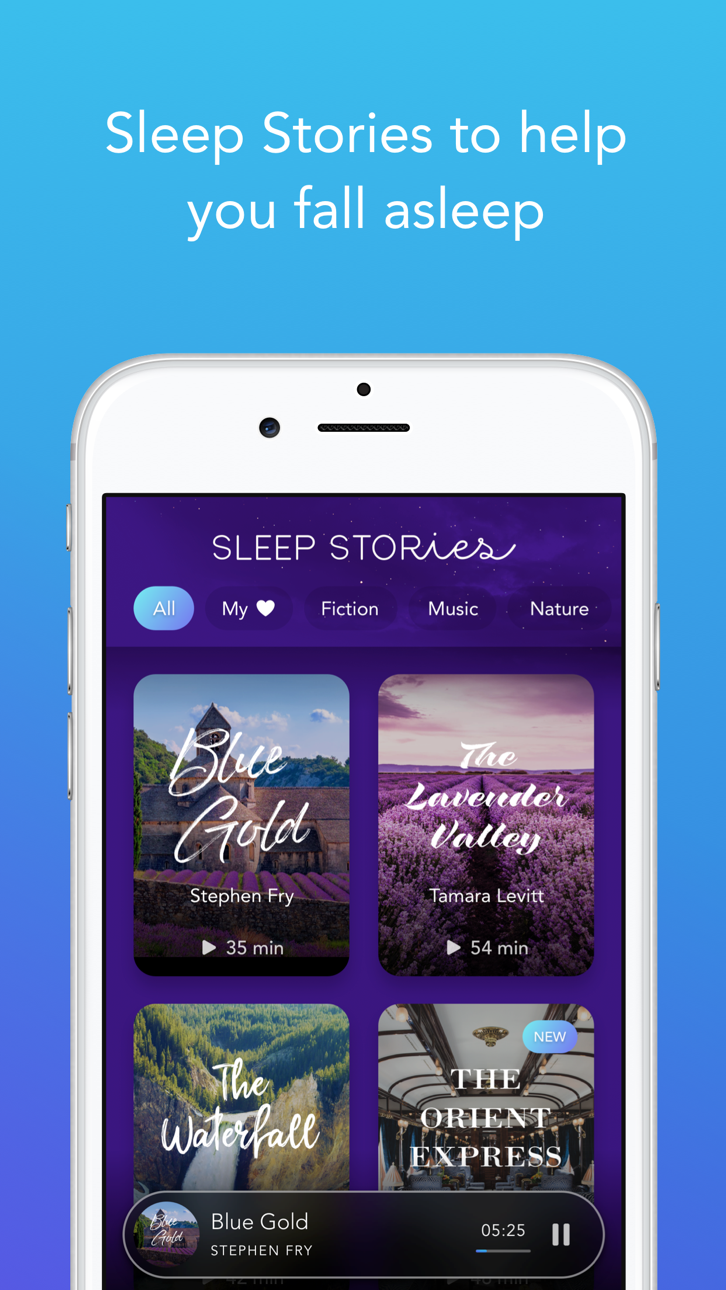
Sleep Stories are bedtime stories that are guaranteed to lull you into a deep and restful slumber. Calm has 100+ exclusive Sleep Stories for adults and children alike, featuring well-known talent such as Stephen Fry, Matthew McConaughey, Leona Lewis, and Jerome Flynn. Drift off to dreamland and wake up refreshed.
Sleep Stories include:
* Wonder - Join Matthew McConaughey on a dreamy story about the mysteries of the universe.
* Blue Gold - Let master storyteller Stephen Fry take you on a calming journey through the lavender fields and sleepy village of Provence
* The Nordland Night Train - Travel up the scenic coast of Norway aboard one of Europe's most breathtaking and remote railways.
* Happy Little Zzzs with Bob Ross - Drift off to the soothing brush strokes of beloved painter and TV host Bob Ross.
* And many more...
Mindfulness Topics include:
* Deep Sleep
* Calming Anxiety
* Managing Stress
* Focus and Concentration
* Relationships
* Breaking Habits
* Happiness
* Gratitude
* Self-Esteem
* Body Scan
* Loving-Kindness
* Forgiveness
* Non-judgement
* Mindfulness at Work
* Mindful Walking
* Calm Kids
* And so much more...
Also Featuring:
* An original Daily Calm every day: a 10-minute program added daily to help ease you into the day or unwind with before bed
* 7 and 21 day mindfulness programs for both beginner and advanced users
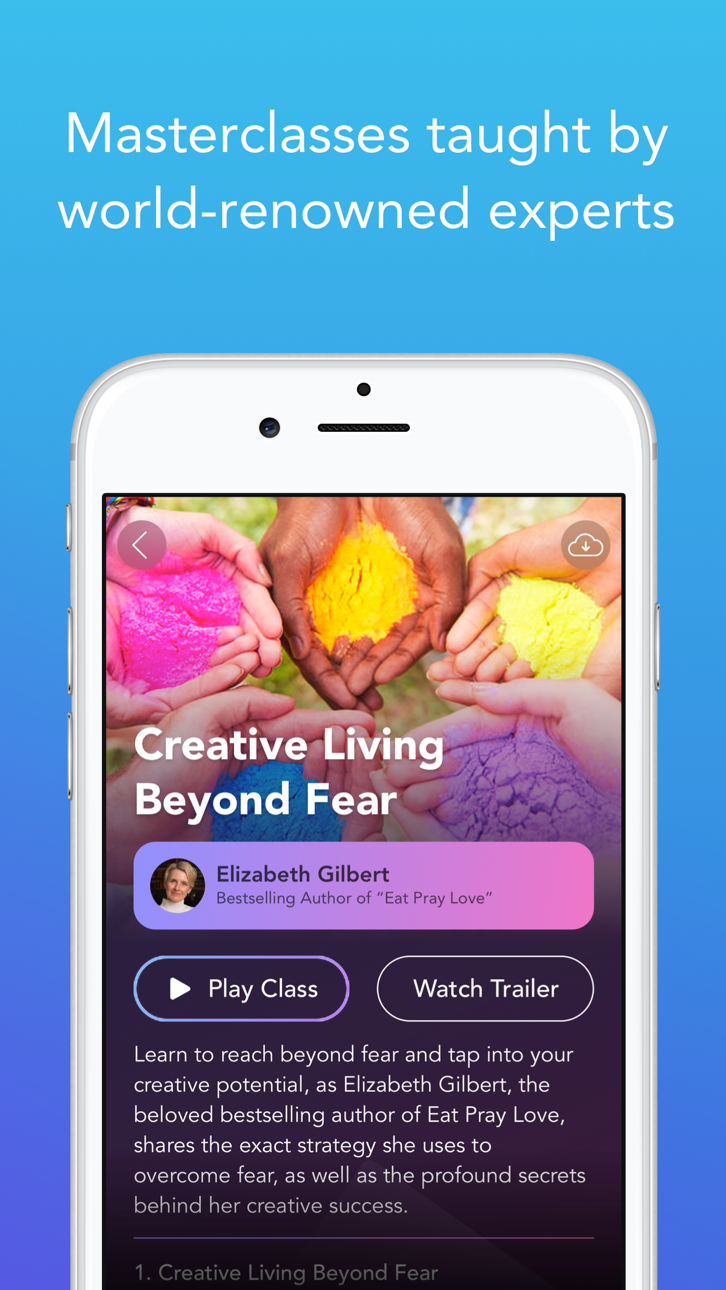
* Calm Masterclass: Life changing audio classes featuring world-renowned experts
* Calm Body: Mindful stretching and movement to relax your body during the day
* Music: Exclusive music engineered to help you focus, relax or sleep
* Soundscapes: Ocean waves, Heavy Rain, Camp Fire, Babbling Brook, and other sounds to help you sleep
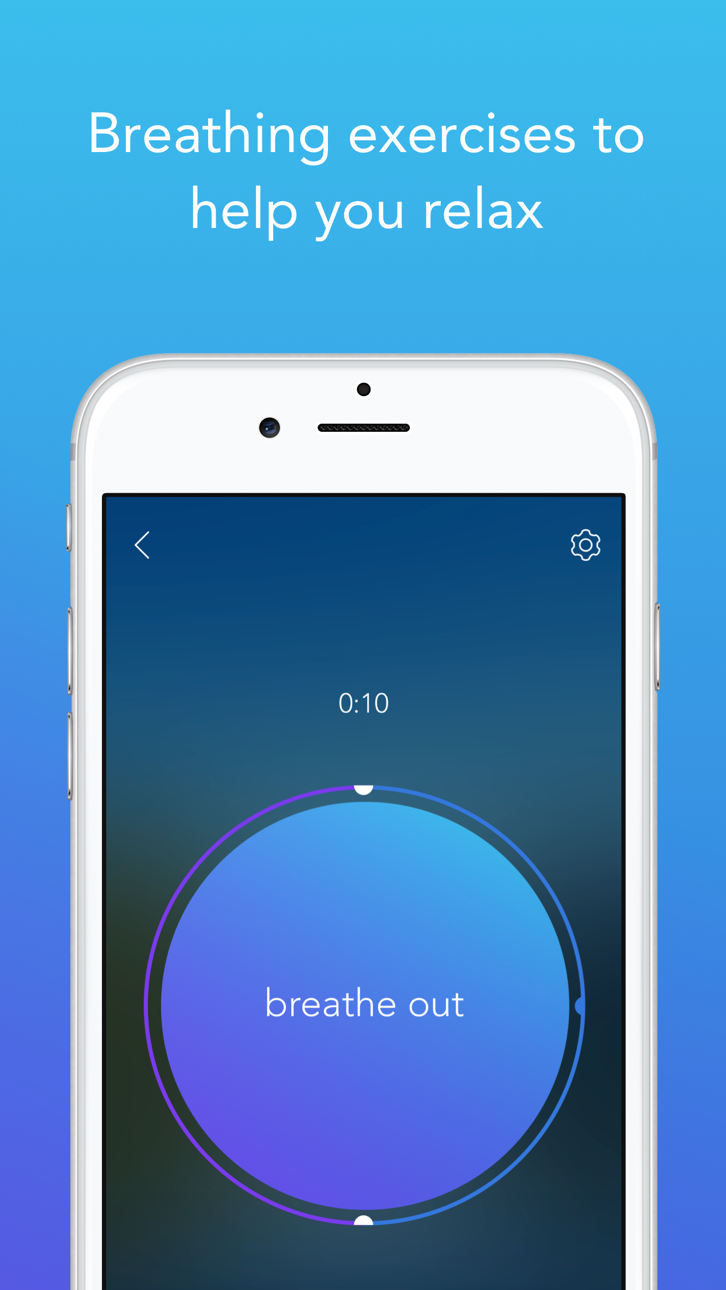
* Breathing exercises to help you relax
* Unguided timed meditation
* 30+ soothing nature sounds and scenes to use during meditation, yoga or to help you sleep
Track your progress with:
* Daily Streaks
* Mindful Minutes
Calm saves your meditation and sleep sessions to your Apple Health app.
Subscription pricing and terms:
Calm offers an auto-renewing monthly subscription at $12.99/month and an auto-renewing yearly subscription at $69.99/year to provide you with unlimited access to the Calm Collection while you maintain an active subscription. Calm also offers a Lifetime subscription for $399.99 which is paid for by a one-off upfront payment with unlimited access to the Calm Collection forever.
Payment will be charged to the credit card connected to your iTunes Account when you confirm the initial subscription purchase. Subscriptions automatically renew unless auto-renew is turned off at least 24-hours before the end of the current subscription period. Your account will be charged for renewal within 24-hours prior to the end of the current period, and the cost of the renewal will be identified. You may manage your subscription and auto-renewal may be turned off by going to your Account Settings after the purchase. Any unused portion of a free trial period, if offered, will be forfeited when you purchase a subscription, where applicable.
Read more about our terms and conditions here:
Screenshots © their respective owners · App Store


iOSGods is not affiliated with, endorsed by, or sponsored by Apple Inc., Google LLC, or the developers of the apps listed here. Apple, iOS and App Store are trademarks of Apple Inc. Android and Google Play are trademarks of Google LLC. All other app names, icons, artwork and trademarks belong to their respective owners.

- Non-Jailbroken/Jailed or Jailbroken iPhone or iPad.
- Sideloadly or alternatives.
- Computer running Windows/macOS/Linux with iTunes installed.
STEP 1: Download the pre-hacked .IPA file from the link above to your computer. To download from the iOSGods App, see our iOSGods App IPA Download Tutorial which includes a video example.
STEP 2: Download Sideloadly and install it on your Windows or Mac.
STEP 3: Open Sideloadly on your computer, connect your iOS device, and wait until your device name appears in Sideloadly.
STEP 4: Once your iDevice is recognized, drag the modded .IPA file you downloaded and drop it into the Sideloadly application.
STEP 5: Enter your Apple Account email, then press “Start.” You’ll then be asked to enter your password. Go ahead and provide the required information.
STEP 6: Wait for Sideloadly to finish sideloading/installing the hacked IPA. If there are issues during installation, please read the note below.
STEP 7: Once the installation is complete and you see the app on your Home Screen, you will need to go to Settings → General → Profiles / VPN & Device Management. Once there, tap on the email you entered from step 6, and then tap on “Trust [email protected]”.
STEP 8: Now go to your Home Screen and open the newly installed app and everything should work fine. You may need to follow further per app instructions inside the hack's popup in-game.
NOTE: iOS/iPadOS 16 and later, you must enable Developer Mode. For free Apple Developer accounts, you will need to repeat this process every 7 days. If you have any questions or problems, read our Sideloadly FAQ section of the topic.
Game Name iOS Mod IPA is an action adventure game enhanced with powerful gameplay boosts and quality-of-life improvements. Win battles faster, earn rewards quicker, and enjoy uninterrupted play without ads.
- Unlimited Gold - spend freely to unlock premium content
- Damage Multiplier - deal significantly more damage in combat
- Defense Multiplier - take less damage and survive longer
- Reward Multiplier - earn more loot from every battle
- Max Level - instantly reach the highest player rank
- No Ads - play without interruptions or advertisements
This app also comes with iGameGod, giving you access to Auto Touch to automate repetitive tasks, App Speed Manager for adjustable gameplay speed, Memory Engine value editing, and more powerful iOS game tools.
Download Game Name Mod IPA from the links above. Tap the install button and follow the on-screen instructions to install this iOS app hack on your iPhone, iPad, or Apple Silicon.
Need more help Check out our iOSGods App Frequently Asked Questions for detailed answers and troubleshooting tips.
----------------------------------------------------------
--------------------------------------------------