Accesso richiesto
Accedi con il tuo account iOSGods per continuare.
Accedi con il tuo account iOSGods per continuare.
Gold Rush: Frozen Adventures è un gioco di sopravvivenza mineraria dove costruisci insediamenti e fai fortuna nelle montagne ghiacciate, ora con questo hack iOS gratuito per congelare le risorse e semplificare il tuo gameplay. Affronta il duro inverno, gestisci le scarse risorse e corri contro il tempo per salvare tuo padre malato in questa emozionante avventura della corsa all'oro.
- Congela Risorse (Non funziona durante l'interazione, disabilitalo anche per la raccolta) → metti in pausa il consumo di risorse strategicamente
Questa app include anche iGameGod, che ti offre accesso ad Auto Touch per automatizzare attività ripetitive, App Speed Manager per regolare la velocità di gioco, modifica dei valori con Memory Engine e altri potenti strumenti per giochi iOS.
Scarica Gold Rush: Frozen Adventures Hack modded IPA dai link sopra. Tocca il pulsante di installazione e segui le istruzioni per installare questo hack iOS sul tuo iPhone, iPad o Mac con Apple Silicon.
Hai bisogno di altro aiuto? Consulta le nostre Domande frequenti sull'app iOSGods per risposte dettagliate e consigli per la risoluzione dei problemi.
► STRIKE IT RICH
There’s gold in them hills! Join in on this thrilling gold rush adventure as you build bustling settlements, stake your claim on land, and mine for gold deep in the treacherous mountains. Face the harsh realities of survival as you brave freezing winter temperatures and scarce resources, all while trying to strike it rich and earn enough money to save your sick father.
It’s a race against time and nature, but fortune favors the brave. So what are you waiting for, partner? Grab your snow shovel, and let’s start mining for gold! The adventure of a lifetime awaits!
► MINE YOUR OWN BUSINESS!
Your adventure begins in the dead of winter during a whiteout, so you’ll need to focus on clearing snow from the settlement and mine after they were hit by an avalanche in order to ensure your survival before you can even begin to think of earning money. Once you’ve gotten things in the town under control, you can move on to the mines where you’ll pan for gold to send back home to your family. Enjoy exploring and while also earning resources in this frozen idle adventure game where there’s always something new to do, be it build a town, thaw survivors, or explore all the fun locations!
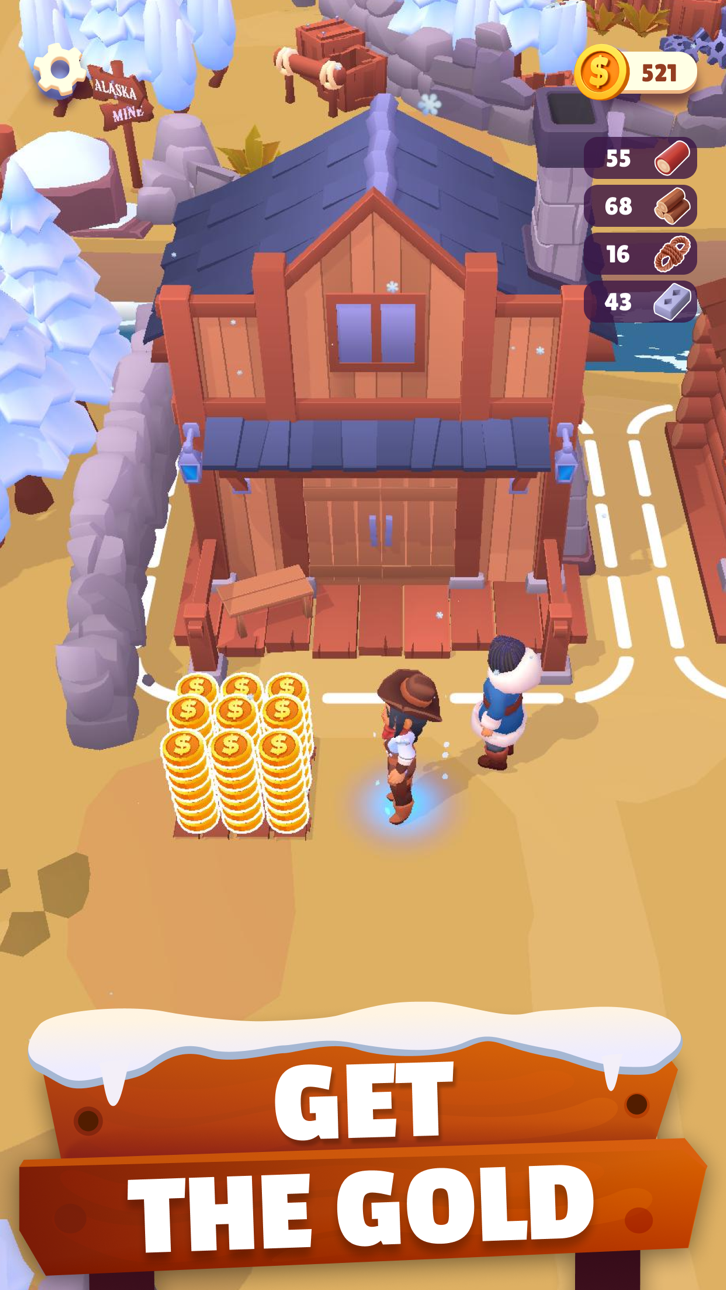
- Snowy settlements – Following an avalanche and a whiteout, the town is completely snowed under! Use your trusty snowplow to clear it and uncover a wealth of resources underneath, including a few frozen friends…
- Frozen survivors – thaw them out by the fire and soon you’ll have helpers in your quest to get the settlement up and running again. Your new friends will be happy to stay back and work idly on tasks for you, increasing the town’s production rate and keeping you all fueled while you’re off on adventure.
- Great resources and buildings – it’s survival of the fittest out there, so collect all manner of resources from under the snow and in the mines that can be either used as they are or combined to make something special! Build structures and improve on other items, all with what you can find under the snow.
- Harvesting – If you want to mine gold, you’re going to need energy! Uncover crop land and plant seeds to both feed your growing town and earn you coins.
- Expeditions – your survival depends on your ability to keep finding resources, so once you have your base up and running, start pushing North in search of more gold, resources, and adventure. Remember, the more you can find and mine, the more you can send back home to your family to help your father!
► THE WORLD IS YOUR (GOLDEN) OYSTER
Set out on the adventure of a lifetime to earn money to pay for your father’s treatment, and along the way uncover frozen friends, rebuild towns, mine gold, and so much more. With lots of great locations to uncover and resources to collect and use there’s always something happening in this frozen adventure!
If you’re looking for a fun idle survival game that is chock full of hours of fun, Gold Rush: Frozen Adventures is the game for you so download it today to get to playing!
Screenshot © rispettivi proprietari · App Store


iOSGods non è affiliata, approvata né sponsorizzata da Apple Inc., Google LLC o dagli sviluppatori delle app elencate qui. Apple, iOS e App Store sono marchi di Apple Inc. Android e Google Play sono marchi di Google LLC. Tutti gli altri nomi delle app, icone, immagini e marchi appartengono ai rispettivi proprietari.

- iPhone o iPad non jailbroken/jailed oppure jailbroken.
- Sideloadly o alternative.
- Computer con Windows/macOS/Linux con iTunes installato.
PASSO 1: Scarica il file .IPA pre-modificato dal link sopra sul tuo computer. Per scaricarlo dall'iOSGods App, consulta il nostro Tutorial download IPA dell'iOSGods App, che include un esempio video.
PASSO 2: Scarica Sideloadly e installalo sul tuo Windows o Mac.
PASSO 3: Apri Sideloadly sul tuo computer, collega il tuo dispositivo iOS e attendi finché il nome del dispositivo non appare in Sideloadly.
PASSO 4: Una volta riconosciuto il tuo iDevice, trascina il file .IPA moddato che hai scaricato e rilascialo nell'applicazione Sideloadly.
PASSO 5: Inserisci l'email del tuo Apple Account, poi premi “Start”. Ti verrà quindi chiesto di inserire la password. Procedi e fornisci le informazioni richieste.
PASSO 6: Attendi che Sideloadly completi il sideload/installazione dell'IPA modificata. Se ci sono problemi durante l'installazione, leggi la nota qui sotto.
PASSO 7: Una volta completata l'installazione e vista l'app sulla schermata Home, dovrai andare in Impostazioni → Generali → Profili / Gestione VPN e dispositivi. Una volta lì, tocca l'email inserita al passo 6 e poi tocca “Autorizza [email protected]”.
PASSO 8: Ora vai sulla schermata Home e apri l'app appena installata: tutto dovrebbe funzionare correttamente. Potrebbe essere necessario seguire ulteriori istruzioni specifiche all'interno del popup dell'hack nel gioco.
NOTA: Per iOS/iPadOS 16 e versioni successive, devi attivare la Modalità sviluppatore. Per gli account Apple Developer gratuiti, dovrai ripetere questa procedura ogni 7 giorni. Se hai domande o problemi, leggi la nostra sezione FAQ Sideloadly del topic.
Game Name iOS Mod IPA is an action adventure game enhanced with powerful gameplay boosts and quality-of-life improvements. Win battles faster, earn rewards quicker, and enjoy uninterrupted play without ads.
- Unlimited Gold - spend freely to unlock premium content
- Damage Multiplier - deal significantly more damage in combat
- Defense Multiplier - take less damage and survive longer
- Reward Multiplier - earn more loot from every battle
- Max Level - instantly reach the highest player rank
- No Ads - play without interruptions or advertisements
This app also comes with iGameGod, giving you access to Auto Touch to automate repetitive tasks, App Speed Manager for adjustable gameplay speed, Memory Engine value editing, and more powerful iOS game tools.
Scarica Game Name Mod IPA dai link sopra. Tocca il pulsante di installazione e segui le istruzioni per installare questo hack iOS sul tuo iPhone, iPad o Mac con Apple Silicon.
Hai bisogno di altro aiuto Consulta le nostre Domande frequenti sull'app iOSGods per risposte dettagliate e consigli per la risoluzione dei problemi.
----------------------------------------------------------
--------------------------------------------------