Требуется вход
Войдите в учётную запись iOSGods, чтобы продолжить.
Войдите в учётную запись iOSGods, чтобы продолжить.

Неограниченные монеты и удаленная реклама превращают Balls Bounce 2 Hack в непрерывный опыт разбивания кирпичей, позволяя вам сосредоточиться исключительно на решении головоломок без платных стен и перерывов.
Со всеми разблокированными шарами и неограниченными усилителями под рукой вы можете свободно экспериментировать с каждым усилением и типом шара, которые предлагает игра. Эта модифицированная версия iOS избавляет от необходимости долгой игры, превращая случайные игровые сеансы в чистое аркадное удовольствие, где мастерство и стратегия важнее, чем траты.
- Неограниченные монеты → тратьте свободно без ограничений
- Удаленная реклама → непрерывный геймплей
- Помощник прицеливания → улучшенная помощь при прицеливании
- Разблокированы все шары → получите доступ к каждому типу шара с самого начала
- Неограниченные усилители → используйте усиления без ограничений
@GeTRoZ
Это приложение также поставляется с iGameGod, который открывает доступ к Auto Touch для автоматизации повторяющихся действий, App Speed Manager для регулируемой скорости игры, редактированию значений Memory Engine и другим мощным инструментам для iOS-игр.
Скачайте Balls Bounce 2 Hack modded IPA по ссылкам выше. Нажмите кнопку установки и следуйте инструкциям, чтобы установить этот хак iOS на iPhone, iPad или Mac с Apple Silicon.
Нужна помощь? Посмотрите наши Часто задаваемые вопросы по приложению iOSGods, чтобы получить подробные ответы и советы по устранению неполадок.
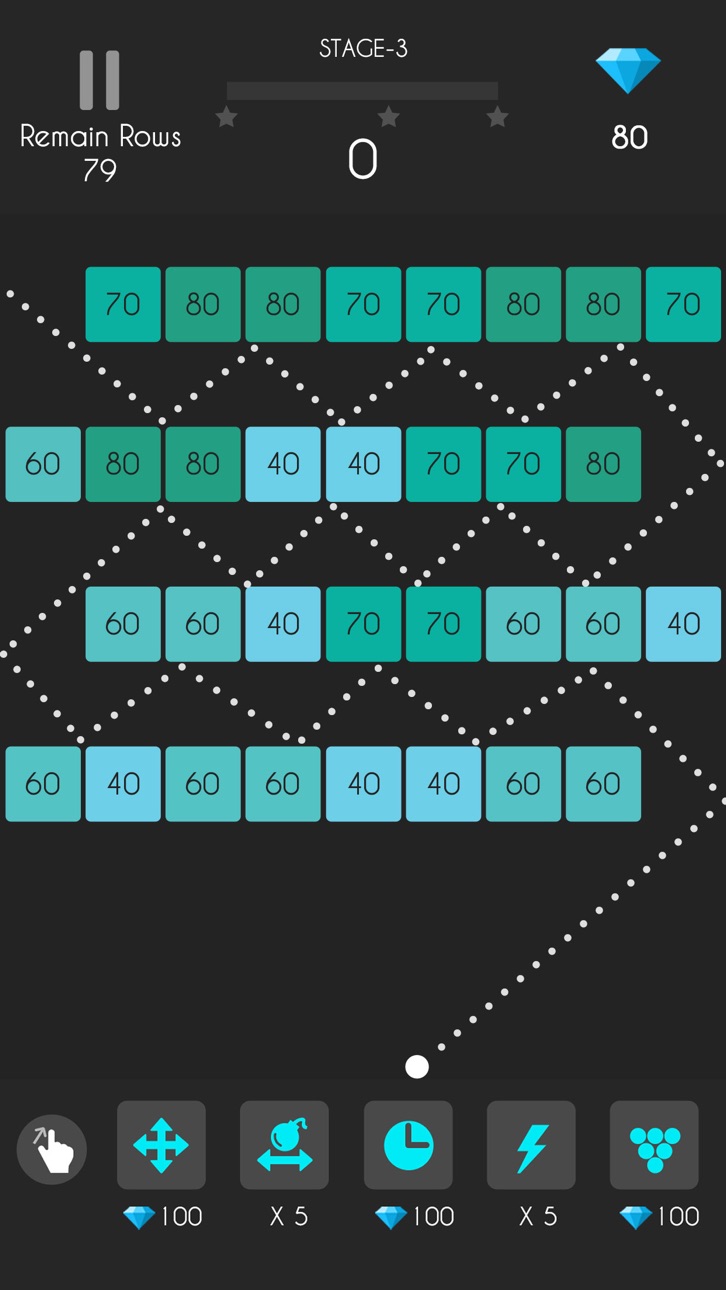
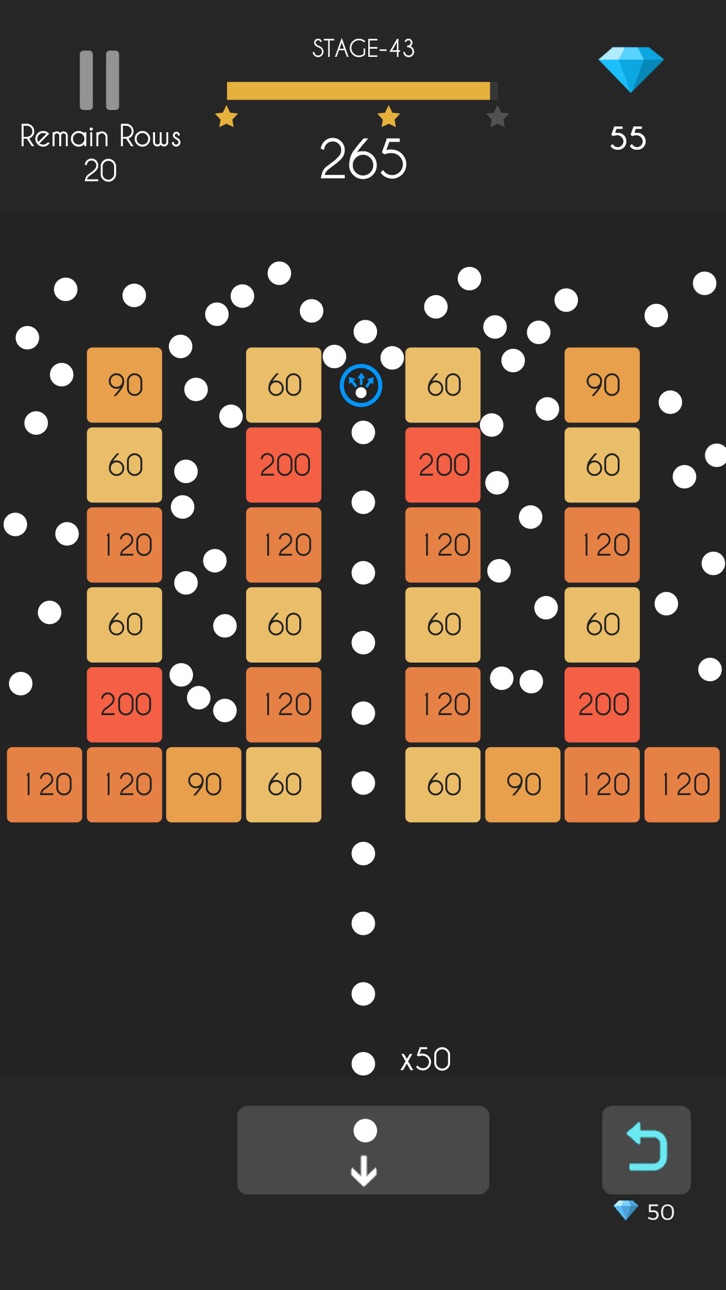
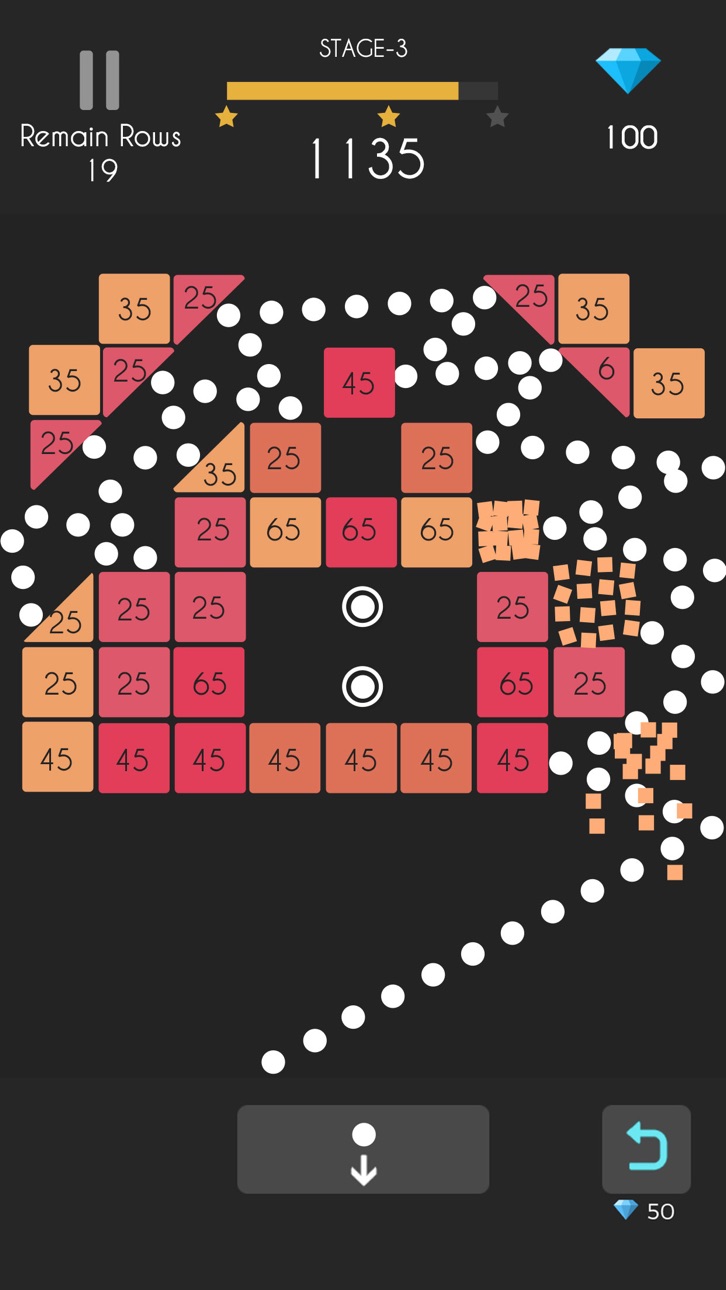
Balls Bounce 2: Bricks Challenge arrives in the App Store and brings the free-to-play arcade game enjoyment for all Balls Bounce fans.
The unique mix between brick breaker and bubble shooter games, perfect time killer to spend your leisure time.
Over hundreds of challengeable levels, clear the stages by eliminating bricks on the board. This brick breaker block game is going to be a hit!
▶ HOW TO PLAY?
Swipe your finger and throw balls, break all bricks and finish all puzzle challenges. Boost your score by skills and concentration, time to challenge and shoot balls with your friends now!
▶ Balls Bounce 2 – Bricks Challenge Game Features
* Over 1000 challenges, can play without an internet connection
* 10 different items and numbers of special bricks
* No time limit, best casual game to kill your free time
* Coolest Super Aim! Crash all bricks precisely
* Stunning graphic: burst all bricks!
* More than 20 color ball patterns
* Free to play bouncing balls game, easy to play and free for all ages
Like the classic bubble shooter game, you need to focus on balls chain, release your balls snake and shoot balls, bounce your ball chain and brick all bricks. Balls Bounce 2 is suitable for players who love ball bricks breaker puzzle games, classic arcade games, searching for the best casual arcade game like bouncy balls, kick balls games and free block breaker games.
Download for free today, relax your brain in the addicted ball bouncy bricks game world!
▶ Subscription options
We have the following subscription periods in Balls Bounce 2:
1. Weekly VIP Membership offers a weekly subscription for $7.99 which provides 300 diamonds per day, Super Aim and Remove Ads.
2. Monthly VIP Membership offers a weekly subscription for $19.99 which provides 300 diamonds per day, Super Aim and Remove Ads.
3. Yearly VIP Membership offers a weekly subscription for $99.99 which provides 300 diamonds per day, Super Aim and Remove Ads.
This price is established for United States users. Pricing in other countries may vary and actual charges may be converted to your local currency depending on the country of residence.
End of Trial and Subscription Renewal
Payment will be charged to your iTunes Account at confirmation of purchase.
Subscription automatically renews unless auto-renew is turned off at least 24-hours before the end of the current period.
The account will be charged for renewal within 24-hours prior to the end of the current period, and identify the cost of the renewal.
Subscriptions may be managed by the user and auto-renewal may be turned off by going to the user’s Account Settings after purchase.
Any unused portion of a free trial period, if offered, will be forfeited when the user purchases a subscription to that publication, where applicable.
Canceling trial or subscription
You can turn off the auto-renew for the subscription whenever you want to through iTunes. Check https://support.apple.com/HT202039. When your current trial/subscription period expires, you will be unsubscribed. The current active subscription period cannot be canceled. When your subscription expires, you will no longer be able to use elements included in Subscription option.
If you have any questions or comments, feel free to contact us at [email protected]
Terms of Subscription: https://sites.google.com/view/auto-renewable-subscription
Скриншоты © их владельцев · App Store



iOSGods не связана с Apple Inc., Google LLC или разработчиками перечисленных здесь приложений, не одобрена и не спонсируется ими. Apple, iOS и App Store — товарные знаки Apple Inc. Android и Google Play — товарные знаки Google LLC. Все остальные названия приложений, значки, изображения и товарные знаки принадлежат их владельцам.
- iPhone или iPad без джейлбрейка/в обычном режиме или с джейлбрейком.
- Sideloadly или альтернативы.
- Компьютер с Windows/macOS/Linux и установленным iTunes.
ШАГ 1: Скачайте предварительно взломанный файл .IPA по ссылке выше на свой компьютер. Чтобы скачать его из приложения iOSGods, посмотрите наш Туториал по скачиванию IPA в приложении iOSGods, в котором есть видеопример.
ШАГ 2: Скачайте Sideloadly и установите его на Windows или Mac.
ШАГ 3: Откройте Sideloadly на компьютере, подключите iOS-устройство и дождитесь, пока его имя появится в Sideloadly.
ШАГ 4: Когда устройство будет распознано, перетащите скачанный модифицированный файл .IPA в окно Sideloadly.
ШАГ 5: Введите адрес электронной почты вашего Apple Account, затем нажмите «Start». После этого вас попросят ввести пароль. Укажите необходимые данные.
ШАГ 6: Дождитесь, пока Sideloadly завершит sideload/установку взломанного IPA. При возникновении проблем во время установки ознакомьтесь с примечанием ниже.
ШАГ 7: После завершения установки и появления приложения на главном экране перейдите в Настройки → Основные → Профили / VPN и управление устройством. Там нажмите на email, который вы ввели на шаге 6, а затем нажмите «Доверять [email protected]».
ШАГ 8: Теперь перейдите на главный экран и откройте установленное приложение — всё должно работать. Возможно, потребуется выполнить дополнительные инструкции в попапе мода внутри игры.
ПРИМЕЧАНИЕ: На iOS/iPadOS 16 и новее необходимо включить режим разработчика. Для бесплатных учётных записей Apple Developer этот процесс нужно повторять каждые 7 дней. Если возникнут вопросы или проблемы, ознакомьтесь с нашим разделом FAQ по Sideloadly в теме.
Game Name iOS Mod IPA is an action adventure game enhanced with powerful gameplay boosts and quality-of-life improvements. Win battles faster, earn rewards quicker, and enjoy uninterrupted play without ads.
- Unlimited Gold - spend freely to unlock premium content
- Damage Multiplier - deal significantly more damage in combat
- Defense Multiplier - take less damage and survive longer
- Reward Multiplier - earn more loot from every battle
- Max Level - instantly reach the highest player rank
- No Ads - play without interruptions or advertisements
This app also comes with iGameGod, giving you access to Auto Touch to automate repetitive tasks, App Speed Manager for adjustable gameplay speed, Memory Engine value editing, and more powerful iOS game tools.
Скачайте Game Name Mod IPA по ссылкам выше. Нажмите кнопку установки и следуйте инструкциям, чтобы установить этот хак iOS на iPhone, iPad или Mac с Apple Silicon.
Нужна помощь Посмотрите наши Часто задаваемые вопросы по приложению iOSGods, чтобы получить подробные ответы и советы по устранению неполадок.
----------------------------------------------------------
--------------------------------------------------