Anmeldung erforderlich
Melde dich mit deinem iOSGods-Konto an, um fortzufahren.
Melde dich mit deinem iOSGods-Konto an, um fortzufahren.

Unbegrenzte Hinweise ermöglichen es dir, jedes Rätsel in Nonograms Katana zu lösen, ohne jemals knapp zu werden, und geben dir die Freiheit, auch die schwierigsten Gitter in deinem eigenen Tempo anzugehen. Dieses modifizierte iOS-Puzzlespiel entfernt den Grind und hält den gehirnschärfenden Spaß in Fluss.
- Hinweise unbegrenzt / Einige ausgeben → Puzzlelösungen ohne Limits offenbaren
Diese App wird zusätzlich mit iGameGod geliefert und bietet dir Zugriff auf Auto Touch zur Automatisierung sich wiederholender Aufgaben, App Speed Manager für eine anpassbare Spielgeschwindigkeit, Memory Engine zur Wertbearbeitung und weitere leistungsstarke iOS-Spielwerkzeuge.
Lade Nonograms Katana iOS Mod IPA über die obigen Links herunter. Tippe auf den Installations-Button und folge den Anweisungen, um diese iOS-App auf deinem iPhone, iPad oder Apple Silicon zu installieren.
Brauchst du mehr Hilfe? In unseren iOSGods App häufig gestellten Fragen findest du ausführliche Antworten und Tipps zur Fehlerbehebung.
Nonograms Katana: Sharpen your mind!
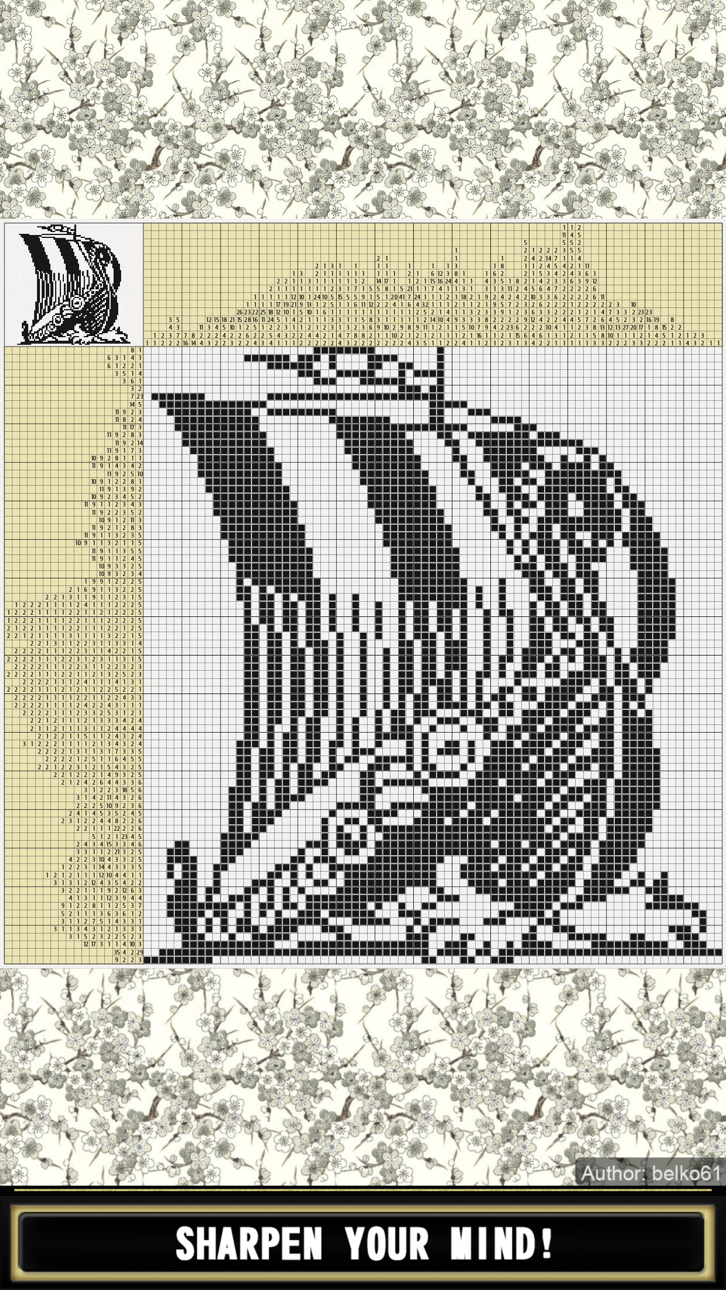
Nonograms, also known as Hanjie, Griddlers, Picross, Japanese Crosswords, Japanese Puzzles, Pic-a-Pix, "Paint by numbers" and other names, are picture logic puzzles in which cells in a grid must be colored or left blank according to numbers at the side of the grid to reveal a hidden picture. The numbers are a form of discrete tomography that measures how many unbroken lines of filled-in squares there are in any given row or column. For example, a clue of "4 8 3" would mean there are sets of four, eight, and three filled squares, in that order, with at least one blank square between successive groups.
To solve a puzzle, one needs to determine which cells will be boxes and which will be empty. Determining which cells are to be left empty (called spaces) is as important as determining which to fill (called boxes). Later in the solving process, the spaces help determine where a clue (continuing block of boxes and a number in the legend) may spread. Solvers usually use a dot or a cross to mark cells they are certain are spaces.
It is also important never to guess. Only cells that can be determined by logic should be filled. If guessing, a single error can spread over the entire field and completely ruin the solution.
Features:
- 1001 nonograms
- All puzzles are free
- All puzzles tested by computer program and have unique solution
- Black-and-white and colored
- Nonograms sorted by groups from 5x5 to 50x50
- Download puzzles sent by other users
- Create and share your own puzzles
- 15 free hints per puzzle
- Use crosses, dots and other symbols to mark cells
- Auto cross out numbers
- Auto fill trivial and completed lines
- Auto save; if you stuck you can try another puzzle and come back later
- Zoom and smooth scrolling
- Lock and zoom number bars
- Lock current puzzle state, check assumptions
- Customize background
- Optional cursor for accurate picking
- Undo and redo
- Share result pictures
- Save game progress to the cloud
- Achievements and leaderboards
- Screen rotation
- Suitable for phones and tablets
VIP Features:
- No Ads
- View Answer
- 5 extra hints per puzzle
The Guild Expansion:
Welcome to the Adventurers Guild!
By solving puzzles, you will get loot and experience.
You will have weapons that allow you to deal with puzzles much faster.
You will be able to complete quests and receive a reward.
You will have to rebuild the settlement and collect the lost mosaic piece by piece.
The Dungeon Expansion:
Game in a game in a game.
Isometric turn-based RPG.
What adventurer doesn't dream of exploring a dungeon?
site: https://nonograms-katana.com
facebook: https://www.facebook.com/Nonograms.Katana
Screenshots © der jeweiligen Inhaber · App Store


iOSGods ist nicht mit Apple Inc., Google LLC oder den Entwicklern der hier aufgeführten Apps verbunden und wird von ihnen weder unterstützt noch gesponsert. Apple, iOS und App Store sind Marken von Apple Inc. Android und Google Play sind Marken von Google LLC. Alle weiteren App-Namen, Symbole, Grafiken und Marken gehören ihren jeweiligen Inhabern.
- Nicht-Jailbroken/Jailed oder Jailbroken iPhone oder iPad.
- Sideloadly oder Alternativen.
- Computer mit Windows/macOS/Linux und installiertem iTunes.
SCHRITT 1: Lade die vorinstallierte .IPA-Datei über den obigen Link auf deinen Computer herunter. Zum Herunterladen aus der iOSGods-App siehe unser iOSGods App IPA Download-Tutorial mit Videobeispiel.
SCHRITT 2: Lade Sideloadly herunter und installiere es auf deinem Windows oder Mac.
SCHRITT 3: Öffne Sideloadly auf deinem Computer, verbinde dein iOS-Gerät und warte, bis dein Gerätename in Sideloadly erscheint.
SCHRITT 4: Sobald dein iDevice erkannt wird, ziehe die heruntergeladene gemoddete .IPA-Datei in die Sideloadly-Anwendung.
SCHRITT 5: Gib deine Apple-Account-E-Mail ein und drücke „Start". Du wirst dann nach deinem Passwort gefragt. Gib die erforderlichen Informationen ein.
SCHRITT 6: Warte, bis Sideloadly das Sideloading/Installieren der gehackten IPA abgeschlossen hat. Bei Problemen während der Installation lies bitte den Hinweis unten.
SCHRITT 7: Sobald die Installation abgeschlossen ist und die App auf deinem Home-Bildschirm angezeigt wird, musst du zu Einstellungen → Allgemein → Profile / VPN & Geräteverwaltung gehen. Tippe dort auf die E-Mail, die du in Schritt 6 eingegeben hast, und dann auf „Trust [email protected]".
SCHRITT 8: Gehe nun zu deinem Home-Bildschirm und öffne die neu installierte App – alles sollte einwandfrei funktionieren. Möglicherweise musst du weitere App-spezifische Anweisungen im Hack-Popup im Spiel befolgen.
HINWEIS: iOS/iPadOS 16 und höher: Du musst den Entwicklermodus aktivieren. Bei kostenlosen Apple Developer-Accounts musst du diesen Vorgang alle 7 Tage wiederholen. Bei Fragen oder Problemen lies bitte unsere Sideloadly-FAQ-Sektion im Thema.
Game Name iOS Mod IPA is an action adventure game enhanced with powerful gameplay boosts and quality-of-life improvements. Win battles faster, earn rewards quicker, and enjoy uninterrupted play without ads.
- Unlimited Gold - spend freely to unlock premium content
- Damage Multiplier - deal significantly more damage in combat
- Defense Multiplier - take less damage and survive longer
- Reward Multiplier - earn more loot from every battle
- Max Level - instantly reach the highest player rank
- No Ads - play without interruptions or advertisements
This app also comes with iGameGod, giving you access to Auto Touch to automate repetitive tasks, App Speed Manager for adjustable gameplay speed, Memory Engine value editing, and more powerful iOS game tools.
Lade Game Name Mod IPA über die obigen Links herunter. Tippe auf den Installations-Button und folge den Anweisungen, um diese iOS-App auf deinem iPhone, iPad oder Apple Silicon zu installieren.
Brauchst du mehr Hilfe In unseren iOSGods App häufig gestellten Fragen findest du ausführliche Antworten und Tipps zur Fehlerbehebung.
----------------------------------------------------------
--------------------------------------------------