Connexion requise
Connectez-vous avec votre compte iOSGods pour continuer.
Connectez-vous avec votre compte iOSGods pour continuer.

Free Game
Cette app est également livrée avec iGameGod, qui vous donne accès à Auto Touch pour automatiser les tâches répétitives, App Speed Manager pour ajuster la vitesse de jeu, à l'édition de valeurs avec Memory Engine, et à d'autres outils puissants pour les jeux iOS.
Téléchargez Monument Valley modded IPA depuis les liens ci-dessus. Appuyez sur le bouton d'installation et suivez les instructions pour installer ce hack iOS sur votre iPhone, iPad ou Apple Silicon.
Besoin de plus d'aide ? Consultez notre FAQ de l'app iOSGods pour des réponses détaillées et des conseils de dépannage.
** 50% off for a limited time only! ***
**蘋果設計獎2014得主**
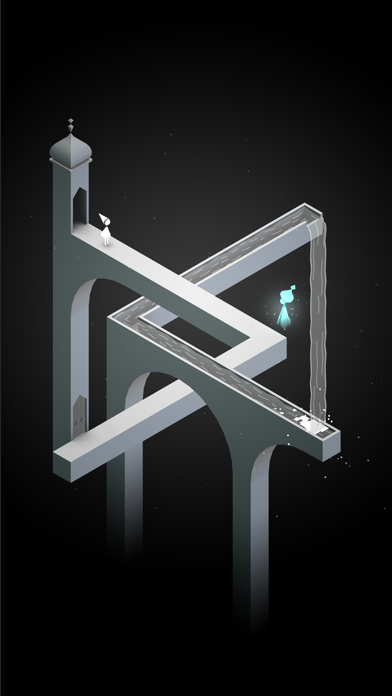
在《紀念碑谷》中,您將通過控制一些巧奪天工的建築來幫助一位沈默的公主走出一個繽紛絢麗的世界。
推薦在遊戲時使用耳機。
《紀念碑谷》將帶來一次神奇建築與奇妙幾何體相結合的夢幻探險。通過探索隱藏小路、發現視力錯覺以及擊敗神秘的烏鴉人來幫助沈默公主艾達走出纪念碑迷陣。
《被遺忘的海岸》;八個充滿冒險與幻像的全新章節現已提供獨立下載。
立即購買或下載《紀念碑谷》,你還將獲得我們的 iMessage 動畫表情貼紙包,包括 5 張玩家專屬表情貼紙!僅限 iOS10 及更高版本。
=======
“這可能是2014年最漂亮的iPad遊戲” - Wired
“埃捨爾畫家,你看起來與眾不同,並且棒極了” - Kotaku
“《紀念碑谷》看起來太妙了” - Touch Arcade
“視覺欺騙的藝術” - Polygon
=======
漂亮
受到極簡3D設計靈感、視力錯覺和世界各地的宮殿廟宇的啓發,每個紀念碑都是手工繪制並且獨一無二。
易上手
旋轉並拖拽就已可以改變形狀來幫助艾達探索世界。遊戲的設計讓每個人都可以輕鬆上手、享受並且完成遊戲。
音效
你對世界的操控會產生不同音效,進而產生一種奇妙而美麗的音景。使用耳機效果最佳。
支持 iCloud
可在你的所有設備間同步遊戲進度。
注意:《紀念碑谷》適用於 iPhone 4 及以上機型。iPod Touch 第4代不能運行此遊戲。
- iPhone ou iPad avec ou sans Jailbreak.
- Sideloadly ou alternatives.
- Ordinateur sous Windows/macOS/Linux avec iTunes installé.
ÉTAPE 1: Téléchargez le fichier .IPA pré-modifié depuis le lien ci-dessus sur votre ordinateur. Pour le télécharger depuis l'iOSGods App, consultez notre Tutoriel de téléchargement de l'IPA depuis l'iOSGods App qui comprend un exemple en vidéo.
ÉTAPE 2: Téléchargez Sideloadly et installez-le sur votre Windows ou Mac.
ÉTAPE 3: Ouvrez Sideloadly sur votre ordinateur, connectez votre appareil iOS et attendez que le nom de votre appareil apparaisse dans Sideloadly.
ÉTAPE 4: Une fois votre iDevice reconnu, glissez le fichier .IPA modifié que vous avez téléchargé et déposez-le dans l'application Sideloadly.
ÉTAPE 5: Saisissez l'adresse e-mail de votre Apple Account, puis appuyez sur « Start ». Il vous sera ensuite demandé d'entrer votre mot de passe. Fournissez les informations requises.
ÉTAPE 6: Attendez que Sideloadly termine le sideloading/l'installation de l'IPA modifié. En cas de problème durant l'installation, veuillez lire la remarque ci-dessous.
ÉTAPE 7: Une fois l'installation terminée et l'app visible sur votre écran d'accueil, vous devez aller dans Réglages → Général → Profils / VPN et gestion de l'appareil. Là, appuyez sur l'adresse e-mail saisie à l'étape 6, puis appuyez sur « Faire confiance à [email protected] ».
ÉTAPE 8: Allez maintenant sur votre écran d'accueil et ouvrez l'app nouvellement installée ; tout devrait fonctionner correctement. Vous devrez peut-être suivre des instructions supplémentaires propres à chaque app, dans la fenêtre du hack en jeu.
REMARQUE : À partir d'iOS/iPadOS 16, vous devez activer le mode Développeur. Pour les comptes Apple Developer gratuits, vous devrez répéter ce processus tous les 7 jours. Pour toute question ou problème, lisez notre section FAQ Sideloadly du sujet.