Cần đăng nhập
Đăng nhập bằng tài khoản iOSGods để tiếp tục.
Hack Features:
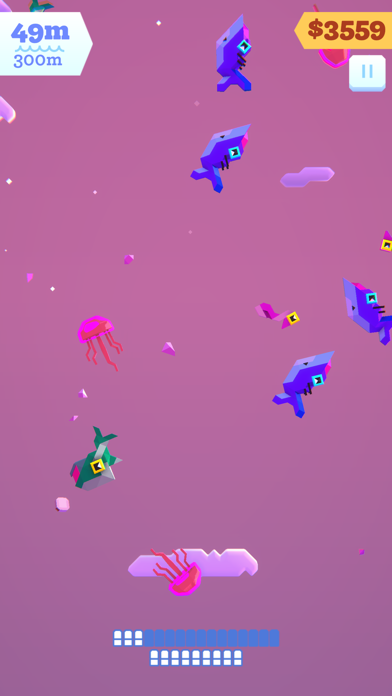
- Add Money -> Head over to Settings - Graphics and toggle the SSAO button.
-- Crashes fixed 👍
Ứng dụng này đi kèm với iGameGod, cho phép bạn truy cập Auto Touch để tự động hóa các thao tác lặp lại, App Speed Manager để điều chỉnh tốc độ chơi game, chỉnh sửa giá trị bằng Memory Engine, và nhiều công cụ mạnh mẽ khác cho game iOS.
Tải Ridiculous Fishing EX Hack modded IPA từ các liên kết ở trên. Nhấn nút cài đặt và làm theo hướng dẫn để cài bản hack iOS lên iPhone, iPad hoặc Apple Silicon.
Cần thêm trợ giúp? Hãy xem Câu hỏi thường gặp ứng dụng iOSGods để có câu trả lời chi tiết và mẹo khắc phục sự cố.

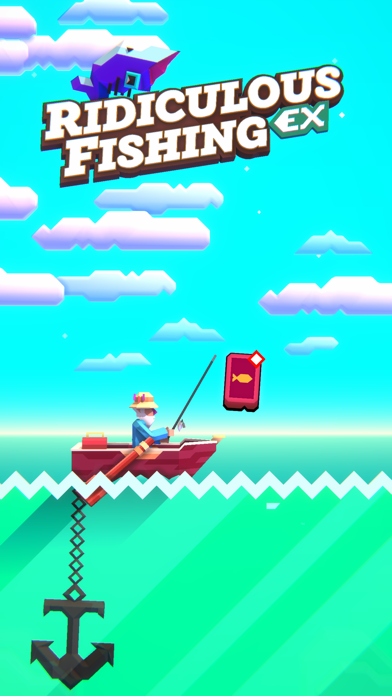
An updated, handcrafted game about fishing with guns, chainsaws & toasters.
Follow Billy as he tries to find redemption from his uncertain past. Chase your destiny on the high seas and embark on a heroic quest for gills and glory.
An all-new 3D Ridiculous Fishing built from the ground up by the original award-winning team, with new features:
+ Gorgeous 3D art
+ An all new Pro Fishing Tour endgame mode
+ Exclusive new content
+ Leaderboards
+ Total rewrite from the ground up
+ All new guest fish
+ BikBok™
Based on Vlambeer’s popular 2013 original, Ridiculous Fishing was lovingly handcrafted over the course of two years by Vlambeer (Super Crate Box, Nuclear Throne), Zach Gage (SpellTower, Knotwords, Good Sudoku, Really Bad Chess, Card of Darkness) and Greg Wohlwend (Threes, Hundreds, TumbleSeed), and remade in collaboration with KO_OP (GNOG, Winding Worlds).
Winner of the Apple Design Award 2013; Nominated for the 2011 Independent Games Festival Awards; Declared Most Important News Story 2011 by industry magazine Control International; Featured in The New York Times
Praise for the original *Ridiculous Fishing*:
"Ridiculous Fishing is such a complete package that it's an effortless recommendation." ~ Eli Hodapp (TouchArcade) - (5 / 5)
"Every aspect of the game, from the rewarding upgrade system to the unique graphics, displays an intricate craftsmanship we rarely see on the App Store." ~ Chris Reed (Slide2Play) - (4 / 4)
"Vlambeer's game is, as its title suggests, ridiculous. In its simple, gleeful rhythms of play, it's sublime, too." ~ EDGE - (9 / 10)
"One of the most mechanically satisfying experiences you'll ever find, and wrapped in a dazzlingly cool aesthetic." ~ Eli Cymet (Gamezebo) - (5 / 5)
"It makes the mass destruction of innocent sea life absolutely adorable." ~ Andrew Webster (The Verge)
"I've come to think of Ridiculous Fishing as the unofficial game of Wes Anderson's movie The Life Aquatic." ~ Rob Hearn (PocketGamer)
"Ridiculous Fishing is from an alternate iPhone gaming universe where Nintendo is the production quality standard and action is everything." ~ Robert Ashley (A Life Well Wasted)
"A rare pearl amidst the endless sardines of iOS games." ~ Chris Bateman (International Hobo)
"I'm hooked up to an IV and playing Ridiculous Fishing. One is medicine, the other is a painkiller." ~ Ben Kuchera (PA Report)
"Ridiculous Fishing is something very special." ~ exp. Magazine
- iPhone hoặc iPad chưa jailbreak/đã đóng hoặc đã jailbreak.
- Sideloadly hoặc các lựa chọn thay thế.
- Máy tính chạy Windows/macOS/Linux đã cài iTunes.
BƯỚC 1: Tải tệp .IPA đã được hack sẵn từ liên kết phía trên về máy tính của bạn. Để tải từ iOSGods App, hãy xem Hướng dẫn tải IPA bằng iOSGods App của chúng tôi, có kèm ví dụ bằng video.
BƯỚC 2: Tải Sideloadly và cài đặt trên Windows hoặc Mac của bạn.
BƯỚC 3: Mở Sideloadly trên máy tính, kết nối thiết bị iOS của bạn và chờ cho đến khi tên thiết bị hiển thị trong Sideloadly.
BƯỚC 4: Khi thiết bị iOS của bạn đã được nhận diện, hãy kéo tệp .IPA đã chỉnh sửa mà bạn tải về và thả vào ứng dụng Sideloadly.
BƯỚC 5: Nhập email Apple Account của bạn, sau đó nhấn "Start." Bạn sẽ được yêu cầu nhập mật khẩu. Hãy cung cấp các thông tin cần thiết.
BƯỚC 6: Chờ Sideloadly hoàn tất quá trình sideload/cài đặt tệp IPA đã hack. Nếu gặp sự cố trong quá trình cài đặt, vui lòng đọc lưu ý bên dưới.
BƯỚC 7: Khi cài đặt hoàn tất và bạn thấy ứng dụng trên Màn hình chính, bạn cần truy cập Cài đặt → Cài đặt chung → Hồ sơ / VPN & Quản lý thiết bị. Tại đó, nhấn vào email bạn đã nhập ở bước 6, rồi nhấn "Tin cậy [email protected]".
BƯỚC 8: Bây giờ hãy về Màn hình chính và mở ứng dụng vừa cài đặt, mọi thứ sẽ hoạt động bình thường. Bạn có thể cần làm theo hướng dẫn riêng của từng ứng dụng trong cửa sổ popup của bản hack trong game.
LƯU Ý: Trên iOS/iPadOS 16 trở lên, bạn phải bật Chế độ nhà phát triển. Với tài khoản Apple Developer miễn phí, bạn sẽ cần lặp lại quy trình này mỗi 7 ngày. Nếu bạn có thắc mắc hoặc gặp sự cố, hãy đọc mục FAQ về Sideloadly trong chủ đề của chúng tôi.