Accesso richiesto
Accedi con il tuo account iOSGods per continuare.

Hack Features:
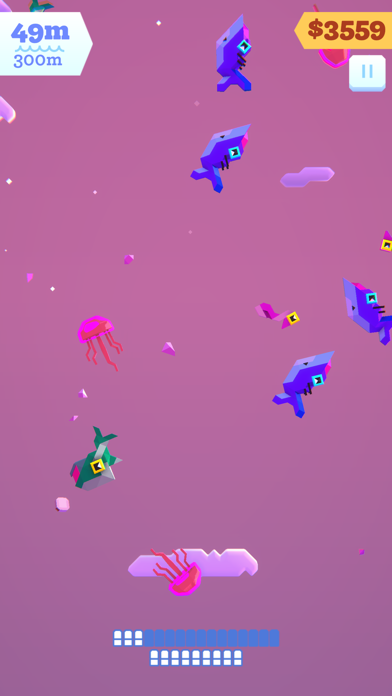
- Add Money -> Head over to Settings - Graphics and toggle the SSAO button.
-- Crashes fixed 👍
Scarica Ridiculous Fishing EX Hack modded IPA dai link sopra. Tocca il pulsante di installazione e segui le istruzioni per installare questo hack iOS sul tuo iPhone, iPad o Mac con Apple Silicon.
Hai bisogno di altro aiuto? Consulta le nostre Domande frequenti sull'app iOSGods per risposte dettagliate e consigli per la risoluzione dei problemi.
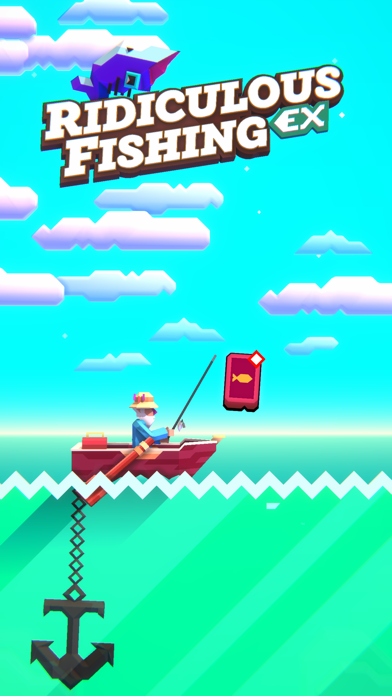
An updated, handcrafted game about fishing with guns, chainsaws & toasters.
Follow Billy as he tries to find redemption from his uncertain past. Chase your destiny on the high seas and embark on a heroic quest for gills and glory.
An all-new 3D Ridiculous Fishing built from the ground up by the original award-winning team, with new features:
+ Gorgeous 3D art
+ An all new Pro Fishing Tour endgame mode
+ Exclusive new content
+ Leaderboards
+ Total rewrite from the ground up
+ All new guest fish
+ BikBok™
Based on Vlambeer’s popular 2013 original, Ridiculous Fishing was lovingly handcrafted over the course of two years by Vlambeer (Super Crate Box, Nuclear Throne), Zach Gage (SpellTower, Knotwords, Good Sudoku, Really Bad Chess, Card of Darkness) and Greg Wohlwend (Threes, Hundreds, TumbleSeed), and remade in collaboration with KO_OP (GNOG, Winding Worlds).
Winner of the Apple Design Award 2013; Nominated for the 2011 Independent Games Festival Awards; Declared Most Important News Story 2011 by industry magazine Control International; Featured in The New York Times
Praise for the original *Ridiculous Fishing*:
"Ridiculous Fishing is such a complete package that it's an effortless recommendation." ~ Eli Hodapp (TouchArcade) - (5 / 5)
"Every aspect of the game, from the rewarding upgrade system to the unique graphics, displays an intricate craftsmanship we rarely see on the App Store." ~ Chris Reed (Slide2Play) - (4 / 4)
"Vlambeer's game is, as its title suggests, ridiculous. In its simple, gleeful rhythms of play, it's sublime, too." ~ EDGE - (9 / 10)
"One of the most mechanically satisfying experiences you'll ever find, and wrapped in a dazzlingly cool aesthetic." ~ Eli Cymet (Gamezebo) - (5 / 5)
"It makes the mass destruction of innocent sea life absolutely adorable." ~ Andrew Webster (The Verge)
"I've come to think of Ridiculous Fishing as the unofficial game of Wes Anderson's movie The Life Aquatic." ~ Rob Hearn (PocketGamer)
"Ridiculous Fishing is from an alternate iPhone gaming universe where Nintendo is the production quality standard and action is everything." ~ Robert Ashley (A Life Well Wasted)
"A rare pearl amidst the endless sardines of iOS games." ~ Chris Bateman (International Hobo)
"I'm hooked up to an IV and playing Ridiculous Fishing. One is medicine, the other is a painkiller." ~ Ben Kuchera (PA Report)
"Ridiculous Fishing is something very special." ~ exp. Magazine
- iPhone o iPad non jailbroken/jailed oppure jailbroken.
- Sideloadly o alternative.
- Computer con Windows/macOS/Linux con iTunes installato.
PASSO 1: Scarica il file .IPA pre-modificato dal link sopra sul tuo computer. Per scaricarlo dall'iOSGods App, consulta il nostro Tutorial download IPA dell'iOSGods App, che include un esempio video.
PASSO 2: Scarica Sideloadly e installalo sul tuo Windows o Mac.
PASSO 3: Apri Sideloadly sul tuo computer, collega il tuo dispositivo iOS e attendi finché il nome del dispositivo non appare in Sideloadly.
PASSO 4: Una volta riconosciuto il tuo iDevice, trascina il file .IPA moddato che hai scaricato e rilascialo nell'applicazione Sideloadly.
PASSO 5: Inserisci l'email del tuo Apple Account, poi premi “Start”. Ti verrà quindi chiesto di inserire la password. Procedi e fornisci le informazioni richieste.
PASSO 6: Attendi che Sideloadly completi il sideload/installazione dell'IPA modificata. Se ci sono problemi durante l'installazione, leggi la nota qui sotto.
PASSO 7: Una volta completata l'installazione e vista l'app sulla schermata Home, dovrai andare in Impostazioni → Generali → Profili / Gestione VPN e dispositivi. Una volta lì, tocca l'email inserita al passo 6 e poi tocca “Autorizza [email protected]”.
PASSO 8: Ora vai sulla schermata Home e apri l'app appena installata: tutto dovrebbe funzionare correttamente. Potrebbe essere necessario seguire ulteriori istruzioni specifiche all'interno del popup dell'hack nel gioco.
NOTA: Per iOS/iPadOS 16 e versioni successive, devi attivare la Modalità sviluppatore. Per gli account Apple Developer gratuiti, dovrai ripetere questa procedura ogni 7 giorni. Se hai domande o problemi, leggi la nostra sezione FAQ Sideloadly del topic.