Inicio de sesión requerido
Inicia sesión con tu cuenta de iOSGods para continuar.
Inicia sesión con tu cuenta de iOSGods para continuar.
Desbloquea funciones Premium en esta Mod IPA gratuita de Wanderlog, el planificador de viajes que te permite crear itinerarios detallados, organizar vuelos y hoteles, y colaborar con amigos en planes de viaje en grupo. Este hack elimina el muro de pago, dándote acceso completo a funciones Pro incluyendo exportación a Google Maps y vinculación de cuenta Gmail sin el costo de suscripción.
- Premium → todas las funciones Pro desbloqueadas
Descarga Wanderlog - Travel Planner iOS Mod IPA desde los enlaces de arriba. Toca el botón de instalación y sigue las instrucciones para instalar este hack iOS en tu iPhone, iPad o Mac con Apple Silicon.
¿Necesitas más ayuda? Consulta nuestras Preguntas frecuentes de la app iOSGods para respuestas detalladas y consejos de solución de problemas.
Wanderlog is a free travel app (with an optional Pro subscription) for planning every kind of trip, including road trips and group travel: create a trip itinerary, budget costs, organize flight and hotel reservations, view places to visit on a map, and collaborate with friends. With Pro, you can also export your trip to Google Maps and link your Gmail account. After your trip, share a travel guide to inspire other travelers.
- See flights, hotels, and attractions in one place (like TripIt and Tripcase)
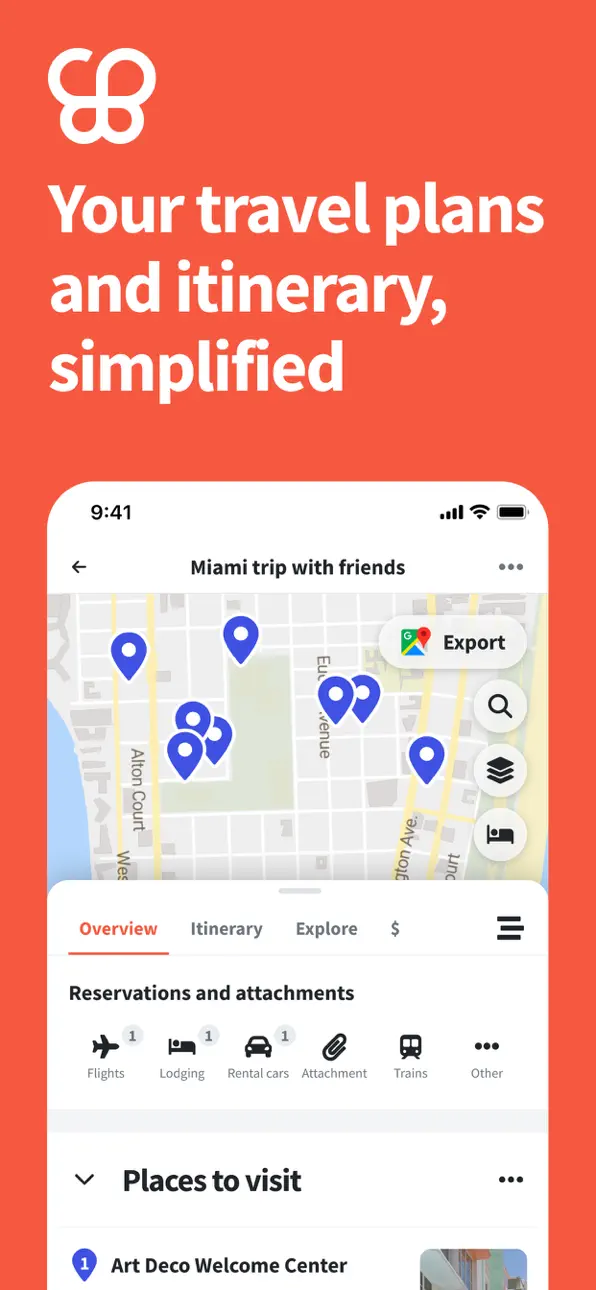
- View plans on a travel map & map your route (like Roadtrippers)
- Rearrange the order of places easily by drag-and-drop
- Planning a road trip? Add unlimited stops for free, optimize your route, view times & distances between places, and export places to Google Maps
- Planning group travel? Invite friends and collaborate in real-time just (like Google Docs)
- Automatically import reservations by forwarding emails or connecting your Gmail
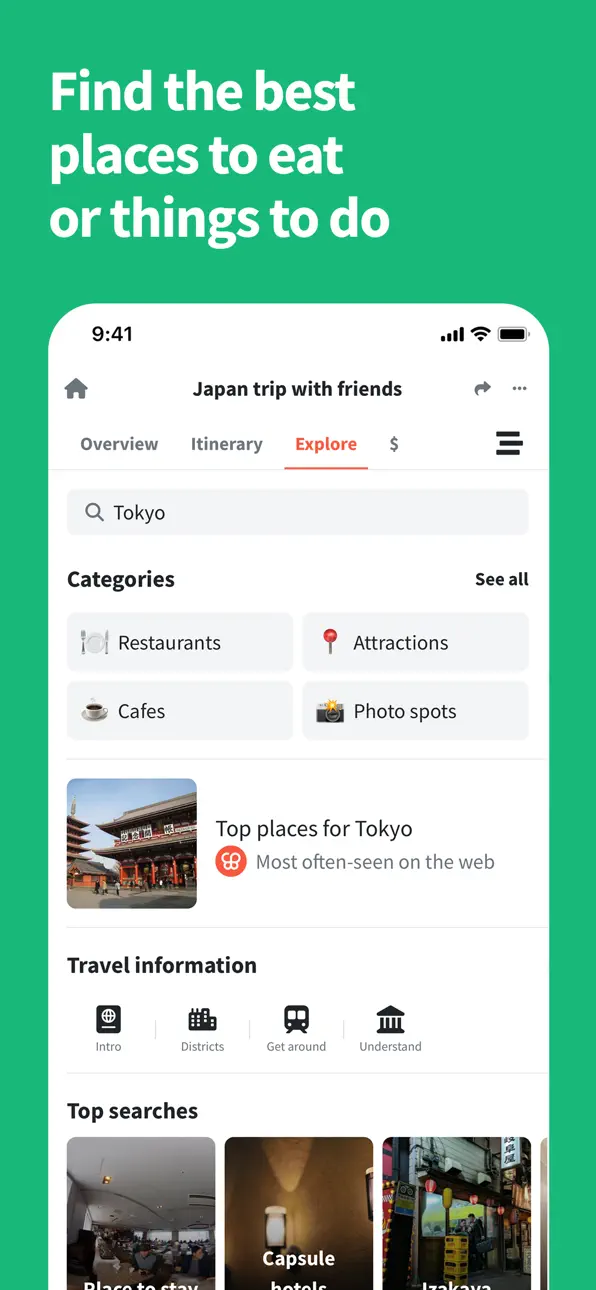
- Add things to do from top guides with 1 click (like Tripadvisor and Google Trips/Google Travel)
- Access your trip plans offline
- Add notes and links to your stops
- Have your trip plans automatically sync across devices
- Set budget, track expenses, and split bills with a group
-------
SEE IT ON A MAP
Every time you add a place to visit, it’s immediately pinned on your Google Maps-based travel map. No need to pull up different travel apps and websites to organize plans and see them on a map - you can do it all in the Wanderlog trip planner app! Plus, if you’re visiting points in order, lines will connect the different pins on the map so you can see your route (perfect for road trips!). You can also export all your places to Google Maps too.
STORE PLANS OFFLINE
All your plans are automatically stored offline on the Wanderlog travel planner app - especially helpful during a road trip with poor signal and international travel.
GET ON THE ROAD
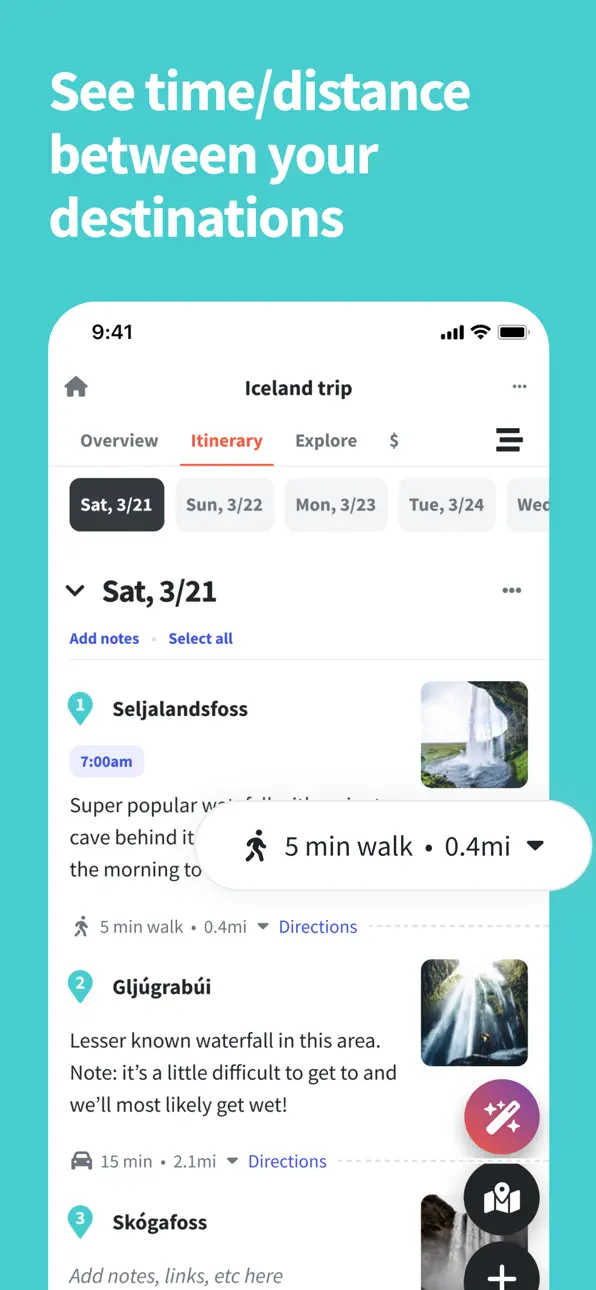
Looking for a road trip planner? Travelers can plan their trips and stops with Wanderlog. See your route on a map, or try our route optimizer to automatically rearrange and plan your route to save travel time. See estimated times & distance traveled between places to make sure it all fits, and total time and distance traveled for a given day to make sure you’re not driving too long. Plus, you can add unlimited stops along your road trip for free.
COLLABORATE WITH FRIENDS
For group travel planning, add your tripmates with their email address or by sharing a link to the itinerary. Like for Google Docs, everyone can collaborate in real-time. Set permissions and choose whether people can edit or just view your travel plans.
STAY ORGANIZED
Access flights, hotels, and attractions in one app. Forward flight and hotel confirmation emails to import them directly into your trip plan, or connect your Gmail to automatically add them. Prefer to keep high-level plans? Make generic lists like ‘Things to do’ and ‘Restaurants’ you want to eat at. Traveling on a tight schedule and want to create a detailed itinerary? Organize your day by adding start (and end) times, perfect for keeping track of tickets and reservations.
GET INSPIRATION & INFORMATION
For each place, see key info like a description and picture of the place, average user ratings with links to reviews, opening hours, address, website, and phone number. Stay inspired by exploring top travel guides from the web that feature viewpoints, attractions, and restaurants, and from lists from Google Trips and Google Travel, as well as by other Wanderlog users, and add things to do from those guides to your trip plan with 1 click.
CONTROL YOUR SPENDING
Set a budget for yourself or a group. Take control of your spending and keep track of all expenses. For a group trip, split a bill with other people and easily calculate the cost. Keep a record of who paid for what, how much everyone owes, and settle debts between tripmates.
Capturas © sus respectivos dueños · App Store

iOSGods no está afiliado, avalado ni patrocinado por Apple Inc., Google LLC ni por los desarrolladores de las apps que aparecen aquí. Apple, iOS y App Store son marcas comerciales de Apple Inc. Android y Google Play son marcas comerciales de Google LLC. Todos los demás nombres de apps, iconos, imágenes y marcas pertenecen a sus respectivos dueños.

- iPhone o iPad con o sin Jailbreak.
- Sideloadly u otras alternativas.
- Ordenador con Windows/macOS/Linux e iTunes instalado.
PASO 1: Descargue el archivo .IPA pre-modificado desde el enlace de arriba a su ordenador. Para descargarlo desde la iOSGods App, consulte nuestro Tutorial de descarga del IPA desde la iOSGods App, que incluye un ejemplo en vídeo.
PASO 2: Descargue Sideloadly e instálelo en su Windows o Mac.
PASO 3: Abra Sideloadly en su ordenador, conecte su dispositivo iOS y espere hasta que el nombre del dispositivo aparezca en Sideloadly.
PASO 4: Una vez que su iDevice sea reconocido, arrastre el archivo .IPA modificado que descargó y suéltelo en la aplicación Sideloadly.
PASO 5: Introduzca el correo electrónico de su Apple Account y, a continuación, pulse «Start». Le pedirá que introduzca su contraseña. Proporcione la información solicitada.
PASO 6: Espere a que Sideloadly termine de hacer sideload/instalar el IPA modificado. Si surgen problemas durante la instalación, por favor lea la nota a continuación.
PASO 7: Una vez completada la instalación y al ver la app en la pantalla de inicio, deberá ir a Ajustes → General → Perfiles / VPN y Gestión de Dispositivos. Una vez allí, toque el correo electrónico que introdujo en el paso 6 y, después, toque en «Confiar en [email protected]».
PASO 8: Ahora vaya a la pantalla de inicio y abra la app recién instalada; todo debería funcionar correctamente. Es posible que tenga que seguir instrucciones adicionales específicas de cada app dentro del popup del hack en el juego.
NOTA: En iOS/iPadOS 16 y posteriores, debe activar el Modo Desarrollador. Para cuentas gratuitas de Apple Developer, deberá repetir este proceso cada 7 días. Si tiene alguna pregunta o problema, lea nuestra sección de Preguntas Frecuentes de Sideloadly del tema.
Game Name iOS Mod IPA is an action adventure game enhanced with powerful gameplay boosts and quality-of-life improvements. Win battles faster, earn rewards quicker, and enjoy uninterrupted play without ads.
- Unlimited Gold - spend freely to unlock premium content
- Damage Multiplier - deal significantly more damage in combat
- Defense Multiplier - take less damage and survive longer
- Reward Multiplier - earn more loot from every battle
- Max Level - instantly reach the highest player rank
- No Ads - play without interruptions or advertisements
This app also comes with iGameGod, giving you access to Auto Touch to automate repetitive tasks, App Speed Manager for adjustable gameplay speed, Memory Engine value editing, and more powerful iOS game tools.
Descarga Game Name Mod IPA desde los enlaces de arriba. Toca el botón de instalación y sigue las instrucciones para instalar este hack iOS en tu iPhone, iPad o Mac con Apple Silicon.
¿Necesitas más ayuda Consulta nuestras Preguntas frecuentes de la app iOSGods para respuestas detalladas y consejos de solución de problemas.
----------------------------------------------------------
--------------------------------------------------