ต้องเข้าสู่ระบบ
เข้าสู่ระบบด้วยบัญชี iOSGods เพื่อดำเนินการต่อ
เข้าสู่ระบบด้วยบัญชี iOSGods เพื่อดำเนินการต่อ
เพิ่มพลังการโจมตีของคุณและปลดล็อกสกินทั้งหมดใน Cell Survivor - Shoot Defense ด้วย iOS mod IPA ฟรีนี้ พร้อมการแช่แข็งสกุลเงินเพื่อรักษาทรัพยากรของคุณและข้ามโฆษณาทั้งหมดเพื่อเล่นเกมโดยไม่มีการหยุดชะงัก
เปลี่ยนการป้องกันเซลล์ของคุณให้เป็นประสบการณ์พรีเมียมที่มีประสิทธิภาพ: เพิ่มผลผลิตความเสียหายของคุณ เข้าถึงเครื่องสำอางทั้งหมดได้ทันที และกำจัดการบดบังเพื่อให้คุณสามารถมุ่งเน้นไปที่การเอาชนะกองทัพศัตรูและการเชี่ยวชาญเขาวงกตที่สร้างขึ้นแบบสุ่มที่กำหนดแต่ละการต่อสู้
- เพิ่มการโจมตี → เพิ่มผลผลิตความเสียหายของคุณอย่างมีนัยสำคัญ
- แช่แข็งสกุลเงิน → รักษาทรัพยากรของคุณโดยไม่ต้องใช้จ่าย
- ปลดล็อกบัตรรายเดือนทั้งหมด → เข้าถึงรางวัลบัตรพรีเมียมได้ทันที
- ปลดล็อกสกินทั้งหมด → ติดตั้งเครื่องสำอางทั้งหมดโดยไม่ต้องก้าวหน้า
- ข้ามโฆษณาทั้งหมด → เพลิดเพลินกับการเล่นเกมโดยไม่มีการหยุดชะงัก
ดาวน์โหลด Cell Survivor - Shoot Defense iOS Mod IPA จากลิงก์ด้านบน แตะปุ่มติดตั้งและทำตามคำแนะนำบนหน้าจอเพื่อติดตั้งแฮ็กแอป iOS นี้บน iPhone, iPad หรือ Apple Silicon
ต้องการความช่วยเหลือเพิ่มเติม? ดู คำถามที่พบบ่อยของแอป iOSGods สำหรับคำตอบโดยละเอียดและเคล็ดลับการแก้ไขปัญหา
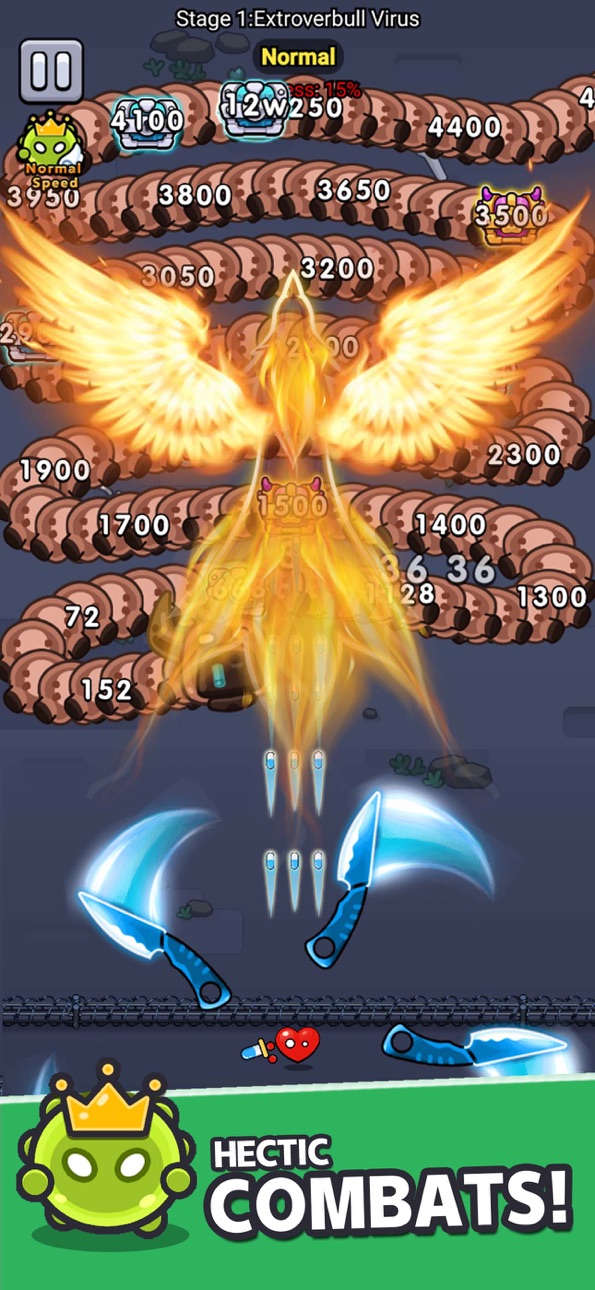
Get ready to set off on an exhilarating cell defense adventure! Your mission is not just ordinary protection, but to lead all cells to become invincible defenders, defeating those pesky enemies! Looking for some excitement? Wield your sharp blades and unleash the most precise ammunition to make your enemies tremble!
In this uncharted territory, challenges are endless. Randomly generated enemy hordes, paired with mysterious underground mazes, ensure that every battle is full of surprises. Even better, every time you defeat a wave of enemies, you’re faced with three awesome ability enhancements to choose from, paving your own heroic path and creating a unique combat style.
Don’t forget, defeating the big Boss comes with super surprise rewards! Go for it and take the challenge now! Use your power to whip up a medicinal storm and elevate the glory of the cell kingdom to its peak!
Let the battle begin, and let your medicinal might be unleashed!
Your current trial subscription is about to change to a paid subscription. The subscription fee will be automatically charged to your iTunes account upon confirmation of purchase. You will be automatically charged at the same price and enjoy the same period of privileges for auto-sub that can be turned off at least 24 hours before the end of the current subscription period to take effect.
Re-sub fee will be automatically charged to your account within 24 hours before the end of the current subscription period.
Users can self-manage subscriptions or turn off auto-sub at iTunes Account settings. All unused periods of free trial shall be forfeited upon purchasement of subscription.
ภาพหน้าจอ © เจ้าของแต่ละราย · App Store


iOSGods ไม่มีความเกี่ยวข้อง ไม่ได้รับการรับรอง และไม่ได้รับการสนับสนุนจาก Apple Inc., Google LLC หรือผู้พัฒนาแอปที่แสดงไว้ที่นี่ Apple, iOS และ App Store เป็นเครื่องหมายการค้าของ Apple Inc. Android และ Google Play เป็นเครื่องหมายการค้าของ Google LLC ชื่อแอป ไอคอน ภาพ และเครื่องหมายการค้าอื่นทั้งหมดเป็นทรัพย์สินของเจ้าของแต่ละราย

- iPhone หรือ iPad ที่ไม่ได้เจลเบรก/ไม่ได้เจลเบรก หรือเจลเบรกแล้ว
- Sideloadly หรือทางเลือกอื่น
- คอมพิวเตอร์ที่ใช้ Windows/macOS/Linux และติดตั้ง iTunes ไว้
ขั้นตอนที่ 1: ดาวน์โหลดไฟล์ .IPA ที่แฮกไว้ล่วงหน้าจากลิงก์ด้านบนลงในคอมพิวเตอร์ของคุณ หากต้องการดาวน์โหลดจากแอป iOSGods โปรดดู วิธีดาวน์โหลด IPA ในแอป iOSGods ซึ่งมีตัวอย่างวิดีโอประกอบ
ขั้นตอนที่ 2: ดาวน์โหลด Sideloadly แล้วติดตั้งบน Windows หรือ Mac ของคุณ
ขั้นตอนที่ 3: เปิด Sideloadly บนคอมพิวเตอร์ เชื่อมต่ออุปกรณ์ iOS แล้วรอจนกว่าชื่ออุปกรณ์ของคุณจะปรากฏใน Sideloadly
ขั้นตอนที่ 4: เมื่อ iDevice ของคุณถูกตรวจพบแล้ว ให้ลากไฟล์ .IPA ที่ม็อดมาวางลงในโปรแกรม Sideloadly
ขั้นตอนที่ 5: กรอกอีเมล Apple Account ของคุณ จากนั้นกด "Start" ระบบจะถามรหัสผ่าน กรอกข้อมูลที่จำเป็นให้เรียบร้อย
ขั้นตอนที่ 6: รอจนกว่า Sideloadly จะ sideload/ติดตั้งไฟล์ IPA ที่แฮกเสร็จ หากเกิดปัญหาระหว่างติดตั้ง โปรดอ่านหมายเหตุด้านล่าง
ขั้นตอนที่ 7: เมื่อการติดตั้งเสร็จสิ้นและเห็นแอปบนหน้าจอหลักแล้ว ให้ไปที่ การตั้งค่า → ทั่วไป → โปรไฟล์ / VPN และการจัดการอุปกรณ์ จากนั้นแตะที่อีเมลที่คุณกรอกในขั้นตอนที่ 6 แล้วแตะ "เชื่อถือ [email protected]"
ขั้นตอนที่ 8: จากนั้นไปที่หน้าจอหลักและเปิดแอปที่ติดตั้งใหม่ ทุกอย่างควรทำงานได้ปกติ คุณอาจต้องทำตามคำแนะนำเพิ่มเติมเฉพาะแอปในป๊อปอัปของม็อดในเกม
หมายเหตุ: สำหรับ iOS/iPadOS 16 ขึ้นไป คุณต้อง เปิดโหมดนักพัฒนา (Developer Mode) สำหรับบัญชี Apple Developer แบบฟรี คุณต้องทำขั้นตอนนี้ซ้ำทุก 7 วัน หากมีคำถามหรือพบปัญหา โปรดอ่าน หัวข้อ FAQ ของ Sideloadly ในกระทู้
Game Name iOS Mod IPA is an action adventure game enhanced with powerful gameplay boosts and quality-of-life improvements. Win battles faster, earn rewards quicker, and enjoy uninterrupted play without ads.
- Unlimited Gold - spend freely to unlock premium content
- Damage Multiplier - deal significantly more damage in combat
- Defense Multiplier - take less damage and survive longer
- Reward Multiplier - earn more loot from every battle
- Max Level - instantly reach the highest player rank
- No Ads - play without interruptions or advertisements
This app also comes with iGameGod, giving you access to Auto Touch to automate repetitive tasks, App Speed Manager for adjustable gameplay speed, Memory Engine value editing, and more powerful iOS game tools.
ดาวน์โหลด Game Name Mod IPA จากลิงก์ด้านบน แตะปุ่มติดตั้งและทำตามคำแนะนำบนหน้าจอเพื่อติดตั้งแฮ็กแอป iOS นี้บน iPhone, iPad หรือ Apple Silicon
ต้องการความช่วยเหลือเพิ่มเติม ดู คำถามที่พบบ่อยของแอป iOSGods สำหรับคำตอบโดยละเอียดและเคล็ดลับการแก้ไขปัญหา
----------------------------------------------------------
--------------------------------------------------