Accesso richiesto
Accedi con il tuo account iOSGods per continuare.
Accedi con il tuo account iOSGods per continuare.
Moltiplica la tua potenza d'attacco e sblocca ogni skin in Cell Survivor - Shoot Defense con questo mod iOS gratuito, mentre congeli le valute per preservare le tue risorse e salti tutti gli annunci per un gameplay ininterrotto.
Trasforma le tue sessioni di difesa cellulare in un'esperienza snella e premium: aumenta il tuo danno, accedi a tutti i cosmetici istantaneamente e elimina la fatica in modo da poter concentrarti sulla sconfitta delle orde nemiche e sul padroneggiamento dei labirinti generati casualmente che definiscono ogni battaglia.
- Moltiplica Attacco → aumenta significativamente il tuo danno
- Congela Valute → preserva le tue risorse senza spendere
- Sblocca Tutte le Carte Mensili → accedi ai premi delle carte premium istantaneamente
- Sblocca Tutte le Skin → equipaggia ogni cosmetico senza progressione
- Salta Tutti gli Annunci → goditi un gameplay ininterrotto
Scarica Cell Survivor - Shoot Defense iOS Mod IPA dai link sopra. Tocca il pulsante di installazione e segui le istruzioni per installare questo hack iOS sul tuo iPhone, iPad o Mac con Apple Silicon.
Hai bisogno di altro aiuto? Consulta le nostre Domande frequenti sull'app iOSGods per risposte dettagliate e consigli per la risoluzione dei problemi.
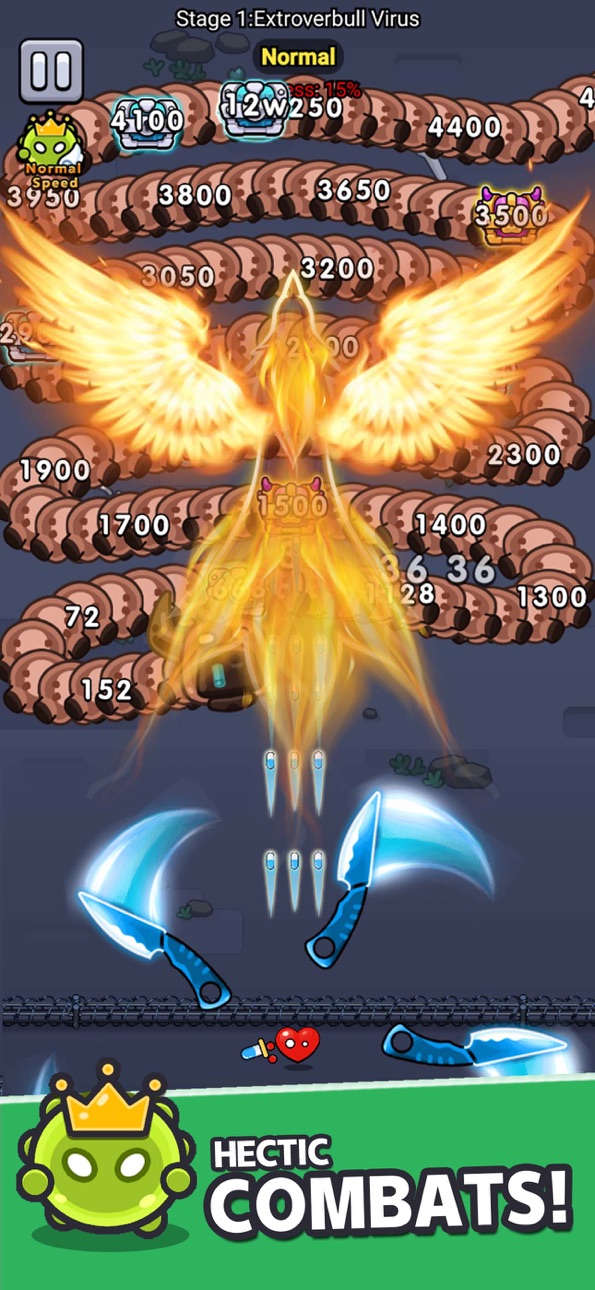
Get ready to set off on an exhilarating cell defense adventure! Your mission is not just ordinary protection, but to lead all cells to become invincible defenders, defeating those pesky enemies! Looking for some excitement? Wield your sharp blades and unleash the most precise ammunition to make your enemies tremble!
In this uncharted territory, challenges are endless. Randomly generated enemy hordes, paired with mysterious underground mazes, ensure that every battle is full of surprises. Even better, every time you defeat a wave of enemies, you’re faced with three awesome ability enhancements to choose from, paving your own heroic path and creating a unique combat style.
Don’t forget, defeating the big Boss comes with super surprise rewards! Go for it and take the challenge now! Use your power to whip up a medicinal storm and elevate the glory of the cell kingdom to its peak!
Let the battle begin, and let your medicinal might be unleashed!
Your current trial subscription is about to change to a paid subscription. The subscription fee will be automatically charged to your iTunes account upon confirmation of purchase. You will be automatically charged at the same price and enjoy the same period of privileges for auto-sub that can be turned off at least 24 hours before the end of the current subscription period to take effect.
Re-sub fee will be automatically charged to your account within 24 hours before the end of the current subscription period.
Users can self-manage subscriptions or turn off auto-sub at iTunes Account settings. All unused periods of free trial shall be forfeited upon purchasement of subscription.
Screenshot © rispettivi proprietari · App Store


iOSGods non è affiliata, approvata né sponsorizzata da Apple Inc., Google LLC o dagli sviluppatori delle app elencate qui. Apple, iOS e App Store sono marchi di Apple Inc. Android e Google Play sono marchi di Google LLC. Tutti gli altri nomi delle app, icone, immagini e marchi appartengono ai rispettivi proprietari.

- iPhone o iPad non jailbroken/jailed oppure jailbroken.
- Sideloadly o alternative.
- Computer con Windows/macOS/Linux con iTunes installato.
PASSO 1: Scarica il file .IPA pre-modificato dal link sopra sul tuo computer. Per scaricarlo dall'iOSGods App, consulta il nostro Tutorial download IPA dell'iOSGods App, che include un esempio video.
PASSO 2: Scarica Sideloadly e installalo sul tuo Windows o Mac.
PASSO 3: Apri Sideloadly sul tuo computer, collega il tuo dispositivo iOS e attendi finché il nome del dispositivo non appare in Sideloadly.
PASSO 4: Una volta riconosciuto il tuo iDevice, trascina il file .IPA moddato che hai scaricato e rilascialo nell'applicazione Sideloadly.
PASSO 5: Inserisci l'email del tuo Apple Account, poi premi “Start”. Ti verrà quindi chiesto di inserire la password. Procedi e fornisci le informazioni richieste.
PASSO 6: Attendi che Sideloadly completi il sideload/installazione dell'IPA modificata. Se ci sono problemi durante l'installazione, leggi la nota qui sotto.
PASSO 7: Una volta completata l'installazione e vista l'app sulla schermata Home, dovrai andare in Impostazioni → Generali → Profili / Gestione VPN e dispositivi. Una volta lì, tocca l'email inserita al passo 6 e poi tocca “Autorizza [email protected]”.
PASSO 8: Ora vai sulla schermata Home e apri l'app appena installata: tutto dovrebbe funzionare correttamente. Potrebbe essere necessario seguire ulteriori istruzioni specifiche all'interno del popup dell'hack nel gioco.
NOTA: Per iOS/iPadOS 16 e versioni successive, devi attivare la Modalità sviluppatore. Per gli account Apple Developer gratuiti, dovrai ripetere questa procedura ogni 7 giorni. Se hai domande o problemi, leggi la nostra sezione FAQ Sideloadly del topic.
Game Name iOS Mod IPA is an action adventure game enhanced with powerful gameplay boosts and quality-of-life improvements. Win battles faster, earn rewards quicker, and enjoy uninterrupted play without ads.
- Unlimited Gold - spend freely to unlock premium content
- Damage Multiplier - deal significantly more damage in combat
- Defense Multiplier - take less damage and survive longer
- Reward Multiplier - earn more loot from every battle
- Max Level - instantly reach the highest player rank
- No Ads - play without interruptions or advertisements
This app also comes with iGameGod, giving you access to Auto Touch to automate repetitive tasks, App Speed Manager for adjustable gameplay speed, Memory Engine value editing, and more powerful iOS game tools.
Scarica Game Name Mod IPA dai link sopra. Tocca il pulsante di installazione e segui le istruzioni per installare questo hack iOS sul tuo iPhone, iPad o Mac con Apple Silicon.
Hai bisogno di altro aiuto Consulta le nostre Domande frequenti sull'app iOSGods per risposte dettagliate e consigli per la risoluzione dei problemi.
----------------------------------------------------------
--------------------------------------------------