ต้องเข้าสู่ระบบ
เข้าสู่ระบบด้วยบัญชี iOSGods เพื่อดำเนินการต่อ
เข้าสู่ระบบด้วยบัญชี iOSGods เพื่อดำเนินการต่อ
เพิ่มพลังการโจมตีและการป้องกันของคุณด้วย Heaven Burns Red Mod IPA นี้ เพิ่มพลังการต่อสู้ในเกม RPG อารมณ์ที่สร้างสรรค์จาก Jun Maeda ของ Key ครอบงำการต่อสู้ด้วยตัวคูณความเสียหายที่ปรับสถิติของคุณเกินขีดจำกัดปกติ ให้คุณสัมผัสเรื่องราวได้ตามความเร็วของคุณเอง
- ตัวคูณความเสียหาย → เพิ่มพลังการโจมตีขาออก
- ตัวคูณการป้องกัน → เพิ่มการลดความเสียหายขาเข้า
แอปนี้ยังมาพร้อมกับ iGameGod ซึ่งช่วยให้คุณเข้าถึง Auto Touch สำหรับการทำงานซ้ำ ๆ โดยอัตโนมัติ, App Speed Manager สำหรับปรับความเร็วของเกม, การแก้ไขค่าด้วย Memory Engine และเครื่องมือสำหรับเกม iOS ที่ทรงพลังอื่น ๆ อีกมากมาย
ดาวน์โหลด Heaven Burns Red Hack modded IPA จากลิงก์ด้านบน แตะปุ่มติดตั้งและทำตามคำแนะนำบนหน้าจอเพื่อติดตั้งแฮ็กแอป iOS นี้บน iPhone, iPad หรือ Apple Silicon
ต้องการความช่วยเหลือเพิ่มเติม? ดู คำถามที่พบบ่อยของแอป iOSGods สำหรับคำตอบโดยละเอียดและเคล็ดลับการแก้ไขปัญหา
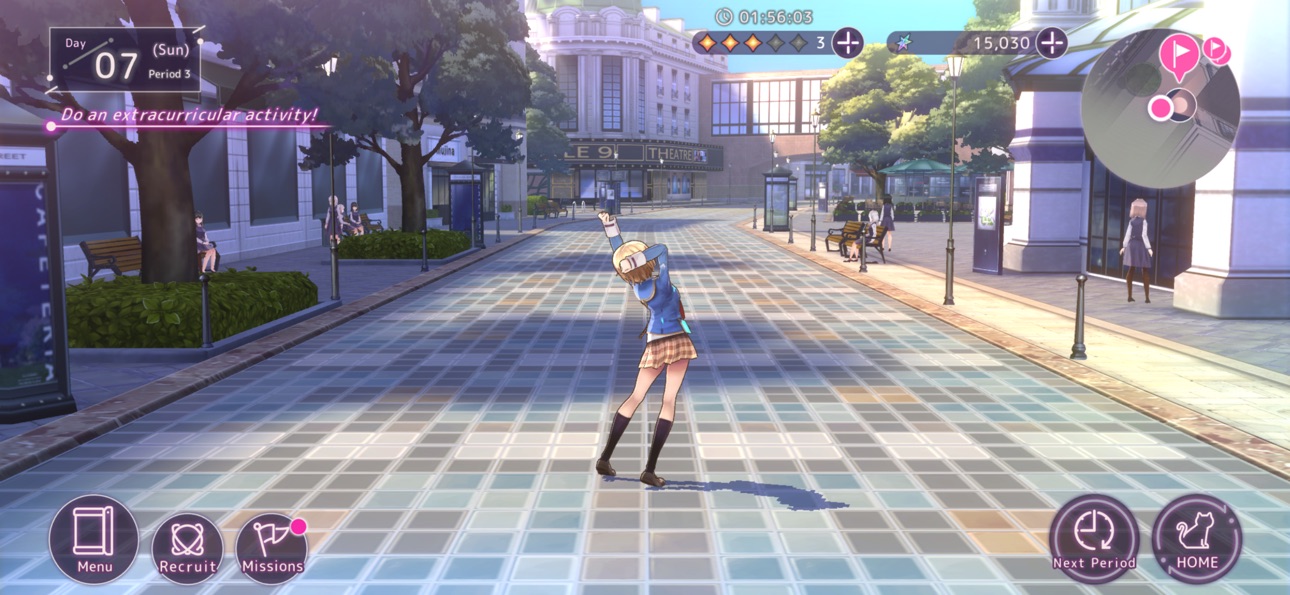
Heaven Burns Red, from the mind of Key's very own Jun Maeda, is a tale of the girls bearing humanity's last hope.
Experience every unforgettable moment as you fight with your life on the line in this heart-pounding, tear-jerking RPG!
◆ ABOUT HEAVEN BURNS RED
Heaven Burns Red is a joint effort between Jun Maeda of Key—the creative genius behind masterpieces such as Air, Clannad, Little Busters!, and Angel Beats!—and Wright Flyer Studios, the team behind Another Eden and Afterlost.
Maeda's first original game in 15 years, Heaven Burns Red tells the story of the group of girls set to save humanity from destruction.
Featuring:
・A fully-voiced story as presented by more than 50 Japanese voice actors
・Immersive, visually-stunning environments
・A simple-yet-addictive command-based combat system
◆ CAST
Ruka Kayamori (CV: Tomori Kusunoki, Vo.: XAI)
Yuki Izumi (CV: Ryoko Maekawa)
Megumi Aikawa (CV: Anju Inami)
Tsukasa Tojo (CV: Yurina Amami)
Karen Asakura (CV: Yu Serizawa, Vo.: Konomi Suzuki)
Tama Kunimi (CV: Aoi Koga)
◆ STAFF
Produced and Developed by
Wright Flyer Studios × Key
Original Concept & Main Scenario
Jun Maeda (AIR, CLANNAD, Little Busters!, Angel Beats!, and more)
Character Design/Key Visual
yuugen (Atelier series, Magia Record: Puella Magi Madoka Magica Side Story, Azur Lane, Outbreak Company and more)
Original Character Design
Na-Ga/Humuyun/Maroyaka
yuugen
Music Production
Jun Maeda
Theme Song and Insert Songs
Jun Maeda × yanaginagi
Development
Wright Flyer Studios (ANOTHER EDEN, AFTERLOST, and more)
Published by Yostar Games
◆ SYSTEM REQUIREMENTS
iOS 13.0 or above, iPhone 8 Plus or above, 3 GB memory or more (Not all devices are supported)
* No support or refunds can be provided if incompatible devices are used.
* Even if you meet the above requirements, it is not guaranteed the game will function without issues on your specific hardware or network.
◆ RELATED INFORMATION
Customer Service Email: [email protected]
Official Homepage: https://heavenburnsred.yo-star.com/#/
Facebook: https://www.facebook.com/hbr.en.official
X (Twitter): https://x.com/hbr_official_en
YouTube: https://www.youtube.com/@heavenburnsred_en_official
ภาพหน้าจอ © เจ้าของแต่ละราย · App Store


iOSGods ไม่มีความเกี่ยวข้อง ไม่ได้รับการรับรอง และไม่ได้รับการสนับสนุนจาก Apple Inc., Google LLC หรือผู้พัฒนาแอปที่แสดงไว้ที่นี่ Apple, iOS และ App Store เป็นเครื่องหมายการค้าของ Apple Inc. Android และ Google Play เป็นเครื่องหมายการค้าของ Google LLC ชื่อแอป ไอคอน ภาพ และเครื่องหมายการค้าอื่นทั้งหมดเป็นทรัพย์สินของเจ้าของแต่ละราย

- iPhone หรือ iPad ที่ไม่ได้เจลเบรก/ไม่ได้เจลเบรก หรือเจลเบรกแล้ว
- Sideloadly หรือทางเลือกอื่น
- คอมพิวเตอร์ที่ใช้ Windows/macOS/Linux และติดตั้ง iTunes ไว้
ขั้นตอนที่ 1: ดาวน์โหลดไฟล์ .IPA ที่แฮกไว้ล่วงหน้าจากลิงก์ด้านบนลงในคอมพิวเตอร์ของคุณ หากต้องการดาวน์โหลดจากแอป iOSGods โปรดดู วิธีดาวน์โหลด IPA ในแอป iOSGods ซึ่งมีตัวอย่างวิดีโอประกอบ
ขั้นตอนที่ 2: ดาวน์โหลด Sideloadly แล้วติดตั้งบน Windows หรือ Mac ของคุณ
ขั้นตอนที่ 3: เปิด Sideloadly บนคอมพิวเตอร์ เชื่อมต่ออุปกรณ์ iOS แล้วรอจนกว่าชื่ออุปกรณ์ของคุณจะปรากฏใน Sideloadly
ขั้นตอนที่ 4: เมื่อ iDevice ของคุณถูกตรวจพบแล้ว ให้ลากไฟล์ .IPA ที่ม็อดมาวางลงในโปรแกรม Sideloadly
ขั้นตอนที่ 5: กรอกอีเมล Apple Account ของคุณ จากนั้นกด "Start" ระบบจะถามรหัสผ่าน กรอกข้อมูลที่จำเป็นให้เรียบร้อย
ขั้นตอนที่ 6: รอจนกว่า Sideloadly จะ sideload/ติดตั้งไฟล์ IPA ที่แฮกเสร็จ หากเกิดปัญหาระหว่างติดตั้ง โปรดอ่านหมายเหตุด้านล่าง
ขั้นตอนที่ 7: เมื่อการติดตั้งเสร็จสิ้นและเห็นแอปบนหน้าจอหลักแล้ว ให้ไปที่ การตั้งค่า → ทั่วไป → โปรไฟล์ / VPN และการจัดการอุปกรณ์ จากนั้นแตะที่อีเมลที่คุณกรอกในขั้นตอนที่ 6 แล้วแตะ "เชื่อถือ [email protected]"
ขั้นตอนที่ 8: จากนั้นไปที่หน้าจอหลักและเปิดแอปที่ติดตั้งใหม่ ทุกอย่างควรทำงานได้ปกติ คุณอาจต้องทำตามคำแนะนำเพิ่มเติมเฉพาะแอปในป๊อปอัปของม็อดในเกม
หมายเหตุ: สำหรับ iOS/iPadOS 16 ขึ้นไป คุณต้อง เปิดโหมดนักพัฒนา (Developer Mode) สำหรับบัญชี Apple Developer แบบฟรี คุณต้องทำขั้นตอนนี้ซ้ำทุก 7 วัน หากมีคำถามหรือพบปัญหา โปรดอ่าน หัวข้อ FAQ ของ Sideloadly ในกระทู้
Hack Features:
- Inf Coins (Spend)
App Installation Instructions:
---------------------------------------------------------
----------------------------------------------------------
If you require more information or help, please read our Frequently Asked Questions topic on iOSGods.com.
----------------------------------------------------------
--------------------------------------------------