Accesso richiesto
Accedi con il tuo account iOSGods per continuare.
Accedi con il tuo account iOSGods per continuare.
Potenzia il tuo danno e la tua difesa con questo Heaven Burns Red Mod IPA, amplificando la tua potenza di combattimento in questo RPG emozionante di Key e Jun Maeda. Domina le battaglie con trucchi moltiplicatori che aumentano le tue statistiche oltre i limiti normali, permettendoti di vivere la storia al tuo ritmo.
- Moltiplicatore di Danno → aumenta la potenza di attacco in uscita
- Moltiplicatore di Difesa → potenzia la riduzione del danno in entrata
Questa app include anche iGameGod, che ti offre accesso ad Auto Touch per automatizzare attività ripetitive, App Speed Manager per regolare la velocità di gioco, modifica dei valori con Memory Engine e altri potenti strumenti per giochi iOS.
Scarica Heaven Burns Red Hack modded IPA dai link sopra. Tocca il pulsante di installazione e segui le istruzioni per installare questo hack iOS sul tuo iPhone, iPad o Mac con Apple Silicon.
Hai bisogno di altro aiuto? Consulta le nostre Domande frequenti sull'app iOSGods per risposte dettagliate e consigli per la risoluzione dei problemi.
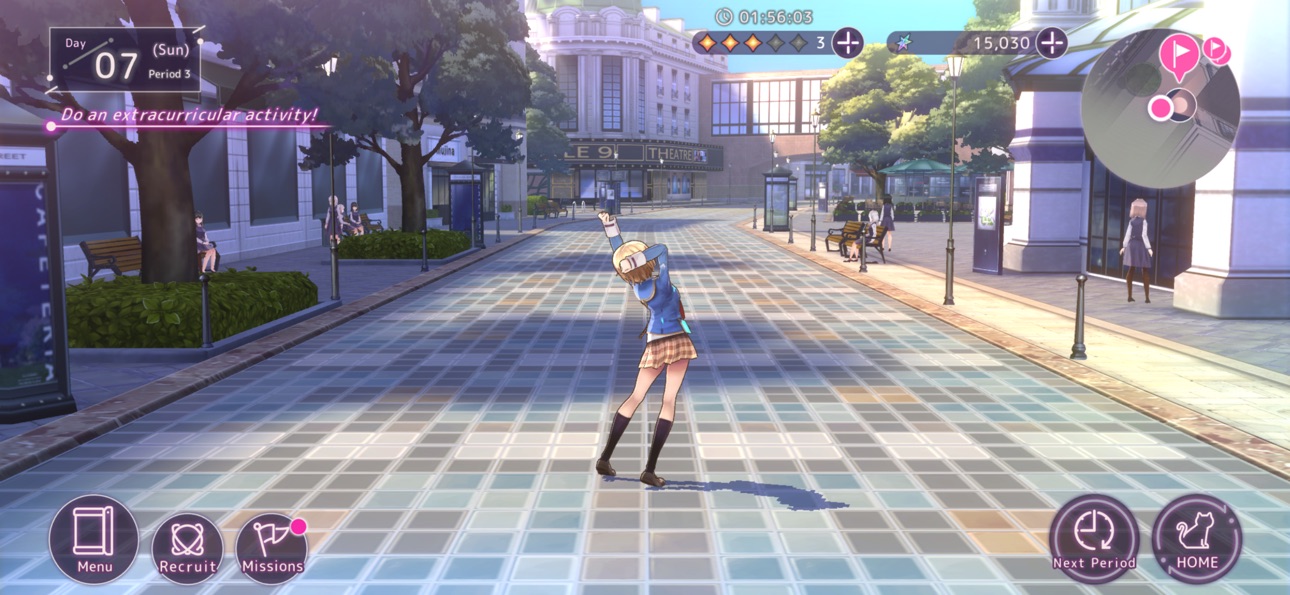
Heaven Burns Red, from the mind of Key's very own Jun Maeda, is a tale of the girls bearing humanity's last hope.
Experience every unforgettable moment as you fight with your life on the line in this heart-pounding, tear-jerking RPG!
◆ ABOUT HEAVEN BURNS RED
Heaven Burns Red is a joint effort between Jun Maeda of Key—the creative genius behind masterpieces such as Air, Clannad, Little Busters!, and Angel Beats!—and Wright Flyer Studios, the team behind Another Eden and Afterlost.
Maeda's first original game in 15 years, Heaven Burns Red tells the story of the group of girls set to save humanity from destruction.
Featuring:
・A fully-voiced story as presented by more than 50 Japanese voice actors
・Immersive, visually-stunning environments
・A simple-yet-addictive command-based combat system
◆ CAST
Ruka Kayamori (CV: Tomori Kusunoki, Vo.: XAI)
Yuki Izumi (CV: Ryoko Maekawa)
Megumi Aikawa (CV: Anju Inami)
Tsukasa Tojo (CV: Yurina Amami)
Karen Asakura (CV: Yu Serizawa, Vo.: Konomi Suzuki)
Tama Kunimi (CV: Aoi Koga)
◆ STAFF
Produced and Developed by
Wright Flyer Studios × Key
Original Concept & Main Scenario
Jun Maeda (AIR, CLANNAD, Little Busters!, Angel Beats!, and more)
Character Design/Key Visual
yuugen (Atelier series, Magia Record: Puella Magi Madoka Magica Side Story, Azur Lane, Outbreak Company and more)
Original Character Design
Na-Ga/Humuyun/Maroyaka
yuugen
Music Production
Jun Maeda
Theme Song and Insert Songs
Jun Maeda × yanaginagi
Development
Wright Flyer Studios (ANOTHER EDEN, AFTERLOST, and more)
Published by Yostar Games
◆ SYSTEM REQUIREMENTS
iOS 13.0 or above, iPhone 8 Plus or above, 3 GB memory or more (Not all devices are supported)
* No support or refunds can be provided if incompatible devices are used.
* Even if you meet the above requirements, it is not guaranteed the game will function without issues on your specific hardware or network.
◆ RELATED INFORMATION
Customer Service Email: [email protected]
Official Homepage: https://heavenburnsred.yo-star.com/#/
Facebook: https://www.facebook.com/hbr.en.official
X (Twitter): https://x.com/hbr_official_en
YouTube: https://www.youtube.com/@heavenburnsred_en_official
Screenshot © rispettivi proprietari · App Store


iOSGods non è affiliata, approvata né sponsorizzata da Apple Inc., Google LLC o dagli sviluppatori delle app elencate qui. Apple, iOS e App Store sono marchi di Apple Inc. Android e Google Play sono marchi di Google LLC. Tutti gli altri nomi delle app, icone, immagini e marchi appartengono ai rispettivi proprietari.

- iPhone o iPad non jailbroken/jailed oppure jailbroken.
- Sideloadly o alternative.
- Computer con Windows/macOS/Linux con iTunes installato.
PASSO 1: Scarica il file .IPA pre-modificato dal link sopra sul tuo computer. Per scaricarlo dall'iOSGods App, consulta il nostro Tutorial download IPA dell'iOSGods App, che include un esempio video.
PASSO 2: Scarica Sideloadly e installalo sul tuo Windows o Mac.
PASSO 3: Apri Sideloadly sul tuo computer, collega il tuo dispositivo iOS e attendi finché il nome del dispositivo non appare in Sideloadly.
PASSO 4: Una volta riconosciuto il tuo iDevice, trascina il file .IPA moddato che hai scaricato e rilascialo nell'applicazione Sideloadly.
PASSO 5: Inserisci l'email del tuo Apple Account, poi premi “Start”. Ti verrà quindi chiesto di inserire la password. Procedi e fornisci le informazioni richieste.
PASSO 6: Attendi che Sideloadly completi il sideload/installazione dell'IPA modificata. Se ci sono problemi durante l'installazione, leggi la nota qui sotto.
PASSO 7: Una volta completata l'installazione e vista l'app sulla schermata Home, dovrai andare in Impostazioni → Generali → Profili / Gestione VPN e dispositivi. Una volta lì, tocca l'email inserita al passo 6 e poi tocca “Autorizza [email protected]”.
PASSO 8: Ora vai sulla schermata Home e apri l'app appena installata: tutto dovrebbe funzionare correttamente. Potrebbe essere necessario seguire ulteriori istruzioni specifiche all'interno del popup dell'hack nel gioco.
NOTA: Per iOS/iPadOS 16 e versioni successive, devi attivare la Modalità sviluppatore. Per gli account Apple Developer gratuiti, dovrai ripetere questa procedura ogni 7 giorni. Se hai domande o problemi, leggi la nostra sezione FAQ Sideloadly del topic.
Hack Features:
- Inf Coins (Spend)
App Installation Instructions:
---------------------------------------------------------
----------------------------------------------------------
If you require more information or help, please read our Frequently Asked Questions topic on iOSGods.com.
----------------------------------------------------------
--------------------------------------------------