Inloggning krävs
Logga in med ditt iOSGods-konto för att fortsätta.
Logga in med ditt iOSGods-konto för att fortsätta.
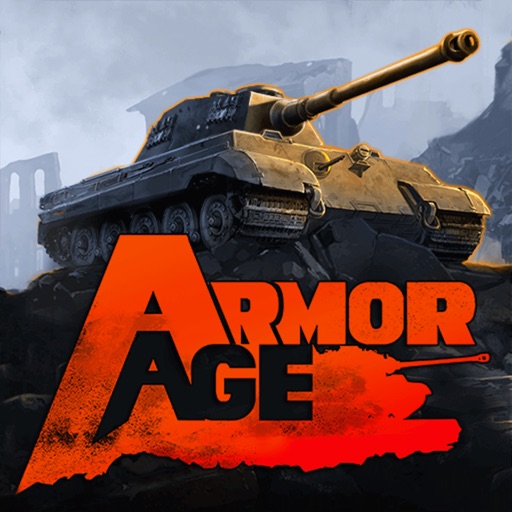
Befäl en skvadrn av verkliga stridsfordon genom taktisk krigsföring från 1900-talet i Armor Age: Tank Wars Mod IPA, där du uppgraderar dina krigsmaskiners nivå och slåss mot andra spelare i PvP-strider. Detta hack tar bort resursbegränsningar, så att du kan uppgradera din besättning och köpa utrustning utan att behöva slipa för guld eller silver.
- Obegränsat guld (gå till butiken och köp något, du behöver inte ha tillräckligt för det) → köp vilken utrustning som helst direkt
- Obegränsat silver (uppgradera stridsfordon) → förbättra dina stridsfordon utan resursbegränsningar
- Gratis besättningsuppgraderingar → uppgradera dina stridsfordons besättningar utan kostnad
Den här appen levereras även med iGameGod, vilket ger dig tillgång till Auto Touch för att automatisera repetitiva uppgifter, App Speed Manager för justerbar spelhastighet, värdesredigering med Memory Engine och fler kraftfulla verktyg för iOS-spel.
Ladda ner Armor Age: Tank Wars Hack modded IPA från länkarna ovan. Tryck på installationsknappen och följ instruktionerna för att installera denna iOS-apphack på iPhone, iPad eller Apple Silicon.
Behöver du mer hjälp? Se våra iOSGods-appens vanliga frågor för detaljerade svar och felsökningstips.
Armor Age is a tactical RTS set in the world of 20th century tank battles. Take command of a squad of war machines and lead it through a whole row of battle operations!
Fight in campaign and survival modes. Level up your tanks and their crews and get blueprints for new technologies.
Choose up to five tanks for your squad from a large number of real-world combat vehicles, each having its own role on the battlefield!
Your personal hangar can fit a squad suitable for any tactical and playing style. Challenge other players to PvP battles to try out your tactical ideas and shine as a commander.
Features:
- Realistic and straightforward controls;
- Real time battles with tactical pause mode;
- Historically accurate combat vehicles from various countries;
- A variety of tactical situations and missions.
_____________________________________
Subscription terms
Officers Club offers a subscription for a week month ($19,99).
No free trial period provided.
The prices are set for US customers.
Pricing in other countries may vary and actual charges may be converted to your local currency.
Upon purchase of the subscription, you will get:
- 50% more silver in all Supply Crates;
- Access to Career rewards;
- Tanks repair time reduced by 50%;
- Access to unique Officers Club portraits.
All subcriptions are auto-renewable.
We charge your iTunes account right after a purchase confirmation.
Subscription automatically renews unless auto-renew is turned off at least 24 hours before the end of the current period.
Your account will be charged for renewal within 24-hours prior to the end of current period.
Subscriptions may be managed by the user and auto-renewal may be turned off by going to the user's Account Settings on the device.
An unused part of a free trial period will be forfeited when you purchase a subscription.
See the links below for more details.
Cancelling the subscription
https://support.apple.com/en-us/HT202039
Our Privacy Policy
http://www.herocraft.com/privacy/
Our Terms of Service
http://www.herocraft.com/terms/
Support email: [email protected]
_____________________________________
LIKE US: facebook.com/armoragetankwars
Skärmbilder © respektive ägare · App Store


iOSGods är inte anslutet till, godkänt av eller sponsrat av Apple Inc., Google LLC eller utvecklarna av apparna som listas här. Apple, iOS och App Store är varumärken som tillhör Apple Inc. Android och Google Play är varumärken som tillhör Google LLC. Alla övriga appnamn, ikoner, bilder och varumärken tillhör sina respektive ägare.
- iPhone eller iPad utan jailbreak/jailad eller med jailbreak.
- Sideloadly eller alternativ.
- Dator med Windows/macOS/Linux och iTunes installerat.
STEG 1: Ladda ner den förhackade .IPA-filen från länken ovan till din dator. För att ladda ner från iOSGods App, se vår Guide för att ladda ner IPA i iOSGods App som även innehåller ett videoexempel.
STEG 2: Ladda ner Sideloadly och installera det på din Windows eller Mac.
STEG 3: Öppna Sideloadly på din dator, anslut din iOS-enhet och vänta tills enhetens namn visas i Sideloadly.
STEG 4: När din iEnhet känns igen drar du den moddade .IPA-filen du laddat ner och släpper den i Sideloadly-programmet.
STEG 5: Ange e-postadressen till ditt Apple Account och tryck sedan på ”Start”. Du ombeds sedan ange ditt lösenord. Fyll i de uppgifter som krävs.
STEG 6: Vänta tills Sideloadly är klar med att sideloada/installera den hackade IPA-filen. Om problem uppstår under installationen, läs noten nedan.
STEG 7: När installationen är klar och du ser appen på din hemskärm behöver du gå till Inställningar → Allmänt → Profiler / VPN & enhetshantering. Tryck där på e-postadressen du angav i steg 6 och tryck sedan på ”Lita på [email protected]”.
STEG 8: Gå nu till din hemskärm och öppna den nyligen installerade appen — allt ska fungera som det ska. Du kan behöva följa ytterligare app-specifika instruktioner i hackets popup inne i spelet.
OBS: På iOS/iPadOS 16 och senare måste du aktivera Utvecklarläge. För gratis Apple Developer-konton behöver du upprepa processen var sjunde dag. Om du har frågor eller problem, läs vår Sideloadly FAQ-avsnitt i tråden.
Game Name iOS Mod IPA is an action adventure game enhanced with powerful gameplay boosts and quality-of-life improvements. Win battles faster, earn rewards quicker, and enjoy uninterrupted play without ads.
- Unlimited Gold - spend freely to unlock premium content
- Damage Multiplier - deal significantly more damage in combat
- Defense Multiplier - take less damage and survive longer
- Reward Multiplier - earn more loot from every battle
- Max Level - instantly reach the highest player rank
- No Ads - play without interruptions or advertisements
This app also comes with iGameGod, giving you access to Auto Touch to automate repetitive tasks, App Speed Manager for adjustable gameplay speed, Memory Engine value editing, and more powerful iOS game tools.
Ladda ner Game Name Mod IPA från länkarna ovan. Tryck på installationsknappen och följ instruktionerna för att installera denna iOS-apphack på iPhone, iPad eller Apple Silicon.
Behöver du mer hjälp Se våra iOSGods-appens vanliga frågor för detaljerade svar och felsökningstips.
----------------------------------------------------------
--------------------------------------------------









![[ SAOIF ] ソードアート・オンライン インテグラル・ファクター Hack](https://is1-ssl.mzstatic.com/image/thumb/Purple116/v4/90/1e/5c/901e5cc2-988d-8c41-bb74-494cbd07a495/AppIcon-1x_U007emarketing-0-7-0-85-220.png/100x100bb.jpg)
![[VIP] SwordArtOnline: IntegralFactor SAOIF Hack](https://is1-ssl.mzstatic.com/image/thumb/Purple116/v4/6d/2b/48/6d2b4890-100a-afff-6286-f7af91d94529/AppIcon-1x_U007emarketing-0-7-0-85-220.png/100x100bb.jpg)













![[ White Cat Tennis ] 白猫テニス Hack](https://is1-ssl.mzstatic.com/image/thumb/Purple112/v4/c2/b9/29/c2b929cc-cdc4-4c97-16a9-72022b5817d3/AppIcon-0-0-1x_U007emarketing-0-0-0-7-0-0-sRGB-0-0-0-GLES2_U002c0-512MB-85-220-0-0.png/100x100bb.jpg)