ต้องเข้าสู่ระบบ
เข้าสู่ระบบด้วยบัญชี iOSGods เพื่อดำเนินการต่อ
เข้าสู่ระบบด้วยบัญชี iOSGods เพื่อดำเนินการต่อ
เกมแอคชั่น RPG ที่ปรับแต่งได้สำหรับ Nonstop Knight 2 ให้คุณควบคุมประสิทธิภาพการต่อสู้ของอัศวินได้อย่างสมบูรณ์ ปรับแต่งความเร็วการเคลื่อนไหว ความเร็วการโจมตี และระยะการโจมตีให้เหมาะกับสไตล์การเล่นของคุณขณะสำรวจดันเจี้ยนที่เต็มไปด้วยมอนสเตอร์และบอส
ด้วยโหมดเทพ การโจมตีครั้งเดียวจบ และทักษะทันทีอยู่ในมือของคุณ การบดเบียดจะหายไป และคุณสามารถมุ่งเน้นไปที่ความตื่นเต้นของการต่อสู้และการเก็บสมบัติ ไม่ว่าคุณต้องการผ่านเนื้อหาได้อย่างง่ายดายหรือปรับแต่งทุกสถิติอย่างละเอียด Mod IPA นี้จะเปลี่ยนวิธีที่คุณสัมผัสระบบชุดเกราะ อาวุธ และทักษะของเกม
- ความเร็วการเคลื่อนไหวแบบกำหนดเอง → ปรับความคล่องตัวของอัศวินในการต่อสู้
- ความเร็วการโจมตีแบบกำหนดเอง → ควบคุมความเร็วในการโจมตีของอาวุธของคุณ
- ระยะการโจมตีแบบกำหนดเอง → ขยายหรือปรับระยะการโจมตีของคุณในการต่อสู้
- โหมดเทพ → กลายเป็นสิ่งที่ไม่สามารถทำให้เสียหายได้จากศัตรู
- การโจมตีครั้งเดียวจบ → ทำให้ศัตรูใดๆ ตายในการโจมตีครั้งเดียว
- ทักษะทันที → ใช้ความสามารถโดยไม่มีการหน่วงเวลาในการรีเซ็ต
- MP ไม่จำกัด → ไม่เคยหมดแมนาสำหรับทักษะ
แอปนี้ยังมาพร้อมกับ iGameGod ซึ่งช่วยให้คุณเข้าถึง Auto Touch สำหรับการทำงานซ้ำ ๆ โดยอัตโนมัติ, App Speed Manager สำหรับปรับความเร็วของเกม, การแก้ไขค่าด้วย Memory Engine และเครื่องมือสำหรับเกม iOS ที่ทรงพลังอื่น ๆ อีกมากมาย
ดาวน์โหลด Nonstop Knight 2 - Action RPG iOS Mod IPA จากลิงก์ด้านบน แตะปุ่มติดตั้งและทำตามคำแนะนำบนหน้าจอเพื่อติดตั้งแฮ็กแอป iOS นี้บน iPhone, iPad หรือ Apple Silicon
ต้องการความช่วยเหลือเพิ่มเติม? ดู คำถามที่พบบ่อยของแอป iOSGods สำหรับคำตอบโดยละเอียดและเคล็ดลับการแก้ไขปัญหา
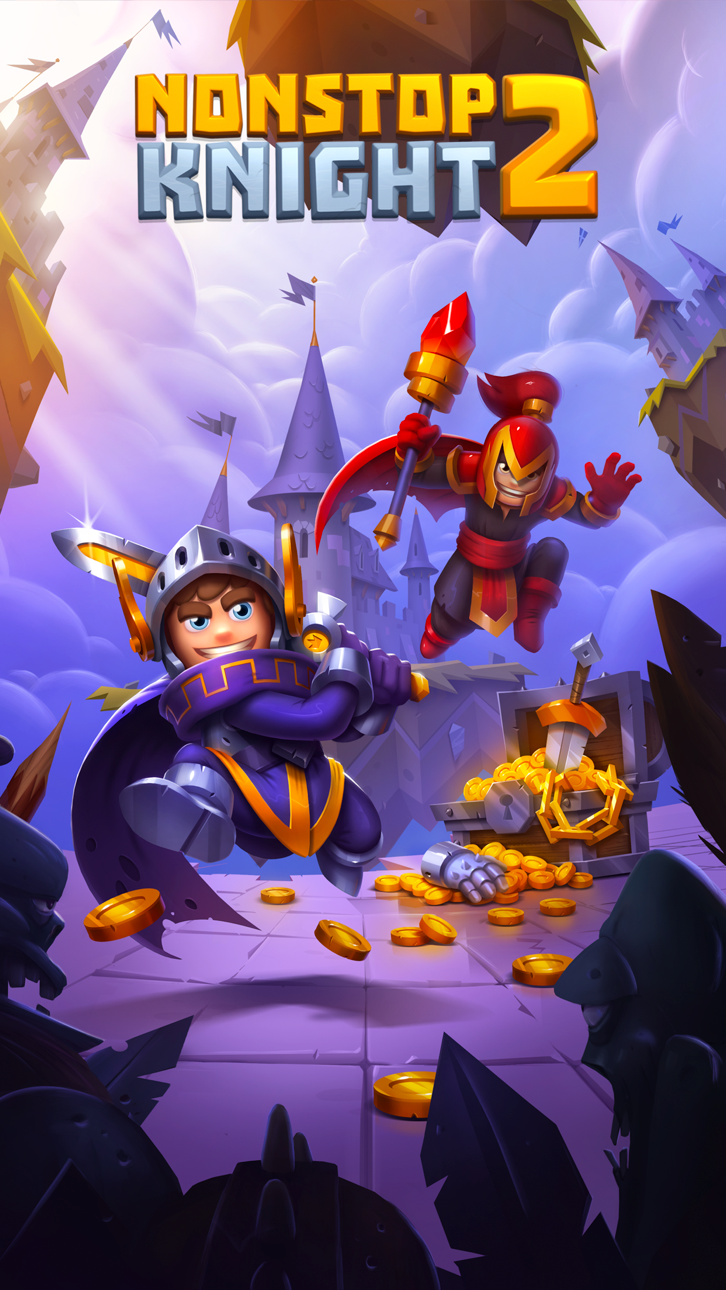
The action RPG Nonstop Knight 2 is finally here! Take your knight into battle and explore exciting dungeons full of monsters and bosses. Download for free now!
Nonstop Knight 2 leads the way in a new era of action RPG, bringing you the full RPG experience onto mobile.
New in Nonstop Knight 2 – Action RPG:
-Item Sets: Like classic roleplaying games you can now collect armor sets
-Extended Equipment: Equip your knight with helmet, gloves, chest armor, boots and cloak or shield
-Ranged and melee weapons
-Skills: Your primary, secondary and ultimate skills are either fire, ice or void skills
-Competitive game mode: Play the Badlands and climb the leaderboard
-Join a tournament and win exclusive items!
-Grind daily dungeons and refine your good items into awesome items
-Coop: Join a guild and pick friends to take along into battle
Experience different game modes:
-Test your might in Badlands to show the world who is the most power knight in your Guild! (You are!)
-Nightmare, Resource Farms, Survival, Paranormal and Companion
-Diverse dungeons: Challenge your knight in a variety of enthralling environments
-Play with friends: Choose a companion to fight by your side, be chosen while you are offline for great rewards
-Battle against time: Enter shard portals, defeat enemies and collect as many shards from them as possible"
In the mobile RPG Nonstop Knight 2 you don’t ascend your knight anymore, the progress is endless. This action RPG game gives you the experience from classic RPG games you used to play in the past. Play anytime, anywhere, log in for short sessions or take some time for epic dungeon grinding.
By accessing or using a flaregames product, you're agreeing to our Terms of Service (www.flaregames.com/terms-service/).
Nonstop Knight 2 - Action RPG is free to download and play, however some game items can also be purchased for real money. If you don’t want to use these features, please disable in-app purchases in your device settings. According to our Terms of Service, Nonstop Knight 2 is allowed for download and play only for persons 16 years or more of age, or with explicit parental consent. You can read more here: http://www.flaregames.com/parents-guide/
ภาพหน้าจอ © เจ้าของแต่ละราย · App Store


iOSGods ไม่มีความเกี่ยวข้อง ไม่ได้รับการรับรอง และไม่ได้รับการสนับสนุนจาก Apple Inc., Google LLC หรือผู้พัฒนาแอปที่แสดงไว้ที่นี่ Apple, iOS และ App Store เป็นเครื่องหมายการค้าของ Apple Inc. Android และ Google Play เป็นเครื่องหมายการค้าของ Google LLC ชื่อแอป ไอคอน ภาพ และเครื่องหมายการค้าอื่นทั้งหมดเป็นทรัพย์สินของเจ้าของแต่ละราย

- iPhone หรือ iPad ที่ไม่ได้เจลเบรก/ไม่ได้เจลเบรก หรือเจลเบรกแล้ว
- Sideloadly หรือทางเลือกอื่น
- คอมพิวเตอร์ที่ใช้ Windows/macOS/Linux และติดตั้ง iTunes ไว้
ขั้นตอนที่ 1: ดาวน์โหลดไฟล์ .IPA ที่แฮกไว้ล่วงหน้าจากลิงก์ด้านบนลงในคอมพิวเตอร์ของคุณ หากต้องการดาวน์โหลดจากแอป iOSGods โปรดดู วิธีดาวน์โหลด IPA ในแอป iOSGods ซึ่งมีตัวอย่างวิดีโอประกอบ
ขั้นตอนที่ 2: ดาวน์โหลด Sideloadly แล้วติดตั้งบน Windows หรือ Mac ของคุณ
ขั้นตอนที่ 3: เปิด Sideloadly บนคอมพิวเตอร์ เชื่อมต่ออุปกรณ์ iOS แล้วรอจนกว่าชื่ออุปกรณ์ของคุณจะปรากฏใน Sideloadly
ขั้นตอนที่ 4: เมื่อ iDevice ของคุณถูกตรวจพบแล้ว ให้ลากไฟล์ .IPA ที่ม็อดมาวางลงในโปรแกรม Sideloadly
ขั้นตอนที่ 5: กรอกอีเมล Apple Account ของคุณ จากนั้นกด "Start" ระบบจะถามรหัสผ่าน กรอกข้อมูลที่จำเป็นให้เรียบร้อย
ขั้นตอนที่ 6: รอจนกว่า Sideloadly จะ sideload/ติดตั้งไฟล์ IPA ที่แฮกเสร็จ หากเกิดปัญหาระหว่างติดตั้ง โปรดอ่านหมายเหตุด้านล่าง
ขั้นตอนที่ 7: เมื่อการติดตั้งเสร็จสิ้นและเห็นแอปบนหน้าจอหลักแล้ว ให้ไปที่ การตั้งค่า → ทั่วไป → โปรไฟล์ / VPN และการจัดการอุปกรณ์ จากนั้นแตะที่อีเมลที่คุณกรอกในขั้นตอนที่ 6 แล้วแตะ "เชื่อถือ [email protected]"
ขั้นตอนที่ 8: จากนั้นไปที่หน้าจอหลักและเปิดแอปที่ติดตั้งใหม่ ทุกอย่างควรทำงานได้ปกติ คุณอาจต้องทำตามคำแนะนำเพิ่มเติมเฉพาะแอปในป๊อปอัปของม็อดในเกม
หมายเหตุ: สำหรับ iOS/iPadOS 16 ขึ้นไป คุณต้อง เปิดโหมดนักพัฒนา (Developer Mode) สำหรับบัญชี Apple Developer แบบฟรี คุณต้องทำขั้นตอนนี้ซ้ำทุก 7 วัน หากมีคำถามหรือพบปัญหา โปรดอ่าน หัวข้อ FAQ ของ Sideloadly ในกระทู้
Game Name iOS Mod IPA is an action adventure game enhanced with powerful gameplay boosts and quality-of-life improvements. Win battles faster, earn rewards quicker, and enjoy uninterrupted play without ads.
- Unlimited Gold - spend freely to unlock premium content
- Damage Multiplier - deal significantly more damage in combat
- Defense Multiplier - take less damage and survive longer
- Reward Multiplier - earn more loot from every battle
- Max Level - instantly reach the highest player rank
- No Ads - play without interruptions or advertisements
This app also comes with iGameGod, giving you access to Auto Touch to automate repetitive tasks, App Speed Manager for adjustable gameplay speed, Memory Engine value editing, and more powerful iOS game tools.
ดาวน์โหลด Game Name Mod IPA จากลิงก์ด้านบน แตะปุ่มติดตั้งและทำตามคำแนะนำบนหน้าจอเพื่อติดตั้งแฮ็กแอป iOS นี้บน iPhone, iPad หรือ Apple Silicon
ต้องการความช่วยเหลือเพิ่มเติม ดู คำถามที่พบบ่อยของแอป iOSGods สำหรับคำตอบโดยละเอียดและเคล็ดลับการแก้ไขปัญหา
----------------------------------------------------------
--------------------------------------------------


![[The Battle Cats JP] にゃんこ大戦争 iOS Mod IPA](https://is1-ssl.mzstatic.com/image/thumb/Purple211/v4/ac/d7/e3/acd7e34a-7a08-f0c4-e28a-761a8d092cf4/AppIcon-0-0-1x_U007epad-0-1-85-220.png/100x100bb.jpg)




![[The Battle Cats TW] 貓咪大戰爭 iOS Mod IPA](https://is1-ssl.mzstatic.com/image/thumb/Purple211/v4/8f/6f/67/8f6f6707-597b-7cd7-76ac-3a926485a3f9/AppIcon-tw-1x_U007epad-0-1-85-220-0.png/100x100bb.jpg)


