تسجيل الدخول مطلوب
سجّل الدخول بحساب iOSGods للمتابعة.
Hack Features
- Freeze Currencies
- Freeze Ammo
- No Recoil
- No Spread
- Increased Fire Rate
VIP
- Damage Multiplier
- Defence Multiplier
- God Mode
- Move Speed Multiplier
- Unlimited Currencies
- Kill All Enemies
- Become Invisible
قم بتنزيل Zombie Harbor: FPS Zombie Game Hack modded IPA من الروابط أعلاه. اضغط على زر التثبيت واتبع التعليمات لتثبيت هذا التعديل لـ iOS على iPhone أو iPad أو Apple Silicon.
هل تحتاج إلى مزيد من المساعدة؟ راجع الأسئلة الشائعة لتطبيق iOSGods للحصول على إجابات مفصلة ونصائح لاستكشاف الأخطاء.
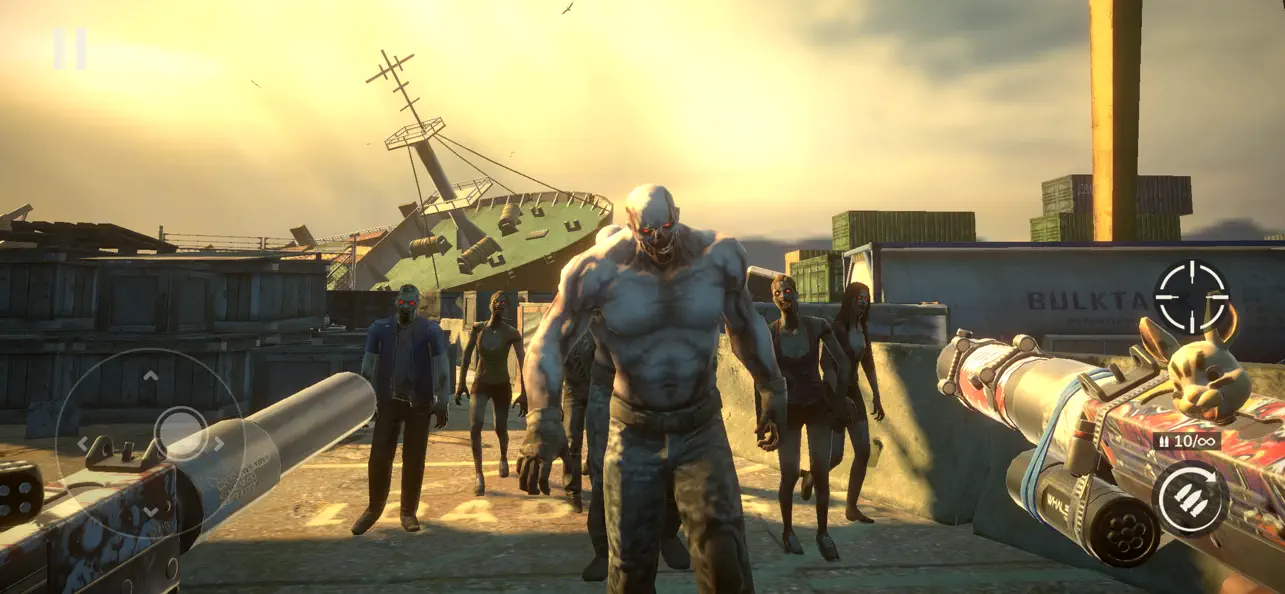
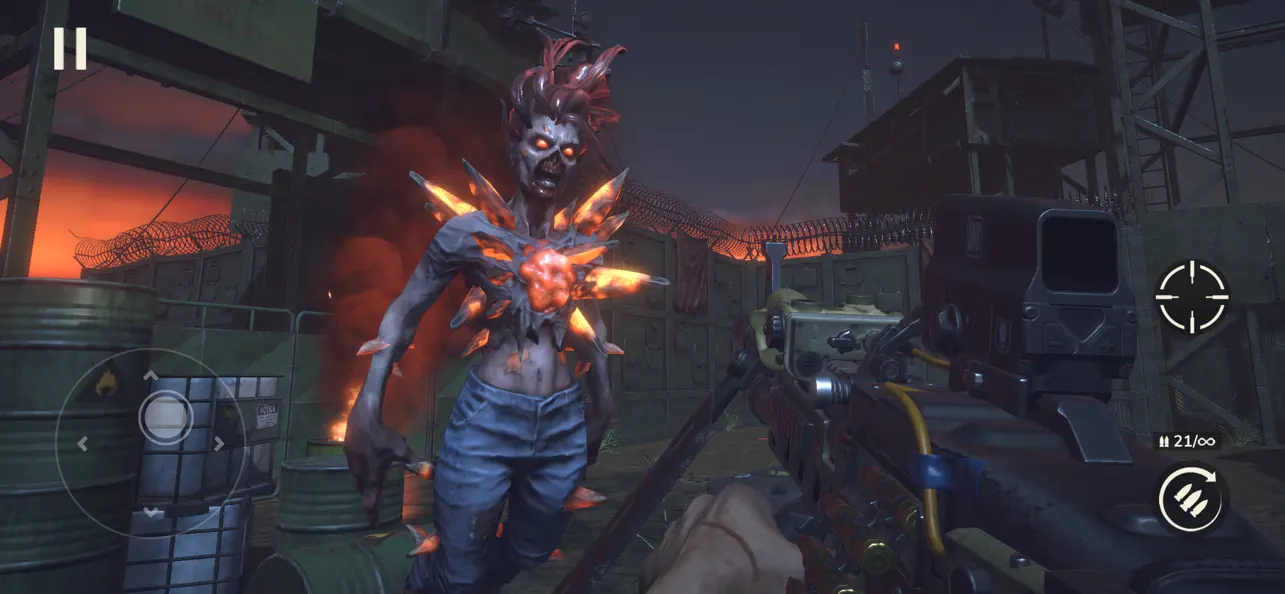
Jump into this offline first-person zombie shooter and put your skills to the test in countless battles against zombies. Kill the infected hordes in this new FPS shooting game set in a post-apocalyptic world where the undead dominate the ruins of civilization.
ZOMBIE HARBOR offers the ultimate offline zombie survival shooter experience. With intense action, a rich arsenal of upgradeable weapons, and immersive apocalyptic environments, it’s the perfect game for both casual players and seasoned FPS fans. Each battle requires quick thinking, precise aim, and the will to survive against overwhelming infected hordes.
Enter a world of non-stop tension and take on the apocalypse shooter with high-quality visuals and responsive gameplay.
▶ Offline zombie shooting game with immersive FPS gameplay
Enjoy high-quality first-person combat without going online, perfect for mobile play on the go.
▶ Shoot zombies with powerful guns
Choose from a wide selection of weapons, including assault rifles, shotguns, machine guns, and many others. Each weapon provides a unique tactical edge in battle.
▶ Upgrade your weapons to survive the apocalypse
Earn rewards by completing missions and use them to enhance your gear. Improve damage, reload speed, and accuracy to stay ahead of increasingly dangerous enemies.
▶ Face hordes of zombies in wave-based combat
Take on escalating hordes of undead threats. Adapt your tactics, manage resources, and make each shot count in order to survive.
▶ Explore post-apocalyptic locations
Fight your way through haunting environments shaped by the apocalypse, where each level brings new dangers and an immersive atmosphere.
▶ Simple controls and a smooth mobile shooting experience
Optimized for mobile, the game features intuitive controls that keep you focused on the action.
Zombie Harbor delivers a complete offline experience, allowing you to play anytime, anywhere — no internet connection required.
Fight through relentless waves of zombies using a wide range of powerful weapons, complete intense missions across apocalyptic environments, and rise above the outbreak.
Built for smooth performance on mobile devices, the game combines detailed 3D graphics, satisfying gameplay, and intuitive controls into a focused single-player experience.
The undead won’t stop coming, but with the right strategy and firepower, you might just make it out alive!
Ready to fight back? Download Zombie Harbor today and prove your strength in a world overrun by the undead!
If you have a problem with this game, please contact us via email [email protected]
Please note: Zombie Harbor is free to download and play, however, some game items can also be purchased for real money.
- For information about how we collect and use your data, please read our privacy policy at: https://documentation.my.games/terms/mygames_privacy
- Terms of Use: https://documentation.my.games/terms/mygames_eula
Brought to you by MY.GAMES
- iPhone أو iPad بجيلبريك أو بدون جيلبريك.
- Sideloadly أو بدائلها.
- كمبيوتر يعمل بنظام Windows/macOS/Linux مع تثبيت iTunes.
الخطوة 1: قم بتنزيل ملف .IPA المعدّل مسبقًا من الرابط أعلاه إلى الكمبيوتر الخاص بك. للتنزيل من تطبيق iOSGods App، اطلع على دليل تنزيل IPA من تطبيق iOSGods App الذي يتضمن مثالًا بالفيديو.
الخطوة 2: قم بتنزيل Sideloadly وتثبيته على جهاز Windows أو Mac.
الخطوة 3: افتح Sideloadly على الكمبيوتر، ووصّل جهاز iOS الخاص بك، وانتظر حتى يظهر اسم جهازك داخل Sideloadly.
الخطوة 4: بمجرد التعرّف على جهاز iDevice الخاص بك، اسحب ملف .IPA المعدّل الذي قمت بتنزيله وأفلِته داخل تطبيق Sideloadly.
الخطوة 5: أدخل البريد الإلكتروني لحساب Apple Account الخاص بك، ثم اضغط على «Start». سيُطلب منك بعد ذلك إدخال كلمة المرور. تابع وأدخل المعلومات المطلوبة.
الخطوة 6: انتظر حتى ينتهي Sideloadly من تحميل/تثبيت ملف IPA المعدّل. في حال واجهت أي مشاكل أثناء التثبيت، يرجى قراءة الملاحظة أدناه.
الخطوة 7: بعد اكتمال التثبيت ورؤية التطبيق على الشاشة الرئيسية، انتقل إلى Settings → General → Profiles / VPN & Device Management. ثم اضغط على البريد الإلكتروني الذي أدخلته في الخطوة 6، ثم اضغط على «الوثوق بـ [email protected]».
الخطوة 8: الآن انتقل إلى الشاشة الرئيسية وافتح التطبيق الذي تم تثبيته للتو وسيعمل كل شيء بشكل صحيح. قد تحتاج إلى اتباع تعليمات إضافية خاصة بكل تطبيق داخل النافذة المنبثقة للتعديل أثناء اللعب.
ملاحظة: بدءًا من iOS/iPadOS 16 وما بعده، يجب تفعيل وضع المطور (Developer Mode). بالنسبة لحسابات Apple Developer المجانية، ستحتاج إلى تكرار هذه العملية كل 7 أيام. إذا كانت لديك أي أسئلة أو مشاكل، يرجى قراءة قسم الأسئلة الشائعة حول Sideloadly في الموضوع.