تسجيل الدخول مطلوب
سجّل الدخول بحساب iOSGods للمتابعة.
سجّل الدخول بحساب iOSGods للمتابعة.
يوفر هذا Wrestling Revolution iOS Mod IPA عمليات شراء داخل التطبيق مجانية لفتح المحتوى المميز بدون دفع، مما يتيح لك الوصول الفوري إلى حالة Pro وجميع أوضاع المسيرة الوظيفية. بناء إمبراطوريتك في المصارعة عبر 400 مصارع و9 عروض ترويجية مع توفر كل ميزة من البداية.
- عمليات الشراء داخل التطبيق المجانية (iAP) → فتح المحتوى المميز بدون دفع
يأتي هذا التطبيق أيضًا مع iGameGod، مما يتيح لك الوصول إلى Auto Touch لأتمتة المهام المتكررة، وApp Speed Manager لضبط سرعة اللعب، وتعديل القيم عبر Memory Engine، والمزيد من أدوات ألعاب iOS القوية.
قم بتنزيل Wrestling Revolution iOS Mod IPA من الروابط أعلاه. اضغط على زر التثبيت واتبع التعليمات لتثبيت هذا التعديل لـ iOS على iPhone أو iPad أو Apple Silicon.
هل تحتاج إلى مزيد من المساعدة؟ راجع الأسئلة الشائعة لتطبيق iOSGods للحصول على إجابات مفصلة ونصائح لاستكشاف الأخطاء.
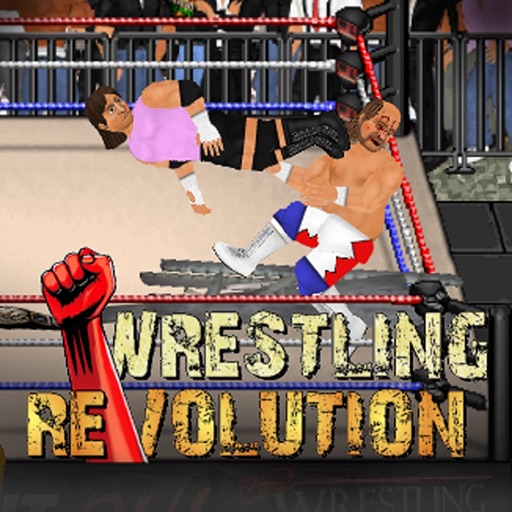
For the first time in 2D, start your own career either side of the curtain - with wrestling and booking modes available in one epic game! Create your own star and embark on an endless career full of possibilities, as you attempt to make all the right moves backstage as well as in the ring. Lose yourself in a gigantic universe of 400 wrestlers spread across 9 different promotions - and as many of them in the ring as your device can handle!
When you want to get serious, upgrade to "Pro" status to enjoy each career mode at its best - starting with anyone, anywhere. You can also make the world your own by saving your changes to all characters and pitting them against each other in "Exhibitions" where YOU make the rules!
BUTTON CONTROLS
Please play through the tutorial for full instructions.
A = Attack (with a direction to aim high, without to aim low)
G = Grapple
R = Run
P = Pick up / Drop (with a direction to throw)
T = Taunt / Pin / Referee duties
* To set fire to a handheld weapon, press the R and P buttons simultaneously next to one on the ground. This torch can then be used to set fire to a larger item using the same command.
TOUCH CONTROLS
- TOUCH anywhere in the arena to walk towards it.
- SWIPE to run or trigger moves.
- TAP your opponent to attack that part of their body.
- PINCH to grab or pick-up.
- PART your fingers to taunt, pin, or cancel an action.
- Touch the clock to PAUSE the game, and then the arrow to EXIT.
MENU CONTROLS
- Touch either side of a value or box to browse its contents left or right.
- When selecting characters, touching their slot once will display their stats and touching again will proceed to access them. Touch the company logo to choose a different roster.
- Hold your finger over a character slot to move it and switch with another. Move it to the company logo to switch rosters.
- At the calendar screen, touch any date to view its contents. Touch your character to edit them, touch the stats to train them, touch the company logo to view the whole roster, touch the match title to see an exact description of the rules.
- When setting up an exhibition, touch a character to replace them and touch the match title to change the rules. From that screen, touch the table icon to add weapons and touch the ring icon to edit the arena.
- Touch any speech bubbles to speed up conversations.
لقطات الشاشة © لأصحابها · App Store


iOSGods ليست تابعة لشركة Apple Inc. أو Google LLC أو مطوّري التطبيقات المدرجة هنا، وليست معتمدة أو مدعومة منهم. Apple وiOS وApp Store علامات تجارية لشركة Apple Inc. وAndroid وGoogle Play علامتان تجاريتان لشركة Google LLC. أما بقية أسماء التطبيقات والأيقونات والصور والعلامات التجارية فهي ملك لأصحابها.
- iPhone أو iPad بجيلبريك أو بدون جيلبريك.
- Sideloadly أو بدائلها.
- كمبيوتر يعمل بنظام Windows/macOS/Linux مع تثبيت iTunes.
الخطوة 1: قم بتنزيل ملف .IPA المعدّل مسبقًا من الرابط أعلاه إلى الكمبيوتر الخاص بك. للتنزيل من تطبيق iOSGods App، اطلع على دليل تنزيل IPA من تطبيق iOSGods App الذي يتضمن مثالًا بالفيديو.
الخطوة 2: قم بتنزيل Sideloadly وتثبيته على جهاز Windows أو Mac.
الخطوة 3: افتح Sideloadly على الكمبيوتر، ووصّل جهاز iOS الخاص بك، وانتظر حتى يظهر اسم جهازك داخل Sideloadly.
الخطوة 4: بمجرد التعرّف على جهاز iDevice الخاص بك، اسحب ملف .IPA المعدّل الذي قمت بتنزيله وأفلِته داخل تطبيق Sideloadly.
الخطوة 5: أدخل البريد الإلكتروني لحساب Apple Account الخاص بك، ثم اضغط على «Start». سيُطلب منك بعد ذلك إدخال كلمة المرور. تابع وأدخل المعلومات المطلوبة.
الخطوة 6: انتظر حتى ينتهي Sideloadly من تحميل/تثبيت ملف IPA المعدّل. في حال واجهت أي مشاكل أثناء التثبيت، يرجى قراءة الملاحظة أدناه.
الخطوة 7: بعد اكتمال التثبيت ورؤية التطبيق على الشاشة الرئيسية، انتقل إلى Settings → General → Profiles / VPN & Device Management. ثم اضغط على البريد الإلكتروني الذي أدخلته في الخطوة 6، ثم اضغط على «الوثوق بـ [email protected]».
الخطوة 8: الآن انتقل إلى الشاشة الرئيسية وافتح التطبيق الذي تم تثبيته للتو وسيعمل كل شيء بشكل صحيح. قد تحتاج إلى اتباع تعليمات إضافية خاصة بكل تطبيق داخل النافذة المنبثقة للتعديل أثناء اللعب.
ملاحظة: بدءًا من iOS/iPadOS 16 وما بعده، يجب تفعيل وضع المطور (Developer Mode). بالنسبة لحسابات Apple Developer المجانية، ستحتاج إلى تكرار هذه العملية كل 7 أيام. إذا كانت لديك أي أسئلة أو مشاكل، يرجى قراءة قسم الأسئلة الشائعة حول Sideloadly في الموضوع.
Game Name iOS Mod IPA is an action adventure game enhanced with powerful gameplay boosts and quality-of-life improvements. Win battles faster, earn rewards quicker, and enjoy uninterrupted play without ads.
- Unlimited Gold - spend freely to unlock premium content
- Damage Multiplier - deal significantly more damage in combat
- Defense Multiplier - take less damage and survive longer
- Reward Multiplier - earn more loot from every battle
- Max Level - instantly reach the highest player rank
- No Ads - play without interruptions or advertisements
This app also comes with iGameGod, giving you access to Auto Touch to automate repetitive tasks, App Speed Manager for adjustable gameplay speed, Memory Engine value editing, and more powerful iOS game tools.
قم بتنزيل Game Name Mod IPA من الروابط أعلاه. اضغط على زر التثبيت واتبع التعليمات لتثبيت هذا التعديل لـ iOS على iPhone أو iPad أو Apple Silicon.
هل تحتاج إلى مزيد من المساعدة؟ راجع الأسئلة الشائعة لتطبيق iOSGods للحصول على إجابات مفصلة ونصائح لاستكشاف الأخطاء.
----------------------------------------------------------
--------------------------------------------------


