Требуется вход
Войдите в учётную запись iOSGods, чтобы продолжить.
Hack Features
- ADS NO / Rewards Free
- Super Card Active
- Normal Card Active
- Currency / NO Need
- Resources / NO Need
- DMG / When Opp Turn OFF
Скачайте Fitness RPG: Hero health game Hack modded IPA по ссылкам выше. Нажмите кнопку установки и следуйте инструкциям, чтобы установить этот хак iOS на iPhone, iPad или Mac с Apple Silicon.
Нужна помощь? Посмотрите наши Часто задаваемые вопросы по приложению iOSGods, чтобы получить подробные ответы и советы по устранению неполадок.
PEDOMETER + RPG!
Train your team of heroes as you exercise, the more activities the stronger your heroes become! Let’s take on the challenges, and embark on the journey of becoming the new best you!
It has been 12 years since the Dark Force Took over Fitland. Villagers await the savior to return. Will you be the one to lead a team of heroes, defeat enemies and save them all?
KEY FEATURES:
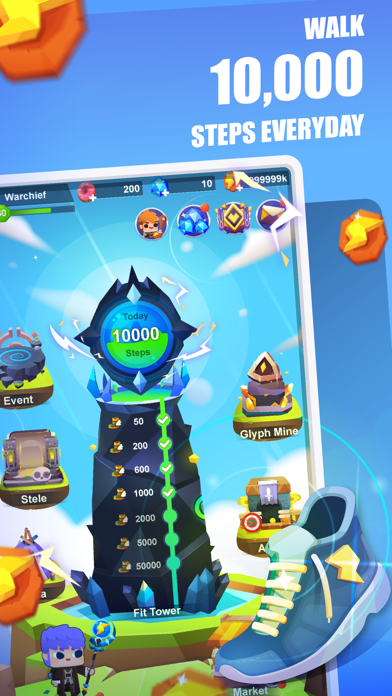
* Fitness RPG - Convert your steps into free energy and use them to level up heroes
* Sync steps - Uses steps from your phone or sync steps from your Fitbit
* Battlegrounds - Explore the Fitland map, fight monsters and save the kingdom
* Team of heroes - Collect and train different heroes, form your ace team
* Precious equipment and skins - Collect, upgrade precious weapons to make your team stronger
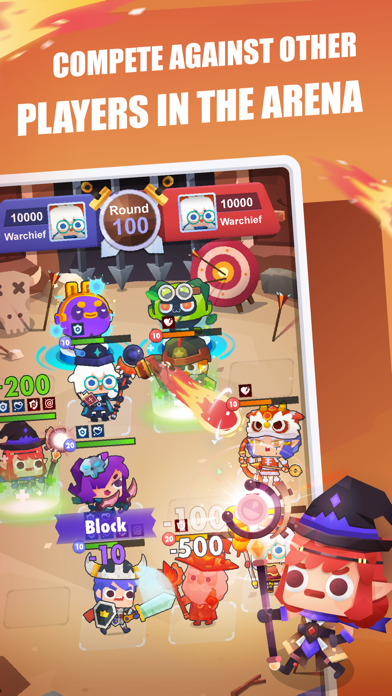
* Arena - Compete with other players and fight your way to the top
Please Note: Fitness RPG is a free-to-play game, but some extra game items can be purchased for real money. You can disable in-app purchases in your device's settings.
HEALTHKIT:
Fitness RPG is also an Apple Watch game: it uses HealthKit to read your steps from Apple Watch. Make sure to grant all permissions when asked to authorize with the Health App to make it work.
SUBSCRIPTION PRICING AND TERMS:
SuperPass offers USD $6.99 monthly subscription after 3-day free trial for accessing exclusive resources and premium features.
End of trial and subscription renewal:
This price is for United States customers. Pricing in other countries may vary and actual charges may be converted to your local currency depending on the country of residence.
Payment will be charged to iTunes Account at confirmation of purchase.
Subscription automatically renews unless auto-renew is turned off at least 24-hours before the end of the current period.
Account will be charged for renewal within 24-hours prior to the end of the current period, and identify the cost of the renewal.
Subscriptions may be managed by the user and auto-renewal may be turned off by going to the user’s Account Settings after purchase.
Any unused portion of a free trial period, if offered, will be forfeited when the user purchases a subscription to that publication, where applicable.
Privacy policy: https://site.shikudo.com/privacy-policy
Terms of use: https://site.shikudo.com/terms-of-use
- iPhone или iPad без джейлбрейка/в обычном режиме или с джейлбрейком.
- Sideloadly или альтернативы.
- Компьютер с Windows/macOS/Linux и установленным iTunes.
ШАГ 1: Скачайте предварительно взломанный файл .IPA по ссылке выше на свой компьютер. Чтобы скачать его из приложения iOSGods, посмотрите наш Туториал по скачиванию IPA в приложении iOSGods, в котором есть видеопример.
ШАГ 2: Скачайте Sideloadly и установите его на Windows или Mac.
ШАГ 3: Откройте Sideloadly на компьютере, подключите iOS-устройство и дождитесь, пока его имя появится в Sideloadly.
ШАГ 4: Когда устройство будет распознано, перетащите скачанный модифицированный файл .IPA в окно Sideloadly.
ШАГ 5: Введите адрес электронной почты вашего Apple Account, затем нажмите «Start». После этого вас попросят ввести пароль. Укажите необходимые данные.
ШАГ 6: Дождитесь, пока Sideloadly завершит sideload/установку взломанного IPA. При возникновении проблем во время установки ознакомьтесь с примечанием ниже.
ШАГ 7: После завершения установки и появления приложения на главном экране перейдите в Настройки → Основные → Профили / VPN и управление устройством. Там нажмите на email, который вы ввели на шаге 6, а затем нажмите «Доверять [email protected]».
ШАГ 8: Теперь перейдите на главный экран и откройте установленное приложение — всё должно работать. Возможно, потребуется выполнить дополнительные инструкции в попапе мода внутри игры.
ПРИМЕЧАНИЕ: На iOS/iPadOS 16 и новее необходимо включить режим разработчика. Для бесплатных учётных записей Apple Developer этот процесс нужно повторять каждые 7 дней. Если возникнут вопросы или проблемы, ознакомьтесь с нашим разделом FAQ по Sideloadly в теме.