Login necessário
Entre com sua conta iOSGods para continuar.
Hack Features:
- VIP
This app also includes iGameGod. Use Auto Touch to automate repetitive tasks, the App Speed Manager to play at your own pace, the Memory Engine for value edits, and more powerful in-game tools.
Baixe Infltr - Infinite Filters Hack modded IPA dos links acima. Toque no botão de instalação e siga as instruções para instalar este hack iOS no seu iPhone, iPad ou Apple Silicon.
Precisa de mais ajuda? Confira nossas Perguntas frequentes sobre o app iOSGods para respostas detalhadas e dicas de solução de problemas.
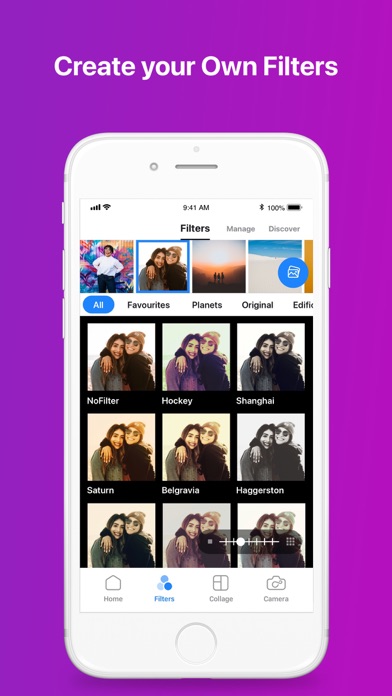
Why limit yourself to the few stock filters that come with your photo apps? Make each picture perfect with infinite filters, available only through Infltr!
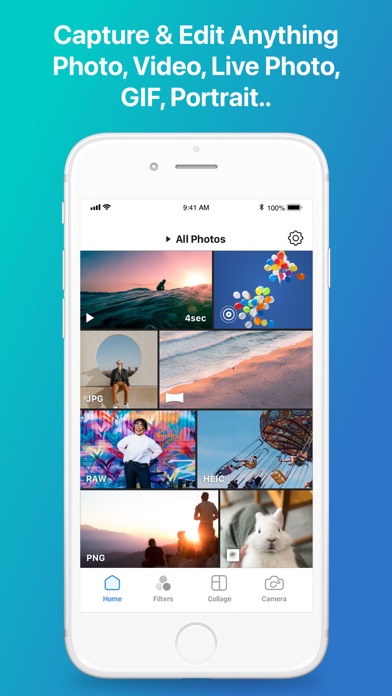
Designed to be the most advanced photo editor for iOS & macOS, Infltr is also very simple to use – making it the ideal app for both advanced and novice picture takers. All your Photos, Videos, Live Photos, Animated GIFs and Depth Photos can be made just perfect using the unlimited filters of Infltr!
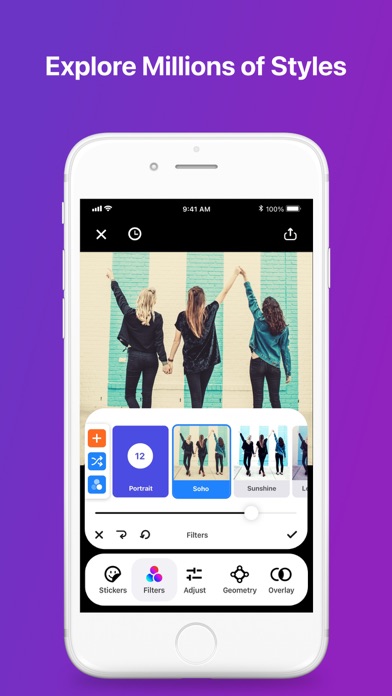
• Infltr is the only app that allows you to change filters infinitely by panning your finger on the screen. Keep panning in any direction and the filter will keep changing.
As Tapsmart said in its review, Infltr “strongly encourages experimentation, and getting a good result feels slightly magical.”
• More than 7 million filter possibilities as you design your own filters to make each picture perfect.
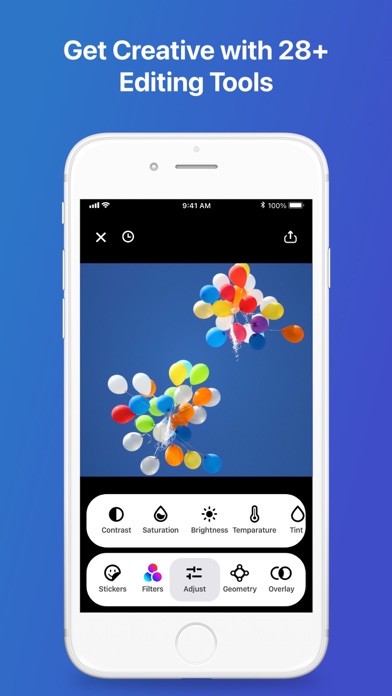
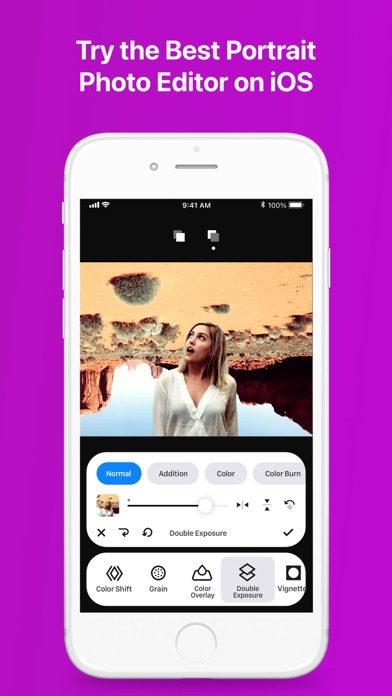
• 28 amazing editing tools, tweak your favourite filters to perfection.
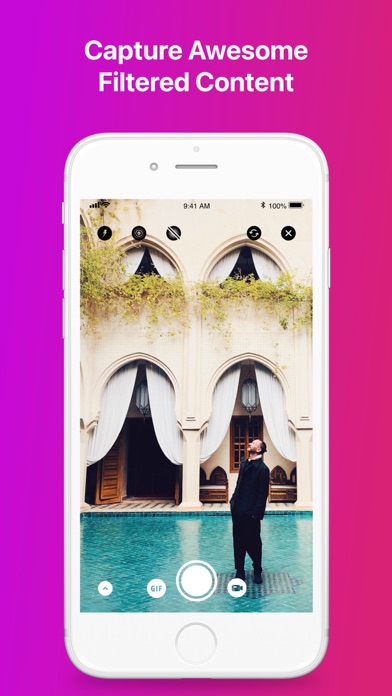
• Add filters as you snap pics or edit the images afterward.
• Dedicated video tools: trim, volume, speed-up, slow-mo, add music.
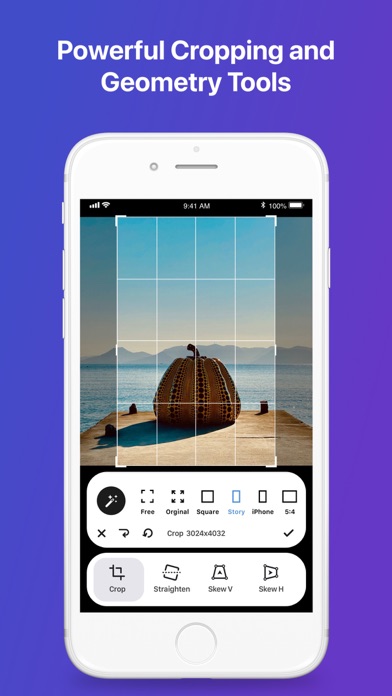
With the swipe of your finger, edit Photos, Videos, Live Photos, Animated GIFs and Depth Photos with tools that enable you to crop and flip images, plus make powerful edits such as perspective, straighten, rotate, sharpen, saturation, contrast, brightness, vignette, temperature, tint, hue, selective HSL, double exposure, highlights, shadows, highlights tint, shadow tint, fade, grain, color shift, color overlay, and exposure.
• Stuff.tv says Infltr is “short of vowels but has plenty of tools and literally millions of filters.”
The possibilities are endless, and sometimes magic happens by accident! Once you create a filter you like, save it as a Favorite!
• Discover a new filter every day from Infltr's Widget!
Once your pic is perfect, you want to share it! Infltr makes sharing your edited Photos, Videos, Live Photos, Animated GIFs and Depth Photos super easy with WhatsApp, Snapchat, Instagram, Instagram Story, GIPHY…
Pro Features:
• While many apps downscale images, Infltr retains the HD resolution – great news for those editing panorama photos or those taken with a DSLR camera.
• Offers the most powerful Depth Photo editor on the market - edit both the background and foreground of your pics independently!
• Connect to Dropbox to edit your photos online.
If you like your pictures perfect, we think you’ll agree Infltr is a must-have app. We invite you to try it out and drop us a line at [email protected] and let us know what you think!
Privacy Policy: www.infltr.com/privacy
Terms of Use: www.infltr.com/terms
- iPhone ou iPad sem jailbreak/jailed ou com jailbreak.
- Sideloadly ou alternativas.
- Computador com Windows/macOS/Linux e iTunes instalado.
PASSO 1: Baixe o arquivo .IPA pré-hackeado do link acima para o seu computador. Para baixar pelo iOSGods App, veja nosso Tutorial de download de IPA do iOSGods App, que inclui um exemplo em vídeo.
PASSO 2: Baixe o Sideloadly e instale-o no seu Windows ou Mac.
PASSO 3: Abra o Sideloadly no seu computador, conecte seu dispositivo iOS e aguarde até que o nome do dispositivo apareça no Sideloadly.
PASSO 4: Assim que seu iDevice for reconhecido, arraste o arquivo .IPA modificado que você baixou e solte-o no aplicativo Sideloadly.
PASSO 5: Digite o e-mail da sua Apple Account e pressione “Start”. Em seguida, será solicitada a sua senha. Prossiga e forneça as informações solicitadas.
PASSO 6: Aguarde o Sideloadly finalizar o sideload/instalação do IPA hackeado. Se houver problemas durante a instalação, leia a observação abaixo.
PASSO 7: Quando a instalação estiver concluída e você vir o app na Tela de Início, será necessário acessar Ajustes → Geral → Perfis / Gerenciamento de VPN e Dispositivo. Lá, toque no e-mail que você inseriu no passo 6 e, em seguida, toque em “Confiar em [email protected]”.
PASSO 8: Agora vá para a Tela de Início e abra o app recém-instalado; tudo deve funcionar normalmente. Você pode precisar seguir instruções adicionais específicas no popup do hack dentro do jogo.
OBSERVAÇÃO: No iOS/iPadOS 16 e versões posteriores, você deve ativar o Modo de Desenvolvedor. Para contas Apple Developer gratuitas, será necessário repetir este processo a cada 7 dias. Se tiver dúvidas ou problemas, leia nossa seção de FAQ do Sideloadly no tópico.