Inloggen vereist
Log in met je iOSGods-account om door te gaan.
Log in met je iOSGods-account om door te gaan.
Domineer Cookie Run: Kingdom met deze krachtige iOS mod IPA die je aanvals- en verdedigingsstats vermenigvuldigt en cooldowns voor vaardigheden elimineert voor onweerstaanbaar spel. Verpletter elk level en baasgevecht met verbeterde gevechtssterkte en onmiddellijke toegang tot vaardigheden.
- Aanval vermenigvuldigen → verhoog je schadeopbrengst aanzienlijk
- Verdediging vermenigvuldigen → verminder inkomende schade aanzienlijk
- Geen cooldown voor vaardigheden → gebruik vaardigheden onmiddellijk zonder te wachten
Deze app bevat ook iGameGod, waarmee je toegang krijgt tot Auto Touch om repetitieve taken te automatiseren, App Speed Manager voor een aanpasbare spelsnelheid, het bewerken van waarden met Memory Engine en andere krachtige iOS-gametools.
Download CookieRun: Kingdom iOS Mod IPA via de bovenstaande links. Tik op de installatieknop en volg de instructies om deze iOS-app-hack op je iPhone, iPad of Apple Silicon te installeren.
Meer hulp nodig? Bekijk onze Veelgestelde vragen over de iOSGods-app voor uitgebreide antwoorden en probleemoplossingstips.
■ EVERYONE'S FAVORITE TINY HEROES: THE COOKIES
Meet our Cookies, all voiced by an amazing cast of voice actors
Witness their epic skills, fall in love with their voices, and dress them into new chic costumes.
Join the Cookies in CookieRun: Kingdom!
■ EMBARK ON AN EPIC JOURNEY AROUND EARTHBREAD
The secrets of the ancient Cookies and their kingdoms are waiting to be unraveled.
Join GingerBrave and his friends against Dark Enchantress Cookie and her dark legion.
The chronicles of CookieRun: Kingdom have just begun!
■ BUILD A DELICIOUSLY SWEET KINGDOM
Choose from a great variety of unique decors to design the Kingdom of your dreams.
Produce materials, craft items, arrange all sorts of activities—the vibrant kingdom life awaits!
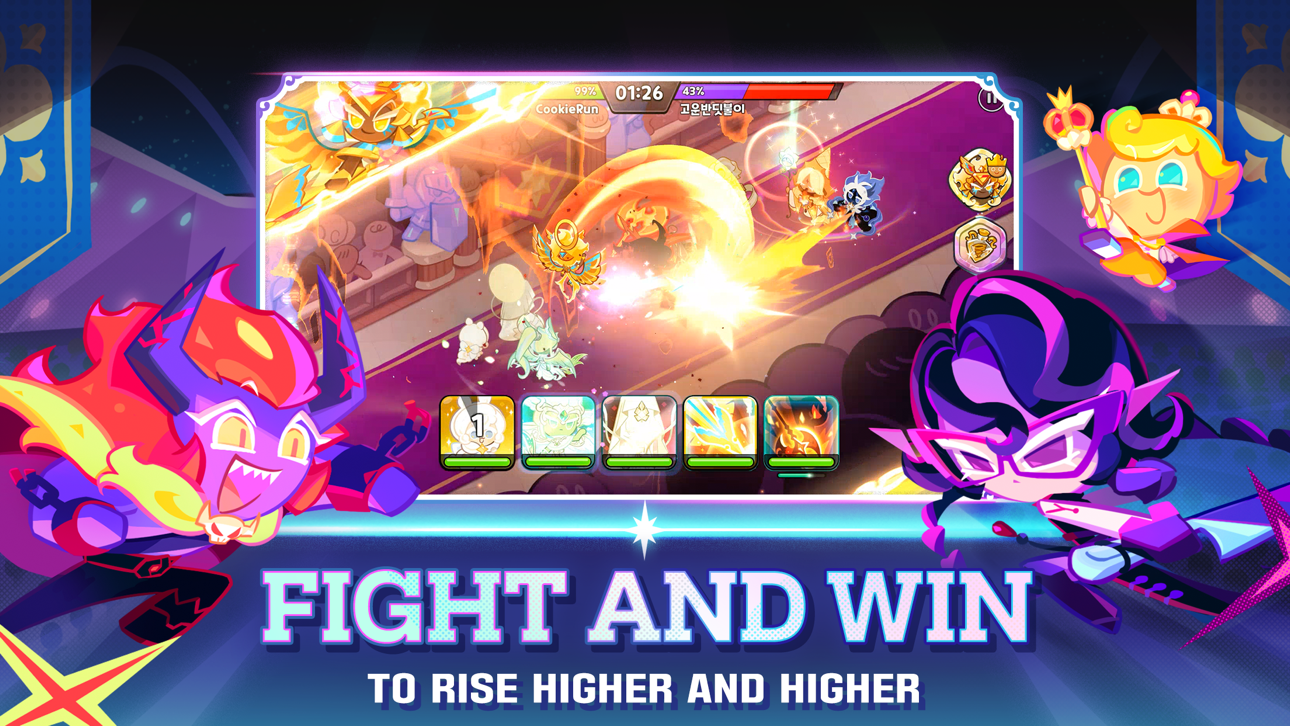
■ BATTLE YOUR WAY TO VICTORY
Create the ultimate Cookie team with endless combinations of Treasures and Toppings
Prove your battle skill in the Kingdom Arena, Cookie Alliance, Super Mayhem, and Guild Battles!
Come up with different strategies to emerge victorious!
■ BRING GLORY TO YOUR GUILD
Reach the top of the ranking table with your fellow guildmates.
Expand your guild's Domain and collect Guild Relics to become the strongest guild there is!
[Retainment of your service usage records]
Purpose: management of deleted accounts, prevention of service abuse and legal claims
Retainment period: one month following account deletion
[How to delete your account]
Open the game
Tap the 三-shaped button in the upper-right corner of the screen
Tap Settings
Tap Info
Tap Delete Account in the bottom part of the screen
[Required Access Permissions]
- None
[Optional Access Permissions]
- Notifications: grants permission to receive game-related notifications, such as events and special offers.
* You can still play the game without granting optional permissions.
* However, some features may be limited or unavailable if optional permissions are not granted.
[How to deactivate access permissions]
- Settings > Apps > CookieRun: Kingdom > Deactivate Notifications
※ If you are using a guest account, deleting the app will permanently erase your in-game data.
※ Access permissions may vary depending on your device or app version.
Please forward all other questions to our support team
Contact email: [email protected]
Screenshots © respectieve eigenaren · App Store


iOSGods is niet verbonden aan, onderschreven door of gesponsord door Apple Inc., Google LLC of de ontwikkelaars van de hier vermelde apps. Apple, iOS en App Store zijn handelsmerken van Apple Inc. Android en Google Play zijn handelsmerken van Google LLC. Alle overige app-namen, iconen, afbeeldingen en handelsmerken behoren toe aan hun respectieve eigenaren.
- Niet-jailbroken/jailed of jailbroken iPhone of iPad.
- Sideloadly of alternatieven.
- Computer met Windows/macOS/Linux en iTunes geïnstalleerd.
STAP 1: Download het vooraf gehackte .IPA-bestand via de link hierboven naar uw computer. Om het te downloaden vanuit de iOSGods App, bekijk onze iOSGods App IPA-downloadhandleiding met een videovoorbeeld.
STAP 2: Download Sideloadly en installeer het op uw Windows of Mac.
STAP 3: Open Sideloadly op uw computer, sluit uw iOS-apparaat aan en wacht tot de naam van uw apparaat in Sideloadly verschijnt.
STAP 4: Zodra uw iDevice is herkend, sleept u het gedownloade gemodde .IPA-bestand naar de Sideloadly-applicatie.
STAP 5: Voer het e-mailadres van uw Apple Account in en druk op “Start”. U wordt vervolgens gevraagd om uw wachtwoord in te voeren. Geef de gevraagde informatie op.
STAP 6: Wacht tot Sideloadly het sideloaden/installeren van de gehackte IPA heeft voltooid. Als er problemen zijn tijdens de installatie, lees dan onderstaande opmerking.
STAP 7: Zodra de installatie is voltooid en u de app op uw beginscherm ziet, gaat u naar Instellingen → Algemeen → Profielen / VPN- en apparaatbeheer. Tik daar op het e-mailadres dat u in stap 6 hebt ingevoerd en tik vervolgens op “Vertrouw [email protected]”.
STAP 8: Ga nu naar uw beginscherm en open de zojuist geïnstalleerde app; alles zou correct moeten werken. Mogelijk moet u verdere app-specifieke instructies volgen in de hack-popup in het spel.
OPMERKING: Op iOS/iPadOS 16 en later moet u Ontwikkelaarsmodus inschakelen. Voor gratis Apple Developer-accounts moet u dit proces elke 7 dagen herhalen. Als u vragen of problemen hebt, lees dan onze Sideloadly FAQ-sectie van het onderwerp.
Game Name iOS Mod IPA is an action adventure game enhanced with powerful gameplay boosts and quality-of-life improvements. Win battles faster, earn rewards quicker, and enjoy uninterrupted play without ads.
- Unlimited Gold - spend freely to unlock premium content
- Damage Multiplier - deal significantly more damage in combat
- Defense Multiplier - take less damage and survive longer
- Reward Multiplier - earn more loot from every battle
- Max Level - instantly reach the highest player rank
- No Ads - play without interruptions or advertisements
This app also comes with iGameGod, giving you access to Auto Touch to automate repetitive tasks, App Speed Manager for adjustable gameplay speed, Memory Engine value editing, and more powerful iOS game tools.
Download Game Name Mod IPA via de bovenstaande links. Tik op de installatieknop en volg de instructies om deze iOS-app-hack op je iPhone, iPad of Apple Silicon te installeren.
Meer hulp nodig Bekijk onze Veelgestelde vragen over de iOSGods-app voor uitgebreide antwoorden en probleemoplossingstips.
----------------------------------------------------------
--------------------------------------------------