Inloggen vereist
Log in met je iOSGods-account om door te gaan.
Log in met je iOSGods-account om door te gaan.
Voeg Edelstenen toe door op de Muziekknop in Instellingen te tikken om je blob in deze multiplayer battle royale Mod IPA sterker te maken. Verzamel bonen, vecht tegen vijandige blobs en word groter om de arena te domineren en je rang te verbeteren voordat de tijd verstrijkt.
- Edelstenen toevoegen (Tik op Muziekknop in Instellingen) → verhoog je in-game valuta
Deze hack werkt op de nieuwste x64 of ARM64 iDevices: iPhone 5s, 6, 6 Plus, 6s, 6s Plus, 7, 7 Plus, 8, 8 Plus, X, Xr, Xs, Xs Max, SE, iPod Touch 6G, iPad Air, Air 2, Pro & iPad Mini 2, 3, 4 en later.
Deze app bevat ook iGameGod, waarmee je toegang krijgt tot Auto Touch om repetitieve taken te automatiseren, App Speed Manager voor een aanpasbare spelsnelheid, het bewerken van waarden met Memory Engine en andere krachtige iOS-gametools.
Download Battle Balls Royale Hack modded IPA via de bovenstaande links. Tik op de installatieknop en volg de instructies om deze iOS-app-hack op je iPhone, iPad of Apple Silicon te installeren.
Meer hulp nodig? Bekijk onze Veelgestelde vragen over de iOSGods-app voor uitgebreide antwoorden en probleemoplossingstips.
Dominate the arena in this online multiplayer battle experience.
Choose your looks and loadout then jump into combat! Size is everything, so collect beans and fight enemy blobs to level up, grow bigger and get stronger! Rise to the top of the ranks before time runs out!
Become the ultimate brawler champion in this action packed PVP jelly clash!
---------------
FEATURES
---------------
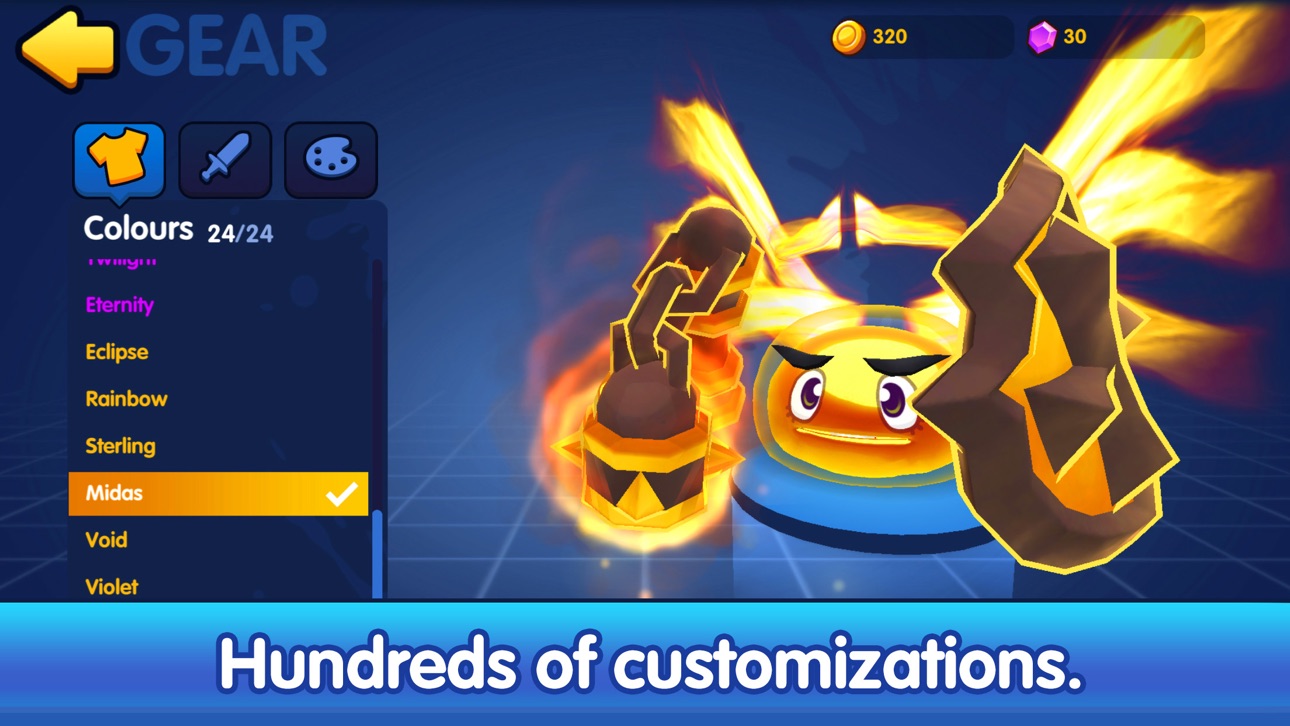
- Customize your battle blob! Choose from hundreds of combinations of skins, weapons and accessories.
- Daily rewards – login each day to get your hands on some sweet in-game items, including character customisations and coins!
- Level up to unlock, mix and match abilities to suit your style of dominance, from fireballs to devastating spin attacks!
- Grab in-game items like bombs to help you flatten the opposition faster. Boom!
Terms and Conditions:
Weekly Value Card offers a weekly subscription of 1.99 USD after a 3-day free trial.
【Legendary Chest】
Receive a free Legendary Chest every day!
【Double your reward】
Double Ads Earnings from 3x to 6x
【Get a level boost during matches!】
Boost your Blob to level 8!
【Improved Rewards】
Receive a bonus chest after every match!
This price is for United States customers. Pricing in other countries may vary and actual charges may be converted to your local currency depending on the country of residence.
How this subscription is processed – please read the TERMS below:
(1) Payment will be charged to iTunes Account at confirmation of purchase.
(2) Subscription automatically renews unless auto-renew is turned off at least 24-hours before the end of the current period.
(3) Account will be charged for renewal within 24-hours prior to the end of the current period, and identify the cost of the renewal.
(4) Subscriptions may be managed by the user and auto-renewal may be turned off by going to the user’s Account Settings after purchase.
(5) Any unused portion of a free trial period, if offered, will be forfeited when the user purchases a subscription to that publication, where applicable.
Privacy Policy: https://www.yodo1.com/en/privacy/
Terms of Use: https://www.yodo1.com/en/terms/"
- Niet-jailbroken/jailed of jailbroken iPhone of iPad.
- Sideloadly of alternatieven.
- Computer met Windows/macOS/Linux en iTunes geïnstalleerd.
STAP 1: Download het vooraf gehackte .IPA-bestand via de link hierboven naar uw computer. Om het te downloaden vanuit de iOSGods App, bekijk onze iOSGods App IPA-downloadhandleiding met een videovoorbeeld.
STAP 2: Download Sideloadly en installeer het op uw Windows of Mac.
STAP 3: Open Sideloadly op uw computer, sluit uw iOS-apparaat aan en wacht tot de naam van uw apparaat in Sideloadly verschijnt.
STAP 4: Zodra uw iDevice is herkend, sleept u het gedownloade gemodde .IPA-bestand naar de Sideloadly-applicatie.
STAP 5: Voer het e-mailadres van uw Apple Account in en druk op “Start”. U wordt vervolgens gevraagd om uw wachtwoord in te voeren. Geef de gevraagde informatie op.
STAP 6: Wacht tot Sideloadly het sideloaden/installeren van de gehackte IPA heeft voltooid. Als er problemen zijn tijdens de installatie, lees dan onderstaande opmerking.
STAP 7: Zodra de installatie is voltooid en u de app op uw beginscherm ziet, gaat u naar Instellingen → Algemeen → Profielen / VPN- en apparaatbeheer. Tik daar op het e-mailadres dat u in stap 6 hebt ingevoerd en tik vervolgens op “Vertrouw [email protected]”.
STAP 8: Ga nu naar uw beginscherm en open de zojuist geïnstalleerde app; alles zou correct moeten werken. Mogelijk moet u verdere app-specifieke instructies volgen in de hack-popup in het spel.
OPMERKING: Op iOS/iPadOS 16 en later moet u Ontwikkelaarsmodus inschakelen. Voor gratis Apple Developer-accounts moet u dit proces elke 7 dagen herhalen. Als u vragen of problemen hebt, lees dan onze Sideloadly FAQ-sectie van het onderwerp.