Inicio de sesión requerido
Inicia sesión con tu cuenta de iOSGods para continuar.
Inicia sesión con tu cuenta de iOSGods para continuar.

Sobrevive en el simulador de prisión más desafiante de iOS con Hard Time III Mod IPA, donde navegas por una enorme instalación llena de reclusos en tiempo real, construyes relaciones a través de diálogos avanzados y dominas un sistema de combate inspirado en la lucha libre. Este hack desbloquea la experiencia completa del juego de forma gratuita, dándote acceso total a toda la jugabilidad sin compras dentro de la aplicación.
- Desbloquear Juego Completo (iAP Gratis) - Activa primero en el Menú iOSGods → Acceso completo a todo el contenido sin compras dentro de la aplicación
Esta app también incluye iGameGod, que te ofrece acceso a Auto Touch para automatizar tareas repetitivas, App Speed Manager para ajustar la velocidad del juego, edición de valores con Memory Engine y más potentes herramientas para juegos de iOS.
Descarga Hard Time III iOS Mod IPA desde los enlaces de arriba. Toca el botón de instalación y sigue las instrucciones para instalar este hack iOS en tu iPhone, iPad o Mac con Apple Silicon.
¿Necesitas más ayuda? Consulta nuestras Preguntas frecuentes de la app iOSGods para respuestas detalladas y consejos de solución de problemas.
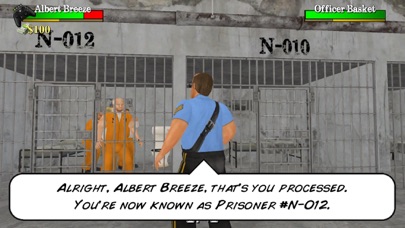
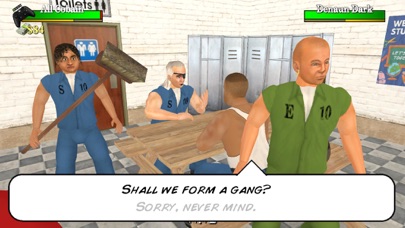
The toughest prison sim in the yard is back to serve its 3rd consecutive sentence - combining classic moments from the OG with the best aspects of 2D, while putting out a few hits of its own! See how long you can survive in a sprawling facility, where hundreds of fellow prisoners are trying to get through each day in real-time. Develop relationships with an advanced dialogue system that allows you to start conversations before the drama comes to you. Should you choose violence, a combat system perfected by wrestling lets you express yourself with your fists! Hundreds of fully interactive props can be equipped in either hand to dual wield as tools or weapons - including mind-blowing gunplay that allows you to shoot at ANY moment. Reinforced by a creative crafting system, you've only ever run out of ammo when you've run out of ideas.
Just when you think you've seen it all, a whole other police role challenges you to tackle crime from the other side of the fence - keeping existing prisoners in order while patrolling the streets for new ones! An extended outside world makes life worth living, with a wider range of vehicles and animals to explore it. All now presented with higher resolution visuals, a smoother frame rate, and a wider variety of camera angles to enjoy cinematic moments.
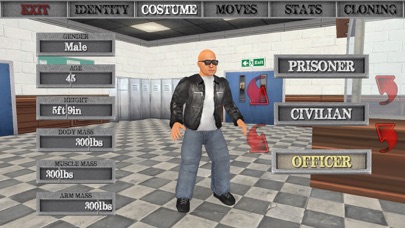
Upon upgrading to the fully "unlocked" experience, an inbuilt editor empowers you to save your changes to each character to make the world your own. You can then blow off steam in a special "Fight Scene" mode - where you select WHO fights WHERE and with WHAT! The action can also be enjoyed at a smoother 60fps frame rate on compatible devices, with no ads for paying customers.
The "Terms of Use" for subscriptions can be found here:
https://www.apple.com/legal/internet-services/itunes/dev/stdeula/
- iPhone o iPad con o sin Jailbreak.
- Sideloadly u otras alternativas.
- Ordenador con Windows/macOS/Linux e iTunes instalado.
PASO 1: Descargue el archivo .IPA pre-modificado desde el enlace de arriba a su ordenador. Para descargarlo desde la iOSGods App, consulte nuestro Tutorial de descarga del IPA desde la iOSGods App, que incluye un ejemplo en vídeo.
PASO 2: Descargue Sideloadly e instálelo en su Windows o Mac.
PASO 3: Abra Sideloadly en su ordenador, conecte su dispositivo iOS y espere hasta que el nombre del dispositivo aparezca en Sideloadly.
PASO 4: Una vez que su iDevice sea reconocido, arrastre el archivo .IPA modificado que descargó y suéltelo en la aplicación Sideloadly.
PASO 5: Introduzca el correo electrónico de su Apple Account y, a continuación, pulse «Start». Le pedirá que introduzca su contraseña. Proporcione la información solicitada.
PASO 6: Espere a que Sideloadly termine de hacer sideload/instalar el IPA modificado. Si surgen problemas durante la instalación, por favor lea la nota a continuación.
PASO 7: Una vez completada la instalación y al ver la app en la pantalla de inicio, deberá ir a Ajustes → General → Perfiles / VPN y Gestión de Dispositivos. Una vez allí, toque el correo electrónico que introdujo en el paso 6 y, después, toque en «Confiar en [email protected]».
PASO 8: Ahora vaya a la pantalla de inicio y abra la app recién instalada; todo debería funcionar correctamente. Es posible que tenga que seguir instrucciones adicionales específicas de cada app dentro del popup del hack en el juego.
NOTA: En iOS/iPadOS 16 y posteriores, debe activar el Modo Desarrollador. Para cuentas gratuitas de Apple Developer, deberá repetir este proceso cada 7 días. Si tiene alguna pregunta o problema, lea nuestra sección de Preguntas Frecuentes de Sideloadly del tema.




![[Seven Deadly Sins] 七つの大罪 光と闇の交戦 : グラクロ iOS Mod IPA](https://is1-ssl.mzstatic.com/image/thumb/Purple221/v4/ac/e0/43/ace04379-3557-2f16-4960-f19516efa302/AppIcon-1x_U007emarketing-0-8-0-85-220-0.png/100x100bb.jpg)


