Inicio de sesión requerido
Inicia sesión con tu cuenta de iOSGods para continuar.
Inicia sesión con tu cuenta de iOSGods para continuar.

Hack Features:
- Advanced AdBlocker
- Theming Engine
- Auto Claim Channel Points
- Third Party Emote Support
- Latency Tracker & More
Developer: https://www.reddit.com/user/IAmHearse/
Esta app también incluye iGameGod, que te ofrece acceso a Auto Touch para automatizar tareas repetitivas, App Speed Manager para ajustar la velocidad del juego, edición de valores con Memory Engine y más potentes herramientas para juegos de iOS.
Descarga Twitch Toolbox modded IPA desde los enlaces de arriba. Toca el botón de instalación y sigue las instrucciones para instalar este hack iOS en tu iPhone, iPad o Mac con Apple Silicon.
¿Necesitas más ayuda? Consulta nuestras Preguntas frecuentes de la app iOSGods para respuestas detalladas y consejos de solución de problemas.
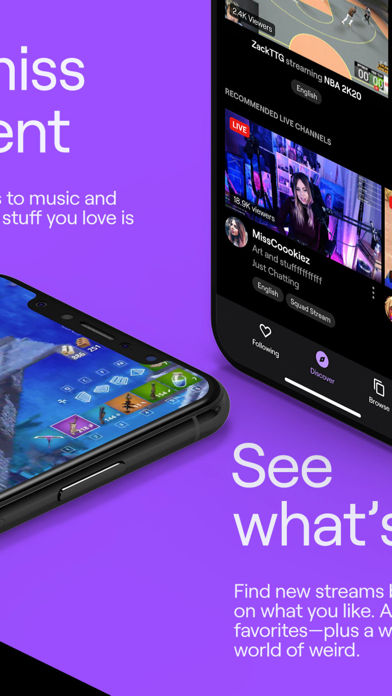
Twitch es el lugar donde miles de comunidades nos reunimos por nuestros streamers favoritos, por los juegos que nos gustan, por las risas, por los demás, por lo que sea. Descarga Twitch y únete a millones de personas que disfrutan en vivo de juegos, música, deportes, esports, podcasts, programas de cocina, streams IRL y cualquier cosa maravillosamente absurda que se le pase por la cabeza a nuestra comunidad. Nos vemos en el chat.
Aquí tienes una práctica lista de otras cosas increíbles de Twitch:
La comunidad es todo. Somos una comunidad de verdad: si hay algo que saca tu nerd interior, puedes encontrar a tu gente en Twitch.
Da apoyo, recibe apoyo: Descubre nuevos streamers y suscríbete a tus favoritos. Y obtén ventajas exclusivas por tu apoyo.
Lanza tu propio canal: La aplicación de Twitch es una de las formas más sencillas de empezar a streamear. Solo tienes que crear una cuenta, salir en vivo directamente desde la aplicación y reunir a la gente en torno a lo que te apasiona.
Nunca sabes lo que vas a encontrar: Siempre hay juegos populares en vivo, pero también festivales de música, despegues de cohetes, recorridos por las calles de Tokio y yoga con cabras. Sí, de verdad.
Modo oscuro: A todos les encanta. El negro y el púrpura nunca se han visto tan bien juntos.
Los términos de servicio de Twitch están disponibles en https://www.twitch.tv/p/legal/terms-of-service/
Para dejarnos comentarios y recibir asistencia, visita nuestro centro de Soporte: https://help.twitch.tv
Ten en cuenta que la aplicación cuenta con software de medición patentado de Nielsen que contribuye a la investigación de mercado, como su índice de audiencia televisiva. Para más información, consulta http://priv-policy.imrworldwide.com/priv/mobile/us/en/optout.html
- iPhone o iPad con o sin Jailbreak.
- Sideloadly u otras alternativas.
- Ordenador con Windows/macOS/Linux e iTunes instalado.
PASO 1: Descargue el archivo .IPA pre-modificado desde el enlace de arriba a su ordenador. Para descargarlo desde la iOSGods App, consulte nuestro Tutorial de descarga del IPA desde la iOSGods App, que incluye un ejemplo en vídeo.
PASO 2: Descargue Sideloadly e instálelo en su Windows o Mac.
PASO 3: Abra Sideloadly en su ordenador, conecte su dispositivo iOS y espere hasta que el nombre del dispositivo aparezca en Sideloadly.
PASO 4: Una vez que su iDevice sea reconocido, arrastre el archivo .IPA modificado que descargó y suéltelo en la aplicación Sideloadly.
PASO 5: Introduzca el correo electrónico de su Apple Account y, a continuación, pulse «Start». Le pedirá que introduzca su contraseña. Proporcione la información solicitada.
PASO 6: Espere a que Sideloadly termine de hacer sideload/instalar el IPA modificado. Si surgen problemas durante la instalación, por favor lea la nota a continuación.
PASO 7: Una vez completada la instalación y al ver la app en la pantalla de inicio, deberá ir a Ajustes → General → Perfiles / VPN y Gestión de Dispositivos. Una vez allí, toque el correo electrónico que introdujo en el paso 6 y, después, toque en «Confiar en [email protected]».
PASO 8: Ahora vaya a la pantalla de inicio y abra la app recién instalada; todo debería funcionar correctamente. Es posible que tenga que seguir instrucciones adicionales específicas de cada app dentro del popup del hack en el juego.
NOTA: En iOS/iPadOS 16 y posteriores, debe activar el Modo Desarrollador. Para cuentas gratuitas de Apple Developer, deberá repetir este proceso cada 7 días. Si tiene alguna pregunta o problema, lea nuestra sección de Preguntas Frecuentes de Sideloadly del tema.