需要登入
請使用您的 iOSGods 帳戶登入以繼續。
請使用您的 iOSGods 帳戶登入以繼續。
Hack Features:
- x10 agility
- x10 speed
- x10 target speed
此應用程式也內建 iGameGod,讓你可以使用 Auto Touch 自動執行重複操作、透過 App Speed Manager 調整遊戲速度、使用 Memory Engine 修改記憶體數值,以及更多強大的 iOS 遊戲工具。
從上方連結下載 Battle Bay Hack modded IPA。點選安裝按鈕並依照畫面指示在 iPhone、iPad 或 Apple Silicon 上安裝此 iOS 應用程式修改版。
需要更多協助?請查看我們的 iOSGods 應用程式常見問題 以獲得詳細解答與疑難排解。
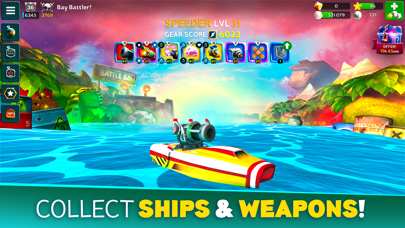
Elige un barco, selecciona tus armas y sal a combatir con rivales de todo el mundo. Combina estrategia y potencia de fuego para llevar a tu flota a lo más alto, ¡se trata de ganar o hundirse!
– Elige tu barco –
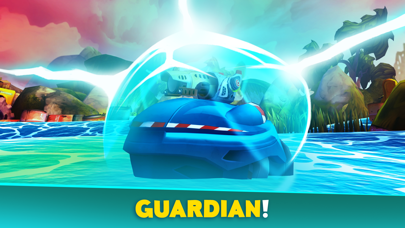
El Shooter tiene gran variedad de armas, el Speeder es rápido y furioso, el Enforcer es ágil y versátil, el Defender es un tanque flotante y el Fixer mantiene a flote a los compañeros del equipo. ¡Sube de nivel tus barcos para tener más potencia y puntos de vida!
– Colecciona armas –
Consigue, mejora y evoluciona tus armas para disfrutar de más potencia de fuego. Escoge entre una amplia selección de objetos destructivos, defensivos o de utilidad. Adquiere ventajas especiales para mejorar más aún la capacidad de tu equipamiento. ¡Lo que mejor se adapte a tu estilo de juego e impida que tu flota acabe en el fondo del mar!
– Organiza tus propias batallas –
Organiza una competición con tus amigos y compañeros de cofradía en Batallas personalizadas. Crea una sala de espera e invita hasta a 10 jugadores repartidos en dos equipos, más 5 espectadores como máximo. Juega tus propios torneos 5 contra 5 o demuestra tu habilidad en duelos 1 contra 1.
– Únete a una cofradía –
Crea una cofradía o entra en una para formar equipo con tus amigos. Las clasificaciones por gremios enfrentarán a tu tripulación contra otras bandas de capitanes locos por las explosiones. ¿Quién llegará a lo más alto?
– Emprende misiones y consigue logros –
Completa misiones para recibir oro y azúcar o emprende una maratón de misiones de cofradía para conseguir un botín inusual. Supera logros para ganar perlas y poderosos objetos. Demuestra tu infamia compitiendo en torneos igualados de dos semanas en los que podrás ganar exclusivas recompensas.
– Suscripción VIP –
Battle Bay ofrece un servicio de suscripción VIP por el que sus miembros disfrutarán de ventajas exclusivas:
+50 % de bonificación sin anuncios en las recompensas de batalla
Entrenamiento de la tripulación un +20 % más rápido
Una actualización gratis al día de la tienda
Acceso al canal del Chat VIP.
La suscripción VIP se puede adquirir a un precio de 4,99 $/semana y de 9,99 $/mes. El pago se cargará a tu cuenta de iTunes cuando confirmes la compra de tu suscripción VIP, la cual se renovará automáticamente 24 horas antes del término del periodo actual de pago. Administra la renovación automática en los Ajustes de tu cuenta iTunes. No se admitirán cancelaciones de la suscripción actual durante el periodo de suscripción activa. La cancelación se producirá al comienzo del siguiente período de suscripción.
---
Actualizamos el juego de forma periódica para, por ejemplo, añadir funcionalidades y contenido o arreglar errores y otros problemas técnicos. Ten en cuenta que el juego puede no funcionar correctamente si no se ha instalado la última versión. Si no tienes instalada la última versión, Rovio no se hace responsable del posible mal funcionamiento del juego.
Aunque puedes descargar y jugar nuestro juego completamente gratis, podrás comprar algunos objetos con dinero real. El juego puede incluir cajas de botín u otro tipo de mecánica con recompensas aleatorias. La compra de estos objetos es opcional, pero también puedes desactivar las compras integradas en los ajustes de tu dispositivo.
Condiciones de uso: https://www.rovio.com/terms-of-service
Política de privacidad: https://www.rovio.com/privacy
Este juego puede incluir:
Enlaces directos a sitios web de redes sociales para mayores de 13 años.
Enlaces directos a Internet que permiten a los jugadores salir del juego y, potencialmente, visitar otros sitios web.
Anuncios de productos de Rovio y de socios seleccionados.
Oportunidades de realizar compras integradas. Pide permiso al titular de la cuenta antes de hacer compras.
Puede que esta aplicación necesite una conexión a Internet, por lo que podrán aplicarse cargos por la transferencia de datos.

- 未越獄/受限或已越獄的 iPhone 或 iPad。
- Sideloadly 或替代方案。
- 執行 Windows/macOS/Linux 且已安裝 iTunes 的電腦。
步驟 1: 透過上方連結將已破解的 .IPA 檔案下載到您的電腦。若要從 iOSGods App 下載,請參閱我們的 iOSGods App IPA 下載教學,其中包含影片範例。
步驟 2: 下載 Sideloadly 並將其安裝在您的 Windows 或 Mac 上。
步驟 3: 在電腦上開啟 Sideloadly,連接您的 iOS 裝置,並等待裝置名稱出現在 Sideloadly 中。
步驟 4: 當 Sideloadly 辨識到您的 iOS 裝置後,將下載好的修改版 .IPA 檔案拖曳並放到 Sideloadly 應用程式中。
步驟 5: 輸入您的 Apple Account 電子郵件,然後按下「Start」。系統會要求您輸入密碼,請依指示提供所需資訊。
步驟 6: 等待 Sideloadly 完成已破解 IPA 的旁載/安裝。如果安裝過程中發生問題,請閱讀下方的注意事項。
步驟 7: 安裝完成並在主畫面上看到該應用程式後,您需要前往 設定 → 一般 → 描述檔 / VPN 與裝置管理。進入後,點選您在步驟 6 中輸入的電子郵件,然後點選「信任 [email protected]」。
步驟 8: 現在回到主畫面並開啟新安裝的應用程式,一切應該都能正常運作。您可能需要依照遊戲內破解彈出視窗中的進一步指示操作。
注意: 在 iOS/iPadOS 16 及更新版本上,您必須 啟用開發者模式。若使用免費的 Apple Developer 帳號,您將需要每 7 天重複此程序。如有任何疑問或問題,請閱讀我們的 主題中的 Sideloadly 常見問題區段。