تسجيل الدخول مطلوب
سجّل الدخول بحساب iOSGods للمتابعة.
سجّل الدخول بحساب iOSGods للمتابعة.
Hack Features:
- x10 agility
- x10 speed
- x10 target speed
يأتي هذا التطبيق أيضًا مع iGameGod، مما يتيح لك الوصول إلى Auto Touch لأتمتة المهام المتكررة، وApp Speed Manager لضبط سرعة اللعب، وتعديل القيم عبر Memory Engine، والمزيد من أدوات ألعاب iOS القوية.
قم بتنزيل Battle Bay Hack modded IPA من الروابط أعلاه. اضغط على زر التثبيت واتبع التعليمات لتثبيت هذا التعديل لـ iOS على iPhone أو iPad أو Apple Silicon.
هل تحتاج إلى مزيد من المساعدة؟ راجع الأسئلة الشائعة لتطبيق iOSGods للحصول على إجابات مفصلة ونصائح لاستكشاف الأخطاء.
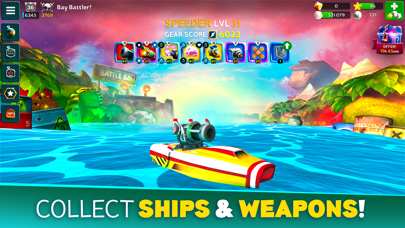
Choose a ship, select your weapons and go to battle against opponents around the world. Use team strategy and firepower to take your fleet to the top - it's sink or win!
– Choose your ship –
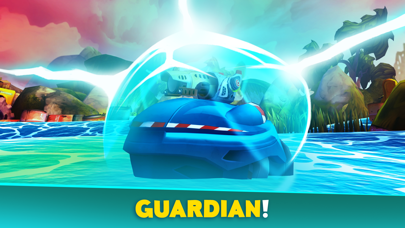
Shooter has a big array of weapons, Speeder is fast and furious, Enforcer is agile and versatile, Defender is a floating tank, and Fixer keeps friendly teammates floating. Level up your ships for more hit points and power!
– Collect weapons –
Collect, upgrade and evolve your weapons to gain more firepower. Choose from a huge selection of destructive, defensive or utility items. Acquire special perks to further enhance the power of your gear. Whatever fits your play style and keeps your team from sinking!
– Host your own battles –
Host a competition with your friends and guild mates in Custom Battles. Create a lobby and invite up to 10 players into 2 teams, plus up to 5 spectators. Play your own 5v5 tournaments or prove your skills in 1v1 duels.
– Join a Guild –
Team up with your friends by joining or creating a guild. Guild leaderboards pit your crew against other bands of blast-happy captains. Who will rise to the top?
– Take on quests and achievements –
Finish quests to earn gold and sugar or go on a guild quest marathon for a chance to earn spectacular loot. Pass achievements to earn pearls and powerful items. Prove your Infamy by competing in ranked two-week tournaments for exclusive rewards!
– VIP Subscription –
Battle Bay offers a VIP subscription service that grants its members exclusive benefits:
+50% Ad-Free bonus to Battle Rewards
+20% faster Crew Training
One free Daily Shop Refresh
Access to VIP Chat Channel
The VIP membership subscription is available as a weekly or monthly purchase at a price of $4.99 / week or $9.99 / month. Payment will be charged to your iTunes Account starting at the initial confirmation of the VIP Subscription purchase. Your VIP subscription will automatically renew 24-hours before the end of the current payment period. Manage subscription auto-renewal in iTunes Account Settings. No cancellation of the current subscription is allowed during the active subscription period. Cancellation will take effect at the start of the next subscription period.
---
We may update the game periodically, for example to add new features or content or to fix bugs or other technical issues. Please note that the game may not function properly if you do not have the newest version installed. If you have not installed the latest update, Rovio will not be responsible for the game failing to function as expected.
While our game is free to download and play, some game items can also be purchased for real money and the game may include loot boxes or other game mechanics with random rewards. Purchasing these items is optional but you can also disable in-app purchases in your device’s settings.
Terms of Use: https://www.rovio.com/terms-of-service
Privacy Policy: https://www.rovio.com/privacy

- iPhone أو iPad بجيلبريك أو بدون جيلبريك.
- Sideloadly أو بدائلها.
- كمبيوتر يعمل بنظام Windows/macOS/Linux مع تثبيت iTunes.
الخطوة 1: قم بتنزيل ملف .IPA المعدّل مسبقًا من الرابط أعلاه إلى الكمبيوتر الخاص بك. للتنزيل من تطبيق iOSGods App، اطلع على دليل تنزيل IPA من تطبيق iOSGods App الذي يتضمن مثالًا بالفيديو.
الخطوة 2: قم بتنزيل Sideloadly وتثبيته على جهاز Windows أو Mac.
الخطوة 3: افتح Sideloadly على الكمبيوتر، ووصّل جهاز iOS الخاص بك، وانتظر حتى يظهر اسم جهازك داخل Sideloadly.
الخطوة 4: بمجرد التعرّف على جهاز iDevice الخاص بك، اسحب ملف .IPA المعدّل الذي قمت بتنزيله وأفلِته داخل تطبيق Sideloadly.
الخطوة 5: أدخل البريد الإلكتروني لحساب Apple Account الخاص بك، ثم اضغط على «Start». سيُطلب منك بعد ذلك إدخال كلمة المرور. تابع وأدخل المعلومات المطلوبة.
الخطوة 6: انتظر حتى ينتهي Sideloadly من تحميل/تثبيت ملف IPA المعدّل. في حال واجهت أي مشاكل أثناء التثبيت، يرجى قراءة الملاحظة أدناه.
الخطوة 7: بعد اكتمال التثبيت ورؤية التطبيق على الشاشة الرئيسية، انتقل إلى Settings → General → Profiles / VPN & Device Management. ثم اضغط على البريد الإلكتروني الذي أدخلته في الخطوة 6، ثم اضغط على «الوثوق بـ [email protected]».
الخطوة 8: الآن انتقل إلى الشاشة الرئيسية وافتح التطبيق الذي تم تثبيته للتو وسيعمل كل شيء بشكل صحيح. قد تحتاج إلى اتباع تعليمات إضافية خاصة بكل تطبيق داخل النافذة المنبثقة للتعديل أثناء اللعب.
ملاحظة: بدءًا من iOS/iPadOS 16 وما بعده، يجب تفعيل وضع المطور (Developer Mode). بالنسبة لحسابات Apple Developer المجانية، ستحتاج إلى تكرار هذه العملية كل 7 أيام. إذا كانت لديك أي أسئلة أو مشاكل، يرجى قراءة قسم الأسئلة الشائعة حول Sideloadly في الموضوع.