Inicio de sesión requerido
Inicia sesión con tu cuenta de iOSGods para continuar.
Inicia sesión con tu cuenta de iOSGods para continuar.

Aplicación de Pago Gratuita
LumaFusion es una aplicación profesional de edición de vídeo multitarea para dispositivos móviles, ahora disponible como Mod IPA gratuita para iOS, desbloqueando herramientas de edición premium sin necesidad de suscripción de pago. Crea historias cinematográficas con control total sobre relaciones de aspecto, velocidades de fotogramas y efectos avanzados en cualquier lugar, desde la concepción hasta el corte final.
Esta app también incluye iGameGod, que te ofrece acceso a Auto Touch para automatizar tareas repetitivas, App Speed Manager para ajustar la velocidad del juego, edición de valores con Memory Engine y más potentes herramientas para juegos de iOS.
Descarga LumaFusion modded IPA desde los enlaces de arriba. Toca el botón de instalación y sigue las instrucciones para instalar este hack iOS en tu iPhone, iPad o Mac con Apple Silicon.
¿Necesitas más ayuda? Consulta nuestras Preguntas frecuentes de la app iOSGods para respuestas detalladas y consejos de solución de problemas.
LumaFusion: La experiencia de narración definitiva para la edición de vídeo
¡Te damos la bienvenida a la «App del año» 2021 de la App Store y receptora del premio Editors’ Choice Award! Fijamos el estándar de oro para los narradores del mundo y ofrecemos una experiencia de edición fluida, intuitiva y diseñada para una pantalla táctil.
EDICIÓN PROFESIONAL FÁCIL
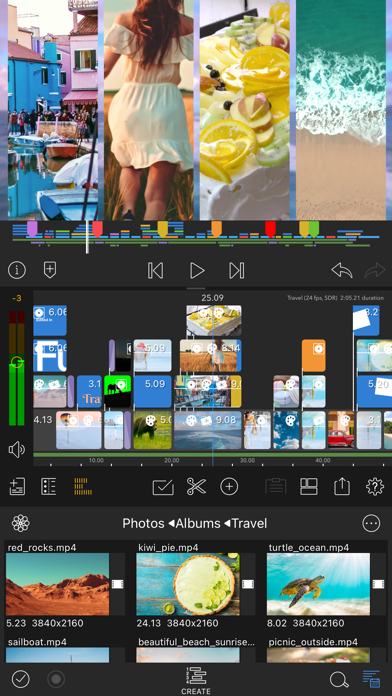
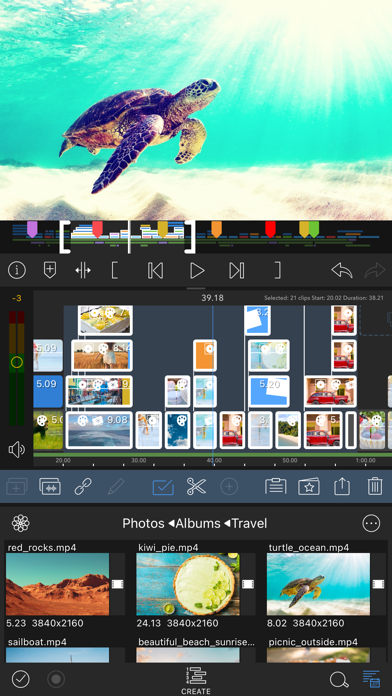
• Seis pistas de vídeo/audio o gráficas: Crea ediciones de múltiples capas con el manejo fluido de los medios ProRes 4K y HDR.
• Seis pistas de audio adicionales: Construye tu paisaje sonoro.
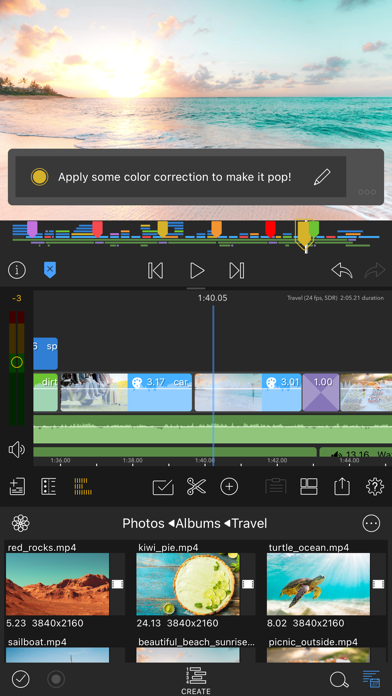
• La cronología definitiva: Edición fluida utilizando la cronología basada en pistas y magnética más flexible del mundo.
• Montones de transiciones: Mantén tu historia en movimiento.
• Vista previa del monitor externo: Míralo en una pantalla grande.
• Marcadores, etiquetas y notas: Mantén la organización.
• Locución: Graba VO mientras reproduces tu película.
EFECTOS EN CAPAS Y CORRECCIÓN DE COLORES
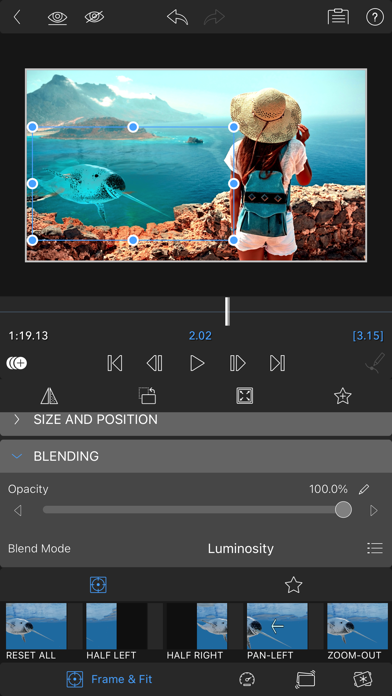
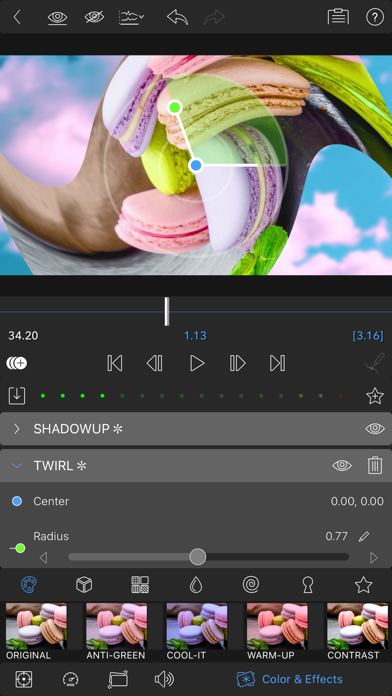
• Croma, luma e incrustación por croma: Para composiciones creativas.
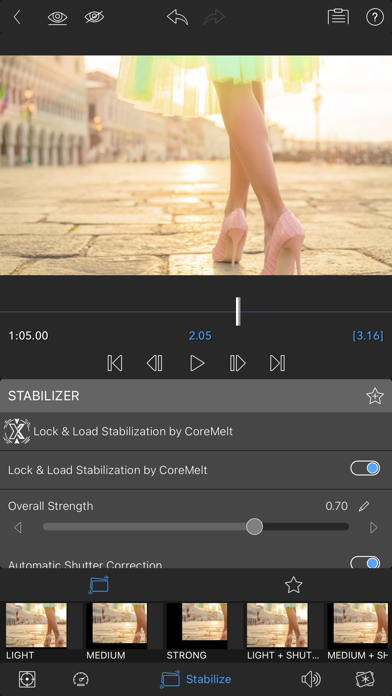
• Fijar y cargar el estabilizador de vídeo: Estabiliza tu metraje.
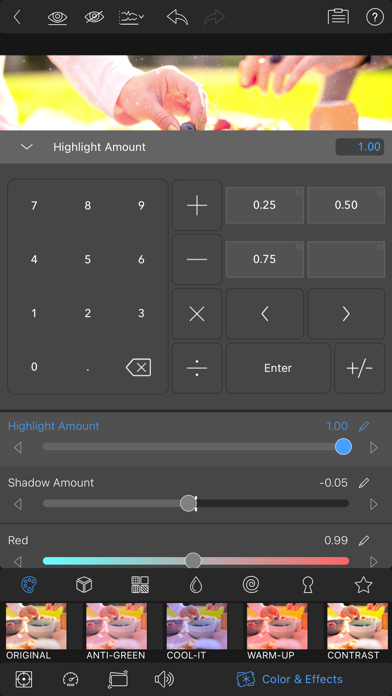
• Potente corrección del color: Crea tu propio aspecto.
• Formas de onda de video, scopes vectoriales y scopes de histograma.
• LUTs: Importa y aplica varios .cube o .3dl LUT.
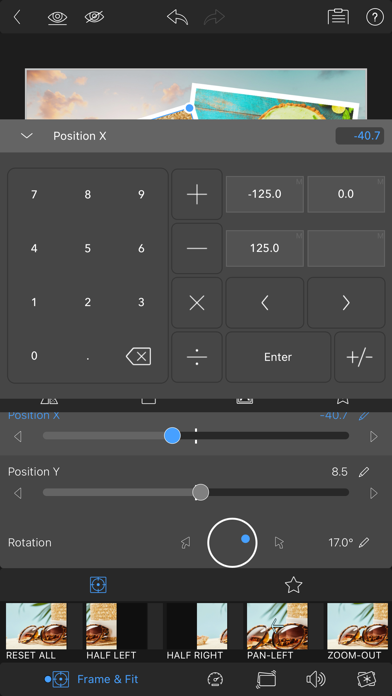
• Fotogramas ilimitados: Efectos animados con precisión.
• Preajustes de texto y efecto personalizables: Guarda y comparte tus animaciones y aspectos favoritos.
• Cuadrículas y guías: Alinea elementos con precisión con Título seguro, Acción segura y línea de horizonte.
CONTROL DE AUDIO AVANZADO
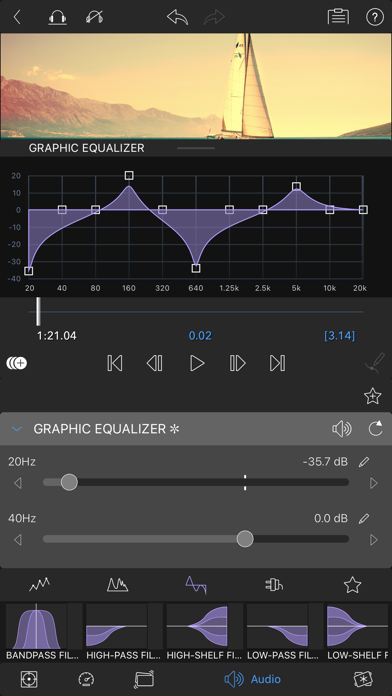
• Ecualizador gráfico, paramétrico e insonorización: Audio bien ajustado.
• Niveles de audio de fotogramas, panorámica y ecualizador: Crea mezclas perfectas.
• Asistente de audio mono-dual y estéreo: Para entrevistas con varios micrófonos en una pista.
• Atenuación de sonido: Equilibra tu música y tus diálogos.
• Complementos de sonido de terceros: Mejora tu sonido.
TÍTULOS CREATIVOS Y TEXTO MULTICAPA
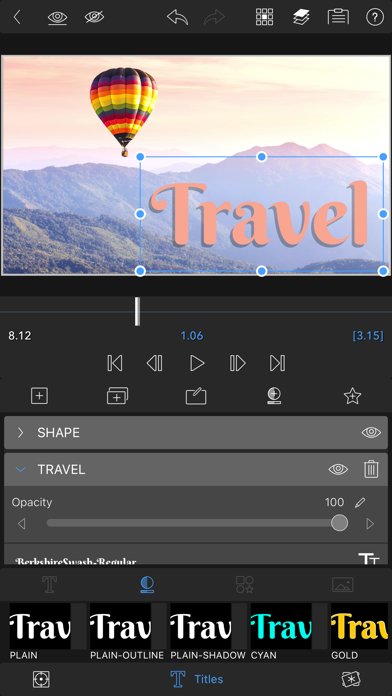
• Títulos multicapa: Combina formas, imágenes y texto en su gráfico.
• Fuentes, colores, bordes y sombras personalizables: Diseña títulos llamativos.
• Importar fuentes personalizadas: Fortalece tu marca.
• Guardar y compartir preajustes de título: Perfecto para colaboraciones.
FLEXIBILIDAD DE PROYECTO Y BIBLIOTECA DE ARCHIVOS MULTIMEDIA
• Relaciones de aspecto para todos los usos: Desde una pantalla panorámica de cine a redes sociales.
• Relaciones de encuadre de 18 a 240 fps: Flexibilidad para cualquier flujo de trabajo.
• Editar desde Fotos, Frame.io y directamente desde unidades USB-C: Accede a tus contenido en cualquier lugar.
• Importar archivos multimedia desde el almacenamiento en la nube: Desde donde sea que los guardes.
COMPARTE TUS OBRAS MAESTRAS
• Controlar la resolución, la calidad y el formato:
• Comparte películas en redes sociales, almacenamiento local o almacenamiento en la nube.
• Editar en varios dispositivos: Transfiere proyectos sin problema.
FUNCIONES MEJORADAS (comprar individualmente o obtenerlas TODAS como parte de la suscripción Creator Pass - ver más abajo)
• Aceleración de velocidad y keyframing mejorado - Crea rampas de velocidad, curvas de Bézier y suavizado con esta característica única y fácil de usar.
Exportación XML: Envía tu proyecto a Final Cut Pro para Mac
• Estudio multicámara: Sincroniza 6 cámaras o audio y toca para cambiar ángulos
SUSCRIPCIÓN CREATOR PASS
• Obtén acceso completo a Storyblocks para LumaFusion: Millones de música, efectos de sonido y videos sin regalías de alta calidad, ADEMÁS obtén TODAS las Funciones Mejoradas mencionadas anteriormente.
AYUDA GRATUITA EXCEPCIONAL
• Tutoriales online: www.youtube.com/@LumaTouch
• Guía de referencia: luma-touch.com/lumafusion-reference-guide
• Asistencia: luma-touch.com/support
- iPhone o iPad con o sin Jailbreak.
- Sideloadly u otras alternativas.
- Ordenador con Windows/macOS/Linux e iTunes instalado.
PASO 1: Descargue el archivo .IPA pre-modificado desde el enlace de arriba a su ordenador. Para descargarlo desde la iOSGods App, consulte nuestro Tutorial de descarga del IPA desde la iOSGods App, que incluye un ejemplo en vídeo.
PASO 2: Descargue Sideloadly e instálelo en su Windows o Mac.
PASO 3: Abra Sideloadly en su ordenador, conecte su dispositivo iOS y espere hasta que el nombre del dispositivo aparezca en Sideloadly.
PASO 4: Una vez que su iDevice sea reconocido, arrastre el archivo .IPA modificado que descargó y suéltelo en la aplicación Sideloadly.
PASO 5: Introduzca el correo electrónico de su Apple Account y, a continuación, pulse «Start». Le pedirá que introduzca su contraseña. Proporcione la información solicitada.
PASO 6: Espere a que Sideloadly termine de hacer sideload/instalar el IPA modificado. Si surgen problemas durante la instalación, por favor lea la nota a continuación.
PASO 7: Una vez completada la instalación y al ver la app en la pantalla de inicio, deberá ir a Ajustes → General → Perfiles / VPN y Gestión de Dispositivos. Una vez allí, toque el correo electrónico que introdujo en el paso 6 y, después, toque en «Confiar en [email protected]».
PASO 8: Ahora vaya a la pantalla de inicio y abra la app recién instalada; todo debería funcionar correctamente. Es posible que tenga que seguir instrucciones adicionales específicas de cada app dentro del popup del hack en el juego.
NOTA: En iOS/iPadOS 16 y posteriores, debe activar el Modo Desarrollador. Para cuentas gratuitas de Apple Developer, deberá repetir este proceso cada 7 días. Si tiene alguna pregunta o problema, lea nuestra sección de Preguntas Frecuentes de Sideloadly del tema.