Inicio de sesión requerido
Inicia sesión con tu cuenta de iOSGods para continuar.
Inicia sesión con tu cuenta de iOSGods para continuar.

Aplicación de Pago Gratuita
LumaFusion es una aplicación profesional de edición de vídeo multitarea para dispositivos móviles, ahora disponible como Mod IPA gratuita para iOS, desbloqueando herramientas de edición premium sin necesidad de suscripción de pago. Crea historias cinematográficas con control total sobre relaciones de aspecto, velocidades de fotogramas y efectos avanzados en cualquier lugar, desde la concepción hasta el corte final.
Esta app también incluye iGameGod, que te ofrece acceso a Auto Touch para automatizar tareas repetitivas, App Speed Manager para ajustar la velocidad del juego, edición de valores con Memory Engine y más potentes herramientas para juegos de iOS.
Descarga LumaFusion modded IPA desde los enlaces de arriba. Toca el botón de instalación y sigue las instrucciones para instalar este hack iOS en tu iPhone, iPad o Mac con Apple Silicon.
¿Necesitas más ayuda? Consulta nuestras Preguntas frecuentes de la app iOSGods para respuestas detalladas y consejos de solución de problemas.
LumaFusion: The Ultimate Storytelling Experience for Video Editing
Welcome to the App Store’s “App of the Year” for 2021 and the recipient of the Editors’ Choice Award! The gold standard for storytellers worldwide. Offering a fluid, intuitive, touch-screen editing experience.
PROFESSIONAL EDITING MADE EASY
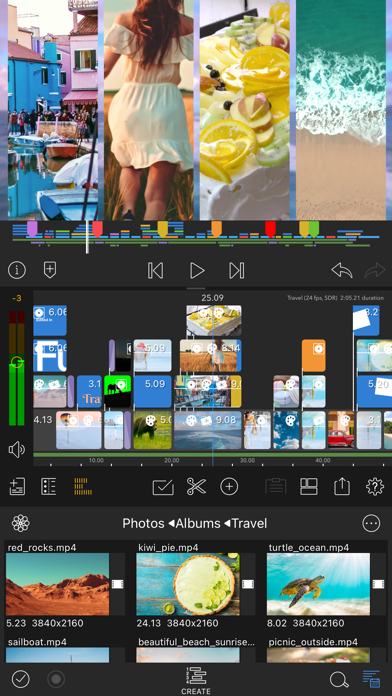
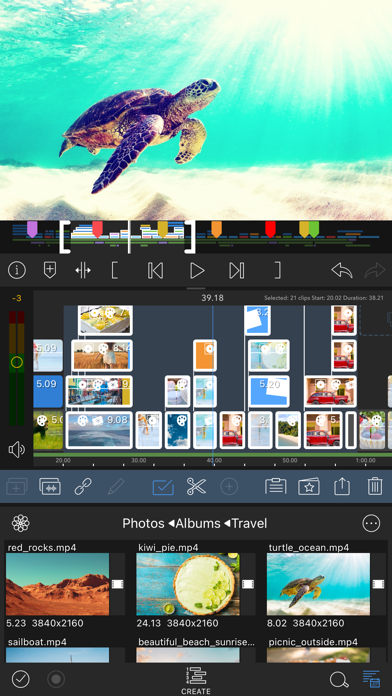
• Six video/audio or graphic tracks: Create multiple layer edits with smooth handling of 4K ProRes and HDR media.
• Six Additional audio tracks: Build your soundscape.
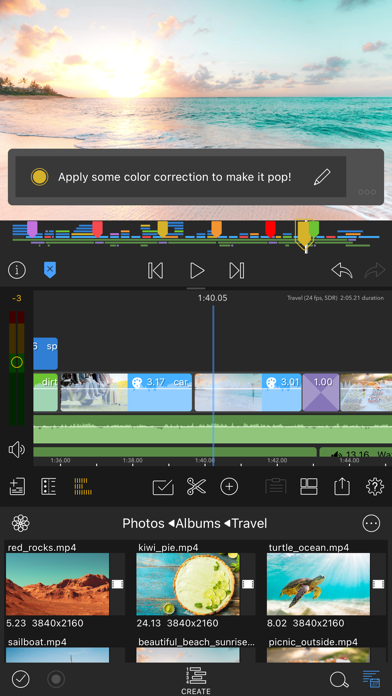
• The ultimate Timeline: Fluent editing using the world’s most flexible track-based AND magnetic timeline.
• Loads of transitions: Keep your story moving.
• External Monitor Preview: View on a big screen.
• Markers, tags and notes: Stay organized.
• Voiceover: Record VO while playing your movie.
LAYERED EFFECTS AND COLOR CORRECTION
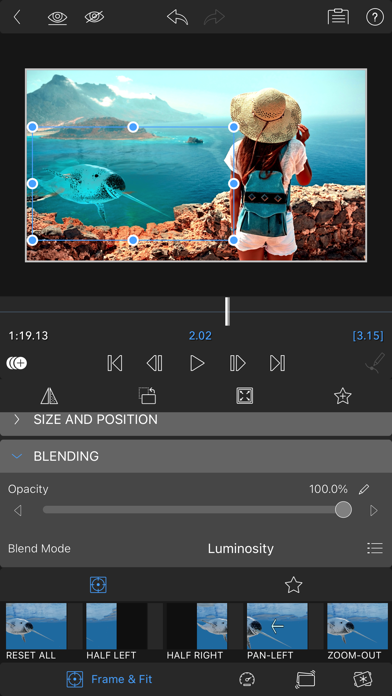
• Green screen, luma, and chroma keys: For creative compositing.
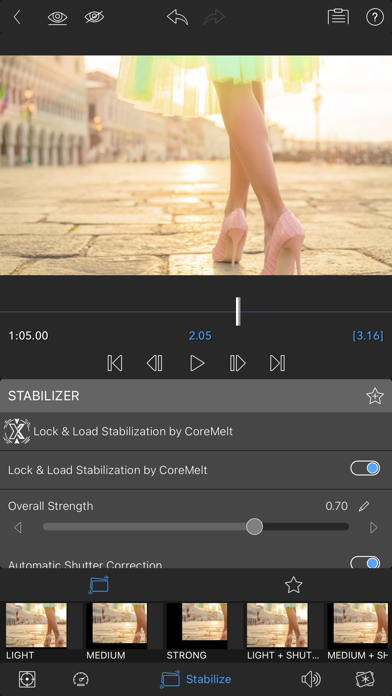
• Lock & Load Video Stabilizer: Steady your footage.
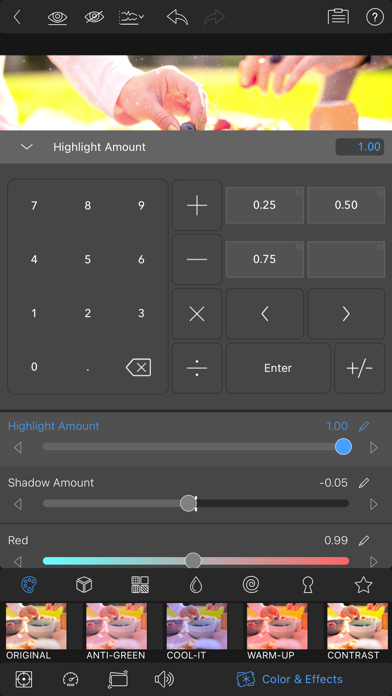
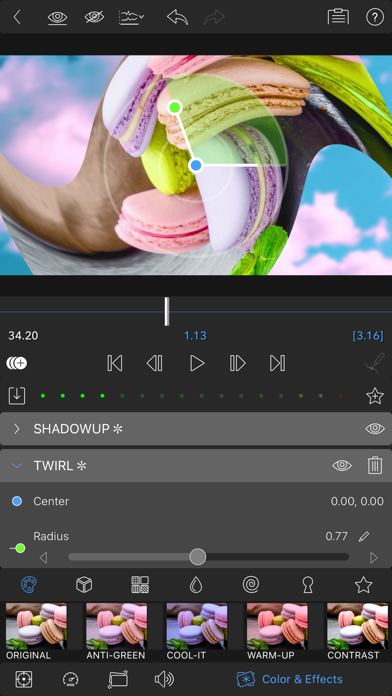
• Powerful color correction: Create your own look.
• Video Waveform, vector and histogram scopes.
• LUTs: Import and apply multiple .cube or .3dl LUTs.
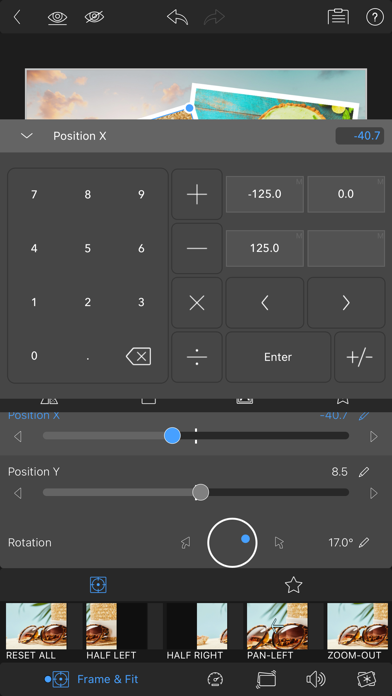
• Unlimited keyframes: Animate effects with precision.
• Customizable text and effect presets: Save and share your favorite animations and looks.
• Grids and Guides: Precisely align elements with Title-Safe, Action-Safe and horizon line.
ADVANCED AUDIO CONTROL
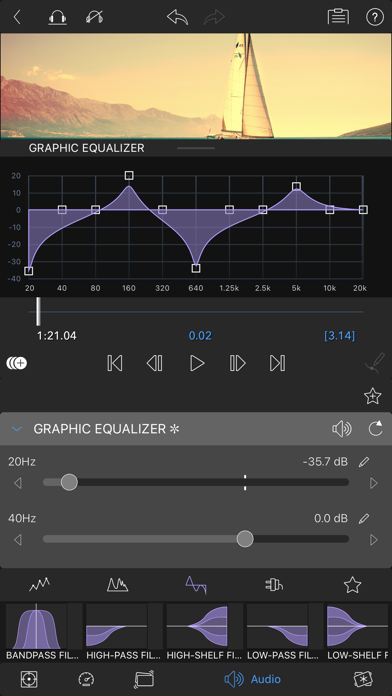
• Graphic EQ, Parametric EQ and Voice Isolation: Fine-tune audio.
• Keyframe audio levels, panning, and EQ: Craft seamless mixes.
• Stereo and Dual-mono audio support: For interviews with multiple mics on one clip.
• Audio Ducking: Balance your music and dialogue.
• Third-party audio plugins: Enhance your sound.
CREATIVE TITLES AND MULTILAYER TEXT
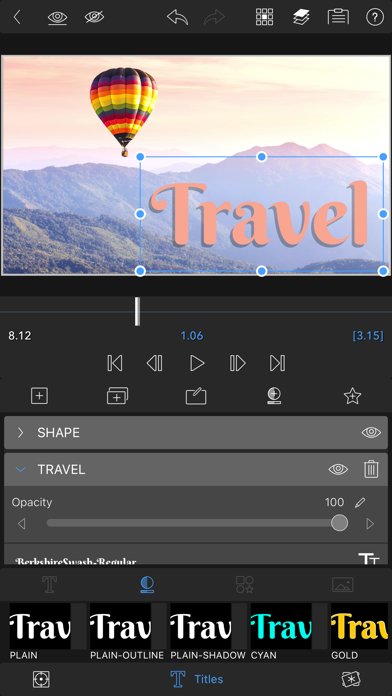
• Multilayer titles: Combine shapes, images, and text into your graphic.
• Customizable fonts, colors, borders, and shadows: Design eye-catching titles.
• Import custom fonts: Strengthen your brand.
• Save and share title presets: Perfect for collaboration.
PROJECT FLEXIBILITY AND MEDIA LIBRARY
• Aspect ratios for all uses: From widescreen cinema to social media.
• Frame rates from 18fps to 240fps: Flexibility for any workflow.
• Edit from Photos, Frame.io, and directly from USB-C drives: Access your content anywhere.
• Import media from cloud storage: Wherever you store it.
SHARE YOUR MASTERPIECES
• Control resolution, quality, and format:
• Share movies to social media, local storage or cloud storage.
• Edit on multiple devices: Seamlessly transfer projects.
ENHANCED FEATURES (purchase individually, or get them ALL as part of the Creator Pass subscription - see below)
• Speed Ramping and Enhanced Keyframing - Create speed ramps, Bézier curves, and easing with this one-of-a-kind, easy to use feature.
• XML Export: Send your project to Final Cut Pro for Mac
• Multicam Studio: Synchronize 6 cameras or audio and tap to switch angles
CREATOR PASS SUBSCRIPTION
• Get full access to Storyblocks for LumaFusion: Millions of High-quality royalty-free music, SFX, and videos, PLUS get ALL the Enhanced Features above.
EXCEPTIONAL FREE SUPPORT
• Online tutorials: www.youtube.com/@LumaTouch
• Reference Guide: luma-touch.com/lumafusion-reference-guide
• Support: luma-touch.com/support
- iPhone o iPad con o sin Jailbreak.
- Sideloadly u otras alternativas.
- Ordenador con Windows/macOS/Linux e iTunes instalado.
PASO 1: Descargue el archivo .IPA pre-modificado desde el enlace de arriba a su ordenador. Para descargarlo desde la iOSGods App, consulte nuestro Tutorial de descarga del IPA desde la iOSGods App, que incluye un ejemplo en vídeo.
PASO 2: Descargue Sideloadly e instálelo en su Windows o Mac.
PASO 3: Abra Sideloadly en su ordenador, conecte su dispositivo iOS y espere hasta que el nombre del dispositivo aparezca en Sideloadly.
PASO 4: Una vez que su iDevice sea reconocido, arrastre el archivo .IPA modificado que descargó y suéltelo en la aplicación Sideloadly.
PASO 5: Introduzca el correo electrónico de su Apple Account y, a continuación, pulse «Start». Le pedirá que introduzca su contraseña. Proporcione la información solicitada.
PASO 6: Espere a que Sideloadly termine de hacer sideload/instalar el IPA modificado. Si surgen problemas durante la instalación, por favor lea la nota a continuación.
PASO 7: Una vez completada la instalación y al ver la app en la pantalla de inicio, deberá ir a Ajustes → General → Perfiles / VPN y Gestión de Dispositivos. Una vez allí, toque el correo electrónico que introdujo en el paso 6 y, después, toque en «Confiar en [email protected]».
PASO 8: Ahora vaya a la pantalla de inicio y abra la app recién instalada; todo debería funcionar correctamente. Es posible que tenga que seguir instrucciones adicionales específicas de cada app dentro del popup del hack en el juego.
NOTA: En iOS/iPadOS 16 y posteriores, debe activar el Modo Desarrollador. Para cuentas gratuitas de Apple Developer, deberá repetir este proceso cada 7 días. Si tiene alguna pregunta o problema, lea nuestra sección de Preguntas Frecuentes de Sideloadly del tema.