Giriş Gerekli
Devam etmek için iOSGods hesabınızla giriş yapın.
Devam etmek için iOSGods hesabınızla giriş yapın.
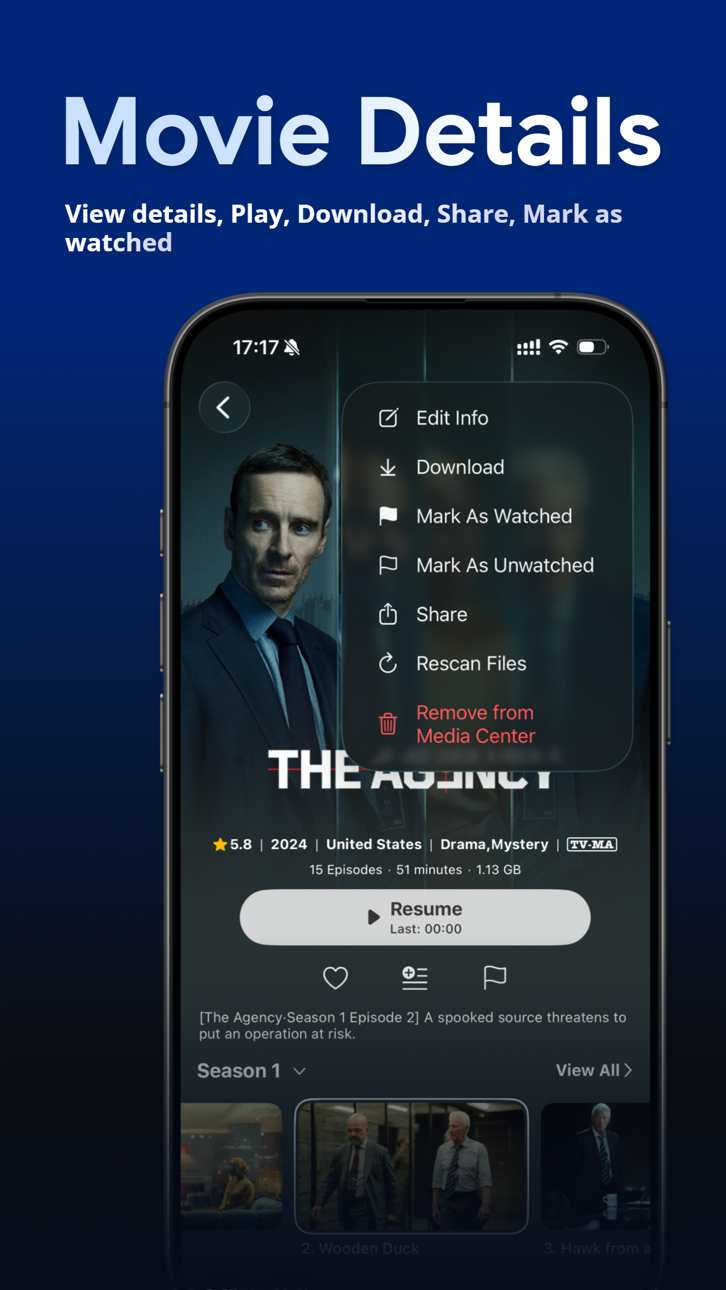
VidHub'ın premium özelliklerini bu değiştirilmiş iOS uygulamasıyla açın, gelişmiş medya kütüphanesi yönetimi ve ağ paylaşımına kısıtlama olmadan tam erişim kazanın. VidHub, iOS, Mac ve Apple TV'de birden fazla formatı destekleyen özellik açısından zengin bir video oynatıcıdır ve iCloud senkronizasyonu sunar; bu hile, tüm yetenekleri anında kullanabilmeniz için ödeme duvarını kaldırır.
- Premium Açılmış → tüm özelliklere tam erişim
SENKRONIZASYON İÇİN GOOGLE HESABI İLE GİRİŞ YAPMAYINIZ AKSI TAKDİRDE ÇALIŞMAYACAKTIR
Yukarıdaki bağlantılardan VidHub -Video Library & Player iOS Mod IPA indirin. Yükle düğmesine dokunup ekrandaki yönergeleri izleyerek bu iOS uygulama hack'ini iPhone, iPad veya Apple Silicon'a yükleyin.
Daha fazla yardıma mı ihtiyacınız var? Ayrıntılı yanıtlar ve sorun giderme ipuçları için iOSGods Uygulaması Sık Sorulan Sorular sayfamıza bakın.
Looking for a feature-packed and efficient media player to manage, organize, and play different types of video content? Enter VidHub! As the newest and most popular media player, VidHub serves up more than just the ability to play all types of video formats. With extensive media library management, VidHub promises stable and speedy video playback for an exceptional user experience.
Some of the key features that VidHub offers include:
- Support iOS, Mac, Apple TV platform, data synchronization through iCloud
- Support for a comprehensive range of video formats, including .mkv、.avi、.mp4、.mov、.rmvb、.wmv, and more
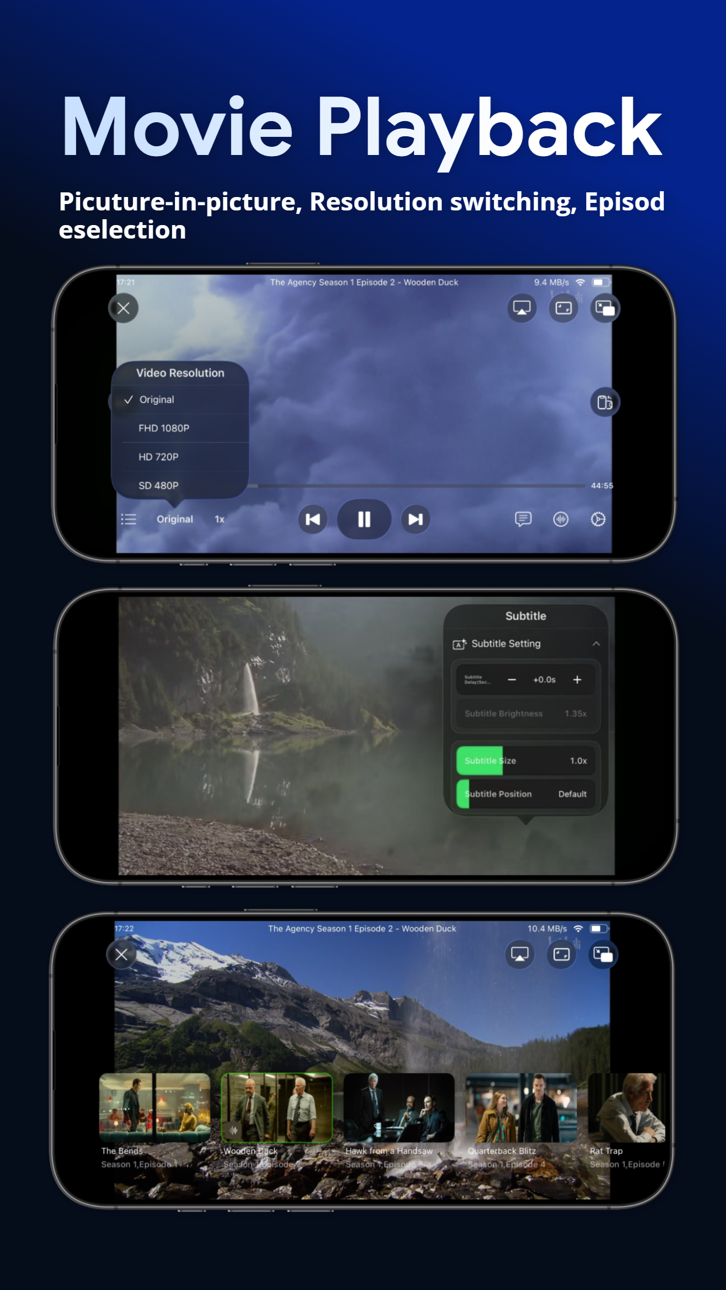
- High-quality video playback for HD, 4K, HDR, and various other resolutions
- The ability to enable and disable subtitles, with support for embedded and external subtitle formats such as SRT, SSA, and SUB
- Access your personal media libraries through SMB/CIFS and WebDAV, or connect your authorized accounts from supported cloud storage services, including Dropbox, Google Drive, OneDrive, Baidu Netdisk, Aliyun Drive, China Mobile Cloud Drive, and 115.
- Support renaming cloud files, support add character, replace character, regular expression renaming method.
- Support direct-link to Emby, Jellyfin, Plex media server.
- Built-in media library management tools, with an intuitive interface for displaying videos and customizable sorting options by type, date, rating, and more.
All in all, VidHub offers a fully-featured and outstanding media player experience, delivering the smoothest and highest-quality viewing experience for all types of video content, with all the customizations and features one could desire.
Note: The metadata and artwork are sourced from TMDB, a movie and TV show database that is maintained by the community.
Privacy Policy and Terms of Use
https://okaapps.com/privacy_vidhub
https://okaapps.com/terms_vidhub
Ekran görüntüleri © ilgili sahipleri · App Store


iOSGods; Apple Inc., Google LLC veya burada listelenen uygulamaların geliştiricileriyle bağlantılı değildir, onlar tarafından onaylanmamış ve desteklenmemiştir. Apple, iOS ve App Store, Apple Inc. şirketinin ticari markalarıdır. Android ve Google Play, Google LLC şirketinin ticari markalarıdır. Diğer tüm uygulama adları, simgeler, görseller ve ticari markalar ilgili sahiplerine aittir.

- Jailbreak'siz/normal ya da jailbreak'li iPhone veya iPad.
- Sideloadly veya alternatifleri.
- iTunes yüklü Windows/macOS/Linux çalıştıran bir bilgisayar.
ADIM 1: Yukarıdaki bağlantıdan önceden hacklenmiş .IPA dosyasını bilgisayarınıza indirin. iOSGods App üzerinden indirmek için video örneği de içeren iOSGods App IPA İndirme Kılavuzu bölümümüze göz atın.
ADIM 2: Sideloadly indirin ve Windows veya Mac'inize kurun.
ADIM 3: Bilgisayarınızda Sideloadly'yi açın, iOS cihazınızı bağlayın ve cihaz adınız Sideloadly'de görünene kadar bekleyin.
ADIM 4: iCihazınız tanındıktan sonra, indirdiğiniz modlu .IPA dosyasını sürükleyip Sideloadly uygulamasına bırakın.
ADIM 5: Apple Account e-posta adresinizi girin ve ardından "Start" düğmesine basın. Sonrasında sizden şifreniz istenecektir. Gerekli bilgileri girin.
ADIM 6: Sideloadly'nin hacklenmiş IPA'yı sideload edip yüklemesini bekleyin. Yükleme sırasında bir sorun olursa lütfen aşağıdaki notu okuyun.
ADIM 7: Yükleme tamamlandıktan ve uygulamayı Ana Ekranınızda gördükten sonra Ayarlar → Genel → Profiller / VPN ve Cihaz Yönetimi bölümüne gitmelisiniz. Burada 6. adımda girdiğiniz e-postaya dokunun ve ardından "[email protected]'a Güven" seçeneğine dokunun.
ADIM 8: Şimdi Ana Ekranınıza gidin ve yeni yüklediğiniz uygulamayı açın; her şey sorunsuz çalışmalıdır. Oyun içindeki hack açılır penceresinde uygulamaya özel ek talimatları takip etmeniz gerekebilir.
NOT: iOS/iPadOS 16 ve sonrasında Geliştirici Modu'nu etkinleştirmeniz gerekir. Ücretsiz Apple Developer hesapları için bu işlemi her 7 günde bir tekrarlamanız gerekir. Sorularınız veya sorunlarınız varsa konunun Sideloadly SSS bölümünü okuyun.
Game Name iOS Mod IPA is an action adventure game enhanced with powerful gameplay boosts and quality-of-life improvements. Win battles faster, earn rewards quicker, and enjoy uninterrupted play without ads.
- Unlimited Gold - spend freely to unlock premium content
- Damage Multiplier - deal significantly more damage in combat
- Defense Multiplier - take less damage and survive longer
- Reward Multiplier - earn more loot from every battle
- Max Level - instantly reach the highest player rank
- No Ads - play without interruptions or advertisements
This app also comes with iGameGod, giving you access to Auto Touch to automate repetitive tasks, App Speed Manager for adjustable gameplay speed, Memory Engine value editing, and more powerful iOS game tools.
Yukarıdaki bağlantılardan Game Name Mod IPA indirin. Yükle düğmesine dokunup ekrandaki yönergeleri izleyerek bu iOS uygulama hack'ini iPhone, iPad veya Apple Silicon'a yükleyin.
Daha fazla yardıma mı ihtiyacınız var Ayrıntılı yanıtlar ve sorun giderme ipuçları için iOSGods Uygulaması Sık Sorulan Sorular sayfamıza bakın.
----------------------------------------------------------
--------------------------------------------------