Anmeldung erforderlich
Melde dich mit deinem iOSGods-Konto an, um fortzufahren.
Melde dich mit deinem iOSGods-Konto an, um fortzufahren.

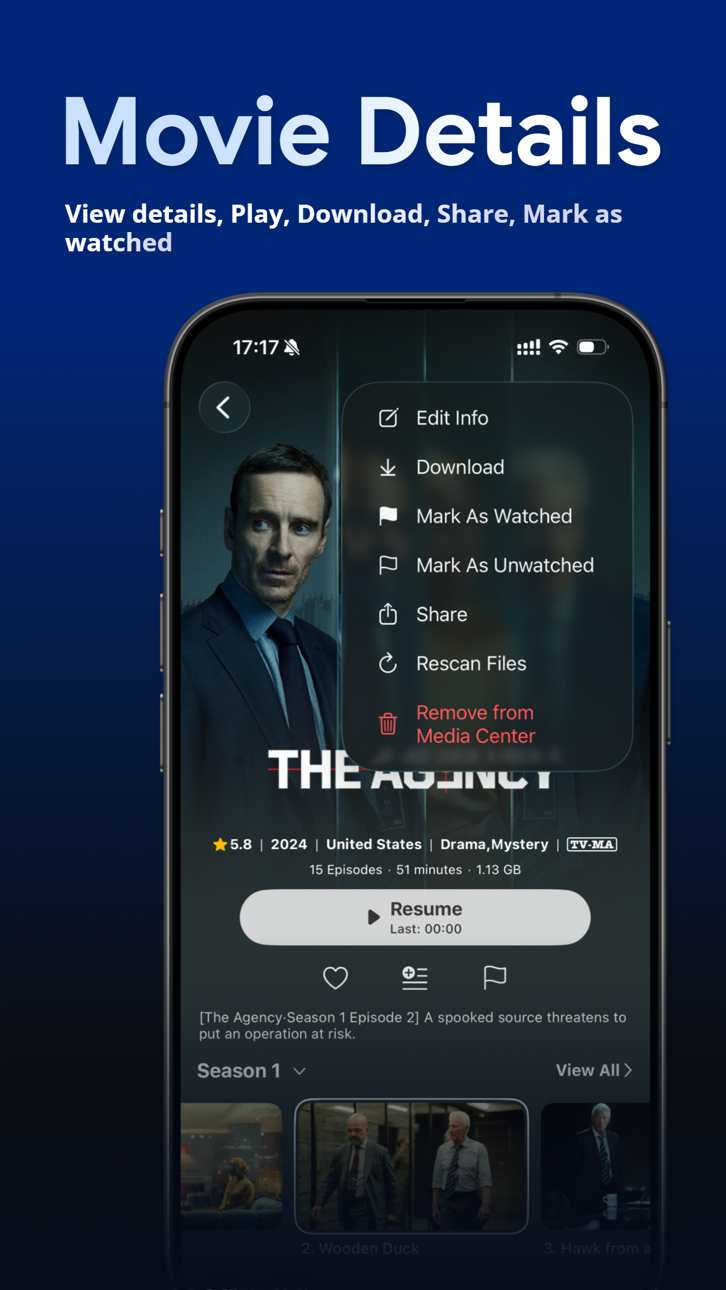
Entsperre die Premium-Funktionen von VidHub mit dieser modifizierten iOS-App und erhalte vollständigen Zugriff auf erweiterte Mediathek-Verwaltung und Netzwerk-Freigabe ohne Einschränkungen. VidHub ist ein funktionsreicher Video-Player, der mehrere Formate auf iOS, Mac und Apple TV mit iCloud-Synchronisierung unterstützt, und dieser Hack entfernt die Bezahlschranke, damit du alle Funktionen sofort nutzen kannst.
- Premium freigeschaltet → vollständiger Zugriff auf alle Funktionen
MELDE DICH NICHT MIT GOOGLE-KONTO AN, UM ZU SYNCHRONISIEREN, SONST FUNKTIONIERT ES NICHT
Lade VidHub -Video Library & Player iOS Mod IPA über die obigen Links herunter. Tippe auf den Installations-Button und folge den Anweisungen, um diese iOS-App auf deinem iPhone, iPad oder Apple Silicon zu installieren.
Brauchst du mehr Hilfe? In unseren iOSGods App häufig gestellten Fragen findest du ausführliche Antworten und Tipps zur Fehlerbehebung.
Looking for a feature-packed and efficient media player to manage, organize, and play different types of video content? Enter VidHub! As the newest and most popular media player, VidHub serves up more than just the ability to play all types of video formats. With extensive media library management, VidHub promises stable and speedy video playback for an exceptional user experience.
Some of the key features that VidHub offers include:
- Support iOS, Mac, Apple TV platform, data synchronization through iCloud
- Support for a comprehensive range of video formats, including .mkv、.avi、.mp4、.mov、.rmvb、.wmv, and more
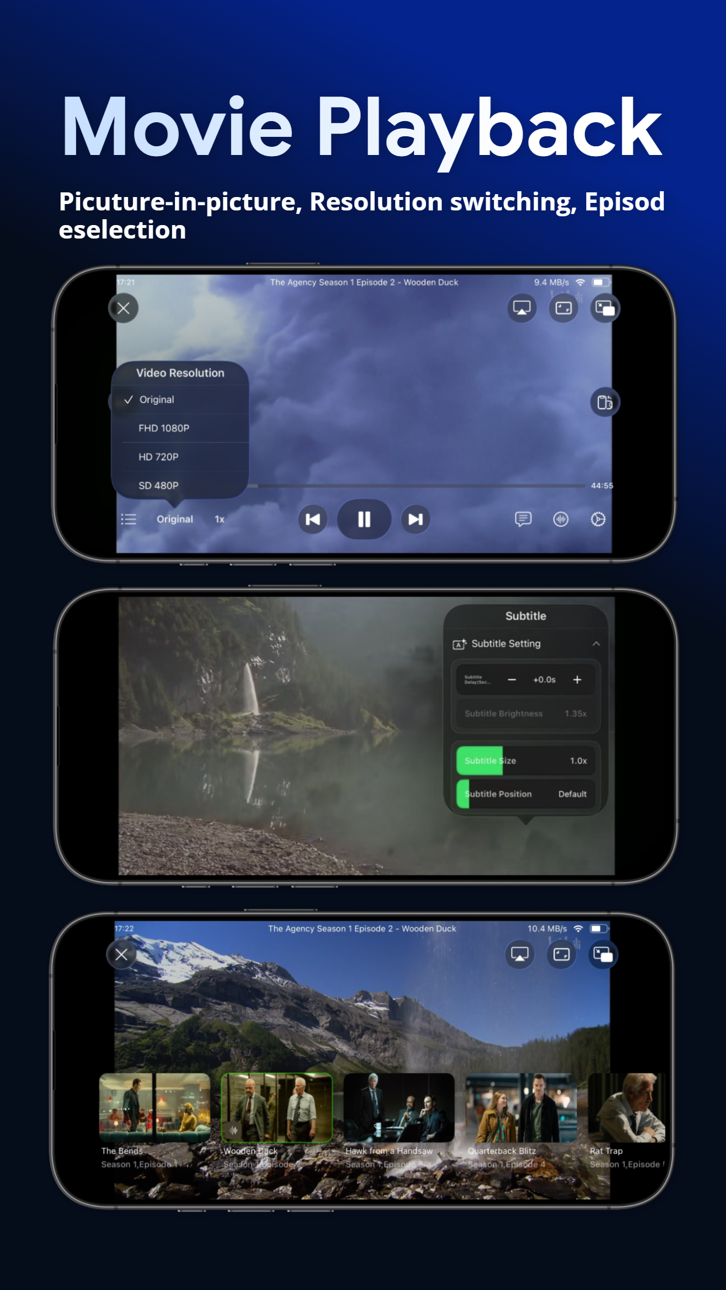
- High-quality video playback for HD, 4K, HDR, and various other resolutions
- The ability to enable and disable subtitles, with support for embedded and external subtitle formats such as SRT, SSA, and SUB
- Access your personal media libraries through SMB/CIFS and WebDAV, or connect your authorized accounts from supported cloud storage services, including Dropbox, Google Drive, OneDrive, Baidu Netdisk, Aliyun Drive, China Mobile Cloud Drive, and 115.
- Support renaming cloud files, support add character, replace character, regular expression renaming method.
- Support direct-link to Emby, Jellyfin, Plex media server.
- Built-in media library management tools, with an intuitive interface for displaying videos and customizable sorting options by type, date, rating, and more.
All in all, VidHub offers a fully-featured and outstanding media player experience, delivering the smoothest and highest-quality viewing experience for all types of video content, with all the customizations and features one could desire.
Note: The metadata and artwork are sourced from TMDB, a movie and TV show database that is maintained by the community.
Privacy Policy and Terms of Use
https://okaapps.com/privacy_vidhub
https://okaapps.com/terms_vidhub
Screenshots © der jeweiligen Inhaber · App Store


iOSGods ist nicht mit Apple Inc., Google LLC oder den Entwicklern der hier aufgeführten Apps verbunden und wird von ihnen weder unterstützt noch gesponsert. Apple, iOS und App Store sind Marken von Apple Inc. Android und Google Play sind Marken von Google LLC. Alle weiteren App-Namen, Symbole, Grafiken und Marken gehören ihren jeweiligen Inhabern.
- Nicht-Jailbroken/Jailed oder Jailbroken iPhone oder iPad.
- Sideloadly oder Alternativen.
- Computer mit Windows/macOS/Linux und installiertem iTunes.
SCHRITT 1: Lade die vorinstallierte .IPA-Datei über den obigen Link auf deinen Computer herunter. Zum Herunterladen aus der iOSGods-App siehe unser iOSGods App IPA Download-Tutorial mit Videobeispiel.
SCHRITT 2: Lade Sideloadly herunter und installiere es auf deinem Windows oder Mac.
SCHRITT 3: Öffne Sideloadly auf deinem Computer, verbinde dein iOS-Gerät und warte, bis dein Gerätename in Sideloadly erscheint.
SCHRITT 4: Sobald dein iDevice erkannt wird, ziehe die heruntergeladene gemoddete .IPA-Datei in die Sideloadly-Anwendung.
SCHRITT 5: Gib deine Apple-Account-E-Mail ein und drücke „Start". Du wirst dann nach deinem Passwort gefragt. Gib die erforderlichen Informationen ein.
SCHRITT 6: Warte, bis Sideloadly das Sideloading/Installieren der gehackten IPA abgeschlossen hat. Bei Problemen während der Installation lies bitte den Hinweis unten.
SCHRITT 7: Sobald die Installation abgeschlossen ist und die App auf deinem Home-Bildschirm angezeigt wird, musst du zu Einstellungen → Allgemein → Profile / VPN & Geräteverwaltung gehen. Tippe dort auf die E-Mail, die du in Schritt 6 eingegeben hast, und dann auf „Trust [email protected]".
SCHRITT 8: Gehe nun zu deinem Home-Bildschirm und öffne die neu installierte App – alles sollte einwandfrei funktionieren. Möglicherweise musst du weitere App-spezifische Anweisungen im Hack-Popup im Spiel befolgen.
HINWEIS: iOS/iPadOS 16 und höher: Du musst den Entwicklermodus aktivieren. Bei kostenlosen Apple Developer-Accounts musst du diesen Vorgang alle 7 Tage wiederholen. Bei Fragen oder Problemen lies bitte unsere Sideloadly-FAQ-Sektion im Thema.
Game Name iOS Mod IPA is an action adventure game enhanced with powerful gameplay boosts and quality-of-life improvements. Win battles faster, earn rewards quicker, and enjoy uninterrupted play without ads.
- Unlimited Gold - spend freely to unlock premium content
- Damage Multiplier - deal significantly more damage in combat
- Defense Multiplier - take less damage and survive longer
- Reward Multiplier - earn more loot from every battle
- Max Level - instantly reach the highest player rank
- No Ads - play without interruptions or advertisements
This app also comes with iGameGod, giving you access to Auto Touch to automate repetitive tasks, App Speed Manager for adjustable gameplay speed, Memory Engine value editing, and more powerful iOS game tools.
Lade Game Name Mod IPA über die obigen Links herunter. Tippe auf den Installations-Button und folge den Anweisungen, um diese iOS-App auf deinem iPhone, iPad oder Apple Silicon zu installieren.
Brauchst du mehr Hilfe In unseren iOSGods App häufig gestellten Fragen findest du ausführliche Antworten und Tipps zur Fehlerbehebung.
----------------------------------------------------------
--------------------------------------------------