ログインが必要
iOSGodsアカウントでサインインして続けてください。
iOSGodsアカウントでサインインして続けてください。
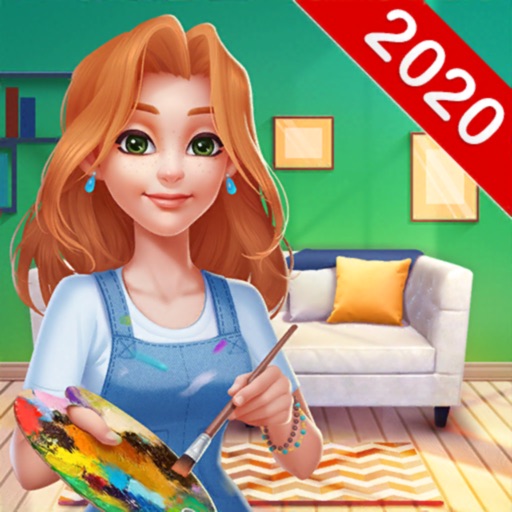
Home Paint: Design My Room は、有名なアーティストとしてお家とお部屋を美しい空間に変身させるリラックス系インテリアデザイン・塗り絵ゲームです。この Mod IPA はすべてのグラインドを削除するため、クリエイティブな楽しさに集中できます。
無制限のリソースを手に指先で操り、エネルギーの回復を待ったりコインを貯めたりする代わりに、世界中の新しい物件を塗装、装飾、アンロックするのに時間を費やします。ストレスフリーなデザイン体験を求めているか、制限なくすべてのお部屋をサクサク進めたいかにかかわらず、このモッド版ではあなたのペースでプレイでき、通常のモバイルゲームの煩わしさなしにアートを楽しめます。
- 無制限エネルギー、コスト無し → 待つことなく塗装・装飾可能
- 無制限コイン → 自由に購入・アップグレード
- 無制限ダイヤモンド → プレミアムアイテムを即座にアンロック
- 無制限ブースター → すべてのタスクを高速化
- 無制限リソース → 素材が足りなくなることはありません
- 広告なし → 中断されないゲームプレイ
このアプリにはiGameGodも搭載されており、繰り返し作業を自動化するAuto Touch、ゲーム速度を調整できるApp Speed Manager、Memory Engineによる値の編集など、強力なiOSゲーム用ツールをご利用いただけます。
Home Paint: Design My Room Hack modded IPAを上のリンクからダウンロードします。インストールボタンをタップし、画面の指示に従ってiPhone、iPad、Apple SiliconにこのiOSアプリハックをインストールします。
さらにヘルプが必要ですか? 詳しい回答とトラブルシューティングはiOSGodsアプリ よくある質問をご覧ください。
Home Paint is distinct from current house flipper or design home makeover games; made by interior design professionals and combined with the most popular coloring and paint gameplay. It offers you a great happy color time and color therapy, helps you to release your stresses!
In the game, you are a famous artist in painting, you are invited to open your Solo Art Show in different cities around the world! People love you and your arts, you purchase traditional houses or modern flats to stay longer with your lovely cat.
Most of the houses and rooms are furnished with heavy, old-fashioned pieces. It is not acceptable and you want a total home design makeover. You rebuild the house, paint the walls, replace the old decors and design home of your dream.
A pleasant journey is ahead! Accept our GIFT of Healthy and Artistic Lifestyle! Come and travel around the world! Experience different cultures and meet fun people! Show us your inner artistic talents Now!
HOW TO PLAY
* Select furniture & decorations to design home
* Unlock stylish design tasks around the world
* Earn coins by completing coloring levels
* Color the pictures by number and get relax
* Create your own coloring book and art gallery
* Feed your cat to get rewards
CHARACTERISTICS
Easy & relaxing: color by number and home design!
FREE tools & tips help you complete quickly!
Continuous surprise and happiness!
Never bored! Never tired!
Unique artworks by professional masters:
- Rich categories: people, animals, landscapes, comics …
- Superb pictures and magical watercolor paintings …
Unlimited fun of home design:
- Various styles of furnitures: fashionable, luxurious, dignified, cozy, romantic …
- Hundreds of themed areas: living rooms, bedrooms, kitchens, courtyard, gardens …
- Millions of FREE decors: sofa, couch, tables, lamps, lights, bookcases, rugs …
Home Paint Membership
- The subscription plan is 6.99$/week with 3 days free trial.
- You can subscribe for all premium features and ads free.
- All prices are subject to change without notification.
- Payment will be charged to Apple‘s Account at confirmation of purchase.
- Subscription automatically renews for the same price and duration period as the original weekly/monthly/yearly package, unless auto-renew is turned off at least 24-hours before the end of the current period .
- Account will be charged for renewal within 24-hours prior to the end of the current period at the cost of the chosen package (weekly, monthly or yearly package)
- Subscriptions may be managed by the user and auto-renewal may be turned off by going to the user's Account Settings after purchase.
- No cancellation of the current subscription is allowed during active subscription period
- You may cancel a subscription during its free trial period via the subscription setting through your iTunes account. It must be done 24 hours before the end of the subscription period to avoid being charged. Please visit https://support.apple.com/HT202039 for more information
- You may turn off the auto-renewal of your subscription via your Apple’s Account Settings.
- Any unused portion of a free trial period, if offered, will be forfeited when the user purchases Home Paint Membership.
Links to our Terms of Service and Privacy Policy can be found below.
- Privacy Policy:
https://www.techvisionjoy.com/privacypolicy
- Terms of Service:
https://www.techvisionjoy.com/terms
* Prices are equal to the value that "Apple's App Store Pricing Matrix" determines as the equivalent of the subscription price in $ USD.
スクリーンショット © 各権利者 · App Store



iOSGods は Apple Inc.、Google LLC、および掲載アプリの開発者と提携しておらず、承認や協賛も受けていません。Apple、iOS、App Store は Apple Inc. の商標です。Android および Google Play は Google LLC の商標です。その他のアプリ名、アイコン、画像、商標はすべて各権利者に帰属します。
- 脱獄/Jailed済みまたは脱獄済みのiPhoneまたはiPad。
- Sideloadlyまたは代替手段。
- iTunesがインストールされているWindows/macOS/Linuxを実行しているコンピュータ。
ステップ1: 上のリンクから事前にハックされた.IPAファイルをコンピュータにダウンロードします。iOSGodsアプリからダウンロードする方法は、ビデオ例付きのiOSGodsアプリIPAダウンロードチュートリアルをご覧ください。
ステップ2: SideloadlyをダウンロードしてWindowsまたはMacにインストールします。
ステップ3: コンピュータでSideloadlyを開き、iOSデバイスを接続して、デバイス名がSideloadlyに表示されるまで待ちます。
ステップ4: iDeviceが認識されたら、ダウンロードしたModされた.IPAファイルをSideloadlyアプリにドラッグ&ドロップします。
ステップ5: Apple Accountのメールアドレスを入力し、「Start」を押します。次にパスワードの入力を求められます。必要な情報を入力してください。
ステップ6: Sideloadlyがハックされたipaのサイドロード/インストールを完了するのを待ちます。インストール中に問題が発生した場合は、以下の注意事項をお読みください。
ステップ7: インストールが完了し、ホーム画面にアプリが表示されたら、設定 → 一般 → プロファイル / VPNとデバイス管理に移動する必要があります。そこで、ステップ6で入力したメールをタップし、「Trust [email protected]」をタップします。
ステップ8: ホーム画面に戻り、新しくインストールされたアプリを開けば、すべて正常に動作するはずです。ゲーム内のハックのポップアップで、アプリごとの追加指示に従う必要がある場合があります。
注意: iOS/iPadOS 16以降では、デベロッパモードを有効にするが必要です。無料のApple Developerアカウントの場合、このプロセスを7日ごとに繰り返す必要があります。質問や問題がある場合は、トピックのSideloadly FAQセクションをお読みください。
Game Name iOS Mod IPA is an action adventure game enhanced with powerful gameplay boosts and quality-of-life improvements. Win battles faster, earn rewards quicker, and enjoy uninterrupted play without ads.
- Unlimited Gold - spend freely to unlock premium content
- Damage Multiplier - deal significantly more damage in combat
- Defense Multiplier - take less damage and survive longer
- Reward Multiplier - earn more loot from every battle
- Max Level - instantly reach the highest player rank
- No Ads - play without interruptions or advertisements
This app also comes with iGameGod, giving you access to Auto Touch to automate repetitive tasks, App Speed Manager for adjustable gameplay speed, Memory Engine value editing, and more powerful iOS game tools.
Game Name Mod IPAを上のリンクからダウンロードします。インストールボタンをタップし、画面の指示に従ってiPhone、iPad、Apple SiliconにこのiOSアプリハックをインストールします。
さらにヘルプが必要ですか 詳しい回答とトラブルシューティングはiOSGodsアプリ よくある質問をご覧ください。
----------------------------------------------------------
--------------------------------------------------