Inicio de sesión requerido
Inicia sesión con tu cuenta de iOSGods para continuar.
Inicia sesión con tu cuenta de iOSGods para continuar.
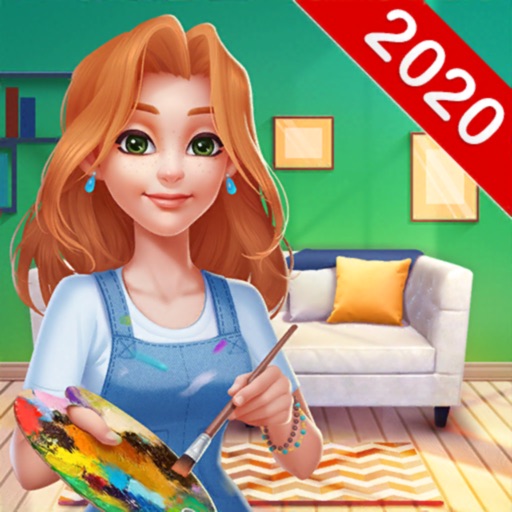
Home Paint: Design My Room es un relajante juego de diseño de interiores y coloreo donde transformas casas y habitaciones en espacios hermosos como artista famoso, y este Mod IPA elimina toda la repetición para que puedas enfocarte únicamente en la diversión creativa.
Con recursos ilimitados al alcance de tu mano, dedicarás tu tiempo a pintar, decorar y desbloquear nuevas propiedades en todo el mundo en lugar de esperar a que se recargue la energía o ahorrar monedas. Ya sea que busques una experiencia de diseño sin estrés o quieras avanzar rápidamente por cada habitación sin límites, esta versión modificada te permite jugar a tu propio ritmo y disfrutar del arte sin la fricción habitual de los juegos móviles.
- Energía ilimitada sin costo → pinta y decora sin esperar
- Monedas ilimitadas → compra y mejora libremente
- Diamantes ilimitados → desbloquea artículos premium al instante
- Potenciadores ilimitados → acelera cada tarea
- Recursos ilimitados → nunca te quedarás sin materiales
- Sin anuncios → juego sin interrupciones
Esta app también incluye iGameGod, que te ofrece acceso a Auto Touch para automatizar tareas repetitivas, App Speed Manager para ajustar la velocidad del juego, edición de valores con Memory Engine y más potentes herramientas para juegos de iOS.
Descarga Home Paint: Design My Room Hack modded IPA desde los enlaces de arriba. Toca el botón de instalación y sigue las instrucciones para instalar este hack iOS en tu iPhone, iPad o Mac con Apple Silicon.
¿Necesitas más ayuda? Consulta nuestras Preguntas frecuentes de la app iOSGods para respuestas detalladas y consejos de solución de problemas.
Home Paint is distinct from current house flipper or design home makeover games; made by interior design professionals and combined with the most popular coloring and paint gameplay. It offers you a great happy color time and color therapy, helps you to release your stresses!
In the game, you are a famous artist in painting, you are invited to open your Solo Art Show in different cities around the world! People love you and your arts, you purchase traditional houses or modern flats to stay longer with your lovely cat.
Most of the houses and rooms are furnished with heavy, old-fashioned pieces. It is not acceptable and you want a total home design makeover. You rebuild the house, paint the walls, replace the old decors and design home of your dream.
A pleasant journey is ahead! Accept our GIFT of Healthy and Artistic Lifestyle! Come and travel around the world! Experience different cultures and meet fun people! Show us your inner artistic talents Now!
HOW TO PLAY
* Select furniture & decorations to design home
* Unlock stylish design tasks around the world
* Earn coins by completing coloring levels
* Color the pictures by number and get relax
* Create your own coloring book and art gallery
* Feed your cat to get rewards
CHARACTERISTICS
Easy & relaxing: color by number and home design!
FREE tools & tips help you complete quickly!
Continuous surprise and happiness!
Never bored! Never tired!
Unique artworks by professional masters:
- Rich categories: people, animals, landscapes, comics …
- Superb pictures and magical watercolor paintings …
Unlimited fun of home design:
- Various styles of furnitures: fashionable, luxurious, dignified, cozy, romantic …
- Hundreds of themed areas: living rooms, bedrooms, kitchens, courtyard, gardens …
- Millions of FREE decors: sofa, couch, tables, lamps, lights, bookcases, rugs …
Home Paint Membership
- The subscription plan is 6.99$/week with 3 days free trial.
- You can subscribe for all premium features and ads free.
- All prices are subject to change without notification.
- Payment will be charged to Apple‘s Account at confirmation of purchase.
- Subscription automatically renews for the same price and duration period as the original weekly/monthly/yearly package, unless auto-renew is turned off at least 24-hours before the end of the current period .
- Account will be charged for renewal within 24-hours prior to the end of the current period at the cost of the chosen package (weekly, monthly or yearly package)
- Subscriptions may be managed by the user and auto-renewal may be turned off by going to the user's Account Settings after purchase.
- No cancellation of the current subscription is allowed during active subscription period
- You may cancel a subscription during its free trial period via the subscription setting through your iTunes account. It must be done 24 hours before the end of the subscription period to avoid being charged. Please visit https://support.apple.com/HT202039 for more information
- You may turn off the auto-renewal of your subscription via your Apple’s Account Settings.
- Any unused portion of a free trial period, if offered, will be forfeited when the user purchases Home Paint Membership.
Links to our Terms of Service and Privacy Policy can be found below.
- Privacy Policy:
https://www.techvisionjoy.com/privacypolicy
- Terms of Service:
https://www.techvisionjoy.com/terms
* Prices are equal to the value that "Apple's App Store Pricing Matrix" determines as the equivalent of the subscription price in $ USD.
Capturas © sus respectivos dueños · App Store



iOSGods no está afiliado, avalado ni patrocinado por Apple Inc., Google LLC ni por los desarrolladores de las apps que aparecen aquí. Apple, iOS y App Store son marcas comerciales de Apple Inc. Android y Google Play son marcas comerciales de Google LLC. Todos los demás nombres de apps, iconos, imágenes y marcas pertenecen a sus respectivos dueños.
- iPhone o iPad con o sin Jailbreak.
- Sideloadly u otras alternativas.
- Ordenador con Windows/macOS/Linux e iTunes instalado.
PASO 1: Descargue el archivo .IPA pre-modificado desde el enlace de arriba a su ordenador. Para descargarlo desde la iOSGods App, consulte nuestro Tutorial de descarga del IPA desde la iOSGods App, que incluye un ejemplo en vídeo.
PASO 2: Descargue Sideloadly e instálelo en su Windows o Mac.
PASO 3: Abra Sideloadly en su ordenador, conecte su dispositivo iOS y espere hasta que el nombre del dispositivo aparezca en Sideloadly.
PASO 4: Una vez que su iDevice sea reconocido, arrastre el archivo .IPA modificado que descargó y suéltelo en la aplicación Sideloadly.
PASO 5: Introduzca el correo electrónico de su Apple Account y, a continuación, pulse «Start». Le pedirá que introduzca su contraseña. Proporcione la información solicitada.
PASO 6: Espere a que Sideloadly termine de hacer sideload/instalar el IPA modificado. Si surgen problemas durante la instalación, por favor lea la nota a continuación.
PASO 7: Una vez completada la instalación y al ver la app en la pantalla de inicio, deberá ir a Ajustes → General → Perfiles / VPN y Gestión de Dispositivos. Una vez allí, toque el correo electrónico que introdujo en el paso 6 y, después, toque en «Confiar en [email protected]».
PASO 8: Ahora vaya a la pantalla de inicio y abra la app recién instalada; todo debería funcionar correctamente. Es posible que tenga que seguir instrucciones adicionales específicas de cada app dentro del popup del hack en el juego.
NOTA: En iOS/iPadOS 16 y posteriores, debe activar el Modo Desarrollador. Para cuentas gratuitas de Apple Developer, deberá repetir este proceso cada 7 días. Si tiene alguna pregunta o problema, lea nuestra sección de Preguntas Frecuentes de Sideloadly del tema.
Game Name iOS Mod IPA is an action adventure game enhanced with powerful gameplay boosts and quality-of-life improvements. Win battles faster, earn rewards quicker, and enjoy uninterrupted play without ads.
- Unlimited Gold - spend freely to unlock premium content
- Damage Multiplier - deal significantly more damage in combat
- Defense Multiplier - take less damage and survive longer
- Reward Multiplier - earn more loot from every battle
- Max Level - instantly reach the highest player rank
- No Ads - play without interruptions or advertisements
This app also comes with iGameGod, giving you access to Auto Touch to automate repetitive tasks, App Speed Manager for adjustable gameplay speed, Memory Engine value editing, and more powerful iOS game tools.
Descarga Game Name Mod IPA desde los enlaces de arriba. Toca el botón de instalación y sigue las instrucciones para instalar este hack iOS en tu iPhone, iPad o Mac con Apple Silicon.
¿Necesitas más ayuda Consulta nuestras Preguntas frecuentes de la app iOSGods para respuestas detalladas y consejos de solución de problemas.
----------------------------------------------------------
--------------------------------------------------