Accesso richiesto
Accedi con il tuo account iOSGods per continuare.
Accedi con il tuo account iOSGods per continuare.
Lock Launcher è un Mod IPA gratuito che sblocca le funzioni premium per questo widget della schermata di blocco iOS 18/26, permettendoti di avviare istantaneamente app, scorciatoie, siti web e schemi URL personalizzati direttamente dalla tua schermata di blocco senza reindirizzamenti aggiuntivi. Aggiungi quello che vuoi alla tua schermata di blocco e aprilo con un singolo tocco, ora con accesso premium completo incluso.
- Premium → tutte le funzioni premium sbloccate
Scarica Lock Launcher - Launch Apps iOS Mod IPA dai link sopra. Tocca il pulsante di installazione e segui le istruzioni per installare questo hack iOS sul tuo iPhone, iPad o Mac con Apple Silicon.
Hai bisogno di altro aiuto? Consulta le nostre Domande frequenti sull'app iOSGods per risposte dettagliate e consigli per la risoluzione dei problemi.
No extra redirects—open apps instantly! Lock Launcher is a iOS 26/27 lock screen widget. You can add anything on the lock screen and launch it instantly with just one touch.
It perfectly supports various Apps, Websites, Shortcuts and custom URL Scheme.
▶ Featured on the App Store Homepage ◀
▶ Featured in App Store Trending Searches ◀
▶ Chosen by over 4 million users ◀
【iOS 27 Liquid Glass & Control Center & Camera Control & Action Button】
- Quickly launch any Apps, Shortcut, URL Scheme, Webpage, Music, etc., from the Control Center, Lock Screen Button and Action Button, you can also customize the tinted icon beautification, making it both efficient and practical.
- Supports quick Camera Control for iPhone 16, allowing for fast one-tap access to any launch actions, such as: scan, payment code, etc.
▶ Featured on App Store Today ◀
【Features】
- iOS 27 Extra-large Home screen Widget
- Minimalist Dumb Phone Launcher Theme & Classic Grid Theme
- Control Center Widget
- Quick Search to Result Page
- Quick Scan QR Code
- iOS 17 interactive small widgets 2×2 / 3×3 / 4×4
- Home screen widget with transparent background
- Favorites support group management
- Auto-refresh Start Live Activity and Dynamic Island with Shortcut Automation
- Lock screen Text Widget supports custom Launcher and text
- Dynamic Island supports Date and Week
- Island CPU, Memory, Refresh Rate, FPS, Download/Upload Speed
- Dynamic Island Launcher
- Live Activities Launcher
- Lock Screen Memo & Clock
- Dynamic Island Clock
- Dynamic Island Pure Mode for taking screenshot
- Health Data: Step / Fitness / Heart Rate
- Current weather data
- Picture-in-Picture Mode
- Music Actions
- Dock Transparent Blur Style
- NFC action read and write
【Features】
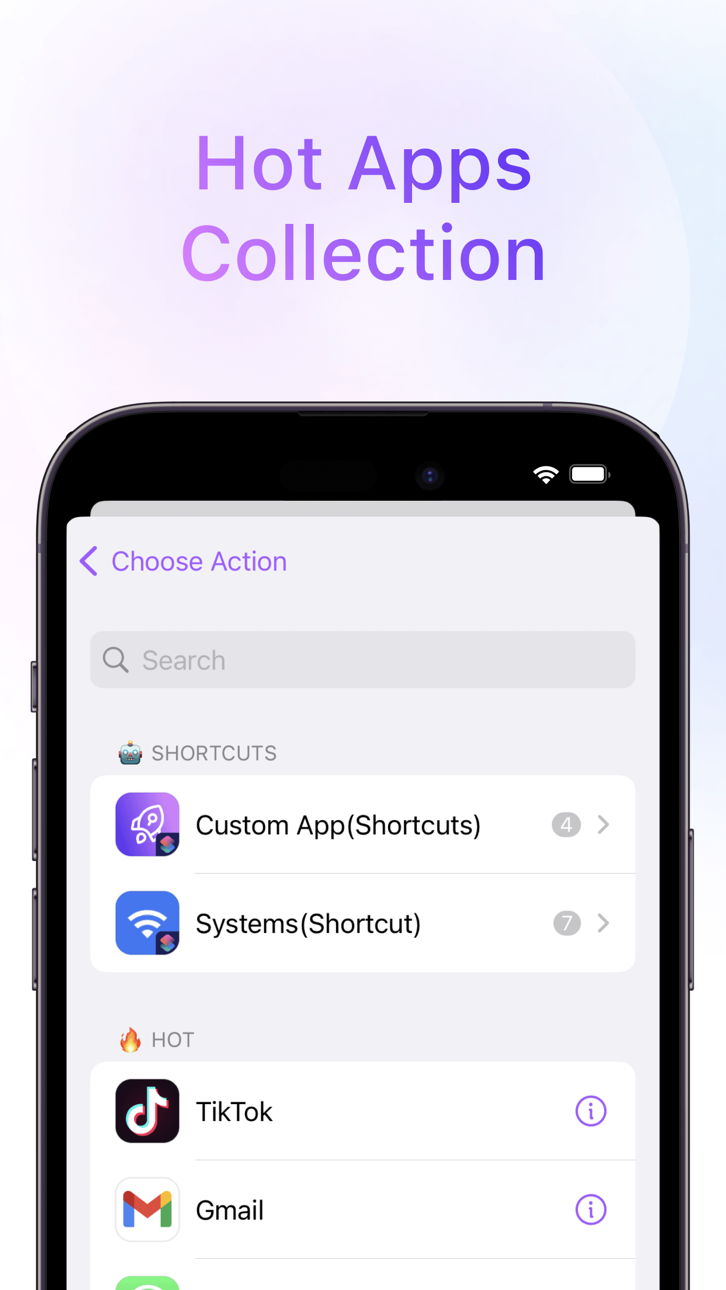
- Hot Apps Collection
- Lightning Payment
- Dynamic Island Launcher
- Home Screen Launchpad Widget
- Dynamic Battery Widget
- Custom Icons
- Custom URL Scheme
- Favorite Launchers
- Efficient Shortcuts
- Powerful Web Apps
- Save to Home Screen
- Add Home Screen Widgets
- One-Click Image
- Dynamic Clock Widget
- Auto iCloud Backup & Restore
- Quick access web page
- 15 Pro Action Button 18
- App Clip
Encourage us with five stars, More powerful features will be developed.
Also, feedback are welcome to tell me on Twitter:@LockLauncherApp / [email protected]
* Subscription payments will be charged to your iTunes account at confirmation of your purchase.
* Subscriptions will automatically renew and payment will be charged to your iTunes account unless auto-renew is turned off at least 24 hours prior to the end of the current
Screenshot © rispettivi proprietari · App Store
Nessuna app iOS simile disponibile al momento. Torna presto!
iOSGods non è affiliata, approvata né sponsorizzata da Apple Inc., Google LLC o dagli sviluppatori delle app elencate qui. Apple, iOS e App Store sono marchi di Apple Inc. Android e Google Play sono marchi di Google LLC. Tutti gli altri nomi delle app, icone, immagini e marchi appartengono ai rispettivi proprietari.

- iPhone o iPad non jailbroken/jailed oppure jailbroken.
- Sideloadly o alternative.
- Computer con Windows/macOS/Linux con iTunes installato.
PASSO 1: Scarica il file .IPA pre-modificato dal link sopra sul tuo computer. Per scaricarlo dall'iOSGods App, consulta il nostro Tutorial download IPA dell'iOSGods App, che include un esempio video.
PASSO 2: Scarica Sideloadly e installalo sul tuo Windows o Mac.
PASSO 3: Apri Sideloadly sul tuo computer, collega il tuo dispositivo iOS e attendi finché il nome del dispositivo non appare in Sideloadly.
PASSO 4: Una volta riconosciuto il tuo iDevice, trascina il file .IPA moddato che hai scaricato e rilascialo nell'applicazione Sideloadly.
PASSO 5: Inserisci l'email del tuo Apple Account, poi premi “Start”. Ti verrà quindi chiesto di inserire la password. Procedi e fornisci le informazioni richieste.
PASSO 6: Attendi che Sideloadly completi il sideload/installazione dell'IPA modificata. Se ci sono problemi durante l'installazione, leggi la nota qui sotto.
PASSO 7: Una volta completata l'installazione e vista l'app sulla schermata Home, dovrai andare in Impostazioni → Generali → Profili / Gestione VPN e dispositivi. Una volta lì, tocca l'email inserita al passo 6 e poi tocca “Autorizza [email protected]”.
PASSO 8: Ora vai sulla schermata Home e apri l'app appena installata: tutto dovrebbe funzionare correttamente. Potrebbe essere necessario seguire ulteriori istruzioni specifiche all'interno del popup dell'hack nel gioco.
NOTA: Per iOS/iPadOS 16 e versioni successive, devi attivare la Modalità sviluppatore. Per gli account Apple Developer gratuiti, dovrai ripetere questa procedura ogni 7 giorni. Se hai domande o problemi, leggi la nostra sezione FAQ Sideloadly del topic.
Game Name iOS Mod IPA is an action adventure game enhanced with powerful gameplay boosts and quality-of-life improvements. Win battles faster, earn rewards quicker, and enjoy uninterrupted play without ads.
- Unlimited Gold - spend freely to unlock premium content
- Damage Multiplier - deal significantly more damage in combat
- Defense Multiplier - take less damage and survive longer
- Reward Multiplier - earn more loot from every battle
- Max Level - instantly reach the highest player rank
- No Ads - play without interruptions or advertisements
This app also comes with iGameGod, giving you access to Auto Touch to automate repetitive tasks, App Speed Manager for adjustable gameplay speed, Memory Engine value editing, and more powerful iOS game tools.
Scarica Game Name Mod IPA dai link sopra. Tocca il pulsante di installazione e segui le istruzioni per installare questo hack iOS sul tuo iPhone, iPad o Mac con Apple Silicon.
Hai bisogno di altro aiuto Consulta le nostre Domande frequenti sull'app iOSGods per risposte dettagliate e consigli per la risoluzione dei problemi.
----------------------------------------------------------
--------------------------------------------------