Login Required
Sign in with your iOSGods account to continue.
Sign in with your iOSGods account to continue.
Lock Launcher is a free Mod IPA that unlocks premium features for this iOS 18/26 lock screen widget, letting you instantly launch apps, shortcuts, websites, and custom URL schemes directly from your lock screen without extra redirects. Add anything you want to your lock screen and open it with a single tap, now with full premium access included.
- Premium → all premium features unlocked
Download Lock Launcher - Launch Apps iOS Mod IPA from the links above. Tap the install button and follow the on-screen instructions to install this iOS app hack on your iPhone, iPad, or Apple Silicon.
Need more help? Check out our iOSGods App Frequently Asked Questions for detailed answers and troubleshooting tips.
No extra redirects—open apps instantly! Lock Launcher is a iOS 18/26 lock screen widget. You can add anything on the lock screen and launch it instantly with just one touch.
It perfectly supports various Apps, Websites, Shortcuts and custom URL Scheme.
▶ Featured on the App Store Homepage ◀
▶ Featured in App Store Trending Searches ◀
▶ Chosen by over 4 million users ◀
【iOS 26 Liquid Glass & Control Center & Camera Control & Action Button】
- Quickly launch any Apps, Shortcut, URL Scheme, Webpage, Music, etc., from the Control Center, Lock Screen Button and Action Button, you can also customize the tinted icon beautification, making it both efficient and practical.
- Supports quick Camera Control for iPhone 16, allowing for fast one-tap access to any launch actions, such as: scan, payment code, etc.
▶ Featured on App Store Today ◀
【Features】
- Minimalist Dumb Phone Launcher Theme & Classic Grid Theme
- Control Center Widget
- Quick Search to Result Page
- Quick Scan QR Code
- iOS 17 interactive small widgets 2×2 / 3×3 / 4×4
- Home screen widget with transparent background
- Favorites support group management
- Auto-refresh Start Live Activity and Dynamic Island with Shortcut Automation
- Lock screen Text Widget supports custom Launcher and text
- Dynamic Island supports Date and Week
- Island CPU, Memory, Refresh Rate, FPS, Download/Upload Speed
- Dynamic Island Launcher
- Live Activities Launcher
- Lock Screen Memo & Clock
- Dynamic Island Clock
- Dynamic Island Pure Mode for taking screenshot
- Health Data: Step / Fitness / Heart Rate
- Current weather data
- Picture-in-Picture Mode
- Music Actions
- Dock Transparent Blur Style
【Features】
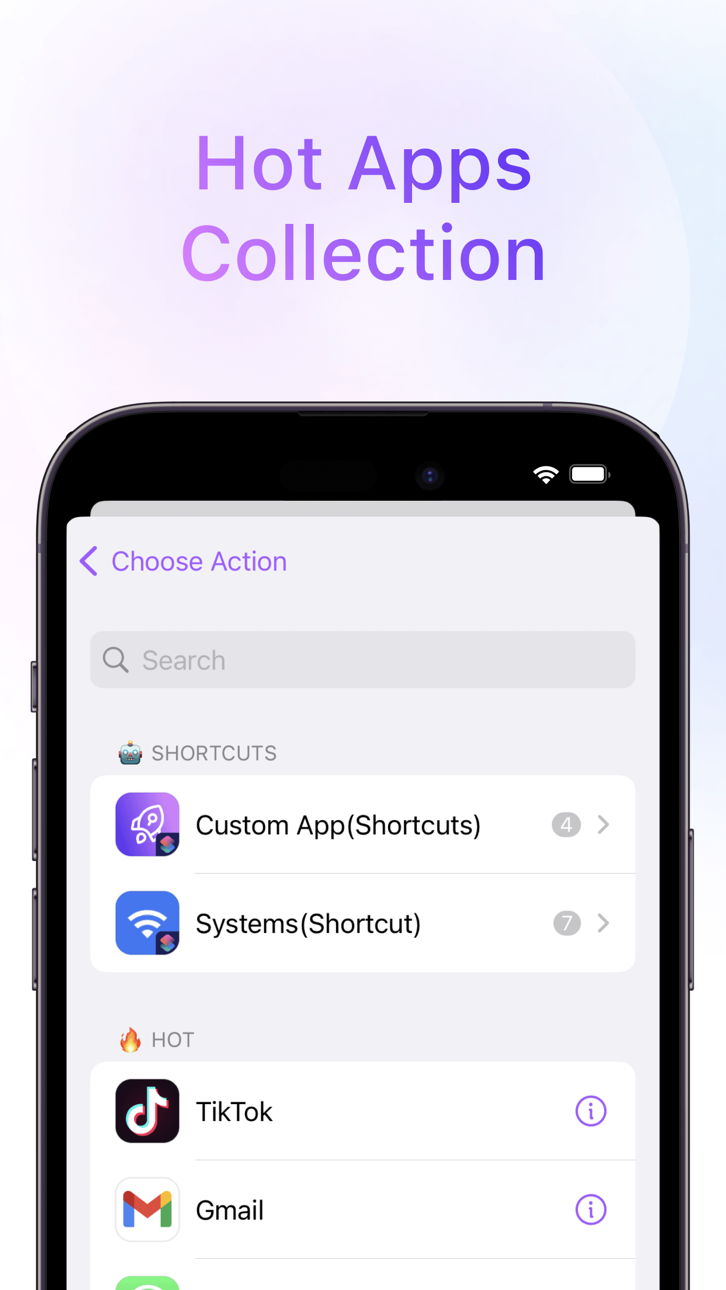
- Hot Apps Collection
- Lightning Payment
- Dynamic Island Launcher
- Home Screen Launchpad Widget
- Dynamic Battery Widget
- Custom Icons
- Custom URL Scheme
- Favorite Launchers
- Efficient Shortcuts
- Powerful Web Apps
- Save to Home Screen
- Add Home Screen Widgets
- One-Click Image
- Dynamic Clock Widget
- Auto iCloud Backup & Restore
- Quick access web page
- 15 Pro Action Button 18
- App Clip
Encourage us with five stars, More powerful features will be developed.
Also, feedback are welcome to tell me on Twitter:@LockLauncherApp / [email protected]
* Subscription payments will be charged to your iTunes account at confirmation of your purchase.
* Subscriptions will automatically renew and payment will be charged to your iTunes account unless auto-renew is turned off at least 24 hours prior to the end of the current
Screenshots © their respective owners · App Store
No similar iOS apps available yet. Check back soon for more!
iOSGods is not affiliated with, endorsed by, or sponsored by Apple Inc., Google LLC, or the developers of the apps listed here. Apple, iOS and App Store are trademarks of Apple Inc. Android and Google Play are trademarks of Google LLC. All other app names, icons, artwork and trademarks belong to their respective owners.

- Non-Jailbroken/Jailed or Jailbroken iPhone or iPad.
- Sideloadly or alternatives.
- Computer running Windows/macOS/Linux with iTunes installed.
STEP 1: Download the pre-hacked .IPA file from the link above to your computer. To download from the iOSGods App, see our iOSGods App IPA Download Tutorial which includes a video example.
STEP 2: Download Sideloadly and install it on your Windows or Mac.
STEP 3: Open Sideloadly on your computer, connect your iOS device, and wait until your device name appears in Sideloadly.
STEP 4: Once your iDevice is recognized, drag the modded .IPA file you downloaded and drop it into the Sideloadly application.
STEP 5: Enter your Apple Account email, then press “Start.” You’ll then be asked to enter your password. Go ahead and provide the required information.
STEP 6: Wait for Sideloadly to finish sideloading/installing the hacked IPA. If there are issues during installation, please read the note below.
STEP 7: Once the installation is complete and you see the app on your Home Screen, you will need to go to Settings → General → Profiles / VPN & Device Management. Once there, tap on the email you entered from step 6, and then tap on “Trust [email protected]”.
STEP 8: Now go to your Home Screen and open the newly installed app and everything should work fine. You may need to follow further per app instructions inside the hack's popup in-game.
NOTE: iOS/iPadOS 16 and later, you must enable Developer Mode. For free Apple Developer accounts, you will need to repeat this process every 7 days. If you have any questions or problems, read our Sideloadly FAQ section of the topic.
Game Name iOS Mod IPA is an action adventure game enhanced with powerful gameplay boosts and quality-of-life improvements. Win battles faster, earn rewards quicker, and enjoy uninterrupted play without ads.
- Unlimited Gold - spend freely to unlock premium content
- Damage Multiplier - deal significantly more damage in combat
- Defense Multiplier - take less damage and survive longer
- Reward Multiplier - earn more loot from every battle
- Max Level - instantly reach the highest player rank
- No Ads - play without interruptions or advertisements
This app also comes with iGameGod, giving you access to Auto Touch to automate repetitive tasks, App Speed Manager for adjustable gameplay speed, Memory Engine value editing, and more powerful iOS game tools.
Download Game Name Mod IPA from the links above. Tap the install button and follow the on-screen instructions to install this iOS app hack on your iPhone, iPad, or Apple Silicon.
Need more help Check out our iOSGods App Frequently Asked Questions for detailed answers and troubleshooting tips.
----------------------------------------------------------
--------------------------------------------------