Accesso richiesto
Accedi con il tuo account iOSGods per continuare.
Accedi con il tuo account iOSGods per continuare.

Denaro illimitato e biglietti d'oro infiniti alimentano questo Baker Business 3 Mod IPA, permettendoti di saltare la routine e sbloccare pacchetti stagionali e premium istantaneamente mentre costruisci la tua panetteria da sogno.
Smetti di aspettare che le risorse si accumulino, con un moltiplicatore di Esperienza folle e ricette a 3 stelle sbloccate da subito, avanzerai di livello rapidamente e accederai al catalogo ricette completo senza i soliti blocchi temporali. Perfetto per i giocatori che vogliono concentrarsi sul lato creativo della gestione di una panetteria piuttosto che sulla routine di raccolta risorse.
- Denaro illimitato e ricette a 3 stelle (Più spendi, più ne hai) → spendi liberamente senza esaurire il tuo saldo
- Sblocca Pacchetti Stagionali e Premium → accedi ai contenuti esclusivi istantaneamente
- Biglietti d'Oro Infiniti (Più spendi, più ne hai) → usa la valuta premium senza limiti
- Moltiplicatore di Esperienza Folle → avanza di livello e sblocca ricette a velocità accelerata
Questa app include anche iGameGod, che ti offre accesso ad Auto Touch per automatizzare attività ripetitive, App Speed Manager per regolare la velocità di gioco, modifica dei valori con Memory Engine e altri potenti strumenti per giochi iOS.
Scarica Baker Business 3 Hack modded IPA dai link sopra. Tocca il pulsante di installazione e segui le istruzioni per installare questo hack iOS sul tuo iPhone, iPad o Mac con Apple Silicon.
Hai bisogno di altro aiuto? Consulta le nostre Domande frequenti sull'app iOSGods per risposte dettagliate e consigli per la risoluzione dei problemi.
Love baking games? In Baker Business 3 you’ll get the experience of running your very own bakery! By purchasing ingredients, baking a large variety of unlockable recipes, upgrading your bakery, and serving your freshly baked baked goods to your various customers! All the while leveling up to unlock more surprise recipes and items for your bakery at an enjoyable pace all for free!
So Many Baked Goods!
Bake and sell a wide variety of bakery items including: cake, cookies, muffins, doughnuts, cupcakes, bread, coffee, soda pop, parfaits, juice, and more!
Unlock, Bake and Sell What You Love!
As you level up you’ll be able to choose what recipe category you’d like research and decide what type of bakery you’ll have. Love doughnuts and cookies? Fantastic! Keep discovering new recipes in those categories. Want to go “traditional bakery style” and unlock bread and cake? You can do that! Do you want to sell as many types of baked goods as possible? Then research all the categories and unlock every baking recipe possible. Sell what you desire to serve in your bakery and to your customers!
Bake With Real Baking Ingredients!
Each recipe calls for a specified quantity of different real-life baking ingredients you’ll be able to stock and bake with! As you level up you’ll be able to purchase ingredients in higher quantities, or bulk, to keep up with your baking demand.
Keep Your Customers On Their Toes!
Your customers are always on the lookout for new items in your bakery, so don’t forget to bake and stock any and all new food items you unlock at each level! Your customers will thank you!
Upgrade And Expand Your Bakery!
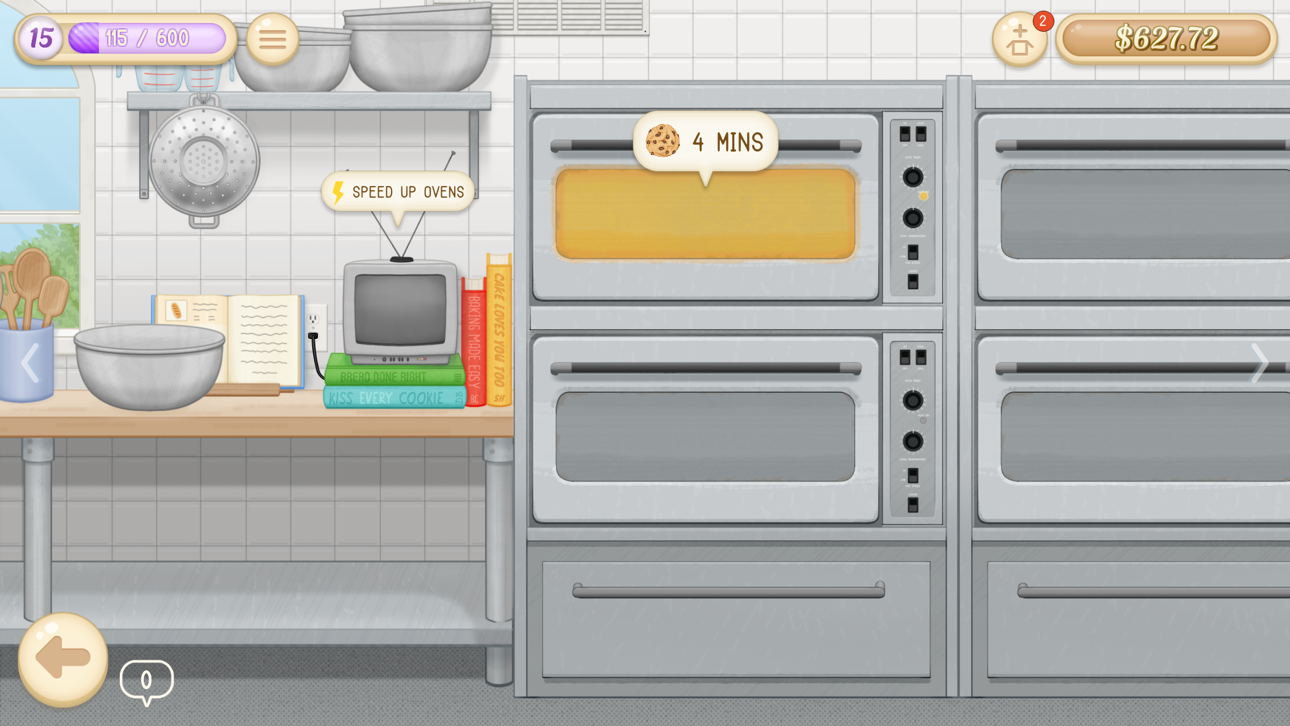
Your bakery will be able to expand with you as you level up from baking by unlocking and purchasing more baking ovens, item display cases, bread shelves, and more!
Baker Business 3 Features:
- Unlock over 90+ different bakeable recipes!
- Bake with over 40+ real-life baking ingredients!
- Unlock various bakery upgrades from a tip jar to snack fridge and much more!
- Fulfill your customer’s various orders by quickly serving them what they're asking for.
- Enjoy the relaxing roleplay bakery gameplay at an enjoyable pace.
- Discover various secret interactable items in your bakery.
- Easy-to-play and suitable for all ages!
You can do this! Ready. Set. Bake!!
Connect with us at Living Code Labs:
Follow us on Twitter:
http://twitter.com/LivingCodeLabs
Like us on Facebook:
http://facebook.com/LivingCodeLabs
Visit our Website:
http://livingcodelabs.com
If you have any new baking recipes, ingredients or fun touches to suggest get in contact with us on our website! We’d love to hear from you!
Screenshot © rispettivi proprietari · App Store


iOSGods non è affiliata, approvata né sponsorizzata da Apple Inc., Google LLC o dagli sviluppatori delle app elencate qui. Apple, iOS e App Store sono marchi di Apple Inc. Android e Google Play sono marchi di Google LLC. Tutti gli altri nomi delle app, icone, immagini e marchi appartengono ai rispettivi proprietari.
- iPhone o iPad non jailbroken/jailed oppure jailbroken.
- Sideloadly o alternative.
- Computer con Windows/macOS/Linux con iTunes installato.
PASSO 1: Scarica il file .IPA pre-modificato dal link sopra sul tuo computer. Per scaricarlo dall'iOSGods App, consulta il nostro Tutorial download IPA dell'iOSGods App, che include un esempio video.
PASSO 2: Scarica Sideloadly e installalo sul tuo Windows o Mac.
PASSO 3: Apri Sideloadly sul tuo computer, collega il tuo dispositivo iOS e attendi finché il nome del dispositivo non appare in Sideloadly.
PASSO 4: Una volta riconosciuto il tuo iDevice, trascina il file .IPA moddato che hai scaricato e rilascialo nell'applicazione Sideloadly.
PASSO 5: Inserisci l'email del tuo Apple Account, poi premi “Start”. Ti verrà quindi chiesto di inserire la password. Procedi e fornisci le informazioni richieste.
PASSO 6: Attendi che Sideloadly completi il sideload/installazione dell'IPA modificata. Se ci sono problemi durante l'installazione, leggi la nota qui sotto.
PASSO 7: Una volta completata l'installazione e vista l'app sulla schermata Home, dovrai andare in Impostazioni → Generali → Profili / Gestione VPN e dispositivi. Una volta lì, tocca l'email inserita al passo 6 e poi tocca “Autorizza [email protected]”.
PASSO 8: Ora vai sulla schermata Home e apri l'app appena installata: tutto dovrebbe funzionare correttamente. Potrebbe essere necessario seguire ulteriori istruzioni specifiche all'interno del popup dell'hack nel gioco.
NOTA: Per iOS/iPadOS 16 e versioni successive, devi attivare la Modalità sviluppatore. Per gli account Apple Developer gratuiti, dovrai ripetere questa procedura ogni 7 giorni. Se hai domande o problemi, leggi la nostra sezione FAQ Sideloadly del topic.
Game Name iOS Mod IPA is an action adventure game enhanced with powerful gameplay boosts and quality-of-life improvements. Win battles faster, earn rewards quicker, and enjoy uninterrupted play without ads.
- Unlimited Gold - spend freely to unlock premium content
- Damage Multiplier - deal significantly more damage in combat
- Defense Multiplier - take less damage and survive longer
- Reward Multiplier - earn more loot from every battle
- Max Level - instantly reach the highest player rank
- No Ads - play without interruptions or advertisements
This app also comes with iGameGod, giving you access to Auto Touch to automate repetitive tasks, App Speed Manager for adjustable gameplay speed, Memory Engine value editing, and more powerful iOS game tools.
Scarica Game Name Mod IPA dai link sopra. Tocca il pulsante di installazione e segui le istruzioni per installare questo hack iOS sul tuo iPhone, iPad o Mac con Apple Silicon.
Hai bisogno di altro aiuto Consulta le nostre Domande frequenti sull'app iOSGods per risposte dettagliate e consigli per la risoluzione dei problemi.
----------------------------------------------------------
--------------------------------------------------