Cần đăng nhập
Đăng nhập bằng tài khoản iOSGods để tiếp tục.
Đăng nhập bằng tài khoản iOSGods để tiếp tục.

Tiền mặt không giới hạn và vé vàng vô hạn cung cấp năng lượng cho Baker Business 3 Mod IPA này, cho phép bạn bỏ qua việc kiếm kiếm và mở khóa các gói theo mùa và cao cấp ngay lập tức trong khi bạn xây dựng tiệm bánh mơ ước của mình.
Hãy dừng chờ đợi tài nguyên tích lũy, với bộ nhân kinh nghiệm (XP) điên rồ và công thức 3 sao được mở khóa từ đầu, bạn sẽ nâng cấp nhanh chóng và truy cập toàn bộ danh mục công thức mà không cần các cổng thời gian thông thường. Hoàn hảo cho những người chơi muốn tập trung vào khía cạnh sáng tạo của việc điều hành một tiệm bánh thay vì vòng lặp canh tác tài nguyên.
- Tiền mặt không giới hạn và công thức 3 sao (Bạn chi tiêu càng nhiều, bạn có càng nhiều) → chi tiêu tự do mà không làm cạn kiệt số dư của bạn
- Mở khóa Gói Theo Mùa & Cao Cấp → truy cập nội dung độc quyền ngay lập tức
- Vé Vàng Vô Hạn (Bạn chi tiêu càng nhiều, bạn có càng nhiều) → sử dụng tiền tệ cao cấp mà không có giới hạn
- Bộ Nhân Kinh Nghiệm Điên Rồ → nâng cấp và mở khóa công thức với tốc độ tăng tốc
Ứng dụng này cũng đi kèm với iGameGod, cho phép bạn truy cập Auto Touch để tự động hóa các thao tác lặp lại, App Speed Manager để điều chỉnh tốc độ chơi game, chỉnh sửa giá trị bằng Memory Engine, và nhiều công cụ mạnh mẽ khác cho game iOS.
Tải Baker Business 3 Hack modded IPA từ các liên kết ở trên. Nhấn nút cài đặt và làm theo hướng dẫn để cài bản hack iOS lên iPhone, iPad hoặc Apple Silicon.
Cần thêm trợ giúp? Hãy xem Câu hỏi thường gặp ứng dụng iOSGods để có câu trả lời chi tiết và mẹo khắc phục sự cố.
Love baking games? In Baker Business 3 you’ll get the experience of running your very own bakery! By purchasing ingredients, baking a large variety of unlockable recipes, upgrading your bakery, and serving your freshly baked baked goods to your various customers! All the while leveling up to unlock more surprise recipes and items for your bakery at an enjoyable pace all for free!
So Many Baked Goods!
Bake and sell a wide variety of bakery items including: cake, cookies, muffins, doughnuts, cupcakes, bread, coffee, soda pop, parfaits, juice, and more!
Unlock, Bake and Sell What You Love!
As you level up you’ll be able to choose what recipe category you’d like research and decide what type of bakery you’ll have. Love doughnuts and cookies? Fantastic! Keep discovering new recipes in those categories. Want to go “traditional bakery style” and unlock bread and cake? You can do that! Do you want to sell as many types of baked goods as possible? Then research all the categories and unlock every baking recipe possible. Sell what you desire to serve in your bakery and to your customers!
Bake With Real Baking Ingredients!
Each recipe calls for a specified quantity of different real-life baking ingredients you’ll be able to stock and bake with! As you level up you’ll be able to purchase ingredients in higher quantities, or bulk, to keep up with your baking demand.
Keep Your Customers On Their Toes!
Your customers are always on the lookout for new items in your bakery, so don’t forget to bake and stock any and all new food items you unlock at each level! Your customers will thank you!
Upgrade And Expand Your Bakery!
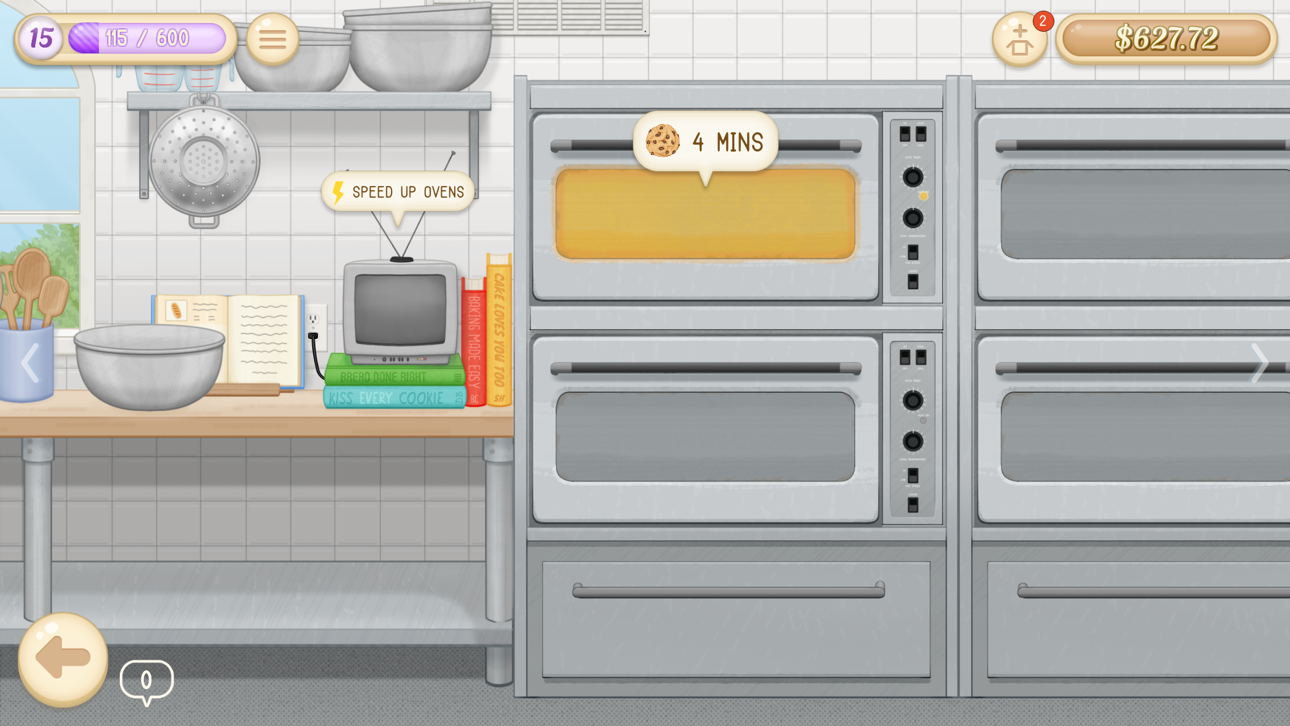
Your bakery will be able to expand with you as you level up from baking by unlocking and purchasing more baking ovens, item display cases, bread shelves, and more!
Baker Business 3 Features:
- Unlock over 90+ different bakeable recipes!
- Bake with over 40+ real-life baking ingredients!
- Unlock various bakery upgrades from a tip jar to snack fridge and much more!
- Fulfill your customer’s various orders by quickly serving them what they're asking for.
- Enjoy the relaxing roleplay bakery gameplay at an enjoyable pace.
- Discover various secret interactable items in your bakery.
- Easy-to-play and suitable for all ages!
You can do this! Ready. Set. Bake!!
Connect with us at Living Code Labs:
Follow us on Twitter:
http://twitter.com/LivingCodeLabs
Like us on Facebook:
http://facebook.com/LivingCodeLabs
Visit our Website:
http://livingcodelabs.com
If you have any new baking recipes, ingredients or fun touches to suggest get in contact with us on our website! We’d love to hear from you!
Ảnh chụp © chủ sở hữu tương ứng · App Store


iOSGods không liên kết, không được chứng thực hay tài trợ bởi Apple Inc., Google LLC hoặc các nhà phát triển của những ứng dụng được liệt kê ở đây. Apple, iOS và App Store là thương hiệu của Apple Inc. Android và Google Play là thương hiệu của Google LLC. Mọi tên ứng dụng, biểu tượng, hình ảnh và thương hiệu khác đều thuộc về chủ sở hữu tương ứng.
- iPhone hoặc iPad chưa jailbreak/đã đóng hoặc đã jailbreak.
- Sideloadly hoặc các lựa chọn thay thế.
- Máy tính chạy Windows/macOS/Linux đã cài iTunes.
BƯỚC 1: Tải tệp .IPA đã được hack sẵn từ liên kết phía trên về máy tính của bạn. Để tải từ iOSGods App, hãy xem Hướng dẫn tải IPA bằng iOSGods App của chúng tôi, có kèm ví dụ bằng video.
BƯỚC 2: Tải Sideloadly và cài đặt trên Windows hoặc Mac của bạn.
BƯỚC 3: Mở Sideloadly trên máy tính, kết nối thiết bị iOS của bạn và chờ cho đến khi tên thiết bị hiển thị trong Sideloadly.
BƯỚC 4: Khi thiết bị iOS của bạn đã được nhận diện, hãy kéo tệp .IPA đã chỉnh sửa mà bạn tải về và thả vào ứng dụng Sideloadly.
BƯỚC 5: Nhập email Apple Account của bạn, sau đó nhấn "Start." Bạn sẽ được yêu cầu nhập mật khẩu. Hãy cung cấp các thông tin cần thiết.
BƯỚC 6: Chờ Sideloadly hoàn tất quá trình sideload/cài đặt tệp IPA đã hack. Nếu gặp sự cố trong quá trình cài đặt, vui lòng đọc lưu ý bên dưới.
BƯỚC 7: Khi cài đặt hoàn tất và bạn thấy ứng dụng trên Màn hình chính, bạn cần truy cập Cài đặt → Cài đặt chung → Hồ sơ / VPN & Quản lý thiết bị. Tại đó, nhấn vào email bạn đã nhập ở bước 6, rồi nhấn "Tin cậy [email protected]".
BƯỚC 8: Bây giờ hãy về Màn hình chính và mở ứng dụng vừa cài đặt, mọi thứ sẽ hoạt động bình thường. Bạn có thể cần làm theo hướng dẫn riêng của từng ứng dụng trong cửa sổ popup của bản hack trong game.
LƯU Ý: Trên iOS/iPadOS 16 trở lên, bạn phải bật Chế độ nhà phát triển. Với tài khoản Apple Developer miễn phí, bạn sẽ cần lặp lại quy trình này mỗi 7 ngày. Nếu bạn có thắc mắc hoặc gặp sự cố, hãy đọc mục FAQ về Sideloadly trong chủ đề của chúng tôi.
Game Name iOS Mod IPA is an action adventure game enhanced with powerful gameplay boosts and quality-of-life improvements. Win battles faster, earn rewards quicker, and enjoy uninterrupted play without ads.
- Unlimited Gold - spend freely to unlock premium content
- Damage Multiplier - deal significantly more damage in combat
- Defense Multiplier - take less damage and survive longer
- Reward Multiplier - earn more loot from every battle
- Max Level - instantly reach the highest player rank
- No Ads - play without interruptions or advertisements
This app also comes with iGameGod, giving you access to Auto Touch to automate repetitive tasks, App Speed Manager for adjustable gameplay speed, Memory Engine value editing, and more powerful iOS game tools.
Tải Game Name Mod IPA từ các liên kết ở trên. Nhấn nút cài đặt và làm theo hướng dẫn để cài bản hack iOS lên iPhone, iPad hoặc Apple Silicon.
Cần thêm trợ giúp Hãy xem Câu hỏi thường gặp ứng dụng iOSGods để có câu trả lời chi tiết và mẹo khắc phục sự cố.
----------------------------------------------------------
--------------------------------------------------