تسجيل الدخول مطلوب
سجّل الدخول بحساب iOSGods للمتابعة.
سجّل الدخول بحساب iOSGods للمتابعة.
Hack Features:
- Custom Destroy Damage
- Custom Health
- Custom Speed
- Custom Capacity
- No Ads
يأتي هذا التطبيق أيضًا مع iGameGod، مما يتيح لك الوصول إلى Auto Touch لأتمتة المهام المتكررة، وApp Speed Manager لضبط سرعة اللعب، وتعديل القيم عبر Memory Engine، والمزيد من أدوات ألعاب iOS القوية.
قم بتنزيل Tool Evolution: Mine & Evolve Hack modded IPA من الروابط أعلاه. اضغط على زر التثبيت واتبع التعليمات لتثبيت هذا التعديل لـ iOS على iPhone أو iPad أو Apple Silicon.
هل تحتاج إلى مزيد من المساعدة؟ راجع الأسئلة الشائعة لتطبيق iOSGods للحصول على إجابات مفصلة ونصائح لاستكشاف الأخطاء.
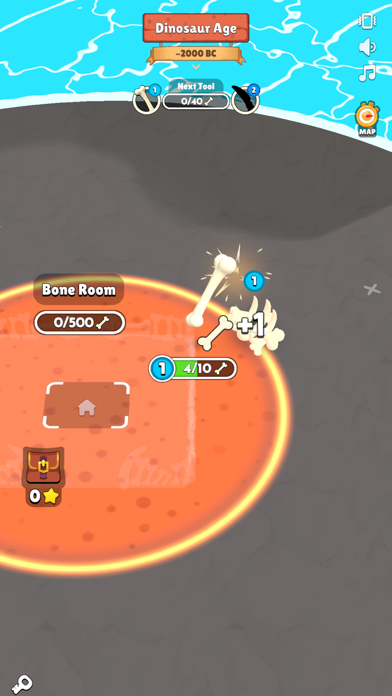
Tool Evolution: Mine & Evolve lets you experience a unique journey through time as you take on the role of a tool that evolves with each era you visit. From the Jurassic era to the distant future, your tool will adapt and transform, allowing you to build world, mine, and evolve through different historical periods and beyond.
Start your adventure in the Jurassic era and help shape the earliest mini world. As you travel through time, your tool will evolve to meet the demands of each age—from medieval life to the Industrial Revolution and into futuristic landscapes. Each era presents new challenges and opportunities to harvest resources and craft essential items.
Tool Evolution: Mine & Evolve features:
- Time Travel: Journey from the Jurassic era through the Middle Ages, into the future, and beyond. Each period brings its own unique challenges and advancements in this mini world.
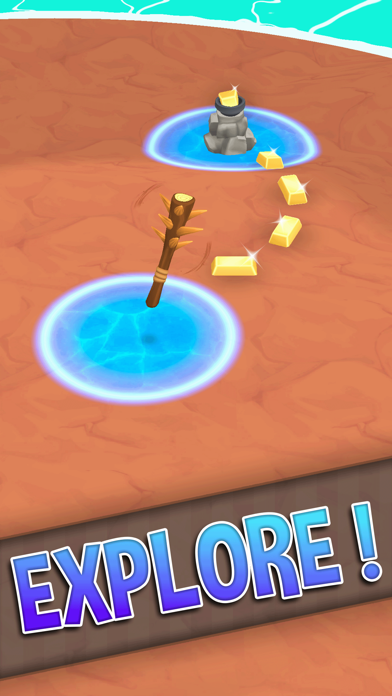
- Evolving Tools: Your tool evolves according to the age you time travel to, adapting from primitive designs to advanced futuristic technology.
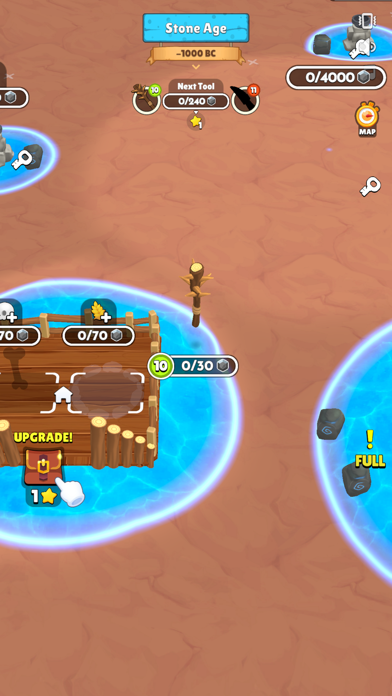
- Idle Mining Game: Harvest resources and mine efficiently with your evolving tool. Manage your resources and automate processes as you advance.
- Crafting and Expansion: From my little universe to vast planet craft projects, use your tool to develop your little world and beyond.
- Historical and Futuristic Gameplay: Witness the transformation of your tool and world through different historical periods and futuristic scenarios.
As you explore and conquer each new age, Tool Evolution: Mine & Evolve challenges you to adapt your strategy and make the most of each era's unique resources and technologies. Evolve through time and create a world that reflects the innovations and achievements of every period you encounter.
Are you ready to take your tool on an incredible journey through history and the future? Join Tool Evolution: Mine & Evolve and start your evolution adventure!

- iPhone أو iPad بجيلبريك أو بدون جيلبريك.
- Sideloadly أو بدائلها.
- كمبيوتر يعمل بنظام Windows/macOS/Linux مع تثبيت iTunes.
الخطوة 1: قم بتنزيل ملف .IPA المعدّل مسبقًا من الرابط أعلاه إلى الكمبيوتر الخاص بك. للتنزيل من تطبيق iOSGods App، اطلع على دليل تنزيل IPA من تطبيق iOSGods App الذي يتضمن مثالًا بالفيديو.
الخطوة 2: قم بتنزيل Sideloadly وتثبيته على جهاز Windows أو Mac.
الخطوة 3: افتح Sideloadly على الكمبيوتر، ووصّل جهاز iOS الخاص بك، وانتظر حتى يظهر اسم جهازك داخل Sideloadly.
الخطوة 4: بمجرد التعرّف على جهاز iDevice الخاص بك، اسحب ملف .IPA المعدّل الذي قمت بتنزيله وأفلِته داخل تطبيق Sideloadly.
الخطوة 5: أدخل البريد الإلكتروني لحساب Apple Account الخاص بك، ثم اضغط على «Start». سيُطلب منك بعد ذلك إدخال كلمة المرور. تابع وأدخل المعلومات المطلوبة.
الخطوة 6: انتظر حتى ينتهي Sideloadly من تحميل/تثبيت ملف IPA المعدّل. في حال واجهت أي مشاكل أثناء التثبيت، يرجى قراءة الملاحظة أدناه.
الخطوة 7: بعد اكتمال التثبيت ورؤية التطبيق على الشاشة الرئيسية، انتقل إلى Settings → General → Profiles / VPN & Device Management. ثم اضغط على البريد الإلكتروني الذي أدخلته في الخطوة 6، ثم اضغط على «الوثوق بـ [email protected]».
الخطوة 8: الآن انتقل إلى الشاشة الرئيسية وافتح التطبيق الذي تم تثبيته للتو وسيعمل كل شيء بشكل صحيح. قد تحتاج إلى اتباع تعليمات إضافية خاصة بكل تطبيق داخل النافذة المنبثقة للتعديل أثناء اللعب.
ملاحظة: بدءًا من iOS/iPadOS 16 وما بعده، يجب تفعيل وضع المطور (Developer Mode). بالنسبة لحسابات Apple Developer المجانية، ستحتاج إلى تكرار هذه العملية كل 7 أيام. إذا كانت لديك أي أسئلة أو مشاكل، يرجى قراءة قسم الأسئلة الشائعة حول Sideloadly في الموضوع.