تسجيل الدخول مطلوب
سجّل الدخول بحساب iOSGods للمتابعة.
سجّل الدخول بحساب iOSGods للمتابعة.
يحتوي هذا التطبيق على iGameGod Jailed مفعل حتى تتمكن من استخدام محرك الغش على iOS، مدير تسريع السرعة أو مسجل اللمس التلقائي حسب رغبتك! إذا كنت تريد إضافة iGameGod Jailed إلى تطبيقك، يمكنك القيام بذلك باتباع التعليمات في الموضوع الرسمي!
للحصول على دروس وفيديوهات وأمثلة حول كيفية استخدام iGameGod، يرجى زيارة: https://iosgods.com/topic/184534-geometry-tower-idle-defense-cheats-v0254-3-igamegod/
قم بتنزيل Geometry Tower: Idle Defense w/iGG modded IPA من الروابط أعلاه. اضغط على زر التثبيت واتبع التعليمات لتثبيت هذا التعديل لـ iOS على iPhone أو iPad أو Apple Silicon.
هل تحتاج إلى مزيد من المساعدة؟ راجع الأسئلة الشائعة لتطبيق iOSGods للحصول على إجابات مفصلة ونصائح لاستكشاف الأخطاء.
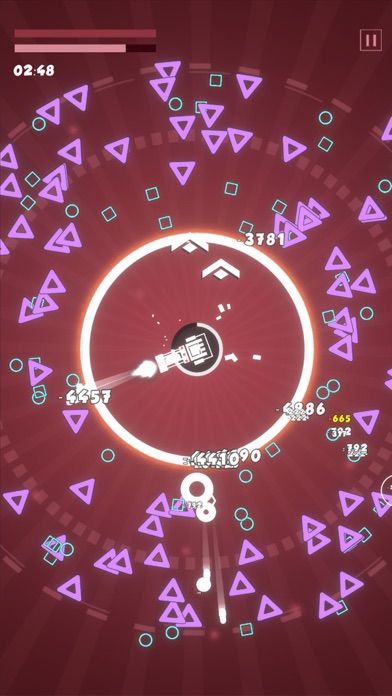
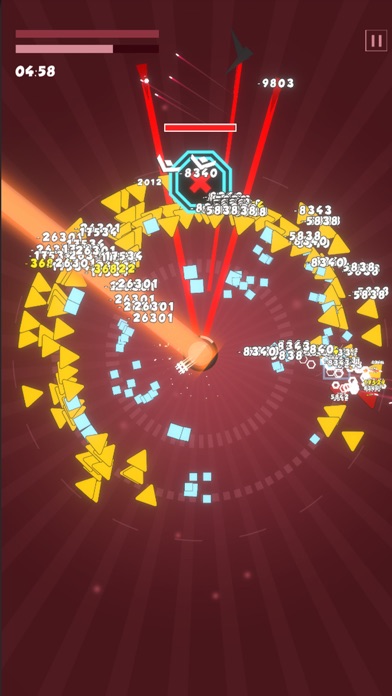
Defend your tower with strategy in battles, and enjoy exciting challenges of this Roguelike game!
-Roguelike Gameplay
Choose from numbers of upgrades to make it an indestructible tower after endless waves of enemies in roguelike battles. Experience the fun of Roguelike!
-Idle Tower Defense
Addictive tower defense gameplay with idle mechanism. Easy to play, defend against the attacks from enemies with simply clicks. Collect resources from battles to level up the ATK and HP of your tower. In the meantime, develop the researches of your tower to power up.
-Defeat With Strategy
Upgrade your tower to be stronger with strategy and continue to refine your strategy with each battle. You have to defend the tower from waves of enemies to the last second. Prove your tactical skills in these thrilling challenges and achieve the victory.
- Stylized Art Design
Elements in the game are designed with simple geometric shapes in a stylized way.

- iPhone أو iPad بجيلبريك أو بدون جيلبريك.
- Sideloadly أو بدائلها.
- كمبيوتر يعمل بنظام Windows/macOS/Linux مع تثبيت iTunes.
الخطوة 1: قم بتنزيل ملف .IPA المعدّل مسبقًا من الرابط أعلاه إلى الكمبيوتر الخاص بك. للتنزيل من تطبيق iOSGods App، اطلع على دليل تنزيل IPA من تطبيق iOSGods App الذي يتضمن مثالًا بالفيديو.
الخطوة 2: قم بتنزيل Sideloadly وتثبيته على جهاز Windows أو Mac.
الخطوة 3: افتح Sideloadly على الكمبيوتر، ووصّل جهاز iOS الخاص بك، وانتظر حتى يظهر اسم جهازك داخل Sideloadly.
الخطوة 4: بمجرد التعرّف على جهاز iDevice الخاص بك، اسحب ملف .IPA المعدّل الذي قمت بتنزيله وأفلِته داخل تطبيق Sideloadly.
الخطوة 5: أدخل البريد الإلكتروني لحساب Apple Account الخاص بك، ثم اضغط على «Start». سيُطلب منك بعد ذلك إدخال كلمة المرور. تابع وأدخل المعلومات المطلوبة.
الخطوة 6: انتظر حتى ينتهي Sideloadly من تحميل/تثبيت ملف IPA المعدّل. في حال واجهت أي مشاكل أثناء التثبيت، يرجى قراءة الملاحظة أدناه.
الخطوة 7: بعد اكتمال التثبيت ورؤية التطبيق على الشاشة الرئيسية، انتقل إلى Settings → General → Profiles / VPN & Device Management. ثم اضغط على البريد الإلكتروني الذي أدخلته في الخطوة 6، ثم اضغط على «الوثوق بـ [email protected]».
الخطوة 8: الآن انتقل إلى الشاشة الرئيسية وافتح التطبيق الذي تم تثبيته للتو وسيعمل كل شيء بشكل صحيح. قد تحتاج إلى اتباع تعليمات إضافية خاصة بكل تطبيق داخل النافذة المنبثقة للتعديل أثناء اللعب.
ملاحظة: بدءًا من iOS/iPadOS 16 وما بعده، يجب تفعيل وضع المطور (Developer Mode). بالنسبة لحسابات Apple Developer المجانية، ستحتاج إلى تكرار هذه العملية كل 7 أيام. إذا كانت لديك أي أسئلة أو مشاكل، يرجى قراءة قسم الأسئلة الشائعة حول Sideloadly في الموضوع.




![[The Battle Cats JP] にゃんこ大戦争 iOS Mod IPA](https://is1-ssl.mzstatic.com/image/thumb/Purple211/v4/9b/1b/74/9b1b74bb-1beb-288d-b3d9-54bf69a1aeae/AppIcon-0-0-1x_U007epad-0-1-85-220.png/100x100bb.jpg)


![[Chiikawa Pocket JP] ちいかわぽけっと iOS Mod IPA](https://is1-ssl.mzstatic.com/image/thumb/Purple211/v4/7c/d8/92/7cd8925f-389f-e95e-d701-314886032cc4/AppIcon-0-0-1x_U007emarketing-0-8-0-85-220.png/100x100bb.jpg)


