تسجيل الدخول مطلوب
سجّل الدخول بحساب iOSGods للمتابعة.
سجّل الدخول بحساب iOSGods للمتابعة.

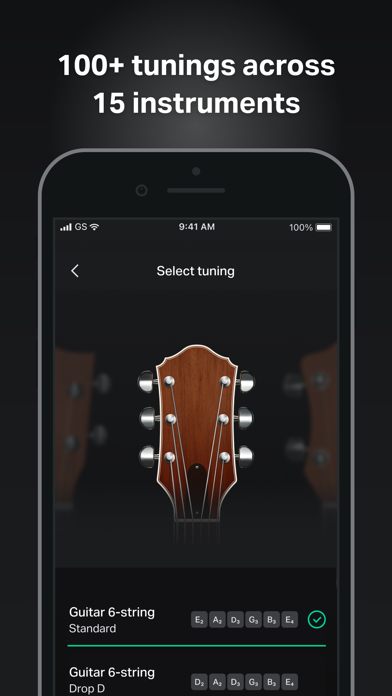
أتقن ضبط الجيتار وتعلم الأوتار باستخدام تطبيق تعليم الموسيقى هذا مع Mod IPA المعدل، الذي يفتح الميزات المتقدمة مجاناً. يمنحك GuitarTuna: Chords,Tuner,Songs Modded إمكانية الوصول إلى أكثر من 100 ضبط عبر 15 آلة موسيقية، وأوتار الأغاني الاحترافية والكلمات، وضابط صوت كروماتي، ومقياس الإيقاع، والتمرير المتزامن مع التشغيل، كل ذلك بدون انقطاعات.
- فتح Plus → الوصول إلى جميع الميزات المتقدمة
- بدون إعلانات → التعلم واللعب بدون انقطاع
المؤلف: kimjongcracks
الموضوع: https://iosgods.com/topic/170121-guitartuna-chordstunersongs-v7271-mod/
يأتي هذا التطبيق أيضًا مع iGameGod، مما يتيح لك الوصول إلى Auto Touch لأتمتة المهام المتكررة، وApp Speed Manager لضبط سرعة اللعب، وتعديل القيم عبر Memory Engine، والمزيد من أدوات ألعاب iOS القوية.
قم بتنزيل GuitarTuna: Chords,Tuner,Songs Modded modded IPA من الروابط أعلاه. اضغط على زر التثبيت واتبع التعليمات لتثبيت هذا التعديل لـ iOS على iPhone أو iPad أو Apple Silicon.
هل تحتاج إلى مزيد من المساعدة؟ راجع الأسئلة الشائعة لتطبيق iOSGods للحصول على إجابات مفصلة ونصائح لاستكشاف الأخطاء.
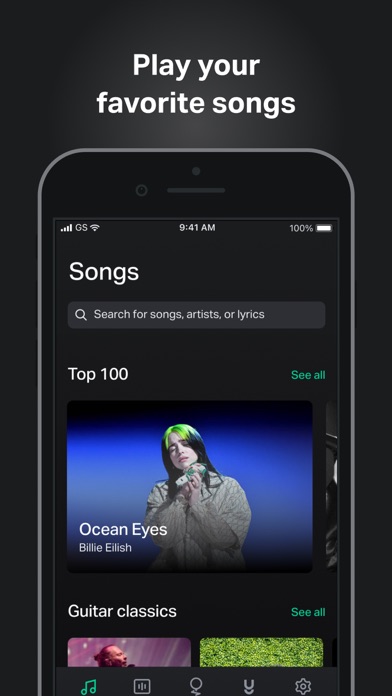
GuitarTuna is your go-to guitar app, with over 100 million downloads and counting! Tune your guitar in seconds with the free guitar tuner, explore guitar chords & tabs for 20,000+ songs, and learn how to play guitar songs you love with trainers, tutorials & personalized feedback.
Why you’ll love GuitarTuna
• Tune any guitar, ukulele, violin or bass perfectly with easy-to-use tuning
• Switch seamlessly between guitar tuner, ukulele tuner, bass tuner & more
• Get guitar tabs & chords for your favorite songs
• Learn guitar songs with trainers, tutorials & personalized feedback
• Practice like a pro with essential tools for guitar
• Play songs you love at any skill level – guitar beginners included!
• Become a better guitar player with an all-in-one guitar app in your pocket
How it works
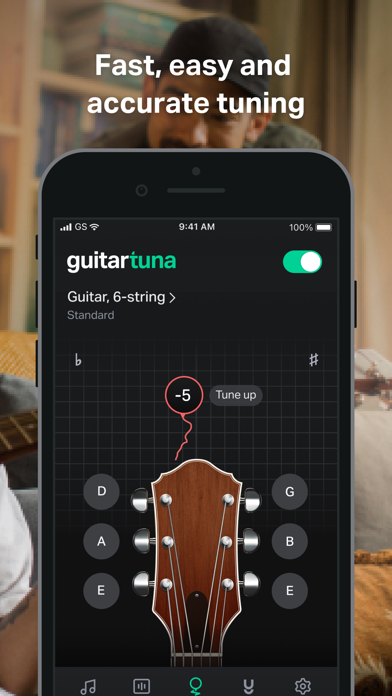
• Just pluck a string on your instrument and GuitarTuna detects the sound using your device’s microphone.
• You’ll get instant visual feedback while tuning. No cables needed.
• With our audio recognition technology, you’ll get insanely accurate tuning. Noise cancellation technology eliminates background noises while you tune.
Learn songs with guitar tutorials
• Learn guitar songs with video tutorials & interactive trainers
• Get personalized feedback to improve your guitar playing
• Create your own personalized learning path
• Get tips from expert guitarists
Play songs with guitar tabs & chords
• Explore guitar tabs for 20,000+ popular songs by top global artists
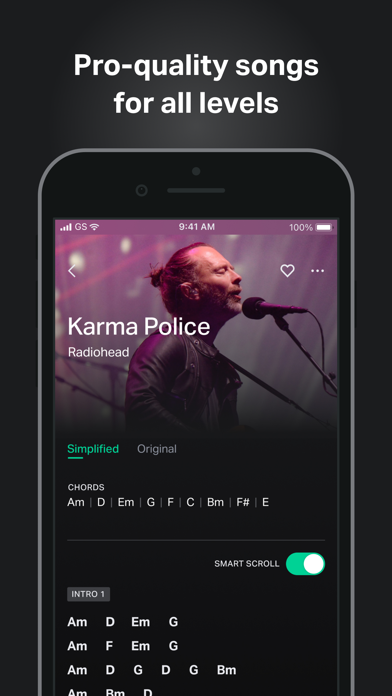
• Get pro-quality guitar chords & guitar tabs
• Choose guitar tabs & chords for your skill level
• Play at your own pace while chords & tabs sync with you
• Request guitar tabs & chords for your favorite songs
• New guitar songs & tabs added weekly!
Tools to practice guitar like a pro
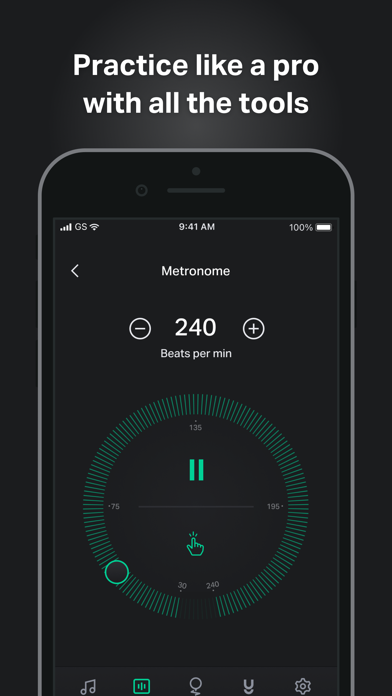
• Metronome: Set your tempo & customize your time signature with the metronome tool
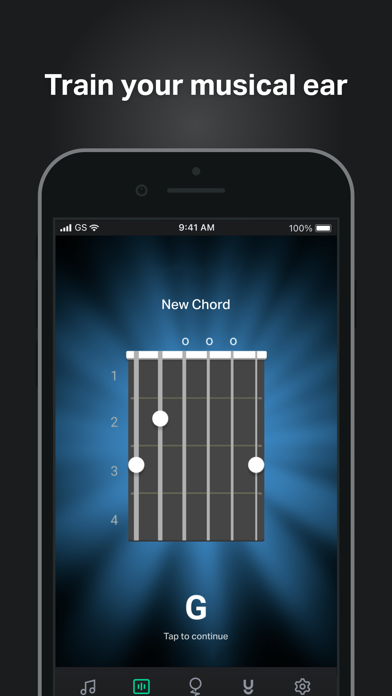
• Chord games: G chord giving you trouble? Learn, practice & master guitar chords with customizable games.
• Ear trainer: Improve your music skills & recognize chords by ear
• Chord library: Explore guitar chords with diagrams & audio
• Left-hand mode: Easily switch between right & left hand modes
Instruments
• Guitar
• Guitar 7-String
• Guitar 12-String
• Ukulele
• Cavaquinho
• Bass
• Bass 5-string
• Violin
• Viola
• Cello
• Fiddle
• Mandolin
• Balalaika
• Banjo
• Banjo 5-String
We’ve put a lot of love and effort into making GuitarTuna the tuner it is today. Your feedback is valuable to us, and you can be sure we’re listening. We recently added pro-quality guitar song chords and lyrics to the app because of the sheer amount of requests for them. Play your favorite songs anywhere, anytime, with our entire song library produced by professional musicians.
GuitarTuna Pro subscription: Subscribe for unlimited access. Subscriptions are monthly. Prices may vary in different countries. Payment will be charged to iTunes Account. Subscription automatically renews unless auto-renew is turned off at least 24-hours before the end of the current period. Account will be charged for renewal within 24-hours prior to the end of the current period. Subscriptions may be managed by the user and auto-renewal may be turned off by going to the user’s iTunes Account Settings. Any unused portion of a free trial period will be forfeited when the user purchases a subscription.
GuitarTuna is developed by Yousician. Check out Yousician’s apps to learn and master guitar, ukulele, bass, piano or singing!
It’s pretty cool you actually read this far! Here’s a joke for you: What’s the difference between a bass and a tuna? You can tuna bass, but you can’t bass a tuna!
Now download the app and see how it is.
Send us your feedback on the joke and the app to [email protected]!
https://yousician.com/privacy-notice
https://yousician.com/terms-of-service
- iPhone أو iPad بجيلبريك أو بدون جيلبريك.
- Sideloadly أو بدائلها.
- كمبيوتر يعمل بنظام Windows/macOS/Linux مع تثبيت iTunes.
الخطوة 1: قم بتنزيل ملف .IPA المعدّل مسبقًا من الرابط أعلاه إلى الكمبيوتر الخاص بك. للتنزيل من تطبيق iOSGods App، اطلع على دليل تنزيل IPA من تطبيق iOSGods App الذي يتضمن مثالًا بالفيديو.
الخطوة 2: قم بتنزيل Sideloadly وتثبيته على جهاز Windows أو Mac.
الخطوة 3: افتح Sideloadly على الكمبيوتر، ووصّل جهاز iOS الخاص بك، وانتظر حتى يظهر اسم جهازك داخل Sideloadly.
الخطوة 4: بمجرد التعرّف على جهاز iDevice الخاص بك، اسحب ملف .IPA المعدّل الذي قمت بتنزيله وأفلِته داخل تطبيق Sideloadly.
الخطوة 5: أدخل البريد الإلكتروني لحساب Apple Account الخاص بك، ثم اضغط على «Start». سيُطلب منك بعد ذلك إدخال كلمة المرور. تابع وأدخل المعلومات المطلوبة.
الخطوة 6: انتظر حتى ينتهي Sideloadly من تحميل/تثبيت ملف IPA المعدّل. في حال واجهت أي مشاكل أثناء التثبيت، يرجى قراءة الملاحظة أدناه.
الخطوة 7: بعد اكتمال التثبيت ورؤية التطبيق على الشاشة الرئيسية، انتقل إلى Settings → General → Profiles / VPN & Device Management. ثم اضغط على البريد الإلكتروني الذي أدخلته في الخطوة 6، ثم اضغط على «الوثوق بـ [email protected]».
الخطوة 8: الآن انتقل إلى الشاشة الرئيسية وافتح التطبيق الذي تم تثبيته للتو وسيعمل كل شيء بشكل صحيح. قد تحتاج إلى اتباع تعليمات إضافية خاصة بكل تطبيق داخل النافذة المنبثقة للتعديل أثناء اللعب.
ملاحظة: بدءًا من iOS/iPadOS 16 وما بعده، يجب تفعيل وضع المطور (Developer Mode). بالنسبة لحسابات Apple Developer المجانية، ستحتاج إلى تكرار هذه العملية كل 7 أيام. إذا كانت لديك أي أسئلة أو مشاكل، يرجى قراءة قسم الأسئلة الشائعة حول Sideloadly في الموضوع.