تسجيل الدخول مطلوب
سجّل الدخول بحساب iOSGods للمتابعة.
سجّل الدخول بحساب iOSGods للمتابعة.

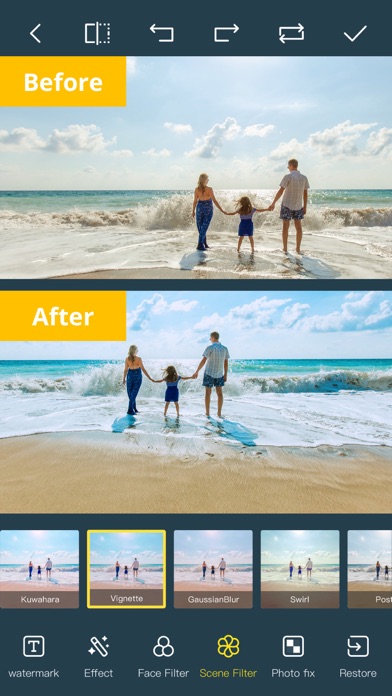
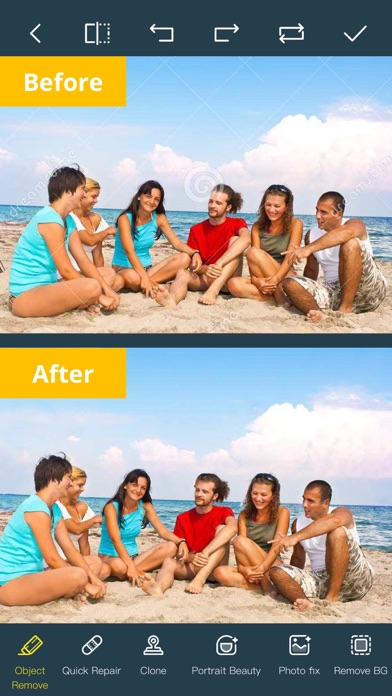
أزل الأشياء غير المرغوبة والأشخاص والعيوب من صورك ومقاطع الفيديو الخاصة بك باستخدام Photo Retouch-Object Removal Hack، تطبيق iOS معدل يجعل التحرير سهلاً وبسيطاً. ما عليك سوى الرسم فوق ما تريد حذفه واترك التطبيق يمسحه بسلاسة، مما يترك صورك تبدو طبيعية وكاملة. احصل على ميزات PRO المتقدمة على الفور مع هذا mod IPA.
- PRO → فتح جميع أدوات التحرير المتقدمة
يأتي هذا التطبيق أيضًا مع iGameGod، مما يتيح لك الوصول إلى Auto Touch لأتمتة المهام المتكررة، وApp Speed Manager لضبط سرعة اللعب، وتعديل القيم عبر Memory Engine، والمزيد من أدوات ألعاب iOS القوية.
قم بتنزيل Photo Retouch-Object Removal Hack modded IPA من الروابط أعلاه. اضغط على زر التثبيت واتبع التعليمات لتثبيت هذا التعديل لـ iOS على iPhone أو iPad أو Apple Silicon.
هل تحتاج إلى مزيد من المساعدة؟ راجع الأسئلة الشائعة لتطبيق iOSGods للحصول على إجابات مفصلة ونصائح لاستكشاف الأخطاء.
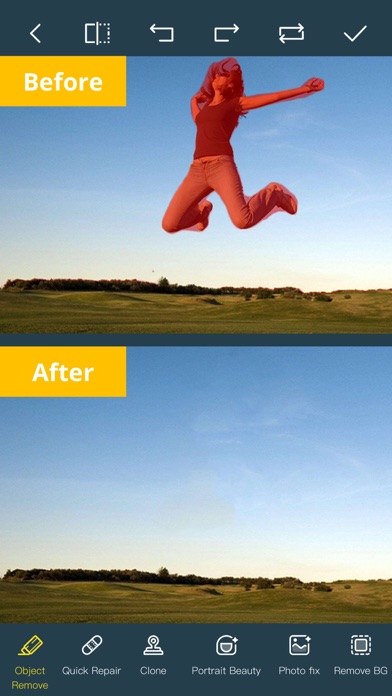
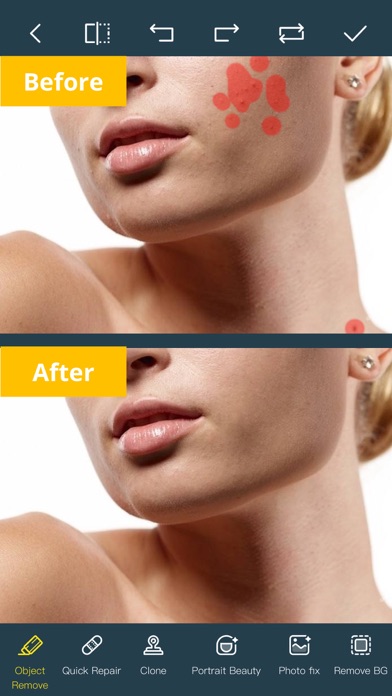
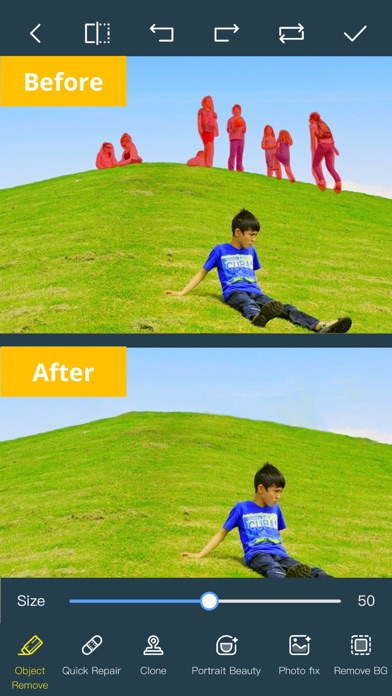
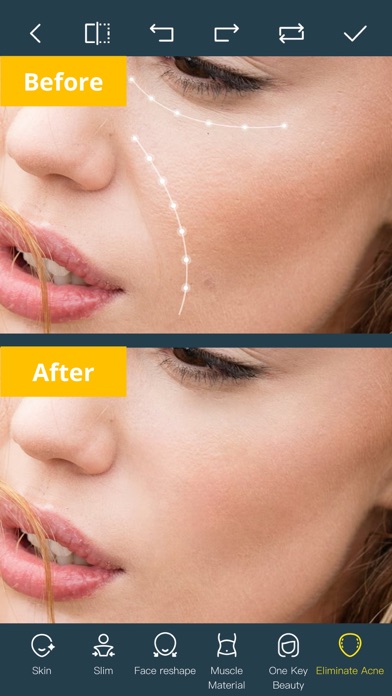
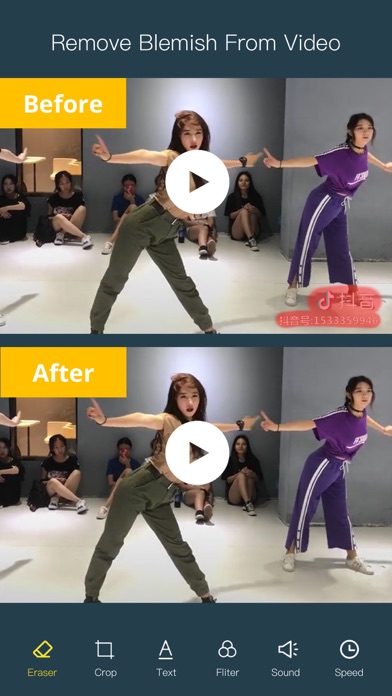
Ever wanted to remove unwanted people, unsightly pimples from a photo/video? Now you can. Photo Retouch can make people, blemish disappear as if they were never there.
Very simple to use. Simply paint the items, and touch run erase.
Make fun pictures/videos, remove unwanted people, remove unsightly pimples, clean up the perfect shot.
Even more features:
*Powerful AI Photo Editor, add text, filters and effects to photos.
*Face Options: V-Face,Narrow Face,Little Face,Thin Face,Forehead,Chin,Cheekbones,Mandible Bone.
*Eye Options: Big Eye, Eye Opening, Eye Distance,Eye Angle,Brilliant.
*Nose Options: Long Nose,Thin Nose,Thin Philtrum.
*Mouth Options: Shape, Smile,Beautiful Teeth.
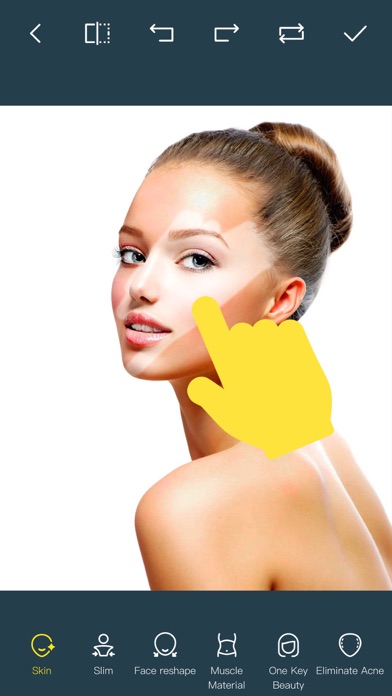
*Skin Options: Blur, Whitening, Sharpen, Rosy, Dark Circles, Nasolabial.
*Eliminate Acne, Wrinkle Killer, Thin Whiten Face.
*Hundreds of new image filters.
*Makeup Editing: Dozens of editable makeup for you to choose.
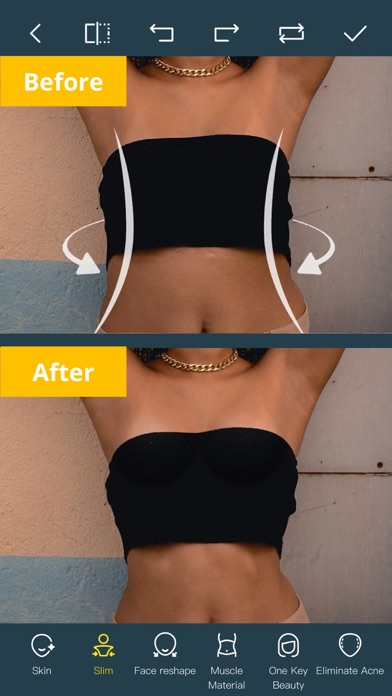
*Beautify Body:Turn your snaps into a model portfolio in a few minutes.
*Live Photo Editing: Beautify Live Photos instantly.
*AI Expansion: smartly fills in scenes for one-click expansion.
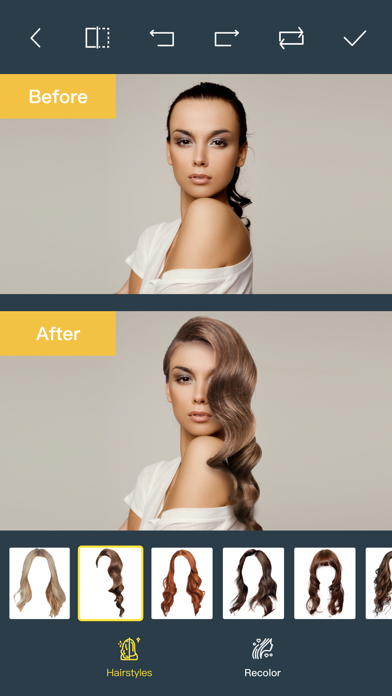
*AI Hairstyle Changer: AI-powered hairstyle transformation, freely change your look.
*AI Drawing: turns text or images into images and create artistic pictures with AI.
*AI Background Remover: Precise cutouts with smart recognition, quickly change backgrounds.
*Collage: Change layouts, switch backgrounds, seamlessly splice, and collage images to capture life's moments.
*Hairstyle and Hair Color: Change hairstyles and hair color, enhancing your beauty from the top down.
*Old Photo Restoration: Add more color to your old photos.
*Clarity repair: Turn blurry photos into high-definition in seconds, improving image quality.
*Image Fill Color: Fill color to your old photos automatically.
*Face Blur: Blur the faces in the video Easily.
*Track Blur: Remove/blur the moving people/blemish in the video.
*Powerful AI Editing: AI Face Restoration, AI Facial coloring restoration, AI Retouch custom prompt editing, AI Nail Design, AI Hairstyle, AI Photo Generator.
*Cloud Storage: Backup your editing result via cloud center.
Premium Package Subscription
- You can subscribe for large cloud storage space & premium features
- Payment will be charged to iTunes Account at confirmation of purchase
- You will be able to use large cloud storage space & premium features for the duration of the subscription
- Subscription automatically renews for the same price and duration period as the original "one week"/"one month"/"one year" package unless auto-renew is turned off at least 24-hours before the end of the current period
- Account will be charged for renewal within 24-hours prior to the end of the current period at the cost of the chosen package (weekly, monthly or yearly package)
- Subscriptions may be managed by the user and auto-renewal may be turned off by going to the user's iTunes Account Settings after purchase
- No cancellation of the current subscription is allowed during active subscription period
- You may cancel a subscription during its free trial period via the subscription setting through your iTunes account. This must be done 24 hours before the end of the subscription period to avoid being charged. Please visit http://support.apple.com/kb/ht4098 for more information
- You may turn off the auto-renewal of your subscription via your iTunes Account Settings. However, you are not able to cancel the current subscription during its active period
- Any unused portion of a free trial period, if offered, will be forfeited when the user purchases a subscription to that publication, where applicable
Links to our Terms of Service and Privacy Policy can be found below
Privacy Policy:https://privacy.tushikeji.com/app/privacy?name=photoretouch&os=ios&language=en&channelNo=1
Terms of Use: https://privacy.tushikeji.com/app/userAgreement?name=photoretouch&os=ios&language=en&channelNo=1
- iPhone أو iPad بجيلبريك أو بدون جيلبريك.
- Sideloadly أو بدائلها.
- كمبيوتر يعمل بنظام Windows/macOS/Linux مع تثبيت iTunes.
الخطوة 1: قم بتنزيل ملف .IPA المعدّل مسبقًا من الرابط أعلاه إلى الكمبيوتر الخاص بك. للتنزيل من تطبيق iOSGods App، اطلع على دليل تنزيل IPA من تطبيق iOSGods App الذي يتضمن مثالًا بالفيديو.
الخطوة 2: قم بتنزيل Sideloadly وتثبيته على جهاز Windows أو Mac.
الخطوة 3: افتح Sideloadly على الكمبيوتر، ووصّل جهاز iOS الخاص بك، وانتظر حتى يظهر اسم جهازك داخل Sideloadly.
الخطوة 4: بمجرد التعرّف على جهاز iDevice الخاص بك، اسحب ملف .IPA المعدّل الذي قمت بتنزيله وأفلِته داخل تطبيق Sideloadly.
الخطوة 5: أدخل البريد الإلكتروني لحساب Apple Account الخاص بك، ثم اضغط على «Start». سيُطلب منك بعد ذلك إدخال كلمة المرور. تابع وأدخل المعلومات المطلوبة.
الخطوة 6: انتظر حتى ينتهي Sideloadly من تحميل/تثبيت ملف IPA المعدّل. في حال واجهت أي مشاكل أثناء التثبيت، يرجى قراءة الملاحظة أدناه.
الخطوة 7: بعد اكتمال التثبيت ورؤية التطبيق على الشاشة الرئيسية، انتقل إلى Settings → General → Profiles / VPN & Device Management. ثم اضغط على البريد الإلكتروني الذي أدخلته في الخطوة 6، ثم اضغط على «الوثوق بـ [email protected]».
الخطوة 8: الآن انتقل إلى الشاشة الرئيسية وافتح التطبيق الذي تم تثبيته للتو وسيعمل كل شيء بشكل صحيح. قد تحتاج إلى اتباع تعليمات إضافية خاصة بكل تطبيق داخل النافذة المنبثقة للتعديل أثناء اللعب.
ملاحظة: بدءًا من iOS/iPadOS 16 وما بعده، يجب تفعيل وضع المطور (Developer Mode). بالنسبة لحسابات Apple Developer المجانية، ستحتاج إلى تكرار هذه العملية كل 7 أيام. إذا كانت لديك أي أسئلة أو مشاكل، يرجى قراءة قسم الأسئلة الشائعة حول Sideloadly في الموضوع.