Login Diperlukan
Masuk dengan akun iOSGods kamu untuk melanjutkan.
Masuk dengan akun iOSGods kamu untuk melanjutkan.
- Inf Mana (Use)
Aplikasi ini juga dilengkapi dengan iGameGod, yang memberi Anda akses ke Auto Touch untuk mengotomatiskan tugas berulang, App Speed Manager untuk mengatur kecepatan permainan, pengeditan nilai Memory Engine, dan alat permainan iOS lainnya yang lebih canggih.
Unduh Magic vs Metal Hack modded IPA dari tautan di atas. Ketuk tombol pasang dan ikuti petunjuk di layar untuk memasang hack iOS ini di iPhone, iPad, atau Apple Silicon.
Butuh bantuan lebih lanjut? Lihat Pertanyaan yang Sering Diajukan untuk Aplikasi iOSGods kami untuk jawaban dan tips lengkap.
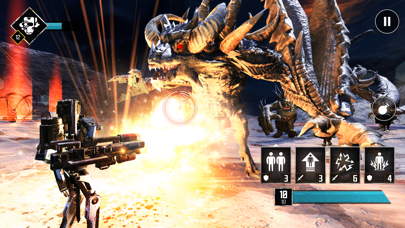
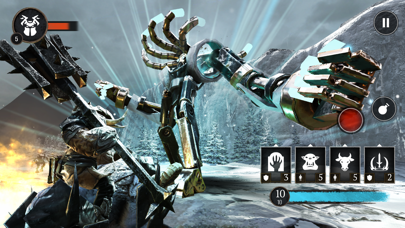
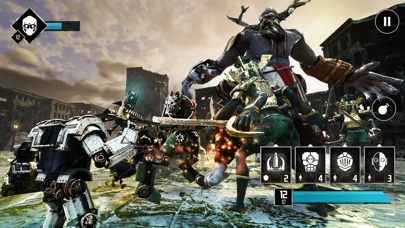
Centuries after a meteor impact nearly wipes out mankind, two factions evolve - one biological, the other mechanical. Now, both are locked in a desperate war for survival. Choose your hero, summon an unstoppable army, unleash devastating powers, and wipe out the enemy in this action-packed real-time strategy game.
--------------------------------------------
REAL TIME STRATEGY (RTS) OR THIRD-PERSON-SHOOTER (TPS)
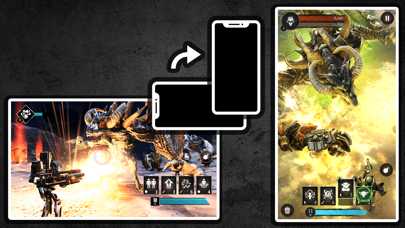
Choose your faction, choose your hero, and go to war. Play with one hand while commanding above the battlefield, or join the battle in an action-packed third-person shooter - the choice is yours!
MASSIVE CAMPAIGN
Wage war across a post-apocalyptic world as you attack and defend in a massive single-player campaign.
POWERFUL SPELLS & HEROES
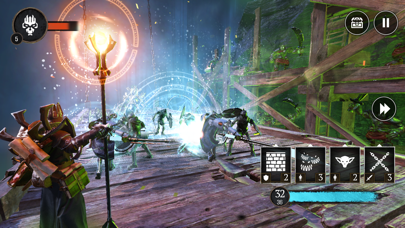
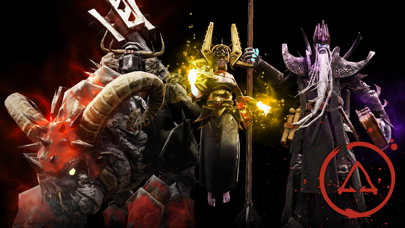
Choose from six unique heroes, each with dozens of powerful spells to bring into battle. Crush your enemies with the Berserker, disintegrate them with the Nova, overwhelm them with the armies of the Necromancer, and more!
CRAFT POWERFUL ITEMS
Collect items and use them to craft rare and powerful artifacts that supercharge your heroes, spells, and troops!
GRAPHICS
Experience incredible 3D graphics, dynamic lighting, and detailed particle effects. You'll be immersed in this dark and war-torn fantasy world!
FANTASY MEETS SCI-FI
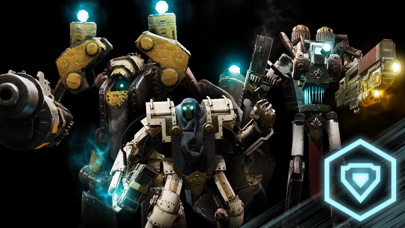
Summon fantasy creatures, or build sci-fi war machines. Cast spells, or unleash firepower. Use magic or technology to win the war - the choice is yours in this unique merging of genres!
SOCIAL MEDIA
Find us (@FoursakenMedia) on Discord, Twitter, or Facebook for the latest news and updates!

- iPhone atau iPad tanpa Jailbreak atau dengan Jailbreak.
- Sideloadly atau alternatifnya.
- Komputer dengan Windows/macOS/Linux dan iTunes terpasang.
LANGKAH 1: Unduh file .IPA yang sudah di-hack dari tautan di atas ke komputer Anda. Untuk mengunduhnya dari iOSGods App, silakan lihat Tutorial Mengunduh IPA dari iOSGods App kami yang dilengkapi contoh video.
LANGKAH 2: Unduh Sideloadly dan pasang di Windows atau Mac Anda.
LANGKAH 3: Buka Sideloadly di komputer Anda, sambungkan perangkat iOS Anda, dan tunggu hingga nama perangkat Anda muncul di Sideloadly.
LANGKAH 4: Setelah iDevice Anda terdeteksi, seret file .IPA yang sudah dimodifikasi dan lepaskan ke dalam aplikasi Sideloadly.
LANGKAH 5: Masukkan email Apple Account Anda, lalu tekan "Start". Anda kemudian akan diminta memasukkan kata sandi. Silakan isi informasi yang diminta.
LANGKAH 6: Tunggu hingga Sideloadly selesai melakukan sideloading/pemasangan IPA yang di-hack. Jika terjadi masalah saat pemasangan, silakan baca catatan di bawah ini.
LANGKAH 7: Setelah pemasangan selesai dan Anda melihat aplikasi di Layar Beranda, Anda perlu masuk ke Pengaturan → Umum → Profil / VPN & Manajemen Perangkat. Setelah itu, ketuk email yang Anda masukkan pada langkah 6, lalu ketuk "Percayai [email protected]".
LANGKAH 8: Sekarang buka Layar Beranda dan jalankan aplikasi yang baru saja dipasang; semuanya seharusnya berjalan normal. Anda mungkin perlu mengikuti petunjuk tambahan per aplikasi yang muncul di popup hack di dalam game.
CATATAN: Pada iOS/iPadOS 16 dan yang lebih baru, Anda harus mengaktifkan Mode Pengembang. Untuk akun Apple Developer gratis, Anda perlu mengulangi proses ini setiap 7 hari. Jika Anda memiliki pertanyaan atau masalah, silakan baca bagian FAQ Sideloadly di topik tersebut kami.