تسجيل الدخول مطلوب
سجّل الدخول بحساب iOSGods للمتابعة.
سجّل الدخول بحساب iOSGods للمتابعة.

أدر الملفات، تصفح الويب، والوصول إلى الميزات المتقدمة باستخدام تطبيق Files المعدل Hack IPA لـ iOS. توفر لك هذه الأداة التحكم الكامل في المستندات والصور والتنزيلات على جهازك مع مدير ملفات مدمج ومتصفح ويب، الآن مع فتح PRO.
- PRO → فتح الميزات المتقدمة
يأتي هذا التطبيق أيضًا مع iGameGod، مما يتيح لك الوصول إلى Auto Touch لأتمتة المهام المتكررة، وApp Speed Manager لضبط سرعة اللعب، وتعديل القيم عبر Memory Engine، والمزيد من أدوات ألعاب iOS القوية.
قم بتنزيل Files - File Manager & Browser Hack modded IPA من الروابط أعلاه. اضغط على زر التثبيت واتبع التعليمات لتثبيت هذا التعديل لـ iOS على iPhone أو iPad أو Apple Silicon.
هل تحتاج إلى مزيد من المساعدة؟ راجع الأسئلة الشائعة لتطبيق iOSGods للحصول على إجابات مفصلة ونصائح لاستكشاف الأخطاء.
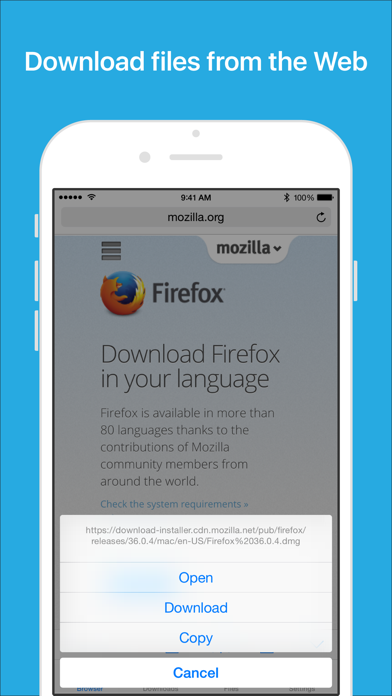
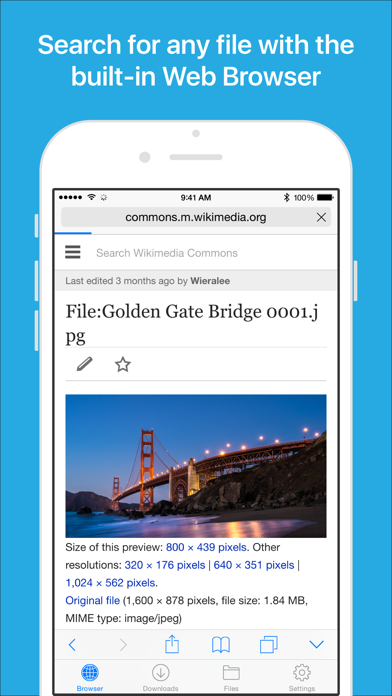
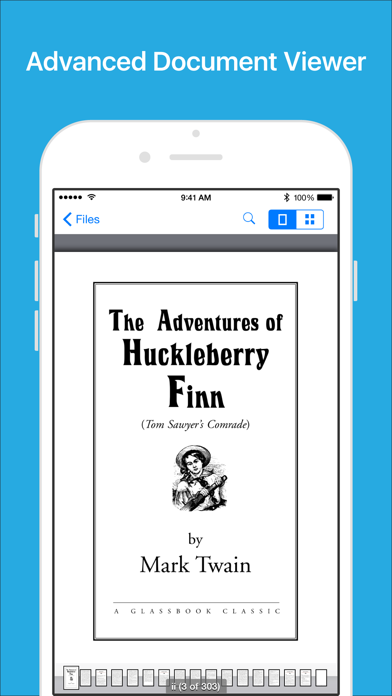
Files App (formerly known as Downloads Lite) features a Web browser that lets you save documents to your iPhone or iPod touch so that you can work with them offline. It has a built-in file manager, with robust viewer for all iOS supported document types, powerful photo browser, advanced PDF reader, full Dropbox support, and more.
NOTE: This app does not support downloading of audio or video content.
FEATURES
√ Full portrait & landscape mode support
√ Passcode lock
√ Web browser
- Provides a user experience very similar to Mobile Safari
- Tabbed browsing
- Tap and hold on an image to download it
- Tap and hold to force download
- Save web pages with images for offline viewing
- Full screen mode
- Bookmark manager
- History support
- Address bar auto-completion
- HTTP basic authentication
- Form-based authentication
- Integrated Google or Yahoo! search
- Ability to spoof browser's User-Agent string to display web pages like Firefox
- Unified smart search field. Type a URL or search term in the unified smart search field, the browser automatically suggests the closest match to what you’re looking for.
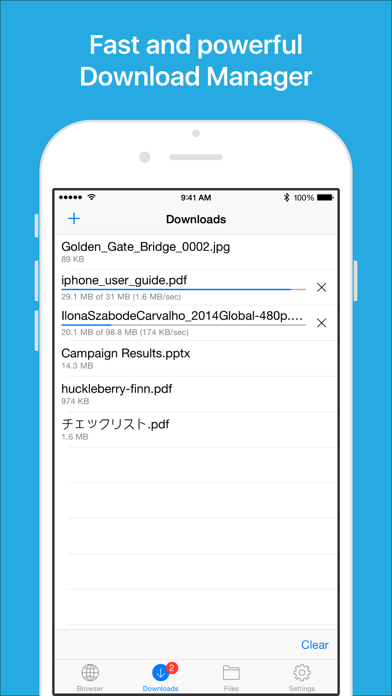
√ Download manager
- Fast downloading speed
- Supports resuming of interrupted downloads reliably
- Live download progress bar and speed indicator
- Active downloads badge number
- Add arbitrary download link
- Always download with correct filename
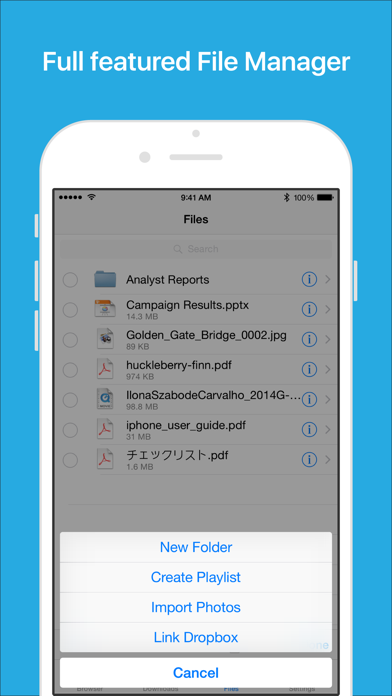
√ File manager
- Full screen document viewer that supports .pdf, .doc, .xls, .ppt, .txt, .html and .rtf file formats
- Folders support
- Move, rename and delete files
- Search by file name
- Extract RAR archives
- Unzip ZIP files
- Remember document scroll position
- Attempt to open file of unrecognized format
- Import photos from camera roll
√ Dropbox integration
- Upload, download and manage files
- Sync what you want, keep files on your device
√ Advanced PDF viewer
- Huge PDF files work flawlessly
- Text search
- Tap PDF links to jump across the file
√ Photo viewer
- Tap or swipe to move between images in a folder
- Zoom in and out with pinch gesture
- Ability to save images to photo album
- Thumbnails view
√ File transfer
- Supports HTTP and FTP protocols
- Supports iTunes USB File Sharing
- Transfer files to and from computer in Wi-Fi network
- Send files as email attachments (size under 15MB)
√ Mobile Safari Integration
- Bookmarklet for Mobile Safari that lets you open any link in Files app
√ Multitasking
- Background downloading
√ Inter-app document interchange
- Other apps can save their files to Files app (e.g. Email app can save attachments to Files app)
√ Recovery Mode
- If the browser caught in an endless loop of pop-up alerts, go to the iOS built-in "Settings" app, find "Files App", turn on "Recovery Mode", then force-quit and relaunch the app.
Terms of Use: https://downloadsapp.info/terms
Privacy Policy: https://downloadsapp.info/privacy
- iPhone أو iPad بجيلبريك أو بدون جيلبريك.
- Sideloadly أو بدائلها.
- كمبيوتر يعمل بنظام Windows/macOS/Linux مع تثبيت iTunes.
الخطوة 1: قم بتنزيل ملف .IPA المعدّل مسبقًا من الرابط أعلاه إلى الكمبيوتر الخاص بك. للتنزيل من تطبيق iOSGods App، اطلع على دليل تنزيل IPA من تطبيق iOSGods App الذي يتضمن مثالًا بالفيديو.
الخطوة 2: قم بتنزيل Sideloadly وتثبيته على جهاز Windows أو Mac.
الخطوة 3: افتح Sideloadly على الكمبيوتر، ووصّل جهاز iOS الخاص بك، وانتظر حتى يظهر اسم جهازك داخل Sideloadly.
الخطوة 4: بمجرد التعرّف على جهاز iDevice الخاص بك، اسحب ملف .IPA المعدّل الذي قمت بتنزيله وأفلِته داخل تطبيق Sideloadly.
الخطوة 5: أدخل البريد الإلكتروني لحساب Apple Account الخاص بك، ثم اضغط على «Start». سيُطلب منك بعد ذلك إدخال كلمة المرور. تابع وأدخل المعلومات المطلوبة.
الخطوة 6: انتظر حتى ينتهي Sideloadly من تحميل/تثبيت ملف IPA المعدّل. في حال واجهت أي مشاكل أثناء التثبيت، يرجى قراءة الملاحظة أدناه.
الخطوة 7: بعد اكتمال التثبيت ورؤية التطبيق على الشاشة الرئيسية، انتقل إلى Settings → General → Profiles / VPN & Device Management. ثم اضغط على البريد الإلكتروني الذي أدخلته في الخطوة 6، ثم اضغط على «الوثوق بـ [email protected]».
الخطوة 8: الآن انتقل إلى الشاشة الرئيسية وافتح التطبيق الذي تم تثبيته للتو وسيعمل كل شيء بشكل صحيح. قد تحتاج إلى اتباع تعليمات إضافية خاصة بكل تطبيق داخل النافذة المنبثقة للتعديل أثناء اللعب.
ملاحظة: بدءًا من iOS/iPadOS 16 وما بعده، يجب تفعيل وضع المطور (Developer Mode). بالنسبة لحسابات Apple Developer المجانية، ستحتاج إلى تكرار هذه العملية كل 7 أيام. إذا كانت لديك أي أسئلة أو مشاكل، يرجى قراءة قسم الأسئلة الشائعة حول Sideloadly في الموضوع.