需要登入
請使用您的 iOSGods 帳戶登入以繼續。
請使用您的 iOSGods 帳戶登入以繼續。

使用這個 Files - File Manager & Browser Hack 破解版 IPA 來管理檔案、瀏覽網頁,並存取進階功能。此工具讓您完全掌控裝置上的文件、照片和下載內容,內建檔案管理器和網頁瀏覽器,現已解鎖 PRO 版本。
- PRO → 解鎖進階功能
此應用程式也內建 iGameGod,讓你可以使用 Auto Touch 自動執行重複操作、透過 App Speed Manager 調整遊戲速度、使用 Memory Engine 修改記憶體數值,以及更多強大的 iOS 遊戲工具。
從上方連結下載 Files - File Manager & Browser Hack modded IPA。點選安裝按鈕並依照畫面指示在 iPhone、iPad 或 Apple Silicon 上安裝此 iOS 應用程式修改版。
需要更多協助?請查看我們的 iOSGods 應用程式常見問題 以獲得詳細解答與疑難排解。
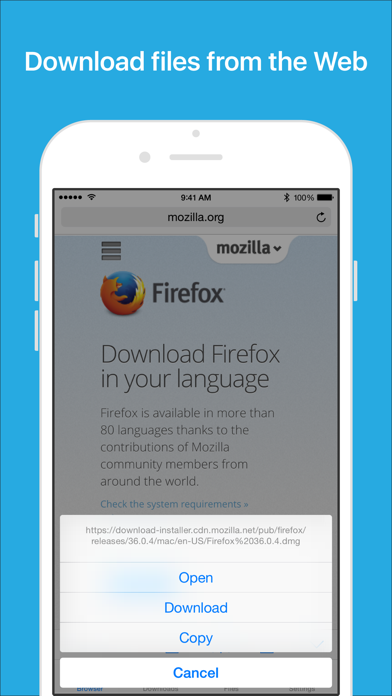
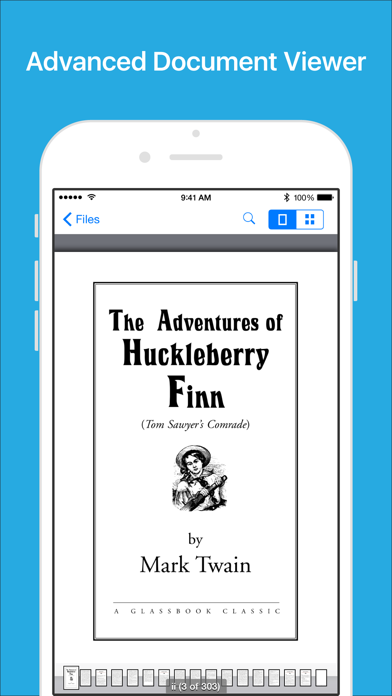
Files App (formerly known as Downloads Lite) features a Web browser that lets you save documents to your iPhone or iPod touch so that you can work with them offline. It has a built-in file manager, with robust viewer for all iOS supported document types, powerful photo browser, advanced PDF reader, full Dropbox support, and more.
NOTE: This app does not support downloading of audio or video content.
FEATURES
√ Full portrait & landscape mode support
√ Passcode lock
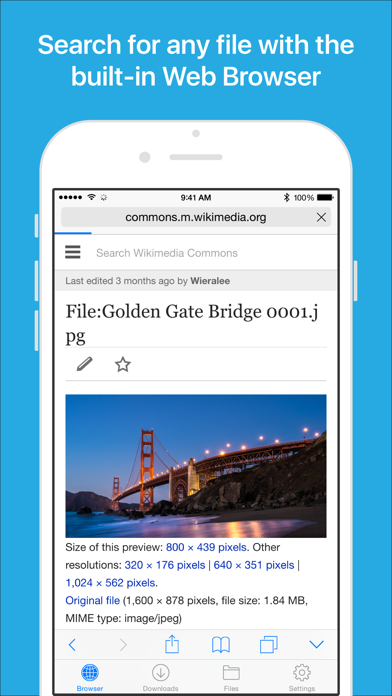
√ Web browser
- Provides a user experience very similar to Mobile Safari
- Tabbed browsing
- Tap and hold on an image to download it
- Tap and hold to force download
- Save web pages with images for offline viewing
- Full screen mode
- Bookmark manager
- History support
- Address bar auto-completion
- HTTP basic authentication
- Form-based authentication
- Integrated Google or Yahoo! search
- Ability to spoof browser's User-Agent string to display web pages like Firefox
- Unified smart search field. Type a URL or search term in the unified smart search field, the browser automatically suggests the closest match to what you’re looking for.
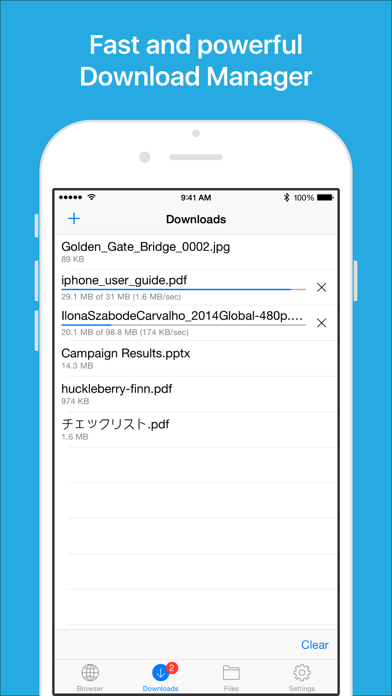
√ Download manager
- Fast downloading speed
- Supports resuming of interrupted downloads reliably
- Live download progress bar and speed indicator
- Active downloads badge number
- Add arbitrary download link
- Always download with correct filename
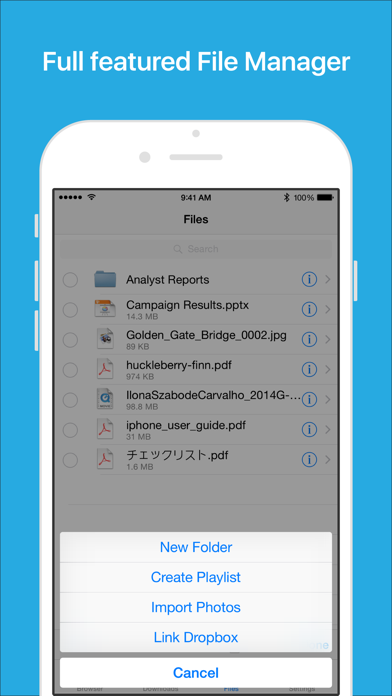
√ File manager
- Full screen document viewer that supports .pdf, .doc, .xls, .ppt, .txt, .html and .rtf file formats
- Folders support
- Move, rename and delete files
- Search by file name
- Extract RAR archives
- Unzip ZIP files
- Remember document scroll position
- Attempt to open file of unrecognized format
- Import photos from camera roll
√ Dropbox integration
- Upload, download and manage files
- Sync what you want, keep files on your device
√ Advanced PDF viewer
- Huge PDF files work flawlessly
- Text search
- Tap PDF links to jump across the file
√ Photo viewer
- Tap or swipe to move between images in a folder
- Zoom in and out with pinch gesture
- Ability to save images to photo album
- Thumbnails view
√ File transfer
- Supports HTTP and FTP protocols
- Supports iTunes USB File Sharing
- Transfer files to and from computer in Wi-Fi network
- Send files as email attachments (size under 15MB)
√ Mobile Safari Integration
- Bookmarklet for Mobile Safari that lets you open any link in Files app
√ Multitasking
- Background downloading
√ Inter-app document interchange
- Other apps can save their files to Files app (e.g. Email app can save attachments to Files app)
√ Recovery Mode
- If the browser caught in an endless loop of pop-up alerts, go to the iOS built-in "Settings" app, find "Files App", turn on "Recovery Mode", then force-quit and relaunch the app.
Terms of Use: https://downloadsapp.info/terms
Privacy Policy: https://downloadsapp.info/privacy
- 未越獄/受限或已越獄的 iPhone 或 iPad。
- Sideloadly 或替代方案。
- 執行 Windows/macOS/Linux 且已安裝 iTunes 的電腦。
步驟 1: 透過上方連結將已破解的 .IPA 檔案下載到您的電腦。若要從 iOSGods App 下載,請參閱我們的 iOSGods App IPA 下載教學,其中包含影片範例。
步驟 2: 下載 Sideloadly 並將其安裝在您的 Windows 或 Mac 上。
步驟 3: 在電腦上開啟 Sideloadly,連接您的 iOS 裝置,並等待裝置名稱出現在 Sideloadly 中。
步驟 4: 當 Sideloadly 辨識到您的 iOS 裝置後,將下載好的修改版 .IPA 檔案拖曳並放到 Sideloadly 應用程式中。
步驟 5: 輸入您的 Apple Account 電子郵件,然後按下「Start」。系統會要求您輸入密碼,請依指示提供所需資訊。
步驟 6: 等待 Sideloadly 完成已破解 IPA 的旁載/安裝。如果安裝過程中發生問題,請閱讀下方的注意事項。
步驟 7: 安裝完成並在主畫面上看到該應用程式後,您需要前往 設定 → 一般 → 描述檔 / VPN 與裝置管理。進入後,點選您在步驟 6 中輸入的電子郵件,然後點選「信任 [email protected]」。
步驟 8: 現在回到主畫面並開啟新安裝的應用程式,一切應該都能正常運作。您可能需要依照遊戲內破解彈出視窗中的進一步指示操作。
注意: 在 iOS/iPadOS 16 及更新版本上,您必須 啟用開發者模式。若使用免費的 Apple Developer 帳號,您將需要每 7 天重複此程序。如有任何疑問或問題,請閱讀我們的 主題中的 Sideloadly 常見問題區段。